
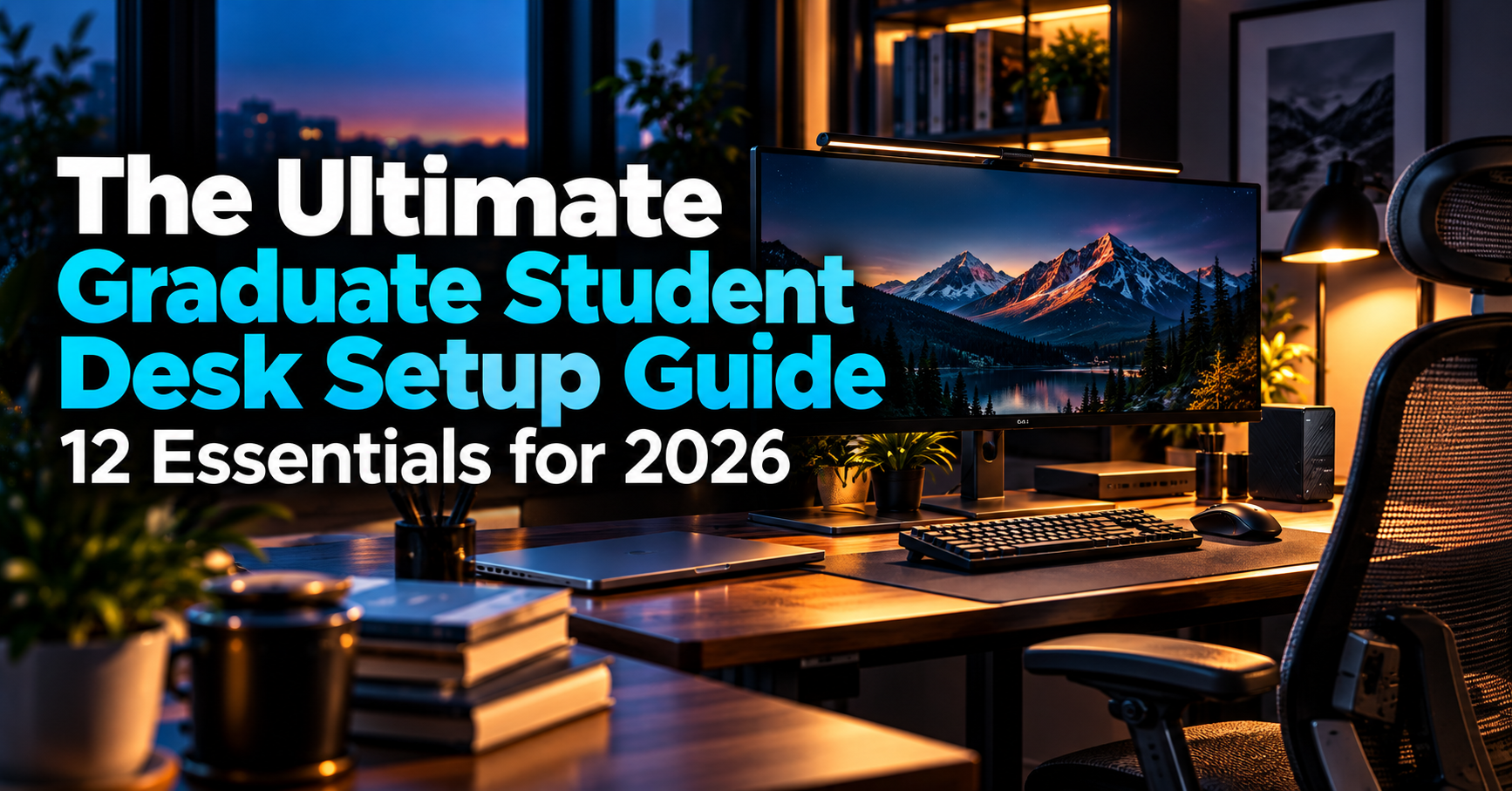
Graduate school often means spending more time at a desk than you originally expected.
Between reading academic papers, analyzing data, writing a thesis, preparing presentations, and attending online meetings, your workspace becomes an important part of your daily routine.
But a productive desk setup does not necessarily require expensive equipment.
Sometimes, a larger monitor makes the biggest difference. For other students, a comfortable chair, better lighting, or a reliable docking station may be more useful.
The key is identifying which upgrades actually improve the way you work.
In this guide, we’ve selected 12 practical desk accessories and equipment categories that can help graduate students build a more comfortable, organized, and functional workspace.
From essential furniture to convenient USB-C accessories, these recommendations cover different budgets and academic workflows.
Rather than selecting the most expensive products, we’ve focused on features that make sense for research, studying, writing, coding, and everyday productivity.
Our recommendation: Start with the equipment you use most frequently. For many students, improving their monitor, chair, or desk layout will provide more everyday value than purchasing several smaller accessories.
Disclosure: As an Amazon Associate, GradToolLab earns from qualifying purchases at no additional cost to you.
Editorial note: These recommendations draw on our existing product comparisons, manufacturer specifications, and publicly available product information. We have not independently tested every product featured in this guide.
Table of Contents
Quick Comparison: 12 Desk Setup Essentials
| Category | Recommended Product | Best For | Priority |
|---|---|---|---|
| Standing Desk | FlexiSpot EN1 | Adjustable workspace | Optional upgrade |
| Ergonomic Chair | COLAMY ATLAS | Seating comfort | High |
| External Monitor | Dell S2725QC | Multitasking | High |
| Monitor Arm | HUANUO HNSS6 | Screen positioning | Optional |
| Wireless Keyboard | Logitech MX Keys S | Writing and coding | High |
| Wireless Mouse | Logitech Signature M650 | Everyday computer work | High |
| Desk Lamp | Honeywell H01 Pro | Reading and writing | Depends on lighting |
| Monitor Light Bar | BenQ ScreenBar Pro | Desk lighting without a large base | Optional alternative |
| USB-C Hub | Anker 8-in-1 USB-C Hub | Laptop connectivity | Depends on ports |
| Docking Station | CalDigit TS4 | Permanent workstation | Optional alternative |
| Surge Protector | Anker 351 Power Strip | Multiple electronic devices | Depends on setup |
| External SSD | Samsung T7 Shield | Portable file storage | Depends on storage needs |
These are representative products from our individual buying guides.
You do not need everything on this list.
For example, most students will not need both a USB-C hub and an expensive docking station.
Similarly, a conventional desk lamp and a monitor light bar can serve overlapping purposes.
The best desk setup is the one that supports your actual workflow without unnecessary spending.
1. Standing Desk: FlexiSpot EN1
Best for: Graduate students who want the flexibility to alternate between sitting and standing.
A standing desk can be a useful addition to a graduate student’s workspace, especially when research involves spending several hours at a computer.
However, the goal is not to stand throughout the entire day.
Instead, an adjustable desk allows you to change positions depending on your activities and preferences.
Why We Recommend the FlexiSpot EN1
The FlexiSpot EN1 combines electric height adjustment with a spacious desktop.
The 55 × 28-inch configuration provides room for an external monitor, keyboard, mouse, laptop, and research materials.
Its electric adjustment mechanism also allows users to save preferred desk heights.
For graduate students who frequently switch between writing, reading, and computer-based research, this flexibility can be useful.
The generous desk depth is particularly important if you use a large external monitor.
It allows you to position the display farther from your eyes while retaining enough space for notebooks or printed papers.
What to Consider
The FlexiSpot EN1 requires assembly and occupies more room than a compact desk.
It is also more expensive than a basic fixed-height table.
If your current desk already provides a comfortable working height, upgrading may not be necessary.
Our verdict: A practical adjustable desk for students who want more flexibility in their daily workspace.
For more options across different budgets, see our best standing desks for graduate students.
2. Ergonomic Chair: COLAMY ATLAS
Best for: Students who spend several hours each day writing, coding, or analyzing research data.
A chair is one of the most important parts of a desk setup.
Unlike accessories you use occasionally, your chair supports you throughout much of your working day.
Poorly fitting seating can make long work sessions uncomfortable.
However, a more expensive chair is not automatically a better chair.
Adjustability and individual fit matter more than appearance alone.
Why We Recommend the COLAMY ATLAS
The COLAMY ATLAS offers several adjustments that can help users adapt the chair to their body and workspace.
These include adjustable lumbar support, 4D armrests, seat-depth adjustment, and multiple recline positions.
The adjustable seat depth is particularly useful because it allows users to change how much of their thighs are supported.
Similarly, adjustable armrests can help accommodate different desk heights and working positions.
This flexibility makes the ATLAS an appealing option for students who spend substantial time at a computer.
What to Consider
The chair is relatively large.
Students working in small apartments should check the available space, particularly around the armrests and backrest.
Chair comfort is also highly individual, so trying a chair before purchasing is preferable when possible.
Our verdict: A well-equipped ergonomic chair offering a useful range of adjustments.
For budget alternatives and more detailed comparisons, read our best ergonomic chairs for graduate students.
3. External Monitor: Dell S2725QC
Best for: Students who regularly work with multiple applications simultaneously.
An external monitor is one of the upgrades most likely to change how a graduate student uses their computer.
Research often requires switching between several applications.
You might have a journal article open alongside a Word document, or a code editor next to a terminal and data visualization window.
A laptop screen can handle these activities, but limited screen space can make multitasking less convenient.
Why We Recommend the Dell S2725QC
The Dell S2725QC is a 27-inch 4K monitor with USB-C connectivity.
Its high resolution provides sharp text and plenty of screen space.
This is particularly useful when reading academic papers, examining figures, or working with spreadsheets.
The monitor also supports a 120Hz refresh rate.
While graduate students do not necessarily need a high refresh rate, smoother scrolling can be a welcome feature during everyday use.
USB-C connectivity is another advantage.
With a compatible laptop, one USB-C connection can carry video and provide charging, reducing the number of cables required.
What to Consider
Not every laptop supports video output and charging over the same USB-C connection.
Check your laptop’s specifications before purchasing.
A 27-inch display also requires sufficient desk space.
Our verdict: One of the most useful upgrades for students who spend substantial time working on a laptop.
For more monitor sizes and configurations, see our best monitors for graduate students.
4. Monitor Arm: HUANUO HNSS6
Best for: Students who want more flexibility in monitor positioning.
An external monitor improves available screen space, but its original stand may occupy valuable room on your desk.
A monitor arm provides an alternative mounting solution.
By attaching the monitor to the desk, it can free up space underneath the display.
It also allows users to adjust the monitor’s position more freely.
Why We Recommend the HUANUO HNSS6
The HUANUO HNSS6 is an adjustable single-monitor arm designed for compatible displays.
It uses a gas-spring-assisted mechanism that allows users to reposition the monitor after correctly adjusting the arm’s tension.
This is useful when switching between different activities.
For example, you might prefer a landscape orientation while analyzing data but want to rotate the display when reading long documents.
A monitor arm can also help create more space for handwritten notes or textbooks.
What to Consider
Compatibility is essential.
Before purchasing, check the monitor’s weight, VESA mounting pattern, and your desk’s thickness and construction.
Not every monitor can be mounted safely on every arm.
Our verdict: A worthwhile addition when your existing monitor stand limits available space or adjustability.
Our best monitor arms for graduate students guide also covers dual-monitor and ultrawide setups.
5. Wireless Keyboard: Logitech MX Keys S
Best for: Graduate students who spend long periods writing, programming, or working with spreadsheets.
A keyboard may seem like a relatively ordinary accessory.
However, students writing a thesis or conducting computer-based research can spend hours typing every day.
The right keyboard should provide a comfortable layout, reliable connectivity, and controls that match your workflow.
Why We Recommend the Logitech MX Keys S
The Logitech MX Keys S is a full-size wireless keyboard with low-profile keys.
It includes a number pad, adjustable backlighting, and multi-device connectivity.
The full-size layout is useful for students who frequently enter numerical data.
For example, engineering students working with spreadsheets or measurement results may appreciate having a dedicated number pad.
The ability to switch between devices is another useful feature.
Students who use a personal laptop alongside another computer can benefit from easier device switching.
What to Consider
The MX Keys S costs more than basic wireless keyboards.
Its full-size layout also occupies more desk space than compact alternatives.
For students who mainly write short documents or frequently carry their keyboard, a smaller model may be more practical.
Our verdict: A capable keyboard for students who type extensively and appreciate a full-size layout.
Explore budget, portable, and ergonomic alternatives in our best wireless keyboards for graduate students guide.
6. Wireless Mouse: Logitech Signature M650
Best for: Everyday research, browsing, writing, and computer work.
A wireless mouse can make everyday computer tasks more convenient.
Graduate students frequently navigate PDF documents, websites, spreadsheets, presentations, and research software.
While a laptop trackpad is sufficient for many activities, a dedicated mouse may offer more comfortable control.
Why We Recommend the Logitech Signature M650
The Logitech Signature M650 is designed around everyday comfort and straightforward functionality.
Its quiet clicking is particularly useful in shared offices, libraries, and study spaces.
The mouse also includes customizable buttons that can simplify common actions.
For example, back and forward navigation can be convenient when moving between research websites or reference materials.
Its relatively simple design also makes it approachable for students who do not need advanced productivity features.
What to Consider
Mouse comfort depends on hand size and personal preference.
A mouse that feels comfortable to one person may not fit another equally well.
Some students may prefer a more compact model for transportation or a vertical design for a different hand position.
Our verdict: A sensible everyday wireless mouse without unnecessary complexity.
For more specialized options, explore our best wireless mice for graduate students.
7. Desk Lamp: Honeywell H01 Pro
Best for: Students who read printed research papers, take handwritten notes, or work in rooms with insufficient lighting.
Good lighting is an important part of a functional study environment.
Graduate students often combine screen-based activities with reading physical materials.
A dedicated desk lamp can illuminate notebooks, textbooks, and documents without requiring brighter lighting throughout the entire room.
Why We Recommend the Honeywell H01 Pro
The Honeywell H01 Pro offers adjustable brightness and multiple color-temperature settings.
It supports three color temperatures, allowing users to select warmer or cooler lighting depending on their preferences.
The lamp also includes USB-A and USB-C charging ports.
This can be convenient when charging a phone or another small device beside your workspace.
Its adjustable design makes it suitable for a variety of desk layouts.
What to Consider
A conventional desk lamp occupies some surface space.
Students with very small desks may prefer a monitor-mounted light bar.
Also, additional task lighting may be unnecessary if the room already provides adequate illumination.
Our verdict: A flexible lighting option for students who regularly combine computer work with physical reading and writing.
For more choices, see our best desk lamps for graduate students.
8. Monitor Light Bar: BenQ ScreenBar Pro
Best for: Students who want desk lighting without sacrificing valuable surface space.
A monitor light bar provides another approach to desk illumination.
Instead of standing beside the monitor, it attaches to the top of the display.
The light is directed toward the desk area in front of the monitor.
This can be useful when reading handwritten notes or working with documents beside a keyboard.
Why We Recommend the BenQ ScreenBar Pro
The BenQ ScreenBar Pro provides adjustable task lighting in a monitor-mounted design.
Its main advantage is preserving desk space.
Unlike a conventional lamp, it does not require a large base.
This is particularly useful for students who use compact desks or regularly spread out papers and notebooks.
The ScreenBar Pro also includes automatic lighting adjustment features.
What to Consider
Not every monitor is compatible with every light bar.
Curved displays, unusually thick monitor housings, and webcams mounted above the screen may create installation problems.
A monitor light bar is also not necessarily a replacement for general room lighting.
Our verdict: A useful lighting alternative for students whose work is concentrated around an external monitor.
Compare more options in our best monitor light bars for graduate students guide.
9. USB-C Hub: Anker 8-in-1 USB-C Hub
Best for: Students who need to connect several accessories to a laptop.
Modern laptops often have fewer ports than desktop computers.
This can become inconvenient when connecting an external monitor, storage device, keyboard receiver, Ethernet cable, or other accessories.
A USB-C hub provides additional connectivity through one laptop connection.
Why We Recommend the Anker 8-in-1 USB-C Hub
The Anker 8-in-1 USB-C Hub combines several useful connections in a portable device.
Depending on the exact model configuration, these include HDMI, USB data ports, Ethernet, and memory-card readers.
This makes it practical for students who frequently work with several devices.
For example, a student might connect an external monitor while transferring files from a USB storage device.
A compact hub can also travel between home and campus.
What to Consider
USB-C ports do not all support the same capabilities.
Check whether your laptop supports the hub’s display output and charging functions.
Also, a hub does not necessarily provide the same bandwidth or monitor support as a more advanced docking station.
Our verdict: A practical connectivity upgrade for laptop-based research setups.
For budget and premium alternatives, see our best USB-C hubs for graduate students.
10. Docking Station: CalDigit TS4
Best for: Students building a permanent workstation with multiple peripherals.
A docking station serves a similar purpose to a USB-C hub but is generally designed for more demanding workstation requirements.
For students who repeatedly connect and disconnect a laptop, a docking station can simplify their daily routine.
Why We Recommend the CalDigit TS4
The CalDigit TS4 is a Thunderbolt 4 docking station offering extensive connectivity.
It provides 18 ports, including Thunderbolt, USB, Ethernet, memory-card, and audio connections.
This allows users to connect multiple compatible peripherals through a centralized device.
For a research workstation containing an external monitor, keyboard, mouse, storage drive, and networking equipment, this can significantly simplify cable management.
What to Consider
The TS4 is expensive compared with basic USB-C hubs.
It is also unnecessary for many students.
If you only need to connect one monitor and a few accessories, a compact USB-C hub may provide better value.
Compatibility with your laptop and operating system is another important consideration, particularly for multiple external displays.
Our verdict: A premium connectivity solution for advanced laptop-based workstations.
For less expensive alternatives, explore our best docking stations for graduate students.
11. Surge Protector: Anker 351 Power Strip
Best for: Students connecting several electronic devices at one desk.
A complete desk setup often requires multiple power connections.
Monitors, computers, lamps, speakers, and chargers can quickly occupy available outlets.
A surge protector can provide additional outlets while offering protection against certain electrical voltage spikes.
Why We Recommend the Anker 351
The Anker 351 Power Strip provides 12 AC outlets and additional USB charging ports.
Its manufacturer-rated surge protection capacity is 2,100 joules.
The large number of outlets makes it particularly useful for more complex desk setups.
However, electrical safety remains important.
The total load must stay within the manufacturer’s rated limits.
A surge protector also cannot guarantee protection against every electrical event.
What to Consider
The Anker 351 is relatively large.
Students with simpler setups may prefer a smaller model.
Remember that surge protection and backup power are different functions.
A surge protector does not keep your computer running during a power outage.
Our verdict: A useful way to organize power connections for a multi-device workstation.
Our best surge protectors for graduate students guide compares additional options for different desk sizes.
12. External SSD: Samsung T7 Shield
Best for: Students who frequently transfer files or need additional portable storage.
Digital storage is essential for modern research.
Graduate students may accumulate large collections of academic papers, experimental results, presentation files, datasets, and programming projects.
An external SSD provides additional storage without requiring a computer upgrade.
Why We Recommend the Samsung T7 Shield
The Samsung T7 Shield offers portable solid-state storage with a durable enclosure.
Samsung specifies sequential read speeds of up to 1,050 MB/s under appropriate conditions.
The drive is also rated IP65 for dust and water resistance.
For students who frequently move between their home, laboratory, and university office, this combination is useful.
Its compact dimensions also make it easier to transport than a traditional desktop external hard drive.
What to Consider
An external SSD should never be the only copy of important research data.
Maintain appropriate backups using approved storage systems.
Actual transfer speeds also depend on the computer, cable, USB connection, and workload.
Our verdict: A practical portable storage option for students who frequently work with research files across multiple locations.
For other capacities and performance levels, read our best external SSDs for graduate students.
Three Desk Setup Ideas for Different Budgets
Not every student needs the same equipment.
Here are three practical approaches to building a graduate-school workspace.
1. Budget-Friendly Setup
Best for: Students who already own a laptop and want to improve their workspace without spending too much.
Start with the basics.
A comfortable chair, reliable mouse, and suitable lighting can make an existing desk more functional.
If your laptop screen feels restrictive, consider adding an affordable external monitor.
There is no need to purchase an expensive docking station or electric standing desk immediately.
A budget-focused setup should prioritize problems you experience regularly.
2. Balanced Research Setup
Best for: Students who spend several hours each day working on a computer.
A balanced setup might include:
- A comfortable adjustable chair
- An external monitor
- A wireless keyboard and mouse
- A USB-C hub
- Appropriate desk lighting
This combination supports many academic activities without requiring a premium workstation.
For students working with large research datasets, an external SSD may also be useful.
3. Advanced Research Workstation
Best for: Students who regularly use multiple displays, external storage, and numerous peripherals.
A more advanced setup may benefit from a larger desk, monitor arms, and a full docking station.
These additions can make it easier to organize several connected devices.
However, expensive accessories should solve specific problems.
A $300 docking station is not automatically useful simply because it has more ports.
What Should You Upgrade First?
If you already have a working desk setup, replacing everything is rarely necessary.
Instead, identify the biggest limitation in your current workspace.
| Your Biggest Problem | Upgrade to Consider |
|---|---|
| Not enough screen space | External monitor |
| Uncomfortable seating | Ergonomic chair |
| Poor desk lighting | Desk lamp or monitor light bar |
| Too few laptop ports | USB-C hub |
| Too many cables | Docking station |
| Limited storage | External SSD |
| Monitor occupies too much space | Monitor arm |
| Not enough power outlets | Appropriate surge protector |
| Desk height is uncomfortable | Adjustable desk |
The best upgrade is usually the one that addresses a problem you encounter repeatedly.
Common Desk Setup Mistakes
Buying Too Many Accessories
A desk setup does not become more productive simply because it contains more equipment.
Start with essentials and add accessories when their purpose becomes clear.
Ignoring Desk Dimensions
Before buying monitors, monitor arms, or large accessories, measure your available desk space.
A product may fit physically while still leaving insufficient space for comfortable work.
Overpaying for Connectivity
Thunderbolt docking stations can provide excellent functionality, but they are unnecessary for many students.
Choose connectivity equipment based on the ports and devices you actually use.
Neglecting Backup Procedures
External storage is convenient, but it is not a complete backup strategy.
Important academic files should exist in multiple appropriate locations.
Prioritizing Appearance Over Functionality
An attractive workspace can be enjoyable, but comfort and functionality should come first.
A minimal setup that supports your research is more useful than an expensive workstation filled with unnecessary equipment.
Frequently Asked Questions
What Is the Most Important Item in a Graduate Student Desk Setup?
There is no single answer.
For many students, a comfortable chair and adequate workspace are fundamental.
Students working primarily on laptops may benefit greatly from an external monitor.
The best first purchase depends on what is currently limiting your work.
Do Graduate Students Need Standing Desks?
No.
Standing desks can provide useful flexibility, but they are not essential for academic productivity.
A conventional desk at an appropriate height can also support a comfortable workspace.
Is a Second Monitor Worth It for Graduate School?
It can be particularly useful for students who regularly work with multiple applications.
For example, an external monitor allows you to keep research papers open while writing or analyzing data.
However, students who rarely multitask may not need additional screen space.
Should I Buy a USB-C Hub or Docking Station?
A USB-C hub is generally sufficient for simpler laptop setups.
A docking station becomes more attractive when you need numerous ports, more advanced display support, or a permanent workstation.
Always verify compatibility with your computer.
Do I Need Both a Desk Lamp and a Monitor Light Bar?
Usually not.
Both provide task lighting, although they illuminate workspaces differently.
Choose based on your desk layout and lighting requirements.
How Much Should a Graduate Student Spend on a Desk Setup?
There is no universal budget.
Students who already own suitable furniture may only need a few accessories.
Others may benefit from investing in a better chair or monitor.
Start with necessary improvements rather than purchasing everything at once.
Final Verdict: Build a Desk Setup That Fits Your Research
The best graduate student desk setup is not necessarily the most expensive one.
It is the setup that supports the work you perform every day.
For students spending long hours at a computer, a comfortable chair and external monitor are often sensible priorities.
A wireless keyboard and mouse can improve everyday usability, while appropriate lighting makes it easier to combine digital work with printed materials.
USB-C hubs, docking stations, and monitor arms become more useful when your workspace contains additional equipment.
External storage is valuable when you regularly manage large collections of files.
Ultimately, there is no reason to purchase every item in this guide.
Start with the problems that affect your work most frequently, choose equipment that solves them, and build your workspace gradually.
A well-planned desk setup should make research easier—not become another unnecessary expense.