
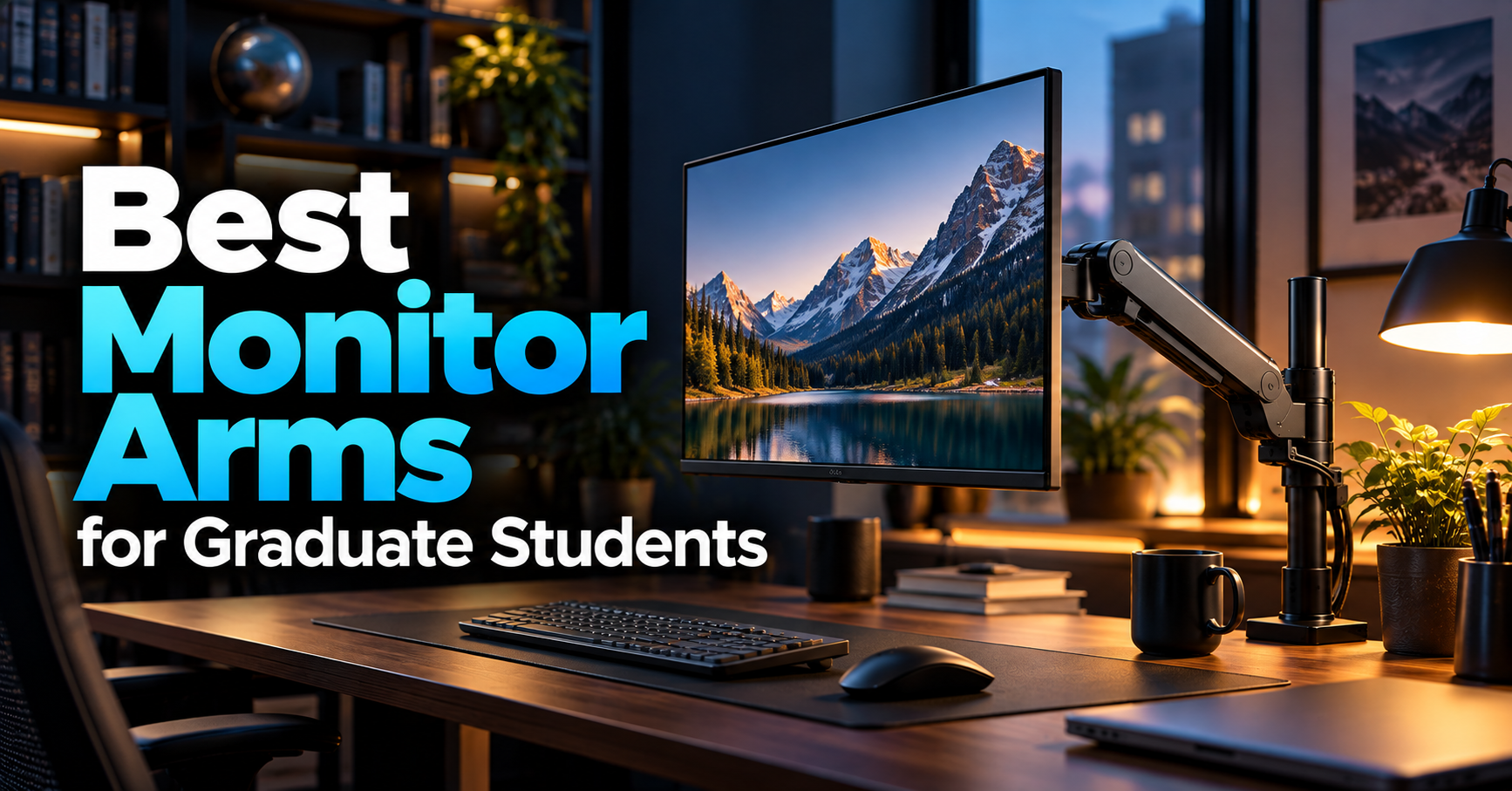
A good monitor can make academic work easier, but even an excellent display becomes uncomfortable when it sits at the wrong height or takes up too much desk space.
Graduate students often spend hours reading research papers, analyzing data, writing theses, or working with multiple applications. During these sessions, a poorly positioned monitor can make an already demanding workload less comfortable.
A monitor arm offers a simple way to improve your workspace.
Instead of relying on the original monitor stand, a monitor arm attaches to your desk and allows you to position the screen more freely.
Depending on the model, you can raise or lower your monitor, move it closer or farther away, rotate it vertically, or create a cleaner dual-monitor setup.
Perhaps most importantly, removing the original monitor stand can free up valuable desktop space.
This is especially useful for graduate students working in small apartments, dorm rooms, or shared offices.
However, not every monitor arm is suitable for every setup.
Some models are designed for ordinary 24–27-inch displays, while others accommodate dual monitors or large ultrawide screens.
Weight capacity, VESA compatibility, desk thickness, and adjustment mechanisms are all important considerations.
In this guide, we’ve selected five monitor arms for different academic workflows and budgets.
Our overall recommendation is the HUANUO HNSS6, which offers a compelling combination of adjustability and affordability.
For students using two monitors, the HUANUO HNDS6 is particularly attractive, while the VIVO STAND-V001 provides an inexpensive solution for simpler setups.
Let’s find the right monitor arm for your research workspace.
Disclosure: As an Amazon Associate, GradToolLab earns from qualifying purchases. This does not affect the price you pay.
Table of Contents
Quick Comparison: Best Monitor Arms for Graduate Students
| Monitor Arm | Best For | Supported Monitor Size | Weight Capacity | Reference Price |
|---|---|---|---|---|
| HUANUO HNSS6 | Best Overall | 13–32 inches | 4.4–19.8 lbs | $36.99* |
| VIVO STAND-V001 | Best Budget | 13–32 inches; ultrawide up to 38 inches | Up to 22 lbs | $34.99 |
| HUANUO HNDS6 | Best for Dual Monitors | Two 13–32-inch monitors | 4.4–19.8 lbs per arm | $59.98 |
| Ergotron LX Pro | Best Premium | Up to 34 inches | 4–22 lbs | $199.00 |
| VIVO STAND-V101G1 | Best for Ultrawide Monitors | Ultrawide up to 49 inches | 2.2–33 lbs | $99.99 |
Prices are based on Amazon.com listings checked on October 14, 2026, with delivery set to New York 10001. Prices may change. The HUANUO HNSS6 price of $36.99 was available to Prime members; its regular listed price was $47.99.
Manufacturer specifications confirm the main size and weight limits listed above. Actual compatibility depends on the specific monitor, mounting pattern, and desk construction.
Our Quick Recommendations
Best Overall: HUANUO HNSS6
A highly adjustable single-monitor arm that provides a practical balance between price, features, and everyday usability.
Best Budget: VIVO STAND-V001
A straightforward monitor mount for students who want to reclaim desk space without paying for a more sophisticated adjustment system.
Best for Dual Monitors: HUANUO HNDS6
An excellent option for research workflows involving two screens, such as coding, academic writing, and data analysis.
Best Premium: Ergotron LX Pro
A premium monitor arm with extensive adjustment capabilities and a 10-year manufacturer warranty.
Best for Ultrawide Monitors: VIVO STAND-V101G1
A heavy-duty option designed to support large ultrawide displays, including compatible models up to 49 inches.
How We Chose the Best Monitor Arms
A monitor arm should do more than make a desk look cleaner.
For graduate students, the right model should support the equipment they already own while providing enough flexibility for everyday academic work.
We focused on five important factors.
1. Monitor Compatibility
Not every monitor can be attached to every arm.
The most important considerations include screen size, weight, and VESA mounting compatibility.
Most products in this guide support common 75 × 75 mm and 100 × 100 mm VESA mounting patterns.
However, some monitors use different mounting arrangements or require adapters.
We prioritized models with clearly documented compatibility information.
2. Adjustment Flexibility
Different activities benefit from different monitor positions.
A student reading long research papers may appreciate portrait orientation, while someone analyzing wide spreadsheets may prefer landscape mode.
Height adjustment is also important for maintaining a comfortable viewing position.
We included both basic mechanical mounts and more flexible spring-assisted alternatives.
3. Price and Value
Graduate students often need to prioritize spending.
An inexpensive monitor arm may be sufficient for a simple workstation, while a premium option could make sense for someone who adjusts their monitor frequently.
We therefore selected products across several price ranges rather than focusing exclusively on expensive models.
4. Desk Space and Installation
A monitor arm is only useful if it can be installed safely.
Desk thickness, mounting clearance, and tabletop construction all affect compatibility.
We considered available mounting options and how each arm might fit common home-office setups.
5. Customer Feedback and Manufacturer Information
We reviewed Amazon ratings, review counts, purchase activity, and published manufacturer specifications.
The selected products had Amazon ratings between approximately 4.3 and 4.9 stars when checked.
However, customer ratings alone cannot establish long-term durability or performance.
How we evaluated these products: This guide is based on published specifications, manufacturer documentation, Amazon listings, and their suitability for graduate-student workflows. We have not independently installed or physically tested these five monitor arms.
1. HUANUO HNSS6 — Best Overall Monitor Arm
Best for: Graduate students who want an affordable, flexible monitor arm for everyday research and computer work.
The HUANUO HNSS6 earns our Best Overall recommendation because it combines broad compatibility, smooth adjustment, and a relatively accessible price.
For students using a typical 24-inch or 27-inch monitor, it provides many of the features needed to build a more flexible workstation without moving into premium pricing.
The HNSS6 supports monitors between 13 and 32 inches and weighing approximately 4.4–19.8 pounds.
It also supports standard 75 × 75 mm and 100 × 100 mm VESA mounting patterns.
Flexible Adjustment for Academic Work
One of the HNSS6’s main advantages is its gas-spring-assisted adjustment system.
Unlike a basic monitor mount that requires manual repositioning along a vertical pole, a gas-spring arm can make height adjustments more convenient once properly balanced.
This is particularly useful for students who frequently switch between different activities.
For example, you might prefer your monitor positioned directly in front of you while writing a thesis.
When reviewing a large diagram or discussing research results with someone beside you, you may want to rotate or reposition the display.
The HNSS6 provides enough flexibility to accommodate these changes.
Its adjustable arm can also help position the monitor at a more comfortable viewing distance.
However, the effectiveness of the adjustment mechanism depends on the weight of your monitor and correct spring-tension settings.
Reclaim Valuable Desk Space
Desktop space is often limited in student accommodation.
A monitor’s original stand can occupy a surprisingly large portion of the available surface.
By attaching the monitor to the rear of the desk, the HNSS6 can free up that space for other equipment.
You could use the additional room for a notebook, keyboard, textbook, or other study materials.
This is especially useful for students who alternate between computer-based research and handwritten notes.
It can also create a cleaner appearance by reducing the number of objects directly beneath the monitor.
A Good Match for Standing Desks
The HUANUO HNSS6 can also complement an adjustable standing desk.
When switching between seated and standing positions, monitor height and viewing angle may need to change.
A flexible monitor arm provides another way to fine-tune the workstation.
However, remember that a monitor arm does not replace correct desk-height adjustment.
Your keyboard and mouse should remain comfortably positioned, regardless of whether you are sitting or standing.
If you’re planning a complete workstation upgrade, our guide to the best standing desks for graduate students covers electric desks suitable for different budgets and room sizes.
Installation Considerations
The HNSS6 supports both C-clamp and grommet mounting.
A C-clamp typically attaches to the desk edge, while grommet mounting uses a suitable hole in the desktop.
Before purchasing, check the thickness and construction of your desk.
Some desks have rear support beams or metal frames that interfere with clamp installation.
You should also confirm that the monitor’s weight falls within the supported range.
This matters because a gas-spring arm may not balance correctly if the monitor is too light.
What Could Be Better?
Although the HNSS6 offers good value, it is not designed for particularly large or heavy monitors.
Its 19.8-pound maximum weight rating may be insufficient for some premium displays.
Students using a large ultrawide monitor should consider a more specialized model.
Additionally, balancing the gas spring may require some initial adjustment.
A monitor that rises or sinks unexpectedly usually needs its tension setting checked.
Pros
- Affordable gas-spring monitor arm
- Compatible with many 13–32-inch monitors
- Flexible height and position adjustment
- Supports portrait and landscape orientation
- C-clamp and grommet mounting options
- Helps free up desktop space
Cons
- Maximum capacity of 19.8 pounds
- Not designed for very large ultrawide monitors
- Gas-spring tension requires adjustment
- Desk compatibility must be checked
Who Should Buy It?
The HUANUO HNSS6 is an excellent choice for students using a single conventional monitor.
It provides a practical combination of affordability and adjustability, making it suitable for studying, programming, research, and general computer work.
Our verdict: The HNSS6 is our best overall recommendation for graduate students who want a flexible single-monitor arm without paying a premium price.
2. VIVO STAND-V001 — Best Budget Monitor Arm
Best for: Students who want a simple, inexpensive monitor mount for a relatively fixed workstation.
Not every graduate student needs an expensive gas-spring monitor arm.
If your goal is simply to raise your monitor, improve its position, and reclaim desk space, a basic mechanical mount may be sufficient.
The VIVO STAND-V001 is an appealing option for this type of setup.
It offers a straightforward design, broad monitor compatibility, and a relatively low purchase price.
A Simple and Affordable Design
The VIVO STAND-V001 uses a vertical pole with an adjustable monitor arm.
Unlike the HUANUO HNSS6, it does not use the same floating gas-spring mechanism for convenient vertical repositioning.
Instead, monitor height is adjusted along the center pole.
This makes it particularly appropriate for users who find a comfortable position and rarely need to change it.
For example, a graduate student who uses the same desk and chair every day may not need frequent monitor-height adjustments.
Once the display is positioned correctly, it can remain there for most work sessions.
This simplicity is one of the VIVO’s strengths.
Broad Compatibility at a Low Price
According to VIVO, the STAND-V001 supports most standard monitors between 13 and 32 inches, along with compatible ultrawide displays up to 38 inches.
The maximum supported weight is 22 pounds.
It also accommodates standard VESA 75 × 75 mm and 100 × 100 mm mounting patterns.
The manufacturer lists a 17-inch pole height and a maximum arm extension of approximately 16 inches.
These specifications make the mount suitable for many common student workstations.
A 24-inch or 27-inch monitor is an obvious match, provided its weight and mounting arrangement are compatible.
Even some larger displays may work, although students should carefully verify the specifications before purchasing.
Useful for Compact Desks
One of the main advantages of monitor arms is their ability to free up desktop space.
The STAND-V001 offers this benefit without requiring a complicated adjustment system.
Removing a conventional monitor stand can make a meaningful difference on a small desk.
For example, students working with a laptop and external monitor may gain additional room for handwritten notes or textbooks.
The simple design can also help create a cleaner, more organized appearance.
If you are building a compact workstation, combining an external monitor with a suitable laptop stand for graduate students can help position both displays more comfortably.
Adjustable Viewing Angles
Although the STAND-V001 lacks gas-spring height adjustment, it still provides considerable flexibility.
The mount supports tilting, swiveling, and rotating the display.
It can also accommodate portrait orientation.
This is useful for students who regularly read long documents or work with code.
For example, a vertically oriented monitor can display more lines of text without constant scrolling.
However, rotating the monitor does not automatically mean the setup will be comfortable.
You should still consider the display’s height, viewing distance, and surrounding workspace.
What Could Be Better?
The main limitation is convenience.
If you frequently switch between different monitor heights, the STAND-V001 may feel less practical than a gas-spring model.
Adjusting the vertical position generally involves repositioning the mount along its pole rather than simply lifting the display.
This distinction matters for students who share a desk or alternate between sitting and standing.
The mount also lacks some of the refined adjustment features available on more expensive alternatives.
However, these limitations may be insignificant if you rarely change your monitor position.
Pros
- Affordable price
- Straightforward mechanical design
- Supports many standard monitors
- Up to 22 pounds of weight capacity
- Adjustable tilt, swivel, and rotation
- Helps reclaim desktop space
- Three-year manufacturer warranty
Cons
- Less convenient vertical adjustment
- Not ideal for frequent height changes
- Limited compared with premium gas-spring arms
- Desk and monitor compatibility still require verification
Who Should Buy It?
The VIVO STAND-V001 is particularly suitable for students who use a fixed workstation and rarely reposition their displays.
If you want to free up desktop space without spending much money, it offers a sensible alternative to more expensive monitor arms.
Our verdict: The STAND-V001 is our favorite budget monitor arm for students who prioritize affordability and simplicity over frequent adjustments.
3. HUANUO HNDS6 — Best Monitor Arm for Dual Monitors
Best for: Graduate students who use two monitors for research, programming, writing, and data analysis.
For students working with multiple applications, a dual-monitor setup can make academic work more convenient.
Instead of constantly switching between windows, you can dedicate separate displays to different tasks.
However, two monitors can also occupy a substantial amount of desktop space.
The HUANUO HNDS6 addresses this problem by supporting two monitors on a single desk-mounted system.
It is our recommendation for students who want an adjustable dual-monitor workstation.
Designed for Two Screens
The HNDS6 supports two monitors between 13 and 32 inches.
Each arm can hold a monitor weighing approximately 4.4–19.8 pounds.
Both arms use gas-spring-assisted adjustment, allowing the displays to be positioned independently.
HUANUO also specifies support for C-clamp and grommet mounting.
This independent adjustment is one of the model’s biggest advantages.
Not every dual-monitor setup uses two identical displays.
For example, a student may have a 27-inch primary monitor and a smaller secondary monitor.
Independent arms make it easier to arrange displays with different dimensions.
They also allow you to adjust the viewing angle of each screen without necessarily moving the other.
Particularly Useful for Research Workflows
Dual monitors are valuable for many academic tasks.
Consider a student writing a thesis.
One monitor can display a word processor while the second shows journal articles, notes, or reference-management software.
An engineering student might use one display for programming and another for simulation results.
A data science student could keep documentation visible while working with datasets and visualizations.
Similarly, students preparing conference presentations may benefit from seeing source material and slides simultaneously.
These workflows do not require two monitors, but having a dedicated display for each task can reduce the need to constantly rearrange windows.
For students who frequently multitask, this convenience can be meaningful.
Flexible Monitor Arrangement
The HNDS6 allows both displays to be adjusted for height and viewing angle.
This gives students several possible arrangements.
For example, you could place both monitors side by side in landscape orientation.
Alternatively, you might use a landscape primary monitor alongside a portrait secondary monitor.
The portrait arrangement is especially useful for reading documents, viewing long code files, or working with vertically organized information.
The flexibility also allows users to experiment with different positions until they find an arrangement that feels comfortable.
However, remember that mounting two monitors side by side requires sufficient horizontal clearance.
The combined width of the displays may limit how far the arms can move.
Free Up Space for Other Equipment
Two original monitor stands can consume a considerable portion of a desktop.
Replacing them with a dual-monitor arm can free up room for additional equipment.
This is particularly useful for graduate students who need space for notebooks, research materials, keyboards, or other devices.
A cleaner desktop may also make it easier to organize cables and accessories.
For students with more complex setups, our guide to the best docking stations for graduate students explores additional ways to connect displays and peripherals.
Before buying a docking station, however, confirm that your laptop supports the required display outputs.
A monitor arm handles physical positioning; it does not increase the number of displays your computer can drive.
Important Installation Considerations
Dual-monitor arms introduce some considerations that single-monitor mounts do not.
First, you need to check the weight of each display independently.
Even if the combined weight appears acceptable, each individual monitor must fall within its arm’s supported range.
Second, consider the strength of your desk.
Two monitors place additional weight on the mounting point.
The desk must be able to support that load safely.
Third, allow sufficient space behind and around the desk.
A dual-monitor arm may require additional clearance as the displays move.
Finally, monitor sizes and arm geometry affect positioning.
Two large 32-inch displays may be more difficult to arrange than two smaller 24-inch monitors.
What Could Be Better?
The HNDS6 is unnecessary for students using only one monitor.
It also requires more setup than a simple single-monitor mount.
Balancing two gas-spring arms, arranging cable routing, and aligning the displays can take additional time.
Some users may also prefer two independent single-monitor arms, particularly when they want greater flexibility in where each arm attaches.
However, a single dual-monitor mount can be a convenient solution when desk space and simplicity are priorities.
Pros
- Supports two monitors
- Independent gas-spring arms
- Suitable for many 13–32-inch displays
- Supports portrait and landscape arrangements
- C-clamp and grommet installation
- Frees up desktop space
- Attractive value for dual-monitor setups
Cons
- More complicated installation
- Each monitor must satisfy the weight requirements
- Requires sufficient desk strength
- Large monitors may restrict positioning
- Unnecessary for single-monitor users
Who Should Buy It?
The HUANUO HNDS6 is particularly attractive for graduate students who regularly use two monitors for academic work.
It provides enough flexibility for many common dual-monitor arrangements while remaining relatively affordable.
Our verdict: The HNDS6 is our top choice for graduate students who want a practical, adjustable dual-monitor workstation.
4. Ergotron LX Pro — Best Premium Monitor Arm
Best for: Students and researchers who want a premium monitor arm with extensive adjustability and long-term warranty coverage.
The Ergotron LX Pro is significantly more expensive than the other conventional single-monitor arms in this guide.
However, it offers a different value proposition.
Rather than focusing primarily on affordability, the LX Pro emphasizes adjustment quality, flexibility, and long-term ownership.
For researchers who spend many hours working at the same workstation, these features may justify the additional cost.
Premium Adjustment System
The LX Pro uses Ergotron’s Constant Force technology.
This mechanism is designed to provide smooth monitor movement across its adjustment range.
The arm supports approximately 13 inches of vertical lift, along with extensive extension, tilt, and rotation capabilities.
The manufacturer lists a maximum extension of approximately 25.8 inches.
This is useful for students who regularly change how their display is positioned.
For example, you might move a monitor closer while examining detailed images, then reposition it for ordinary writing.
The adjustment system can also be useful when switching between different work activities.
Compatibility and Weight Capacity
The LX Pro supports monitors weighing approximately 4–22 pounds.
Ergotron lists compatibility with typical displays up to 34 inches, along with standard VESA 75 × 75 mm and 100 × 100 mm mounting patterns.
The manufacturer’s published specifications also include a 10-year warranty.
These features make it an appealing option for students who expect to use their monitor arm for several years.
However, the warranty does not eliminate the need to verify compatibility.
Monitor weight, mounting pattern, and desk construction still matter.
A Long-Term Workstation Investment
Graduate students often purchase equipment with the intention of using it beyond graduation.
A good monitor arm can potentially remain useful even after the monitor itself is replaced.
This makes long-term compatibility important.
The LX Pro’s adjustment capabilities and warranty may appeal to students who plan to maintain a dedicated workstation throughout their graduate studies and professional careers.
However, the higher initial cost should be considered carefully.
A premium monitor arm is only worthwhile if its additional features provide meaningful benefits.
Useful for Frequently Adjusted Workstations
Some users rarely move their monitors after installation.
Others change positions throughout the day.
For example, a researcher may alternate between detailed visual analysis, reading documents, and reviewing material with colleagues.
In these situations, a highly adjustable arm can be convenient.
The LX Pro is particularly relevant to users who value this flexibility.
It may also complement a sit-stand workstation, where the ideal monitor position can vary between seated and standing work.
That said, a premium arm does not automatically produce better ergonomics.
Correct positioning remains essential.
What Could Be Better?
The main disadvantage is price.
At approximately $199 in the Amazon listing we checked, the LX Pro costs considerably more than the HUANUO HNSS6.
For many graduate students, that difference may be difficult to justify.
A student who uses one ordinary monitor and rarely adjusts it may find that a less expensive arm provides everything necessary.
The LX Pro also has a 22-pound maximum weight rating.
Despite its premium positioning, it is not intended to support every large ultrawide monitor.
Students with particularly heavy displays should consider specialized heavy-duty alternatives.
Pros
- Premium adjustment mechanism
- Extensive movement flexibility
- Supports many monitors up to 34 inches
- Up to 22 pounds of capacity
- Standard VESA mounting support
- 10-year manufacturer warranty
- Suitable for long-term workstation use
Cons
- Much more expensive than budget alternatives
- Premium features may be unnecessary for some users
- Not suitable for every heavy ultrawide display
- Still requires compatible desk construction
Who Should Buy It?
The Ergotron LX Pro makes the most sense for students who use their monitors extensively and expect to keep their workstation equipment for several years.
It is particularly appealing to researchers who frequently reposition their screens.
A premium monitor arm is only one component of a comfortable workspace, however. Pairing it with an appropriate ergonomic chair for graduate students may be more useful than concentrating your entire budget on one accessory.
Our verdict: The Ergotron LX Pro is our premium recommendation for students who value adjustment flexibility, long-term usability, and warranty coverage.
5. VIVO STAND-V101G1 — Best for Ultrawide Monitors
Best for: Graduate students and researchers using large ultrawide monitors for data analysis, programming, or complex multitasking.
Ultrawide monitors offer a different working experience from conventional displays.
Instead of using two separate screens, they provide a single extended desktop.
This can be attractive for students who work with wide spreadsheets, multiple documents, or complex software interfaces.
However, large ultrawide displays also introduce challenges.
Their size and weight can exceed the limits of ordinary monitor arms.
The VIVO STAND-V101G1 is designed to address those requirements.
Designed for Large Ultrawide Displays
The STAND-V101G1 supports compatible ultrawide monitors up to 49 inches.
Its rated weight range is approximately 2.2–33 pounds.
The manufacturer also lists support for conventional displays up to 32 inches.
Importantly, the arm supports 75 × 75 mm and 100 × 100 mm VESA mounting patterns.
These specifications make it a potential option for large curved displays that would exceed the capabilities of more basic monitor arms.
However, the screen-size rating should never be considered independently of weight and mounting compatibility.
A 49-inch monitor is not automatically compatible simply because it falls within the advertised size limit.
Useful for Complex Research Tasks
An ultrawide monitor can provide a spacious digital workspace.
For example, a researcher might place a programming environment on one side and analysis results on the other.
A graduate student writing a dissertation could keep reference papers visible alongside the main document.
Similarly, students working with data visualization tools may appreciate the additional horizontal space.
A large monitor arm allows you to adjust the display’s position while reducing reliance on its original stand.
This can be particularly valuable because large ultrawide stands often occupy substantial desk space.
If you’re considering a larger display, our guide to the best monitors for graduate students can help you evaluate screen sizes and features for different academic workflows.
Pneumatic Adjustment
The STAND-V101G1 uses a pneumatic adjustment system.
Once properly adjusted for a compatible monitor, it allows users to change the display’s height and position.
VIVO lists a maximum arm extension of approximately 23 inches and a monitor-center height adjustment range of approximately 10.5–23.5 inches.
The model supports C-clamp and grommet installation.
These features make it more flexible than a basic fixed-height monitor stand.
They can also help users position a large display at a comfortable distance.
However, ultrawide monitors require careful placement.
A screen that is too close may force the user to turn their head frequently to view information near the edges.
Make sure your desk provides enough depth for comfortable viewing.
Important Compatibility Considerations
Before purchasing the STAND-V101G1, verify several details.
First, check the monitor’s weight without its original stand.
The arm must support the weight of the actual mounted display.
Second, confirm the VESA mounting pattern.
Some large displays require different mounting arrangements or manufacturer-specific adapters.
Third, consider the monitor’s curvature and dimensions.
Large curved monitors can create additional mechanical challenges because their weight is distributed across a wide panel.
Finally, check the mounting surface.
A heavy monitor places considerable force on the desk attachment point.
Make sure your desk is structurally suitable for the installation.
What Could Be Better?
The STAND-V101G1 is more expensive than ordinary single-monitor arms.
For students using standard 24-inch or 27-inch monitors, its additional capacity may provide little practical benefit.
It also requires careful compatibility checks.
A monitor’s diagonal size alone does not establish whether the arm can support it safely.
Students should verify the exact model rather than relying only on general compatibility claims.
Pros
- Designed for large ultrawide monitors
- Supports compatible ultrawide displays up to 49 inches
- Maximum load rating of 33 pounds
- Pneumatic height adjustment
- C-clamp and grommet mounting
- Standard 75 × 75 mm and 100 × 100 mm VESA support
- Helps reclaim desktop space
Cons
- More expensive than standard monitor arms
- Unnecessary for ordinary small monitors
- Large displays require careful compatibility checks
- Desk strength is particularly important
- Some ultrawide displays may require adapters or different mounts
Who Should Buy It?
The VIVO STAND-V101G1 is best suited to students who already own, or plan to purchase, a large ultrawide monitor.
It provides a more specialized solution than ordinary monitor arms.
Our verdict: The STAND-V101G1 is our preferred option for graduate students who need a heavy-duty mount for a compatible large ultrawide display.
Buying Guide: How to Choose the Right Monitor Arm
A monitor arm can improve your workstation, but choosing an incompatible model can lead to frustration or equipment damage.
Before purchasing, consider the following factors carefully.
1. Check VESA Compatibility
VESA compatibility is one of the first things to verify.
Most monitor arms attach to a standardized arrangement of mounting holes on the back of a display.
Two common patterns are:
75 × 75 mm
The mounting holes form a square measuring 75 mm between adjacent holes.
100 × 100 mm
The mounting holes form a square measuring 100 mm between adjacent holes.
Many conventional monitors support one of these standards.
However, some displays use recessed mounting areas, proprietary stands, or different mounting patterns.
Before purchasing an arm, check your monitor’s official specifications.
If your monitor does not have a compatible VESA mounting interface, you may need an adapter.
Do not assume that all monitors can be mounted simply because they are within the advertised screen-size range.
2. Verify the Monitor’s Weight
Weight capacity is just as important as screen size.
Monitor arms are designed to support a particular range of loads.
For example, the HUANUO HNSS6 supports monitors weighing approximately 4.4–19.8 pounds.
If your display exceeds that range, the arm may not support it correctly.
However, minimum weight also matters.
Gas-spring and pneumatic arms rely on a balancing mechanism.
If a monitor is too light, it may not remain at the intended position.
Check the monitor’s weight without its original stand.
Then compare that figure with the arm manufacturer’s specifications.
For especially large monitors, verify whether additional accessories affect the supported load.
3. Understand Gas-Spring and Mechanical Arms
Monitor arms generally use different adjustment mechanisms.
Gas-spring or pneumatic arms
These use an assisted mechanism to balance the monitor’s weight.
They can make frequent repositioning more convenient.
They are particularly useful for users who change monitor height or viewing distance regularly.
However, they require correct tension adjustment and compatible monitor weight.
Mechanical pole-mounted arms
These use a simpler structure.
Height adjustments may require loosening components and moving the monitor mount along a pole.
They can be perfectly suitable for a fixed workstation.
The main difference is convenience.
If you rarely adjust your display, a mechanical mount may provide better value.
If you change positions frequently, a spring-assisted model may be worth considering.
4. Check Your Desk’s Construction
Not every desk is suitable for a monitor arm.
Before installing one, examine the desktop’s material, thickness, and structural design.
Solid wooden desktops
These are often suitable for clamping when they meet the manufacturer’s requirements.
Particleboard or engineered wood
Compatibility depends on construction and load capacity.
Some inexpensive desktops may be vulnerable to concentrated pressure.
Hollow-core desktops
These can be especially problematic because the surface may not support the force applied by a clamp.
Glass desktops
Do not clamp a monitor arm to a glass desktop unless the desk and mount manufacturers explicitly approve the installation.
You should also inspect the underside of the desk.
Metal support beams, drawers, and crossbars can interfere with mounting hardware.
When uncertain, consult the desk and monitor-arm manufacturers before installing the equipment.
5. C-Clamp vs. Grommet Mounting
Many monitor arms offer two installation methods.
C-Clamp Mounting
A C-clamp attaches the arm to the desk edge.
This is convenient because it generally does not require drilling a new hole.
However, the desk must provide sufficient edge clearance.
The mounting location must also be structurally suitable.
Grommet Mounting
A grommet mount attaches through a suitable hole in the desktop.
Some desks already have cable-management holes that may accommodate this method.
Others may require a hole to be drilled.
Grommet installation can be useful when a rear edge is inaccessible, but compatibility must be verified.
Neither method is automatically superior.
Choose the installation approach that matches your desk and the manufacturer’s instructions.
6. Choose the Right Monitor Height
Monitor positioning is important for comfort.
According to OSHA’s computer workstation guidance, the top of a monitor should generally be at or below eye level.
OSHA also recommends positioning the display directly in front of the user and maintaining an appropriate viewing distance, typically around 20–40 inches.
A monitor arm can help achieve these positions, but correct adjustment is still necessary.
Avoid placing the screen so high that you must tilt your head backward.
Similarly, a display positioned too low may encourage uncomfortable neck posture.
The ideal placement depends on your seating position, vision, monitor size, and working habits.
7. Consider Your Desk Depth
Monitor arms can free up workspace, but they do not eliminate the need for adequate desk depth.
This is particularly important with large monitors.
A shallow desk may force you to position the screen too close to your eyes.
Some arms can extend behind or beyond the desk edge, potentially providing more positioning flexibility.
However, this depends on the specific model and available wall clearance.
Before purchasing, measure the distance between your intended seating position and the monitor.
Make sure the arm can place the display at a comfortable viewing distance.
8. Single vs. Dual Monitor Arms
Single-monitor arms offer flexibility in where the mount is attached.
They may be suitable for students who use one monitor or want to customize each display independently.
Dual-monitor arms support two displays from a shared mounting point.
This can create a cleaner appearance and reduce the number of desk clamps.
However, dual-monitor arms also have limitations.
Their geometry may restrict the positioning of large monitors.
They also place the combined load on one mounting location.
If you have two unusually large displays, separate arms may offer more flexibility.
For conventional dual-monitor setups, however, a dedicated dual-monitor mount can be a convenient solution.
9. Consider Cable Management
Monitor arms can help organize a desk, but moving a monitor changes the amount of cable slack required.
Before installation, check whether your display cables are long enough.
This includes power, HDMI, DisplayPort, and USB cables.
Avoid routing cables so tightly that monitor movement pulls on connectors.
If the arm includes cable-management channels, use them according to the manufacturer’s instructions.
For students who frequently connect and disconnect laptops, a docking station may also simplify cable management.
10. Think About Long-Term Value
A monitor arm can potentially outlast the monitor it initially supports.
However, future compatibility is not guaranteed.
If you expect to upgrade to a larger monitor, consider whether the arm will accommodate the additional size and weight.
Warranty coverage is another consideration.
Some inexpensive monitor arms include relatively short warranties, while premium products may offer longer coverage.
Students should balance these factors against their budgets.
Buying the most expensive arm is not automatically the best decision.
The best value comes from choosing a product that fits your current setup and reasonably anticipated needs.
Are Monitor Arms Worth It for Graduate Students?
For many graduate students, a monitor arm can be a worthwhile workspace upgrade.
However, the benefits depend on your existing setup.
The most immediate advantage is often additional desk space.
Removing the monitor’s original stand can make room for research materials, notebooks, and other equipment.
A monitor arm also provides more freedom to adjust the screen’s position.
This can be useful for students who spend long periods working at a computer.
Better Monitor Positioning
A conventional monitor stand may offer limited height adjustment.
Some stands allow only basic tilting.
A monitor arm can provide greater flexibility.
Depending on the design, you may be able to adjust height, viewing distance, rotation, and orientation.
This can make it easier to arrange the display according to your preferred working position.
However, a monitor arm does not automatically prevent discomfort.
Your chair, desk, keyboard, and working habits also influence workstation ergonomics.
More Space for Academic Materials
Graduate work often combines digital and physical materials.
For example, you might read journal articles on a monitor while taking handwritten notes.
A large monitor stand can interfere with this arrangement.
Removing the stand may provide additional space directly beneath or in front of the display.
This can be especially valuable on compact desks.
Are Monitor Arms Necessary?
No.
If your existing monitor stand provides adequate adjustment and your desk has sufficient space, purchasing a monitor arm may not be necessary.
Some modern monitors already include excellent adjustable stands.
Additionally, students who primarily work on laptops may benefit more from a laptop stand or external display.
A monitor arm is most useful when it solves a specific problem.
For example, it may be worthwhile if your current monitor sits too low, occupies too much space, or cannot be positioned comfortably.
Before investing in a monitor arm, it is worth considering how the rest of your workstation is arranged. Our graduate student desk setup guide covers monitors, desks, chairs, lighting, and other accessories to help you create a more organized and functional study environment.
Frequently Asked Questions
What Is the Best Monitor Arm for Graduate Students?
The HUANUO HNSS6 is our best overall recommendation.
It supports many common monitors between 13 and 32 inches, offers gas-spring-assisted adjustment, and remains relatively affordable.
However, students using two monitors should consider the HUANUO HNDS6.
Those with large ultrawide displays may need a specialized model such as the VIVO STAND-V101G1.
Are Cheap Monitor Arms Worth Buying?
Yes, inexpensive monitor arms can be worthwhile.
A basic model such as the VIVO STAND-V001 can free up desk space and provide useful adjustment options.
However, cheaper models may be less convenient when frequent repositioning is required.
Always verify compatibility and desk strength before purchasing.
Can Any Monitor Be Mounted on a Monitor Arm?
No.
A monitor must have a compatible mounting interface, suitable dimensions, and a weight within the arm’s supported range.
Most monitor arms use standardized VESA mounting patterns.
Some monitors require adapters, while others may not be suitable for mounting.
Check the specifications of both products before purchasing.
Do Monitor Arms Damage Desks?
A properly installed monitor arm should be compatible with the desk construction and loading requirements specified by the manufacturer.
However, damage is possible if a clamp is attached to an unsuitable surface.
Hollow-core desktops, fragile materials, and incompatible desk edges may be particularly problematic.
Never assume that a desk can safely support a monitor arm without checking its construction.
Is a Gas-Spring Monitor Arm Better?
A gas-spring monitor arm is generally more convenient when users frequently adjust their display position.
However, it is not automatically better for everyone.
Students who keep their monitors in one position may find a simpler mechanical arm sufficient.
The best mechanism depends on how often you need to move the display.
Can Monitor Arms Be Used with Standing Desks?
Yes, many monitor arms can be used with compatible standing desks.
However, you must verify mounting clearance, desk strength, and cable routing.
A monitor arm may make it easier to refine screen position when alternating between sitting and standing.
Make sure cables have enough slack to accommodate the desk’s entire height range.
Do I Need Two Monitor Arms for Two Monitors?
Not necessarily.
A dual-monitor mount such as the HUANUO HNDS6 supports two displays from one mounting system.
However, two separate arms can provide more flexibility in some configurations.
The best choice depends on monitor size, weight, desk space, and preferred positioning.
Can a Monitor Arm Support a 49-Inch Ultrawide Monitor?
Some heavy-duty monitor arms can support compatible 49-inch ultrawide monitors.
The VIVO STAND-V101G1, for example, is designed for certain ultrawide displays up to 49 inches and 33 pounds.
However, screen size alone does not determine compatibility.
Monitor weight, VESA pattern, curvature, and desk construction must also be considered.
Are Monitor Arms Good for Small Desks?
Monitor arms can be particularly useful for small desks because they remove the monitor’s original stand from the working surface.
This may create additional room for notebooks, keyboards, and other accessories.
However, the arm still requires adequate mounting clearance.
Some models may also need space behind the desk for movement.
How Much Should a Graduate Student Spend on a Monitor Arm?
For a conventional single-monitor setup, many students can find suitable options around $30–60.
Dual-monitor arms and heavy-duty models generally cost more.
Premium arms can exceed $150.
However, higher prices are not automatically necessary.
Choose a model that meets your monitor’s requirements and offers the adjustment features you actually need.
Final Verdict: Which Monitor Arm Should You Buy?
The best monitor arm for graduate students depends on the number of monitors you use, your desk configuration, and how frequently you adjust your display.
Our recommendations are straightforward.
Best Overall — HUANUO HNSS6
Choose this if you want an affordable, flexible arm for a conventional single-monitor workstation.
It offers a practical combination of compatibility, gas-spring adjustment, and everyday convenience.
Best Budget — VIVO STAND-V001
Choose this if your monitor will remain in approximately the same position most of the time.
Its straightforward design provides essential functionality at a relatively low price.
Best for Dual Monitors — HUANUO HNDS6
Choose this if you regularly use two monitors for academic writing, programming, or data analysis.
It provides independent adjustment and can free up substantial desk space.
Best Premium — Ergotron LX Pro
Choose this if you want extensive adjustment capabilities and long-term warranty coverage.
Its premium price makes the most sense for users who frequently reposition their displays.
Best for Ultrawide Monitors — VIVO STAND-V101G1
Choose this if you own a compatible large ultrawide monitor that exceeds the capabilities of ordinary monitor arms.
Our Overall Recommendation
For most graduate students using a single 24-inch or 27-inch monitor, we recommend starting with the HUANUO HNSS6.
It provides the adjustment flexibility most students are likely to need without requiring a significant investment.
However, students with dual-monitor setups should seriously consider the HUANUO HNDS6.
The right monitor arm can make a workstation more flexible and free up valuable desktop space.
But compatibility is essential.
Before ordering, check your monitor’s weight, VESA mounting pattern, and the construction of your desk.
A good monitor arm is not necessarily the most expensive option.
It’s the one that safely supports your display and makes your everyday research environment easier to use.
Ready to upgrade your workspace? Compare the five monitor arms above, check current Amazon prices, and choose the model that best fits your research setup.