

A monitor light bar is one of the easiest ways to improve a study desk without sacrificing valuable workspace.
Finding the best monitor light bars for graduate students depends on your monitor setup, desk size, and how much control you want over brightness and color temperature.
Instead of sitting on the desk like a traditional lamp, a monitor light bar attaches to the top of your display and directs light toward your keyboard, notes, printed papers, and other materials in front of the screen.
That can be especially useful for graduate students who spend long hours reading papers, writing notes, coding, analyzing data, or working late at night.
If you prefer a more flexible lamp that can be moved around your desk, you may also want to compare the best desk lamps for graduate students.
For this guide, I compared five monitor light bars across different price ranges, focusing on desk illumination, glare control, monitor compatibility, brightness adjustment, color-temperature control, ease of use, and value for graduate students.
Disclosure: This post contains affiliate links. If you buy through one of these links, GradToolLab may earn a commission at no additional cost to you.
Table of Contents
Quick Comparison
| Product | Best For | Main Control | Monitor Support | Standout Feature |
|---|---|---|---|---|
| BenQ ScreenBar Pro | Best Overall | Touch controls | Flat & curved | Wide 85 × 50 cm lighting area |
| YEELIGHT Monitor Light Bar | Best Budget | Touch controls | Flat & curved | Low-cost stepless dimming |
| LYMAX Monitor Light Bar M2P | Best Value | Wireless remote + touch | Flat & curved | Up to 1500 lux, CRI ≥97 |
| ONWAY Curved Monitor Light Bar | Best for Curved Monitors | Wireless remote | Curved monitors | Curved design + RGB backlight |
| BenQ ScreenBar Halo 2 | Best Premium | Wireless controller | Flat & curved | Front light + rear ambient light |
1. BenQ ScreenBar Pro — Best Overall
The BenQ ScreenBar Pro is the strongest all-around option in this guide for students who want a powerful, polished monitor light without moving into the highest price tier.
BenQ specifies a center illuminance of more than 1,000 lux at a height of 50 cm, with a 500-lux coverage area of approximately 85 × 50 cm. It also has a CRI of Ra≥95.
That large illumination area is particularly useful if you regularly work with more than just a keyboard.
For example, you might have:
- A notebook beside your keyboard
- Printed journal articles
- A calculator
- Research notes
- Electronics or technical components
- A tablet or second device
Instead of illuminating only the center of the desk, the ScreenBar Pro is designed to spread useful task lighting across a wider workspace.
BenQ also uses an asymmetric optical design intended to direct light toward the desk rather than directly onto the monitor.
The ScreenBar Pro supports color temperatures from approximately 2700K to 6500K, with multiple adjustment levels and automatic dimming. BenQ also includes an ultrasonic motion sensor that can automatically turn the light on when you sit down and switch it off after you leave.
Compatibility is another strength. It supports flat and curved monitors between approximately 0.43 and 6.5 cm thick, including curved displays in the 1000R–1800R range.
If you are also building a larger research workstation around an external display, see the best portable monitors for graduate students for additional screen-space options.
The main disadvantage is price. At around $139 on Amazon when we checked, it is much more expensive than basic monitor light bars.
However, for students who spend several hours every day at one desk, the combination of wide illumination, automatic controls, high color rendering, and broad monitor compatibility makes it the most complete choice here.
Pros
- More than 1,000 lux center illumination
- Wide 85 × 50 cm lighting coverage
- CRI Ra≥95
- Adjustable color temperature
- Automatic dimming
- Motion-based auto on/off
- Supports flat and curved monitors
- USB-C power
- Webcam accessory included
Cons
- Much more expensive than budget light bars
- No separate wireless desktop controller
- Advanced features may be unnecessary for occasional use
Best for: Graduate students who use an external monitor for several hours per day and want a reliable all-around monitor light.
Price: Check current price on Amazon
2. YEELIGHT Monitor Light Bar — Best Budget
The YEELIGHT Monitor Light Bar is the budget-focused option in this comparison.
At around the $25–$30 range on Amazon when we checked, it costs only a fraction of the premium BenQ models while still providing the core features that make a monitor light bar useful.
The model we selected provides 250-lumen desk lighting, stepless brightness adjustment, and a no-glare light design intended to illuminate the desk rather than shine directly onto the display.
It can be mounted on both flat and curved monitors and uses touch controls, keeping the setup simple.
That makes it appealing if your main goal is straightforward:
You want enough light to see your keyboard, notebook, or printed paper at night without placing another lamp on the desk.
For many students, that is all a monitor light bar really needs to do.
YEELIGHT also sells other monitor-light models with adjustable color temperature, USB-C power, curved-monitor compatibility, and anti-glare lighting, so the company already has a broader lineup focused on this type of desktop lighting.
The trade-off is that this budget model does not offer the same sophisticated automation, large lighting coverage, or dedicated wireless controller found on more expensive options.
Still, if you want to find out whether a monitor light bar fits your workflow before spending $100 or more, this is a practical starting point.
Pros
- Very affordable
- Stepless brightness adjustment
- Touch controls
- No large desk base
- Works with flat and curved monitors
- Simple design
- Good entry point into monitor light bars
Cons
- Fewer automation features
- No premium wireless controller
- Less powerful than higher-end models
- Build quality and adjustment range are simpler
Best for: Students who want an inexpensive monitor light bar for basic evening study and desk illumination.
Price: Check current price on Amazon
3. LYMAX Monitor Light Bar M2P — Best Value
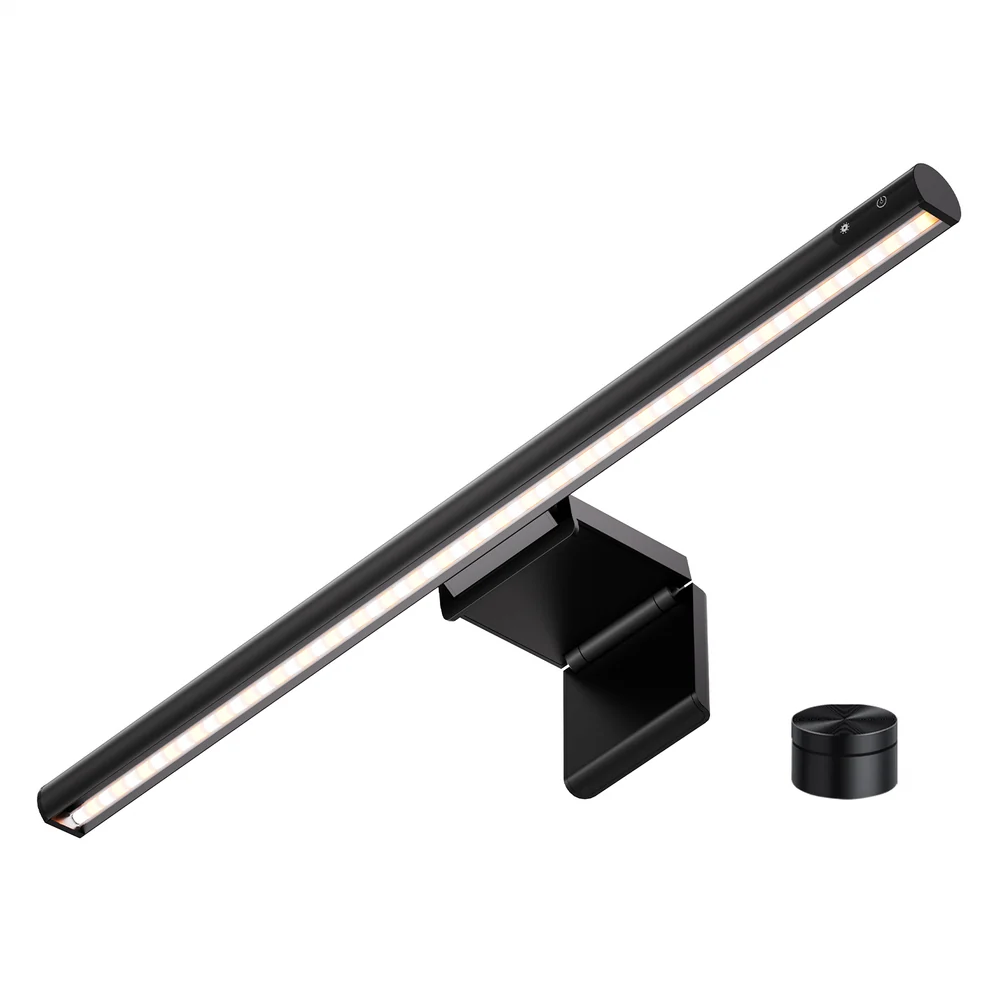
Image courtesy of LYMAX
The LYMAX ScreenMate M2P sits in the middle of this guide by combining relatively advanced lighting specifications with a much lower price than premium BenQ models.
LYMAX specifies up to 1,500 lux center brightness, a CRI of Ra≥97, an asymmetric optical path, and a color-temperature range of approximately 3000K–6000K.
Those specifications are impressive for a monitor light bar in this price range.
The M2P also includes a wireless remote controller, so you can adjust the light without reaching up to the top of the monitor every time.
That sounds like a small convenience, but it becomes useful during long sessions.
You can keep the controller beside your mouse or keyboard and quickly change brightness when moving between tasks such as:
- Reading a paper
- Typing
- Watching a lecture
- Reviewing figures
- Working late at night
The asymmetric lighting design is intended to focus light downward onto the desk while minimizing direct reflections on the monitor.
LYMAX also lists the M2P as compatible with both flat and curved monitors.
If your laptop or monitor setup already uses several USB accessories, the best USB-C hubs for graduate students may also help keep your desk connections organized.
The M2P lacks some of BenQ’s automatic presence-detection features, but at roughly $30–$40 on Amazon when we checked, that is understandable.
Its combination of high brightness, high CRI, wireless controls, and relatively low cost makes it one of the strongest value options in this group.
Pros
- Up to 1,500 lux
- CRI Ra≥97
- Wireless controller
- Touch controls
- Adjustable color temperature
- Asymmetric lighting
- Flat and curved monitor compatibility
- Strong value for the price
Cons
- Less established than BenQ
- No automatic presence sensor
- Fewer premium automation features
- Wireless controller adds another device to the desk
Best for: Students who want more control and brightness than a basic light bar without paying premium prices.
Price: Check current price on Amazon
4. ONWAY Curved Monitor Light Bar — Best for Curved Monitors
The ONWAY Curved Monitor Light Bar stands out because the light itself follows a curved shape rather than using the straight-bar design found on most products in this category.
The version we selected is designed primarily for 27–34-inch curved monitors, including displays with approximately 1000R or 1800R curvature.
That makes it particularly interesting for students using ultrawide or curved monitors for:
- Coding
- Data analysis
- CAD
- Simulation
- Video editing
- Multiple-document workflows
The light provides adjustable brightness and color temperature from approximately 3000K to 6500K.
It also includes a wireless touch controller, allowing you to adjust the main light without touching the lamp itself.
Another unusual feature is its rear RGB backlight.
For academic work, RGB lighting is certainly not essential.
However, you can simply use the front task light during work and turn on the rear lighting later if you also use the same monitor for gaming or entertainment.
This makes ONWAY one of the more versatile options for students whose research desk is also their personal PC setup.
There is also a built-in memory function that retains previous lighting settings.
The light includes a camera base as well, which is useful if your webcam normally sits at the top of your monitor.
If video meetings are an important part of your routine, you can also compare the best webcams for graduate students.
The major limitation is that the curved shape makes this a more specialized product. If you use a standard flat monitor, one of the straight light bars in this guide is probably a better choice.
Pros
- Designed for curved monitors
- Suitable for 27–34-inch displays
- Wireless touch controller
- Adjustable 3000K–6500K color temperature
- Stepless brightness adjustment
- RGB rear lighting
- Memory function
- Camera mounting area
Cons
- More expensive than basic light bars
- RGB lighting is unnecessary for academic work
- More specialized than flat-monitor options
- Straight monitors may be better served by another model
Best for: Graduate students using curved or ultrawide monitors for research, coding, data analysis, or technical work.
Price: Check current price on Amazon
5. BenQ ScreenBar Halo 2 — Best Premium
The BenQ ScreenBar Halo 2 is the premium option in this guide.
Like the ScreenBar Pro, it provides more than 1,000 lux of center illumination at 50 cm and covers approximately 85 × 50 cm at 500 lux. The front light also has a CRI of Ra≥95 and a color fidelity index of Rf≥96.
The major difference is the additional rear ambient light.
Instead of only illuminating the desk, the Halo 2 also casts light behind the monitor.
BenQ says this is designed to reduce the contrast between the bright screen and the darker surrounding environment.
This is particularly relevant if you work late at night with most of the room lights turned off.
The Halo 2 also includes a dedicated wireless controller with a built-in display, allowing you to adjust brightness, color temperature, and lighting modes from the desk.
Color temperature is continuously adjustable from approximately 2700K to 6500K, and the unit supports automatic dimming.
It fits flat and curved monitors between approximately 0.43 and 6 cm thick.
If your workstation also includes a laptop beside your main monitor, the best laptop stands for graduate students can help raise the laptop screen and free additional desk space.
The main problem is straightforward: price.
At roughly $199 on Amazon when we checked, the Halo 2 is several times more expensive than the YEELIGHT or LYMAX.
For a student who only studies at the desk occasionally, that cost is difficult to justify.
But if your desk is your primary research environment and you regularly work at night, the combination of front lighting, rear lighting, automation, and wireless control gives the Halo 2 the most complete feature set in this comparison.
Pros
- More than 1,000 lux center illumination
- 85 × 50 cm coverage at 500 lux
- CRI Ra≥95
- Front and rear lighting
- Wireless display controller
- Stepless 2700K–6500K color temperature
- Automatic dimming
- Flat and curved monitor support
- Webcam accessory
Cons
- Very expensive
- Overkill for occasional study
- Requires more power than simpler models
- Wireless controller takes up some desk space
Best for: Students and researchers who spend long hours at one workstation and want the most complete lighting setup.
Price: Check current price on Amazon
Which Monitor Light Bar Should You Choose?
For most graduate students, the BenQ ScreenBar Pro offers the strongest overall combination of lighting quality, desk coverage, monitor compatibility, and automation.
If price matters most, the YEELIGHT Monitor Light Bar provides the essential monitor-light experience without a major investment.
The LYMAX M2P is the most interesting choice for value because it combines high brightness, high CRI, adjustable color temperature, and wireless control at a relatively low price.
If your setup uses a curved or ultrawide monitor, the ONWAY Curved Monitor Light Bar provides a shape and mounting system designed specifically for that type of display.
And if you want both front task lighting and rear ambient lighting, the BenQ ScreenBar Halo 2 provides the most advanced feature set.
Quick Recommendations
- Best overall: BenQ ScreenBar Pro
- Best budget: YEELIGHT Monitor Light Bar
- Best value: LYMAX Monitor Light Bar M2P
- Best for curved monitors: ONWAY Curved Monitor Light Bar
- Best premium: BenQ ScreenBar Halo 2
Why Would a Graduate Student Use a Monitor Light Bar?
A monitor light bar is most useful when your work combines screen use with physical materials on the desk.
For example, you might be reading a paper on your monitor while making handwritten notes beside the keyboard.
Without task lighting, the monitor may be bright while the notebook remains relatively dark.
A monitor light bar gives you dedicated lighting for the desk without placing a traditional lamp beside the monitor.
That can be useful for:
- Reading printed papers
- Taking handwritten notes
- Coding late at night
- Working with textbooks
- Reviewing charts or diagrams
- Data analysis
- Writing a thesis
- Remote meetings
- Working in a shared apartment or dorm room
Because the light is mounted on the monitor itself, it also preserves desk space.
Monitor Light Bar vs. Desk Lamp
Both types of lighting can work well, but they serve slightly different purposes.
A monitor light bar is better when:
- You mainly work directly in front of a monitor
- Desk space is limited
- You want to illuminate your keyboard and notes
- You do not want a lamp base occupying the desk
- You want a cleaner desktop setup
A desk lamp is better when:
- You frequently move your light
- You read books away from the monitor
- You work across several parts of a large desk
- You need light for drawing, electronics, or physical projects
If you are unsure which type better matches your workspace, compare the best desk lamps for graduate students before deciding.
If you’re building a workspace from scratch, lighting should be considered alongside your monitor, desk, and seating arrangement. Our graduate student desk setup guide explores 12 practical essentials for creating a comfortable, organized, and productive study environment.
What to Look for in a Monitor Light Bar
Asymmetric Lighting
One of the most important features of a good monitor light bar is how it directs its light.
The goal is to illuminate the desk while minimizing direct light on the screen.
That is why many monitor-light manufacturers use asymmetric optical designs.
BenQ, for example, specifically designs its ScreenBar products to reduce direct screen reflections while illuminating the workspace.
Brightness
Monitor light bars vary considerably in brightness.
You do not necessarily need the brightest model.
A student who only wants enough light for a keyboard may need much less output than someone who spreads several printed papers across a large desk.
Premium models such as the BenQ ScreenBar Pro and LYMAX M2P are designed to illuminate a much larger working area than basic budget lights.
Color Temperature
Adjustable color temperature lets you change how warm or cool the light appears.
Typical ranges are around:
- 2700K–3000K: warm
- 4000K: neutral
- 5000K–6500K: cooler daylight appearance
Cooler light can make the workspace appear brighter, while warmer settings may feel more comfortable during late-night use.
Monitor Compatibility
Check this before purchasing.
Not every monitor light bar works equally well with:
- Thick monitors
- Thin OLED displays
- Curved monitors
- Ultrawide monitors
- Monitors with webcams mounted on top
The BenQ ScreenBar Pro and Halo 2 support both flat and curved monitors across a relatively broad thickness range.
The ONWAY is especially interesting if you use a curved display.
Webcam Compatibility
A monitor light bar and webcam often compete for the same location: the center of the top edge of your monitor.
Some light bars include dedicated webcam accessories or leave enough space for a webcam mount.
Both BenQ products in this guide include webcam accessories.
If remote meetings are part of your research or teaching routine, the best webcams for graduate students can help you build the rest of the setup.
USB Power
Most monitor light bars use USB power.
Before buying one, check whether you have an available USB-A or USB-C connection or an appropriate wall adapter.
If your laptop is already connected to several peripherals, the best USB-C hubs for graduate students may be useful for adding additional ports.
Wireless Controls
Touch controls on the light itself are simple and reliable.
However, reaching over the monitor repeatedly can become annoying.
That is why models such as the LYMAX M2P, ONWAY, and BenQ Halo 2 include separate desktop controls.
A controller lets you adjust the light while remaining in your normal working position.
Do Monitor Light Bars Reduce Eye Strain?
A monitor light bar should not be treated as a medical device or a guaranteed solution to eye strain.
However, good workspace lighting can reduce the contrast between a bright monitor and a dark desk, while an asymmetric light can illuminate physical materials without intentionally shining onto the screen.
BenQ specifically positions its front-and-rear Halo 2 lighting around balancing the brightness of the monitor area and its surroundings.
Your overall comfort still depends on factors such as:
- Screen brightness
- Viewing distance
- Room lighting
- Break frequency
- Font size
- Monitor position
- Working hours
FAQ
Are monitor light bars worth it for students?
They can be if you regularly use an external monitor and also write notes, read papers, or use a keyboard in a dim room.
If you mainly work on a laptop away from a fixed desk, a conventional lamp may be more useful.
Will a monitor light bar cause screen glare?
A well-designed monitor light bar is intended to direct most of its light downward onto the desk rather than directly onto the display.
However, the result depends on the light’s angle, monitor surface, and installation position.
Can monitor light bars work with curved monitors?
Yes, but compatibility varies.
The BenQ ScreenBar Pro, BenQ ScreenBar Halo 2, LYMAX M2P, YEELIGHT, and ONWAY options included here support curved-monitor use to different degrees.
The ONWAY model is specifically shaped around curved displays.
Can I use a monitor light bar with a webcam?
Usually, but both devices may need the same mounting position.
Some monitor lights include a webcam accessory or special mounting arrangement.
The BenQ ScreenBar Pro and Halo 2 both include webcam accessories.
Is a monitor light bar better than room lighting?
Not necessarily.
A monitor light bar is task lighting—it illuminates the immediate workspace.
Room lighting serves a different purpose by illuminating the entire environment.
Many people may prefer using both rather than relying exclusively on one source.
Which monitor light bar is best for a curved monitor?
The ONWAY Curved Monitor Light Bar is the most specialized curved-monitor option in this guide.
For users who prefer a premium conventional light bar, the BenQ ScreenBar Pro and ScreenBar Halo 2 also support curved monitors.
What is the best budget monitor light bar?
The YEELIGHT Monitor Light Bar is the lowest-priced model in this comparison.
If you can spend slightly more, the LYMAX M2P adds wireless controls, higher brightness, and a high specified CRI.
Final Thoughts
A monitor light bar is not essential equipment for graduate school, but it can be a surprisingly useful upgrade for students who spend much of their research time at one external monitor.
The BenQ ScreenBar Pro offers the best overall balance of illumination, automation, and compatibility.
The YEELIGHT Monitor Light Bar makes the most sense if you simply want an inexpensive way to illuminate your keyboard and notes.
The LYMAX M2P provides an attractive middle ground with strong lighting specifications and wireless controls.
For curved-monitor setups, the ONWAY Curved Monitor Light Bar offers a design specifically suited to larger curved displays.
And for users who want the most sophisticated setup, the BenQ ScreenBar Halo 2 adds rear ambient lighting and a dedicated wireless controller.
If you are building an entire external-monitor study setup rather than upgrading only the lighting, the best laptop stands for graduate students can also help position your laptop beside the main display while freeing additional desk space.
Prices and availability may change over time, so check the latest details before purchasing.