
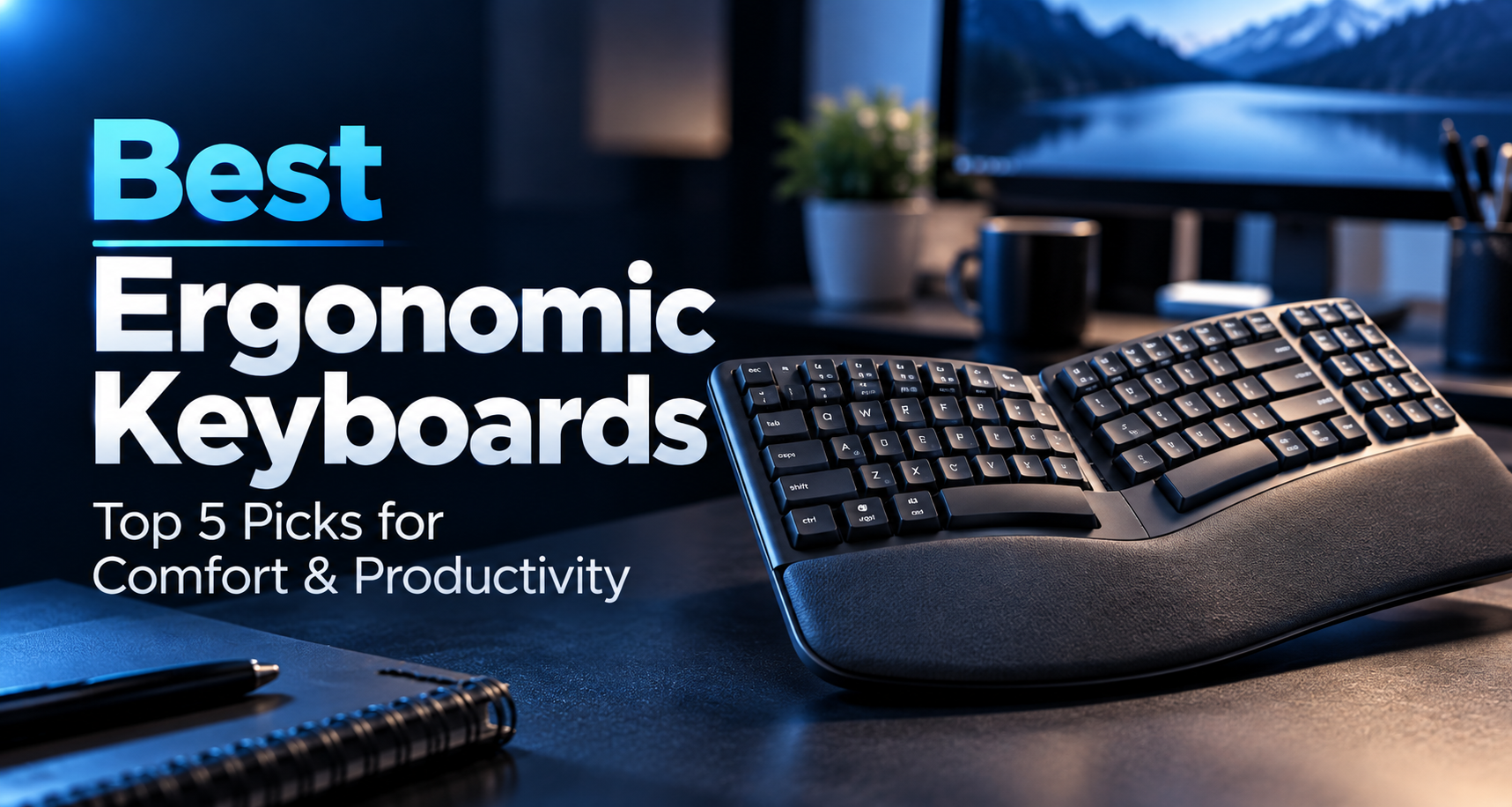
Finding the best ergonomic keyboards for graduate students can make your daily research setup more comfortable, especially when much of your work involves thesis writing, programming, literature reviews, and data analysis.
Traditional flat keyboards are familiar, but they are not the only option. Ergonomic models offer alternative key arrangements, cushioned palm rests, adjustable tilt, and split designs that let users experiment with more natural hand and forearm positions.
However, not every ergonomic keyboard is equally suitable for graduate school. Some are easy to adapt to, while others require changes to your typing habits. Connectivity, desk space, number pads, and operating-system compatibility also matter.
In this guide, we compare five ergonomic keyboards for different budgets and research workflows, from affordable wired models to fully separated split keyboards.
For a broader look at conventional productivity keyboards, explore our best wireless keyboards for graduate students.
As an Amazon Associate, GradToolLab earns from qualifying purchases at no additional cost to you.
Editorial Note: GradToolLab selects products based on manufacturer specifications, publicly available product information, customer feedback, and suitability for graduate students and researchers. We have not independently tested every keyboard in this guide. Ergonomic designs may help users find more comfortable typing positions, but they are not proven to prevent or treat repetitive strain injuries. Prices, availability, and product configurations may change.
1. Logitech ERGO K860
BEST OVERALL
Best for: Graduate students who spend long hours writing, coding, or working with research data and want a full-size ergonomic keyboard for a permanent desk.
Pros
- Curved split keyframe with a raised center
- Integrated cushioned palm rest
- Adjustable palm lift with 0°, -4°, and -7° positions
- Full-size layout with dedicated number pad
- Bluetooth and USB-receiver connectivity
- Easy-Switch support for up to three devices
- Familiar physical function and number keys
Cons
- Expensive compared with conventional keyboards
- Wide design requires substantial desk space
- Fixed split layout cannot be separated into two halves
- Uses replaceable AAA batteries rather than USB-C charging
- Curved key arrangement requires some adjustment
The Logitech ERGO K860 is our Best Overall ergonomic keyboard for graduate students because it offers a substantial change from a conventional flat keyboard without requiring users to adopt a completely separated layout.
Graduate research often involves several kinds of typing within the same day.
A student might spend the morning writing a thesis chapter, work through Python scripts during the afternoon, and finish the evening entering measurement results into a spreadsheet.
For this kind of mixed workload, we prefer a keyboard that combines a more adjustable typing position with the familiar functionality of a full-size layout.
The ERGO K860 uses a curved, split keyframe that positions the two groups of keys at different angles. Its center is raised, creating a tented shape designed to accommodate a different hand and forearm position from a conventional flat keyboard.
Unlike fully split models, however, both halves remain connected in one frame.
This distinction matters for students considering their first ergonomic keyboard. You do not have to decide exactly how far apart to place two separate keyboard halves, although the curved layout will still take time to learn.
One particularly useful feature is the adjustable palm lift.
The keyboard offers 0°, -4°, and -7° settings, allowing users to raise the front edge and experiment with their wrist position. Depending on desk height, chair position, and individual preference, this can be more comfortable than a traditional keyboard tilted upward from the back.
The integrated cushioned palm rest also provides a broad surface for supporting the palms during pauses.
For graduate students who spend hours writing technical documents, a stable palm rest may be appealing. However, it should not encourage users to press their wrists continuously against a hard surface while typing.
We also appreciate the full-size layout.
Many students in engineering, statistics, finance, and experimental sciences regularly enter numerical data. A dedicated number pad is useful for measurements, spreadsheets, and repeated numeric entry.
A smaller split keyboard may save desk space, but it can also require a separate number pad for this type of work.
The ERGO K860 avoids that compromise.
Its wireless connectivity provides another practical advantage. The keyboard supports Bluetooth and a compatible USB receiver, plus switching between up to three paired devices.
For example, a researcher could pair a personal laptop, a university desktop computer, and another compatible device, then change between them without replacing the keyboard.
The main disadvantages are its size and price.
At approximately 456 mm wide, the ERGO K860 is not designed for everyday transportation. It is better suited to a desk where it can remain installed.
Still, for a graduate student who wants one serious ergonomic keyboard for daily research work, the ERGO K860 offers the strongest overall combination of layout, adjustability, and familiar functionality in this comparison.
The Logitech ERGO K860 is particularly suitable for graduate students who use one main workstation for several hours each day.
It is worth considering for students who:
- Write extensive research papers, journal manuscripts, or thesis chapters
- Regularly work with numerical measurements and spreadsheets
- Program or analyze data at a fixed desk
- Switch between a personal and university computer
- Want an alternative to conventional flat keyboard geometry
- Prefer a full-size keyboard rather than a compact or fully split layout
Imagine working through a long data-analysis session that requires both coding and repeated numeric entry.
The ERGO K860 provides a dedicated number pad while allowing you to experiment with a curved key arrangement and different front-edge heights.
That makes it more versatile for mixed academic work than some specialized split keyboards.
However, comfort is individual. Students who prefer complete freedom to position each hand separately should consider the Kinesis Freestyle2 instead.
For a gentler transition at a lower price, the Logitech Wave Keys may be more appropriate.
- Design: Curved, fixed-split ergonomic keyboard
- Layout: Full-size with number pad
- Key mechanism: Low-profile, scissor-style keys
- Palm rest: Integrated cushioned support
- Palm lift: 0°, -4°, and -7°
- Connectivity: Bluetooth Low Energy and compatible USB receiver
- Multi-device support: Up to three devices
- Battery: Two AAA batteries
- Advertised battery life: Up to 24 months, depending on usage
- Backlighting: None
- Dimensions: Approximately 456 × 233 × 48 mm
- Weight: Approximately 1,160 g
- Customization: Logi Options+ on supported systems
Important compatibility note: The ERGO K860 is sold in different versions, including a business model. Receiver compatibility may differ between versions. Check the exact product listing before purchasing rather than assuming that every ERGO K860 uses the same Logitech receiver standard.
2. Logitech Wave Keys
BEST FOR BEGINNERS
Best for: Graduate students who want to try an ergonomic keyboard without moving immediately to a pronounced split design.
Pros
- Familiar wave-shaped key arrangement
- Integrated cushioned palm rest
- Compact footprint for a keyboard with a number pad
- Bluetooth and Logi Bolt connectivity
- Easy-Switch between up to three devices
- Customizable shortcuts through Logi Options+
- Long advertised battery life
Cons
- Less adjustable than the ERGO K860
- Integrated palm rest cannot be removed
- No keyboard backlighting
- Not rechargeable
- Wave layout may not suit everyone
The Logitech Wave Keys is our Best for Beginners recommendation because it introduces a different hand position without making the keyboard feel completely unfamiliar.
This is an important distinction.
Not every graduate student who wants an ergonomic keyboard is ready to switch to a fully separated layout or a dramatically curved keyboard.
Some simply want a more comfortable alternative to the flat keyboard they have used for years.
The Wave Keys uses a gently curved arrangement in which the rows of keys rise and fall in a wave-like shape.
Compared with the ERGO K860, its design is less dramatic. The keyboard still looks and functions much like a conventional productivity keyboard.
For users who do not touch-type perfectly or who frequently alternate between laptop and desktop keyboards, that familiarity may reduce the initial adjustment period.
Another important feature is the integrated cushioned palm rest.
Logitech uses a layered construction that includes memory foam. This gives users an available support surface during pauses and may help make a fixed desktop setup feel more comfortable.
However, a palm rest does not replace correct keyboard height or relaxed wrist positioning.
The Wave Keys also maintains a dedicated number pad despite its relatively compact width.
This is valuable for graduate research, where computer work often extends beyond writing text.
A student might need to prepare a conference abstract, edit a spreadsheet, run statistical analysis, and write emails within the same working session.
Having a number pad and familiar shortcut keys makes the Wave Keys practical for these different activities.
Wireless connectivity is another strength.
The keyboard supports Bluetooth and a Logi Bolt receiver, allowing it to connect to compatible laptops and desktops.
Easy-Switch functionality also supports switching between up to three devices.
For example, a graduate student could keep the Wave Keys paired to a home desktop and a university laptop. Switching devices would be easier than unplugging and reconnecting a wired keyboard.
Logi Options+ provides additional customization on supported systems.
That can be useful for mapping frequently used shortcuts, although students should check whether their institution permits software installation on managed laboratory computers.
The most significant limitation is adjustability.
While the Wave Keys offers a distinctive curved arrangement, it does not provide the same palm-lift options as the ERGO K860 or the independent positioning of a fully split keyboard.
Its integrated palm rest also increases the front-to-back depth.
For students who want to experiment seriously with separate hand positions, it may feel too restrictive.
Nevertheless, for someone purchasing their first ergonomic keyboard, the Wave Keys offers a sensible balance of familiarity, comfort-oriented design, and everyday functionality.
The Logitech Wave Keys is best for graduate students who want to explore an ergonomic layout without making a major change to their typing routine.
Consider it if you:
- Are purchasing your first ergonomic keyboard
- Write long assignments, articles, or thesis chapters
- Use Excel or statistical software regularly
- Prefer a keyboard with a built-in palm rest
- Switch between a laptop and desktop computer
- Want a relatively compact permanent desk setup
For example, a graduate student who currently uses a conventional Logitech wireless keyboard may find the Wave Keys a more familiar transition than a fully separated keyboard.
The learning curve should still be considered, but its overall layout remains close to conventional office keyboards.
If you need more extensive positioning adjustments, the ERGO K860 or Kinesis Freestyle2 may be a better fit.
If affordability and a reliable wired connection matter more than wireless features, consider the Perixx PERIBOARD-512B.
- Design: Wave-shaped ergonomic keyboard
- Layout: Compact full-function layout with number pad
- Palm rest: Integrated cushioned rest with memory foam
- Connectivity: Bluetooth Low Energy and Logi Bolt receiver
- Multi-device support: Up to three devices
- Battery: Two AAA batteries
- Advertised battery life: Up to 36 months
- Backlighting: None
- Customization: Logi Options+ on supported systems
- Dimensions: Approximately 376 × 219 × 31 mm
- Weight: Approximately 750 g with batteries
- Compatibility: Windows, macOS, ChromeOS, and selected other operating systems
The standard Wave Keys and Wave Keys for Mac are separate versions. Check the exact keyboard layout and operating-system support before purchasing.
3. Perixx PERIBOARD-512B
BEST BUDGET WIRED
Best for: Graduate students who want a relatively affordable ergonomic keyboard for a desktop or laboratory computer without wireless connectivity.
Pros
- Relatively affordable
- Fixed split-key arrangement
- Full-size layout with number pad
- Integrated palm support
- Wired USB connection
- No batteries or charging required
- Dedicated multimedia shortcut keys
Cons
- Requires a wired USB connection
- Larger desk footprint
- No multi-device switching
- No backlighting
- Traditional membrane typing feel
- Curved key layout may require practice
The Perixx PERIBOARD-512B earns our Best Budget Wired recommendation because it offers a pronounced ergonomic layout without the premium price of advanced wireless models.
For many graduate students, the most important consideration is not the number of features.
It is finding a keyboard that works reliably every day.
This is particularly relevant in university laboratories, where computers may have strict software policies and users may not be permitted to install additional applications.
A straightforward wired keyboard can be a practical choice in those situations.
The PERIBOARD-512B connects through USB and does not require batteries or wireless pairing.
That means students do not need to monitor battery levels, recharge the keyboard, or manage a Bluetooth connection.
You connect it to a compatible computer and use it as a standard keyboard.
Its ergonomic design is more distinctive than that of the Logitech Wave Keys.
The keys are divided into two angled groups, with a raised, curved arrangement intended to accommodate a different hand position.
There is also a broad integrated palm-support area.
The keyboard uses a full-size English layout with 104 keys, including a dedicated number pad.
This makes it useful for graduate students in experimental or quantitative fields.
For example, someone processing laboratory results may need to type sample identifiers, instrument settings, measurements, and calculations throughout the day.
A number pad can be convenient for that kind of repetitive data entry.
The PERIBOARD-512B also includes multimedia shortcut keys for frequently used computer functions.
These are helpful conveniences, although they are not the main reason to choose this model.
The most important compromise is the connection method.
Unlike the Logitech and ProtoArc options in this guide, the Perixx does not offer Bluetooth connectivity or wireless device switching.
The cable must remain connected to the computer.
That is not necessarily a disadvantage for a stationary laboratory desktop, but it makes the keyboard less convenient for students who regularly change computers.
Another consideration is typing feel.
The PERIBOARD-512B uses a conventional membrane mechanism rather than mechanical switches.
It may feel different from the low-profile typing experience of a modern laptop or premium Logitech keyboard.
Students should also allow time to adjust to the split-key arrangement.
Despite these trade-offs, the Perixx offers a useful combination of ergonomic shaping, full-size functionality, and straightforward wired operation.
The Perixx PERIBOARD-512B is a practical choice for students who want to keep one keyboard connected to a fixed computer.
It is especially suitable for:
- Laboratory desktops
- Budget-conscious graduate students
- Students who prefer wired accessories
- Data-entry and spreadsheet work
- Permanent home-office setups
- Users who do not need Bluetooth or rechargeable batteries
For example, a research laboratory may have a shared desktop computer used for processing measurements or preparing documentation.
A wired ergonomic keyboard could provide an alternative typing layout without requiring wireless pairing or charging.
However, it would be less convenient for someone who switches regularly between personal and university computers.
If multi-device functionality is important, the Logitech Wave Keys or ProtoArc EK01 Plus may offer better value.
- Model: Perixx PERIBOARD-512B
- Design: Fixed split ergonomic keyboard
- Layout: Full-size US English, 104 keys
- Key mechanism: Membrane
- Connectivity: Wired USB
- Cable length: Approximately 1.8 m
- Number pad: Included
- Palm rest: Integrated
- Shortcut keys: Seven multimedia hotkeys
- Battery: Not required
- Backlighting: None
- Dimensions: Approximately 485 × 236 × 44 mm
- Weight: Approximately 1,154 g
The standard version is primarily intended for conventional desktop use. Check the selected model’s operating-system support, keyboard layout, and available USB ports.
Students using laptops with only USB-C ports may need a compatible USB-C adapter or hub.
Our best USB-C hubs for graduate students guide covers suitable types of laptop connectivity accessories.
4. ProtoArc EK01 Plus
BEST RECHARGEABLE
Best for: Graduate students who want an ergonomic keyboard with wireless multi-device connectivity, backlighting, and USB-C charging.
Pros
- Curved split-style key arrangement
- Cushioned integrated wrist rest
- USB-C rechargeable 2,000mAh battery
- Bluetooth and 2.4GHz wireless connectivity
- Connects to up to three devices
- Adjustable white backlighting
- Full-size layout with number pad
- Adjustable keyboard tilt
Cons
- Large and less portable
- Backlighting increases battery consumption
- Wireless functions vary by connected operating system
- Layout may take time to learn
- Less established product ecosystem than Logitech
- Not fully separable into two halves
The ProtoArc EK01 Plus is our Best Rechargeable recommendation because it combines several useful productivity features in a single ergonomic keyboard.
It provides a curved split-style layout, an integrated cushioned wrist rest, wireless connectivity, adjustable backlighting, and a rechargeable battery.
For graduate students who work across multiple computers, this combination can be particularly convenient.
Consider a student who writes research papers on a personal laptop but performs measurements and data processing on a separate laboratory computer.
Instead of maintaining two keyboards, the EK01 Plus can connect to multiple compatible devices through its available wireless channels.
The keyboard supports a 2.4GHz USB receiver and two Bluetooth connections, allowing users to switch among up to three connected devices.
This flexibility is useful for students with a mixed academic workflow.
The curved layout is another important feature.
Like the other fixed-split keyboards in this guide, the EK01 Plus angles its keys into two groups intended to accommodate a different hand position from a conventional flat keyboard.
Its integrated cushioned wrist rest provides additional support during pauses and may appeal to users who prefer a softer contact surface.
However, this is not a fully split keyboard.
The two groups of keys remain connected, so users cannot independently position them at shoulder width.
The EK01 Plus also includes adjustable tilt feet, allowing students to experiment with different keyboard angles.
When making these adjustments, the goal should be a comfortable, relatively neutral wrist position rather than simply choosing the highest available setting.
One distinctive advantage is backlighting.
The keyboard features adjustable white LED backlighting with three brightness levels.
This may be useful for students who work in rooms with inconsistent lighting or occasionally type in the evening.
However, backlighting is not a substitute for proper desk lighting.
If your working area is too dark to read documents comfortably, our best monitor light bars for graduate students guide covers another category of lighting accessories.
Battery power is another reason to consider the EK01 Plus.
Unlike the Logitech ERGO K860 and Wave Keys, which use replaceable batteries, the ProtoArc includes a rechargeable 2,000mAh battery and USB-C charging.
This can be convenient for students who prefer rechargeable peripherals.
Nevertheless, battery life depends on usage, particularly backlight settings. Students should not assume that the manufacturer’s standby rating represents the amount of time available during continuous typing with the backlight enabled.
Overall, the EK01 Plus is an appealing middle-ground option.
It does not offer the independent positioning of a fully split Kinesis keyboard, but it combines ergonomic shaping with several convenience features that are useful for graduate research.
The ProtoArc EK01 Plus is especially suitable for students who value convenience features alongside an ergonomic design.
Consider it if you:
- Work across multiple computers
- Prefer USB-C charging to replacing batteries
- Want adjustable keyboard backlighting
- Use a full-size keyboard for numerical work
- Spend long periods writing or coding
- Have space for a permanent workstation
For example, a graduate student might use Bluetooth with a personal laptop and the wireless USB receiver with another compatible computer.
This can make switching between research tasks more convenient.
The keyboard also offers an alternative to the Logitech models for students who specifically want a rechargeable battery and illuminated keys.
However, users looking for independently adjustable keyboard halves should consider the Kinesis Freestyle2.
- Model: ProtoArc EK01 Plus
- Design: Curved split-style ergonomic keyboard
- Layout: Full-size with number pad
- Key mechanism: Scissor-style switches
- Palm rest: Integrated cushioned support
- Connectivity: 2.4GHz USB receiver and two Bluetooth channels
- Multi-device support: Up to three devices
- Battery: Rechargeable 2,000mAh battery
- Charging: USB-C
- Backlighting: White LED, three brightness levels
- Adjustability: Multiple keyboard tilt settings
- Wireless range: Up to approximately 10 m, according to ProtoArc
- Compatibility: Windows, macOS, and other supported systems
Mac users should pay particular attention to connection mode and function-key behavior. The manufacturer’s documentation notes that some functions may behave differently when using the USB receiver rather than Bluetooth.
Check the exact product version and operating-system requirements before purchasing.
5. Kinesis Freestyle2 with VIP3
BEST FULLY SPLIT
Best for: Graduate students who want to position each half of their keyboard independently and experiment with different separation and tenting angles.
Pros
- Two independently positionable keyboard halves
- Adjustable separation between modules
- VIP3 accessory provides 5°, 10°, and 15° tenting
- Cushioned palm supports
- Low-force membrane keys
- Wired USB connection
- Compact layout without a dedicated number pad
- Dedicated Mac and PC versions available
Cons
- Higher price than conventional keyboards
- More involved setup
- Requires desk space for separate modules
- No built-in wireless connectivity on the selected wired model
- No integrated number pad
- Mac and PC versions have different layouts and shortcuts
- Must confirm whether VIP3 is included with the selected package
The Kinesis Freestyle2 with VIP3 is our Best Fully Split recommendation because it provides something the other keyboards in this guide cannot: independent control over the position of each keyboard half.
Most ergonomic keyboards use a fixed curved or split-style arrangement.
These designs can change the angle of the hands, but the distance between the two sides remains fixed.
The Freestyle2 takes a different approach.
Its left and right key modules can be separated and positioned to better match the user’s shoulder width and preferred typing position.
This is a meaningful difference for students who find conventional keyboard layouts restrictive.
For example, a researcher with broad shoulders may prefer the keyboard halves farther apart than a narrow fixed-split keyboard allows.
Another student may prefer only a small amount of separation.
The Freestyle2 allows users to experiment with both arrangements.
The standard version supports up to approximately nine inches of separation between its modules, while other configurations offer longer connecting cables.
The VIP3 accessory adds another layer of adjustability.
It includes support components that allow the keyboard halves to be tented at 5°, 10°, or 15°.
Tenting raises the inner edges of the keyboard modules, providing an alternative to placing both hands completely flat on the desk.
Different angles may feel more comfortable to different users, so beginning with a lower setting and making gradual adjustments is sensible.
The VIP3 configuration also includes cushioned palm supports.
These provide resting surfaces while maintaining the ability to adjust the keyboard’s angle.
The most important advantage is flexibility.
Instead of adapting entirely to the geometry of one keyboard, users can adjust the arrangement to suit their working position.
That said, greater adjustability also creates a greater learning and setup burden.
A fully separated keyboard may feel unfamiliar at first, particularly to users who do not consistently touch-type.
It may take some experimentation to find a comfortable combination of separation, rotation, and tenting.
The Freestyle2 also omits a dedicated number pad.
This gives students more freedom to place the mouse closer to the keyboard, but it is less convenient for researchers who enter large amounts of numerical data.
An external number pad may be worth considering for those workflows.
Another critical detail is the selected operating-system version.
The Amazon listing reviewed for this guide was the Freestyle2 for Mac with VIP3 lifters.
Kinesis also sells PC-oriented versions, but the shortcut keys and layouts are not identical.
Students should select the version designed for their main computer instead of assuming that every Freestyle2 variant provides the same functionality.
For students who specifically want extensive ergonomic positioning adjustments, the Freestyle2 is one of the most distinctive options in this comparison.
The Kinesis Freestyle2 is best suited to students who want greater control over their typing position than a fixed ergonomic keyboard can provide.
It is worth considering for:
- Graduate students who regularly write long technical documents
- Programmers and researchers working at fixed desks
- Users interested in fully split keyboard layouts
- Students who prefer separate left- and right-hand positioning
- People who want to experiment with different tenting angles
- Researchers who do not need an integrated number pad
For example, a doctoral student who spends many hours each week writing code and papers may want to adjust the separation between their hands.
The Freestyle2 provides flexibility that a conventional keyboard or fixed-split model cannot match.
However, it is a specialized choice rather than our default recommendation for everyone.
Students who prefer a more familiar arrangement should begin by considering the Logitech Wave Keys or ERGO K860.
- Product: Kinesis Freestyle2 with VIP3
- Design: Fully split ergonomic keyboard
- Selected Amazon variation: Freestyle2 for Mac with VIP3
- Keyboard layout: Compact, without a dedicated number pad
- Key mechanism: Low-force membrane switches
- Connectivity: Wired USB-A
- Standard separation: Up to approximately nine inches
- Tenting with VIP3: 5°, 10°, or 15°
- Palm supports: Included with the VIP3 configuration
- Backlighting: None
- Rechargeable battery: Not applicable to the wired model
- Mac model: Includes a two-port USB 2.0 hub
- Compatibility: Depends on the selected Mac or PC version
Important: The VIP3 accessory is also sold separately. Confirm that the specific Amazon listing includes both the keyboard and the VIP3 lifters with palm supports.
Quick Comparison: Which Ergonomic Keyboard Should You Choose?
The five keyboards in this guide offer different approaches to typing comfort, connectivity, and adjustability.
| Keyboard | Best For | Connection | Standout Feature |
|---|---|---|---|
| Logitech ERGO K860 | Best Overall | Bluetooth / USB receiver | Curved split design and adjustable palm lift |
| Logitech Wave Keys | Best for Beginners | Bluetooth / Logi Bolt | Familiar wave layout and cushioned palm rest |
| Perixx PERIBOARD-512B | Best Budget Wired | USB | Affordable fixed-split design |
| ProtoArc EK01 Plus | Best Rechargeable | Bluetooth / 2.4GHz | USB-C charging and backlighting |
| Kinesis Freestyle2 with VIP3 | Best Fully Split | USB | Independent halves and adjustable tenting |
For most graduate students, the Logitech ERGO K860 provides the best overall combination of ergonomic shaping, adjustability, and everyday functionality.
However, the best choice depends on how much you want to change your existing typing arrangement.
If you are new to ergonomic keyboards, the Logitech Wave Keys offers a more familiar transition.
If you want to minimize spending and do not need wireless connectivity, the Perixx PERIBOARD-512B is a practical alternative.
The ProtoArc EK01 Plus stands out for rechargeable power and backlighting, while the Kinesis Freestyle2 provides the greatest freedom to position your hands independently.
How to Choose the Best Ergonomic Keyboard for Graduate School
An ergonomic keyboard should not be chosen solely because it has an unusual shape.
The important question is whether its design makes sense for your posture, typing habits, workspace, and daily academic tasks.
Here are the main factors worth considering.
1. Fixed Split vs. Fully Split Keyboards
The biggest difference between ergonomic keyboards is how their key groups are arranged.
Fixed-split keyboards use one connected frame with the keys angled into two groups.
Examples include the Logitech ERGO K860, Perixx PERIBOARD-512B, and ProtoArc EK01 Plus.
These keyboards provide an alternative to a straight key layout while remaining relatively familiar.
They also keep the two sides in a consistent position, which can simplify setup.
However, users cannot independently adjust how far apart the left and right sides sit.
Wave-shaped keyboards use a gentler curve.
The Logitech Wave Keys is a good example. It maintains a more traditional layout, making it appealing to users who want a smaller change.
Fully split keyboards separate the key groups into two physical modules.
The Kinesis Freestyle2 allows the user to change the distance and orientation of each half.
This can accommodate a wider range of preferences but also requires more time to find a comfortable arrangement.
There is no universal best design.
A fixed layout may feel natural to one student, while another may prefer the flexibility of independent keyboard halves.
2. Keyboard Tenting and Negative Tilt
Two important ergonomic terms are tenting and negative tilt.
Tenting describes raising the inner edge of a split keyboard so that its halves slope outward.
This changes the orientation of the hands and forearms compared with a conventional flat keyboard.
The Kinesis Freestyle2 with VIP3 allows tenting at 5°, 10°, and 15°.
Negative tilt is different.
It raises the front edge of the keyboard relative to the back, which can help some users maintain a straighter wrist position depending on desk height and arm position.
The Logitech ERGO K860 provides adjustable palm lift at 0°, -4°, and -7°.
Neither feature should be treated as automatically beneficial at its maximum setting.
A comfortable angle depends on individual anatomy and the surrounding workstation.
Start with a modest adjustment, assess your typing position, and avoid settings that force the wrists into uncomfortable positions.
3. Wrist Rests and Palm Support
Many ergonomic keyboards include integrated palm rests.
These supports can provide a comfortable surface during pauses, particularly when a keyboard has a raised or curved structure.
However, there is an important distinction between supporting the palms and pressing the wrists into the desk while typing.
Ideally, your wrists should remain relatively straight and free from excessive pressure.
A soft palm rest may feel comfortable, but it cannot compensate for a keyboard positioned too high or too far away.
The ERGO K860, Wave Keys, Perixx PERIBOARD-512B, and ProtoArc EK01 Plus all include integrated support areas.
The Kinesis Freestyle2 can be used with the separate or bundled VIP3 palm-support system.
Before purchasing, consider whether the support is removable, how much desk depth it requires, and whether its shape fits your preferred typing position.
Students should also evaluate the desk and chair together.
Our graduate student desk setup guide explains how keyboards, monitors, seating, and other equipment fit into a practical research workstation.
4. Full-Size Layout vs. Compact Layout
For graduate students, keyboard layout is not only a comfort consideration.
It also affects research productivity.
Students in engineering, physics, statistics, economics, and other quantitative disciplines frequently enter numerical data.
Examples include:
- Experimental measurements
- Statistical datasets
- Spreadsheet formulas
- Financial calculations
- Instrument parameters
- Sample identifiers
A dedicated number pad can make repeated numerical entry more convenient.
The ERGO K860, Wave Keys, Perixx PERIBOARD-512B, and ProtoArc EK01 Plus retain this feature.
The Kinesis Freestyle2 uses a more compact layout without an integrated number pad.
Removing the number pad allows the mouse to sit closer to the main typing area, which some users prefer.
However, researchers who regularly enter measurements may want to pair a compact keyboard with a separate number pad.
The best layout depends on how often you use numerical keys compared with ordinary text input.
5. Wired vs. Wireless Connectivity
Wireless keyboards can simplify desk organization and support flexible computer arrangements.
They are particularly useful when students switch between personal laptops and university computers.
The Logitech ERGO K860, Wave Keys, and ProtoArc EK01 Plus offer wireless connections and multi-device functionality.
However, wireless connectivity introduces several considerations.
You may need to pair devices, manage batteries, and confirm that the computer supports the appropriate Bluetooth or receiver standard.
This can matter on university-managed computers where accessory permissions or software installation are restricted.
Wired keyboards avoid many of these issues.
The Perixx PERIBOARD-512B and the selected Kinesis Freestyle2 model connect through USB.
A wired connection is a practical choice for a permanent laboratory desktop, especially if you never need to move the keyboard.
If your laptop has only USB-C ports, check whether a suitable adapter or hub is required.
6. Typing Feel and Learning Curve
An ergonomic keyboard is not automatically more comfortable on the first day.
Curved and split layouts may move familiar keys to slightly different positions, requiring users to adjust their hand movements.
The learning curve tends to be more noticeable with pronounced split or fully separated designs.
Typing feel also depends on the switch mechanism.
Most models in this comparison use membrane or low-profile scissor-style keys rather than traditional mechanical switches.
These designs provide different levels of travel, resistance, and feedback.
If you already have strong preferences about mechanical switches, consider whether the listed key mechanisms match your expectations.
It may be sensible to try a keyboard in person when possible, particularly before purchasing an expensive fully split model.
The goal is not to force yourself to adapt to an uncomfortable device.
It is to find a keyboard arrangement that works well with your regular typing habits.
7. Desk Space and Mouse Position
Large ergonomic keyboards can occupy significantly more space than compact conventional models.
This is easy to overlook when shopping online.
A full-size keyboard with a built-in palm rest may require substantial width and depth.
Before purchasing, check whether you will still have enough space for your mouse, notebook, and other desk accessories.
This is especially important if you use a small desk or have limited space between your monitor and the desk edge.
The arrangement of your keyboard and mouse matters as much as the keyboard design itself.
If the keyboard forces the mouse unusually far to one side, the entire workstation may feel less comfortable.
Our best wireless mice for graduate students guide compares different mouse shapes and sizes for academic workflows.
Students building a permanent setup may also benefit from choosing an appropriately sized desk mat.
Our best desk mats for graduate students guide explores options for protecting and organizing a workstation.
Are Ergonomic Keyboards Actually Better for Long Typing Sessions?
Ergonomic keyboards are designed to provide alternative hand, wrist, and forearm positions.
Some users find these layouts more comfortable than conventional keyboards, particularly when they can adjust the keyboard to fit their natural typing position.
However, an ergonomic keyboard is not a guaranteed solution for discomfort or repetitive strain injuries.
The Occupational Safety and Health Administration (OSHA) recommends maintaining neutral wrist and arm positions and notes that available research does not conclusively establish that alternative keyboards prevent discomfort or injury.
This is an important distinction.
A keyboard can offer useful adjustability without being a medical treatment.
For graduate students, the practical goal should be to build a workstation that supports comfortable typing habits.
That includes:
- Keeping the shoulders relaxed
- Positioning the keyboard at an appropriate height
- Avoiding excessive wrist bending
- Keeping the mouse within comfortable reach
- Taking regular breaks from prolonged computer work
- Adjusting the chair and desk together
If you experience persistent pain, numbness, or tingling, changing keyboards alone may not address the underlying cause. Consider seeking guidance from a qualified healthcare professional.
An ergonomic keyboard is best viewed as one possible component of a well-arranged workspace rather than a substitute for good working habits.
Logitech ERGO K860 vs. Wave Keys: Which Is Better?
The Logitech ERGO K860 and Wave Keys are among the most appealing options in this guide, but they target slightly different users.
The ERGO K860 offers a more pronounced curved split design, adjustable palm lift, and a larger working surface.
It is the stronger choice for students who specifically want more keyboard-shape and tilt adjustment.
The Wave Keys is less dramatic.
Its gentle wave arrangement makes it easier to approach for students who are used to conventional keyboards.
It is also smaller and generally more affordable.
Both models support multi-device wireless connectivity and include a number pad and cushioned palm support.
Choose the ERGO K860 if:
- You want a more pronounced ergonomic keyboard design
- Adjustable negative tilt is important
- You work primarily at one large desk
- You are comfortable paying more for additional positioning features
Choose the Wave Keys if:
- You are buying your first ergonomic keyboard
- You prefer a more familiar key arrangement
- Desk space or budget is limited
- You want a straightforward wireless productivity keyboard
Neither model is universally more comfortable.
The better choice depends on the keyboard geometry you prefer and how well it fits your workstation.
For students who do not need an ergonomic layout at all, our wireless keyboard comparison includes more conventional productivity models.
Frequently Asked Questions
Are ergonomic keyboards worth it for graduate students?
They can be worthwhile for students who type for long periods and prefer a different hand or wrist position from a conventional keyboard.
However, they are not necessary for everyone.
If your current keyboard is comfortable and your workstation is properly arranged, an ergonomic upgrade may provide only a limited benefit.
What is the best ergonomic keyboard for thesis writing?
Our best overall choice is the Logitech ERGO K860 because it combines a curved split layout, adjustable palm lift, cushioned support, and a dedicated number pad.
However, the Logitech Wave Keys may be a better starting point for students who prefer a more familiar typing arrangement.
Is a split keyboard better than a normal keyboard?
A split keyboard can provide more freedom in positioning the hands, but it is not automatically better for every user.
Some people prefer the feel of a conventional layout, while others appreciate a curved or fully separated design.
Keyboard height, wrist position, and overall desk setup remain important regardless of the keyboard type.
Do ergonomic keyboards prevent carpal tunnel syndrome?
There is not sufficient conclusive evidence to claim that ergonomic keyboards prevent carpal tunnel syndrome or other repetitive strain injuries.
They may help some users find more comfortable positions, but they should not be treated as medical devices.
If you experience ongoing symptoms, seek appropriate medical advice.
Are ergonomic keyboards good for programming?
Yes, they can be.
Graduate students who write Python, R, MATLAB, C++, or other code may appreciate an ergonomic keyboard if its layout suits their typing habits.
However, programmers should also consider symbol placement, shortcut accessibility, operating-system compatibility, and the learning curve of an unfamiliar layout.
Are ergonomic keyboards good for gaming?
Some ergonomic keyboards can be used for gaming, but most models in this guide prioritize office productivity rather than gaming-specific features.
Students who play games regularly should consider key placement, responsiveness, compatibility, and whether a split layout works well with their preferred controls.
Do ergonomic keyboards take time to get used to?
Often, yes.
A gentle wave-shaped keyboard may feel familiar relatively quickly, while a pronounced split or fully separated layout can require more adjustment.
The transition is particularly noticeable for users who do not consistently touch-type.
Which ergonomic keyboard is best for Mac?
The Logitech Wave Keys and ERGO K860 both support compatible Mac systems, while the Kinesis Freestyle2 is available in a dedicated Mac configuration.
The ProtoArc EK01 Plus also supports Mac connectivity, although some functions may depend on the connection mode.
Always check the exact version and key layout before purchasing.
Should I choose a wired or wireless ergonomic keyboard?
Choose wireless if you value flexible desk placement or frequently switch between devices.
Choose wired if you want a straightforward connection for a fixed computer without batteries, charging, or wireless pairing.
Both can work well for graduate research.
Does an ergonomic keyboard need a wrist rest?
No.
A wrist or palm rest may provide a comfortable surface during pauses, but it is not essential for every user.
Correct desk height, relaxed shoulders, and relatively neutral wrist positioning are generally more important than adding a wrist rest.
Final Verdict
The best ergonomic keyboards for graduate students offer useful choices for different typing preferences, budgets, and research workflows.
Our Best Overall recommendation is the Logitech ERGO K860. Its curved split layout, adjustable palm lift, cushioned support, and number pad provide a balanced combination of ergonomic design and everyday productivity features.
For students who are new to ergonomic keyboards, the Logitech Wave Keys offers a more familiar introduction at a lower price.
The Perixx PERIBOARD-512B is our preferred affordable wired option for fixed laboratory and home-office computers.
If rechargeable power, backlighting, and multi-device wireless connectivity are priorities, the ProtoArc EK01 Plus is worth considering.
Finally, the Kinesis Freestyle2 with VIP3 is our recommendation for users who want the most freedom to position the left and right keyboard halves independently.
Remember that an ergonomic keyboard is only one part of a comfortable research workspace.
Chair height, monitor position, mouse placement, desk dimensions, and regular breaks all matter.
Choose a keyboard that fits your working habits rather than assuming that a more unusual shape or higher price will automatically improve your experience.
The right keyboard should make everyday research work feel more natural without introducing unnecessary complications.

