
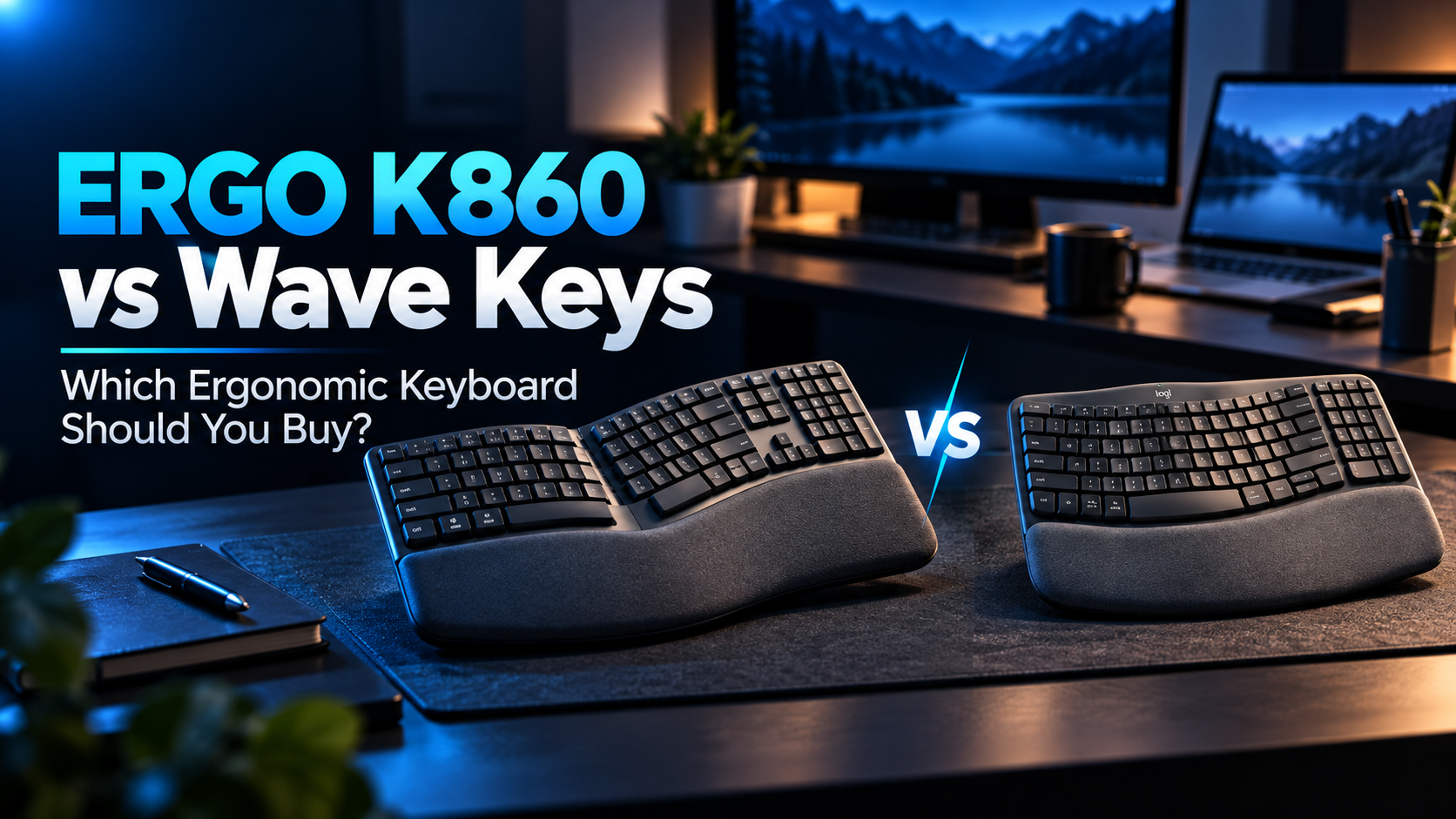
Choosing between the Logitech ERGO K860 vs Wave Keys is not simply a question of buying the more expensive keyboard.
Both are wireless ergonomic keyboards with cushioned palm rests, dedicated number pads, and multi-device connectivity. However, they take noticeably different approaches to keyboard design.
The ERGO K860 features a pronounced curved split layout with adjustable palm lift, while the Wave Keys uses a gentler wave-shaped arrangement in a smaller body.
For graduate students who spend hours writing research papers, programming, analyzing data, or preparing a thesis, these differences can matter more than the specifications initially suggest.
So, is the ERGO K860 worth paying more for, or is the Wave Keys the smarter purchase?
Quick answer: Choose the Logitech ERGO K860 if you want a more pronounced ergonomic layout and adjustable negative tilt. Choose the Logitech Wave Keys if you prefer a familiar typing experience, a smaller desk footprint, and a lower price.
We’ll compare their design, typing experience, connectivity, dimensions, and practical value for graduate research.
As an Amazon Associate, GradToolLab earns from qualifying purchases at no additional cost to you.
Editorial Note: This comparison is based on Logitech’s published specifications, publicly available independent testing, customer feedback, and common graduate-student workflows. We have not conducted our own side-by-side hands-on tests of these keyboards. Prices and product configurations may change. Ergonomic keyboards may help users find more comfortable typing positions, but they are not medical treatments or guaranteed ways to prevent injury.
Quick Verdict: ERGO K860 vs Wave Keys
These two keyboards target different priorities.
Choose the Logitech ERGO K860 if:
- You want a more pronounced curved split keyboard
- Adjustable negative tilt is important to you
- You have a spacious, permanent workstation
- You prefer more widely spaced keys
- You are comfortable spending more for additional ergonomic adjustment
- You regularly write long documents or perform extended desktop work
Choose the Logitech Wave Keys if:
- You are purchasing your first ergonomic keyboard
- You want a gentler transition from a conventional layout
- Your desk is relatively small
- You want your mouse closer to the main keyboard area
- You prefer a lighter and less expensive keyboard
- You still need a dedicated number pad for spreadsheets
Our verdict: The ERGO K860 is the stronger choice for adjustability, but the Wave Keys offers better value for many graduate students.
Paying more makes sense if you specifically want the K860’s split geometry and palm-lift settings. If those features are not important to you, the Wave Keys is likely the more practical purchase.
Neither keyboard is universally more comfortable. Personal preference, desk height, posture, and familiarity with the key arrangement all matter.
Logitech ERGO K860 vs Wave Keys: Specifications Compared
| Feature | Logitech ERGO K860 | Logitech Wave Keys |
|---|---|---|
| Design | Curved fixed-split keyboard | Gentle wave-shaped keyboard |
| Typing mechanism | Low-profile scissor switches | Rubber-dome / membrane |
| Adjustable tilt | 0°, -4°, -7° palm lift | +4° rear tilt legs |
| Palm rest | Integrated, cushioned | Integrated, cushioned |
| Number pad | Yes | Yes |
| Wireless connection | Bluetooth + USB receiver | Bluetooth + Logi Bolt |
| Multi-device support | Up to 3 devices | Up to 3 devices |
| Battery | 2 × AAA | 2 × AAA |
| Advertised battery life | Up to 24 months | Up to 36 months |
| Backlighting | No | No |
| Width | Approx. 456 mm | Approx. 376 mm |
| Front-to-back depth | Approx. 233 mm | Approx. 219 mm |
| Height | Approx. 48 mm | Approx. 31 mm |
| Weight | Approx. 1,160 g | Approx. 750 g |
| Best for | Greater ergonomic adjustment | Familiarity and value |
Specifications are based on manufacturer documentation. The ERGO K860’s included USB receiver can vary between standard and Business versions. Battery-life figures are manufacturer estimates and depend on actual usage.
The main difference is the physical layout.
The ERGO K860 is wider, heavier, and more prominently split. It also offers adjustable negative tilt that the Wave Keys cannot replicate.
The Wave Keys is approximately 80 mm narrower and 410 g lighter, making it a better fit for smaller desks while retaining a number pad.
Both can be used with multiple computers, and neither includes backlit keys or a rechargeable battery.
1. Logitech ERGO K860
BEST FOR ERGONOMIC ADJUSTABILITY
Best for: Graduate students who want pronounced split-key geometry, adjustable negative tilt, and a dedicated keyboard for extended work at one desk.
Pros
- Pronounced curved split-key layout
- Adjustable palm lift at 0°, -4°, and -7°
- Widely spaced low-profile keys
- Integrated cushioned palm rest
- Full-size layout with number pad
- Bluetooth and USB-receiver connectivity
- Easy-Switch support for three devices
Cons
- More expensive than Wave Keys
- Considerably wider and heavier
- Larger desk footprint
- More noticeable learning curve
- Uses replaceable batteries
- No backlighting
- Fixed halves cannot be positioned independently
The Logitech ERGO K860 is the stronger choice for users who want to experiment with an alternative keyboard position rather than simply replace a conventional keyboard with a slightly curved one.
Its most important feature is the curved, split keyframe.
The left and right groups of keys angle away from the center, creating a more pronounced separation than the Wave Keys.
Because the center of the keyboard is raised, the hands sit at a different orientation from a typical flat keyboard.
The ERGO K860 is not a fully split keyboard. Its two sides are permanently connected, so you cannot move each half independently.
Nevertheless, the design provides a substantial departure from conventional straight key rows.
Another advantage is Logitech’s adjustable palm lift.
You can use the keyboard at 0°, -4°, or -7°, raising the front edge relative to the back.
This can be particularly relevant if you alternate between sitting and standing or if your desk height makes a conventional keyboard tilt feel awkward.
The best setting is not necessarily the most extreme one.
A useful starting point is to adjust the keyboard until your wrists remain relatively straight and your shoulders are relaxed.
The K860 also offers a three-layer cushioned palm rest, designed to provide support during pauses.
For graduate students who work with long manuscripts, numerical data, and coding projects, the full-size layout is another advantage.
You retain the number pad, function keys, and familiar navigation keys while using a more pronounced ergonomic arrangement.
The main disadvantages are size and cost.
With a width of approximately 456 mm, this is a substantial keyboard. You need enough room for both the keyboard and your mouse without excessive reaching.
It is also heavier than the Wave Keys, making it less convenient to move between campus and home.
Overall, the K860 makes the most sense when you know that the split layout and adjustable palm lift are features you want.
It is not automatically the better purchase simply because it costs more.
The ERGO K860 is particularly suited to graduate students with one primary research workstation.
It may be appealing if you:
- Write thesis chapters or manuscripts for several hours
- Regularly program or analyze data at a desktop computer
- Want to experiment with different wrist and forearm orientations
- Use a full-size keyboard for spreadsheets and measurements
- Have enough space for a larger keyboard
- Prefer a fixed desk setup rather than a portable accessory
For example, an engineering student might alternate between MATLAB, Python, Excel, and academic writing throughout the day.
The K860 provides conventional productivity functionality alongside its more substantial ergonomic features.
However, students who frequently type on a laptop away from their desk should consider how easily they can switch between two different keyboard layouts.
For those users, the Wave Keys may offer a simpler transition.
- Product: Logitech ERGO K860
- Layout: Full-size curved fixed-split keyboard
- Key mechanism: Low-profile scissor switches
- Palm rest: Integrated three-layer cushioned support
- Palm lift settings: 0°, -4°, -7°
- Connectivity: Bluetooth and compatible USB receiver
- Multi-device switching: Three devices
- Battery: Two AAA batteries
- Advertised battery life: Up to 24 months
- Backlighting: None
- Dimensions: Approximately 456 × 233 × 48 mm
- Weight: Approximately 1,160 g
- Number pad: Included
- Customization: Logi Options+ on supported systems
Receiver note: Standard retail and Business versions of the ERGO K860 may use different USB receiver technologies. Verify the exact listing and included receiver before purchase. The original consumer version commonly uses Logitech Unifying, while the Business version uses Logi Bolt.
2. Logitech Wave Keys
BEST FOR BEGINNERS & VALUE
Best for: Graduate students who want a relatively compact ergonomic keyboard with a familiar typing experience and a lower price.
Pros
- Gentle wave-shaped layout
- Relatively easy transition from traditional keyboards
- Smaller overall footprint
- Integrated cushioned palm rest
- Dedicated number pad
- Bluetooth and Logi Bolt connectivity
- Easy-Switch for three devices
- Long advertised battery life
Cons
- Less pronounced split geometry
- No adjustable negative palm lift
- Membrane switches may feel less distinct than K860 keys
- Integrated palm rest cannot be removed
- Uses replaceable AAA batteries
- No backlighting
- Still larger than compact keyboards without number pads
The Logitech Wave Keys is our preferred option for graduate students buying their first ergonomic keyboard.
Its central advantage is familiarity.
Where the ERGO K860 makes a more noticeable change to keyboard geometry, the Wave Keys retains a layout closer to what most students already use.
The keys follow a gentle wave-shaped arrangement intended to accommodate a different hand position without requiring users to learn a dramatically separated layout.
This can matter more than it initially seems.
Many students have spent years typing on laptops, conventional office keyboards, and shared university computers.
Switching immediately to a strongly curved split keyboard may require changes to established typing habits.
The Wave Keys offers a smaller step.
Another advantage is its compact width.
At approximately 376 mm, it is around 80 mm narrower than the ERGO K860.
For a desk that also holds a monitor, notebook, mouse, laptop, and research papers, this difference can be significant.
The narrower layout also allows the mouse to sit closer to the main typing area.
That is worth considering when evaluating the complete workstation rather than the keyboard alone.
Despite its smaller dimensions, Wave Keys retains a dedicated number pad.
This is useful for graduate students working with measurements, spreadsheets, statistical data, or financial calculations.
The integrated cushioned palm rest is also a notable feature.
It offers a soft resting surface but cannot be detached, so users who prefer a bare keyboard should keep this limitation in mind.
The Wave Keys supports Bluetooth and Logi Bolt, with Easy-Switch functionality for up to three devices.
For example, a student could use one connection for a university laptop and another for a personal desktop.
Unlike the ERGO K860, Wave Keys does not offer adjustable negative palm lift. It instead has conventional rear tilt legs with a +4° adjustment.
This provides less flexibility for users who specifically want to raise the front of the keyboard.
However, not everyone needs that adjustment.
If you want an affordable, convenient ergonomic keyboard for everyday writing and research, the Wave Keys offers much of the practical functionality of the K860 at a lower cost.
Wave Keys is particularly suitable for graduate students who prioritize simplicity and value.
Consider it if you:
- Are new to ergonomic keyboard layouts
- Spend time writing papers and coding but prefer familiar keys
- Have a smaller desk
- Need a built-in number pad
- Use both a personal laptop and university computer
- Want an integrated palm rest
- Prefer to spend less on desk accessories
Imagine a student preparing a thesis at a small apartment desk.
There may be limited room for a full-size keyboard, external monitor, mouse, and handwritten research notes.
Wave Keys provides a more compact ergonomic design without sacrificing the number pad.
It is also a practical option for students who are not yet sure whether they enjoy a pronounced split-key arrangement.
If you discover that you want more adjustability later, you can consider a more specialized keyboard.
For many users, however, Wave Keys may be sufficient for their entire graduate program.
- Product: Logitech Wave Keys
- Layout: Compact ergonomic wave layout with number pad
- Key mechanism: Rubber-dome / membrane
- Palm rest: Integrated cushioned support
- Tilt adjustment: +4° rear tilt legs
- Connectivity: Bluetooth Low Energy and Logi Bolt USB receiver
- Multi-device switching: Three devices
- Battery: Two AAA batteries
- Advertised battery life: Up to 36 months
- Backlighting: None
- Dimensions: Approximately 376 × 219 × 31 mm
- Weight: Approximately 750 g with batteries
- Number pad: Included
- Customization: Logi Options+ on supported systems
Wave Keys is available in different color and operating-system configurations. Check whether you are purchasing the standard model or the Mac-specific version.
Some keyboard functions and shortcut labels may differ depending on the selected layout.
Design and Ergonomics: How Different Are They?
The most important difference between these keyboards is the shape of the key layout.
Both are designed to offer alternatives to conventional straight keyboard rows, but they do so in different ways.
ERGO K860: More Pronounced Split Geometry
The ERGO K860 uses a curved split design with clearly defined left and right key groups.
Its center is raised, creating a sloped arrangement that changes the orientation of the hands.
This makes it more specialized than a conventional keyboard.
The design is intended to accommodate a different wrist and forearm position, but whether it feels comfortable depends on the individual user.
It also includes adjustable negative tilt, which is especially valuable for users who want more control over keyboard positioning.
Wave Keys: A Gentler Transition
The Wave Keys is considerably less dramatic.
Its key rows form a wave-like curve, but the keyboard remains relatively close to a familiar office layout.
This can make it less intimidating for students who are trying an ergonomic keyboard for the first time.
The design still provides a different typing position, but it does not offer the same degree of split geometry or negative tilt as the K860.
Which Design Is Better?
Winner for adjustability: ERGO K860.
Winner for familiarity: Wave Keys.
The key consideration is how much you want to change your established typing posture.
If you already know that you prefer a more pronounced split keyboard, the K860 is the stronger option.
If you are unsure, Wave Keys is the safer starting point.
Neither design guarantees improved health outcomes. The position of your keyboard, chair, mouse, and monitor should be considered together.
For more choices beyond these two products, see our best ergonomic keyboards for graduate students guide.
Typing Experience: Scissor Switches vs. Membrane Keys
The second major difference is typing feel.
The ERGO K860 uses low-profile scissor switches, while the Wave Keys uses a rubber-dome membrane mechanism.
These differences can influence how each keyboard feels during long writing sessions.
ERGO K860 Typing Experience
Scissor switches use a stabilizing mechanism underneath the keycap.
The ERGO K860’s keys are designed to provide controlled movement and distinct feedback.
Independent testing by RTINGS describes the K860 as having more widely spaced keys and a somewhat heavier, more noticeable tactile feel compared with Wave Keys.
For some users, that feedback makes typing feel more deliberate.
For others, a lighter key mechanism may be preferable.
The K860’s pronounced split arrangement also changes where some keys sit relative to the fingers.
Even experienced typists may need an adjustment period.
Wave Keys Typing Experience
The Wave Keys uses a rubber-dome mechanism with a more conventional office-keyboard feel.
Its keys are closer together, and the overall layout is less unusual.
This can make the transition easier for students accustomed to standard keyboards.
However, someone who strongly prefers the defined feedback of scissor switches may find the Wave Keys less satisfying.
Typing comfort is not determined by switch technology alone.
Key spacing, finger reach, desk height, and individual preferences all influence the experience.
Which Keyboard Wins for Typing?
There is no universal winner.
Choose the ERGO K860 if you prefer more widely spaced keys, pronounced split geometry, and a firmer-feeling key action.
Choose Wave Keys if you want lighter-feeling membrane keys and a more familiar layout.
Both are primarily productivity keyboards, not specialized mechanical keyboards.
Neither provides backlighting or hot-swappable mechanical switches.
Students who prefer mechanical keyboards should consider whether a different product category is a better fit.
Desk Space: Does the Size Difference Matter?
The size difference between these keyboards is substantial.
The ERGO K860 measures approximately 456 mm wide and weighs around 1,160 g.
Wave Keys measures approximately 376 mm wide and weighs about 750 g.
That means Wave Keys is approximately 80 mm narrower and 410 g lighter.
For a permanent workstation with a large desk, the difference may not be important.
However, it matters more in compact workspaces.
Graduate students often have to fit several activities onto one desk.
A typical setup might include a laptop, external monitor, keyboard, mouse, notebook, printed journal articles, and a drink.
A wider keyboard can reduce the available area for other equipment.
It can also push the mouse farther away from the center of the user’s working position.
This does not automatically make a large keyboard uncomfortable, but it is a useful consideration.
The Wave Keys gives users more room for mouse movement while retaining a number pad.
Winner for compact workspaces: Wave Keys.
If you are planning a complete study area, our graduate student desk setup guide explores how keyboards, monitors, chairs, and other accessories work together.
Connectivity, Software, and Compatibility
Both keyboards support wireless connectivity and can switch among up to three paired devices.
For graduate students who regularly alternate between a personal laptop and a university computer, this is a useful feature.
However, there are some important details.
Bluetooth and USB Receivers
Wave Keys supports Bluetooth Low Energy and an included Logi Bolt receiver.
The ERGO K860 also supports Bluetooth, but its included receiver depends on the specific model.
The original consumer ERGO K860 commonly uses Logitech Unifying technology, while the ERGO K860 for Business uses Logi Bolt.
These receiver standards are not interchangeable.
If you already own Logitech wireless accessories, do not assume that every keyboard can share the same USB receiver.
Verify the model number and included receiver before purchasing.
Multi-Device Switching
Both keyboards support Easy-Switch functionality.
This allows you to pair up to three compatible devices and change the active connection using dedicated controls.
For example:
- Device 1: University laptop
- Device 2: Personal desktop PC
- Device 3: Tablet or another compatible device
This arrangement can be convenient for reading papers on one computer while drafting a report on another.
However, Easy-Switch does not automatically combine two computers into one shared desktop environment.
The computers remain separate.
Logi Options+
Both keyboards support Logitech’s Logi Options+ application on compatible Windows and macOS systems.
Depending on the keyboard, connected device, and software version, the application provides customization of supported keys and shortcuts.
This can be useful for researchers who frequently open spreadsheets, launch applications, or use repetitive commands.
However, university-managed computers may restrict software installation.
Students should verify the institution’s IT policies before assuming that all optional software features will be available.
Both keyboards can provide basic typing functions without installing Logi Options+ on many supported systems.
Compatibility Verdict
Overall: Tie for ordinary multi-device use.
Both provide Bluetooth and three-device switching.
Wave Keys offers a straightforward Logi Bolt setup, while the ERGO K860 requires extra attention to the exact receiver variant.
For students who use a managed university computer, checking connectivity permissions matters more than choosing one model solely based on software features.
Battery Life: Which Lasts Longer?
Both keyboards use two replaceable AAA batteries.
Neither is rechargeable through USB-C.
Logitech advertises:
- ERGO K860: Up to 24 months
- Wave Keys: Up to 36 months
These figures are based on manufacturer estimates and will vary depending on usage, operating conditions, and battery quality.
In practical terms, both keyboards are intended to operate for long periods without frequent battery replacement.
For most graduate students, the difference between two and three years of advertised battery life is unlikely to be the main reason to choose one over the other.
However, Wave Keys has the longer manufacturer-rated battery life.
Winner for advertised battery life: Wave Keys.
If rechargeable power and keyboard backlighting are essential requirements, neither model offers those features.
Our broader ergonomic keyboard buying guide includes alternatives with USB-C charging.
Price and Value: Is ERGO K860 Worth the Extra Money?
Price is one of the strongest reasons to consider Wave Keys.
In our Amazon.com research on October 24, 2026, we observed the following prices:
| Model | Amazon price observed |
|---|---|
| Logitech ERGO K860 | $119.99 |
| Logitech Wave Keys | $69.99 |
| Difference | $50.00 |
These were observed prices for the selected listings, not guaranteed current prices.
At that point, the ERGO K860 cost approximately $50 more.
The question is whether the additional features justify that difference.
What Do You Get for the Extra Money?
The ERGO K860 provides:
- More pronounced split-key geometry
- Adjustable negative palm lift
- More widely spaced keys
- A larger and heavier keyboard body
- A more specialized ergonomic arrangement
These are meaningful differences.
However, it does not offer extra features such as rechargeable power, RGB lighting, or a fully separable keyboard design.
Wave Keys already includes:
- A cushioned palm rest
- A number pad
- Bluetooth and receiver-based connectivity
- Three-device switching
- Shortcut customization
- Long advertised battery life
If you only need a wireless keyboard with a more comfortable-feeling shape than your current model, the Wave Keys may provide everything you need.
If you specifically want the K860’s adjustable negative tilt and split-key geometry, the additional cost may be justified.
Value Verdict
Winner for value: Wave Keys.
Winner for ergonomic adjustment: ERGO K860.
The more expensive keyboard is not automatically the more appropriate one.
Buy according to the differences you will actually use.
Which Is Better for Graduate Students?
The right choice depends on the kind of research work you do most often.
Thesis Writing and Academic Papers
For students who write lengthy research papers, theses, or dissertations, both keyboards can be practical.
The ERGO K860 offers a more pronounced alternative to conventional keyboard positioning.
Wave Keys is easier to approach if you want a familiar typing arrangement.
Our recommendation: ERGO K860 if adjustability is the priority; Wave Keys if value and familiarity matter more.
Programming and Data Analysis
Programming often involves extended keyboard use, frequent shortcut combinations, and movement between keyboard and mouse.
The ERGO K860’s split geometry may appeal to developers who want a different hand orientation.
However, the Wave Keys’ narrower body allows the mouse to sit closer to the keyboard.
Neither keyboard has a universal advantage for coding.
Our recommendation: Choose based on typing preference and desk ergonomics rather than assuming one is faster for programming.
Excel and Laboratory Data Entry
Both models include a dedicated number pad.
This makes them useful for spreadsheet work, experimental measurements, and frequent numerical entry.
The difference is not functionality but layout.
Wave Keys saves space, while K860 offers greater adjustment.
Our recommendation: Wave Keys for most budget-conscious students; K860 if you specifically want its ergonomic geometry.
Small Apartment or Dorm Desk
Wave Keys is the better fit.
Its approximately 376 mm width allows more room for notebooks, a mouse, and other desk accessories.
Our recommendation: Wave Keys.
Permanent Home Research Workstation
If your desk is spacious and you spend long periods working there, the ERGO K860 becomes more appealing.
You can experiment with the palm-lift settings and keep the keyboard in a stable arrangement.
Our recommendation: ERGO K860, provided you value its more pronounced split design.
University Computers and Shared Laboratories
Both keyboards can connect wirelessly, but not every managed computer allows Bluetooth pairing or external software installation.
Check IT restrictions and USB receiver compatibility before purchasing.
Our recommendation: Either, depending on approved connection methods.
Students Who Carry a Keyboard Between Locations
Neither model is ideal for daily backpack use because both include integrated palm rests and number pads.
Nevertheless, Wave Keys is smaller and lighter.
Our recommendation: Wave Keys, although a dedicated compact keyboard may be more convenient for frequent travel.
The Easiest Way to Decide
| Your Priority | Choose |
|---|---|
| More pronounced split-key layout | ERGO K860 |
| First ergonomic keyboard | Wave Keys |
| Adjustable negative tilt | ERGO K860 |
| Smaller desk footprint | Wave Keys |
| More widely spaced keys | ERGO K860 |
| Lower price | Wave Keys |
| Lighter keyboard | Wave Keys |
| Dedicated number pad | Either |
| Bluetooth connectivity | Either |
| Switching between three devices | Either |
| Rechargeable battery | Neither |
| Keyboard backlighting | Neither |
| Fully independent keyboard halves | Neither |
| Longer advertised battery life | Wave Keys |
| More ergonomic positioning adjustment | ERGO K860 |
| Best overall value for most students | Wave Keys |
This table reflects the most meaningful differences between the models.
For students who simply want a more comfortable alternative to a traditional keyboard, Wave Keys is often the more economical place to begin.
The ERGO K860 makes sense when its advanced keyboard geometry is a deliberate purchasing priority.
Frequently Asked Questions
Is the Logitech ERGO K860 better than Wave Keys?
The ERGO K860 offers more pronounced split-key geometry and adjustable negative tilt.
That makes it better for users who specifically want those ergonomic features.
Wave Keys is smaller, less expensive, and designed to feel more familiar.
Neither is universally better for everyone.
Is the ERGO K860 worth the extra $50?
It can be, especially if you want adjustable negative tilt or a more pronounced split layout.
However, the Wave Keys provides many similar productivity features for less money.
The $50 difference reflects the Amazon prices observed on October 24, 2026, and may change.
Which keyboard is easier to get used to?
Wave Keys is generally the easier starting point because its wave-shaped layout is closer to a traditional keyboard.
The ERGO K860’s pronounced split arrangement may require more practice.
The adjustment period depends on your typing habits.
Which keyboard is better for wrist comfort?
Both provide alternative typing layouts and integrated cushioned palm rests.
The ERGO K860 offers more positioning adjustment, while Wave Keys offers a gentler change.
Comfort is individual, and neither keyboard guarantees relief from pain or prevention of repetitive strain injuries.
Does the Logitech Wave Keys have adjustable tilt?
Yes.
Wave Keys includes rear tilt legs with a +4° setting.
However, it does not offer the ERGO K860’s 0°, -4°, and -7° negative palm-lift adjustments.
Which keyboard is quieter?
Both are designed primarily for office productivity rather than loud mechanical typing.
Independent testing describes a different key feel between the models, but acoustic performance depends on typing force and the desk surface.
For a particularly quiet shared study space, try to compare actual recordings or test the keyboards before purchasing.
Are both keyboards compatible with Mac?
Yes, both support compatible macOS systems.
However, key labels, shortcut behavior, receiver technology, and available customization features can vary by product version.
Check the exact Mac and Windows compatibility details before buying.
Do both keyboards work with multiple computers?
Yes.
Both support Easy-Switch functionality for up to three compatible devices.
You can change the active device without manually reconnecting the keyboard each time.
Do ERGO K860 and Wave Keys use the same USB receiver?
Not necessarily.
Wave Keys uses Logi Bolt.
The original consumer ERGO K860 commonly uses Logitech Unifying, while the Business version uses Logi Bolt.
Check the receiver included with the exact product listing.
Are either of these keyboards rechargeable?
No.
Both use two replaceable AAA batteries.
The ERGO K860 has an advertised battery life of up to 24 months, while Wave Keys is rated for up to 36 months.
Do either of these keyboards have backlighting?
No.
Neither the ERGO K860 nor the standard Wave Keys includes keyboard backlighting.
If you frequently work in low-light conditions, consider whether you need a keyboard with illuminated keys or simply better desk lighting.
Which is better for a small desk?
Wave Keys.
It is approximately 80 mm narrower and 410 g lighter than the ERGO K860.
That can leave more room for your mouse, notebook, and other accessories.
Should I buy an ergonomic keyboard if I already have wrist pain?
An ergonomic keyboard may provide alternative positioning options, but it should not be viewed as a treatment.
Keyboard height, mouse placement, posture, workload, and breaks also matter.
Persistent pain, numbness, or tingling should be discussed with a qualified healthcare professional.
Final Verdict: Logitech ERGO K860 or Wave Keys?
In the Logitech ERGO K860 vs Wave Keys comparison, the answer depends on whether you value additional ergonomic adjustment enough to pay more for it.
Choose the Logitech ERGO K860 if you want a pronounced split-key layout, adjustable negative tilt, and a dedicated keyboard for a spacious, permanent workstation.
It is the more specialized design and provides more opportunities to adjust your typing position.
Choose the Logitech Wave Keys if you want a simpler introduction to ergonomic keyboards, a compact layout, and a lower price.
It retains a cushioned palm rest, number pad, wireless connectivity, and multi-device switching without the size and cost of the K860.
Our recommendation for most graduate students: Logitech Wave Keys.
The ERGO K860 is worth the premium for students who specifically want its additional ergonomic features. For everyone else, Wave Keys offers an appealing balance of familiarity, functionality, and value.
Before choosing, consider how much space you have, how often you type, and whether your current desk arrangement supports a comfortable working position.
An ergonomic keyboard is most useful when it complements the rest of your workstation.
For additional alternatives, explore our 5 Best Ergonomic Keyboards for Graduate Students or our broader Best Wireless Keyboards for Graduate Students guide.

