
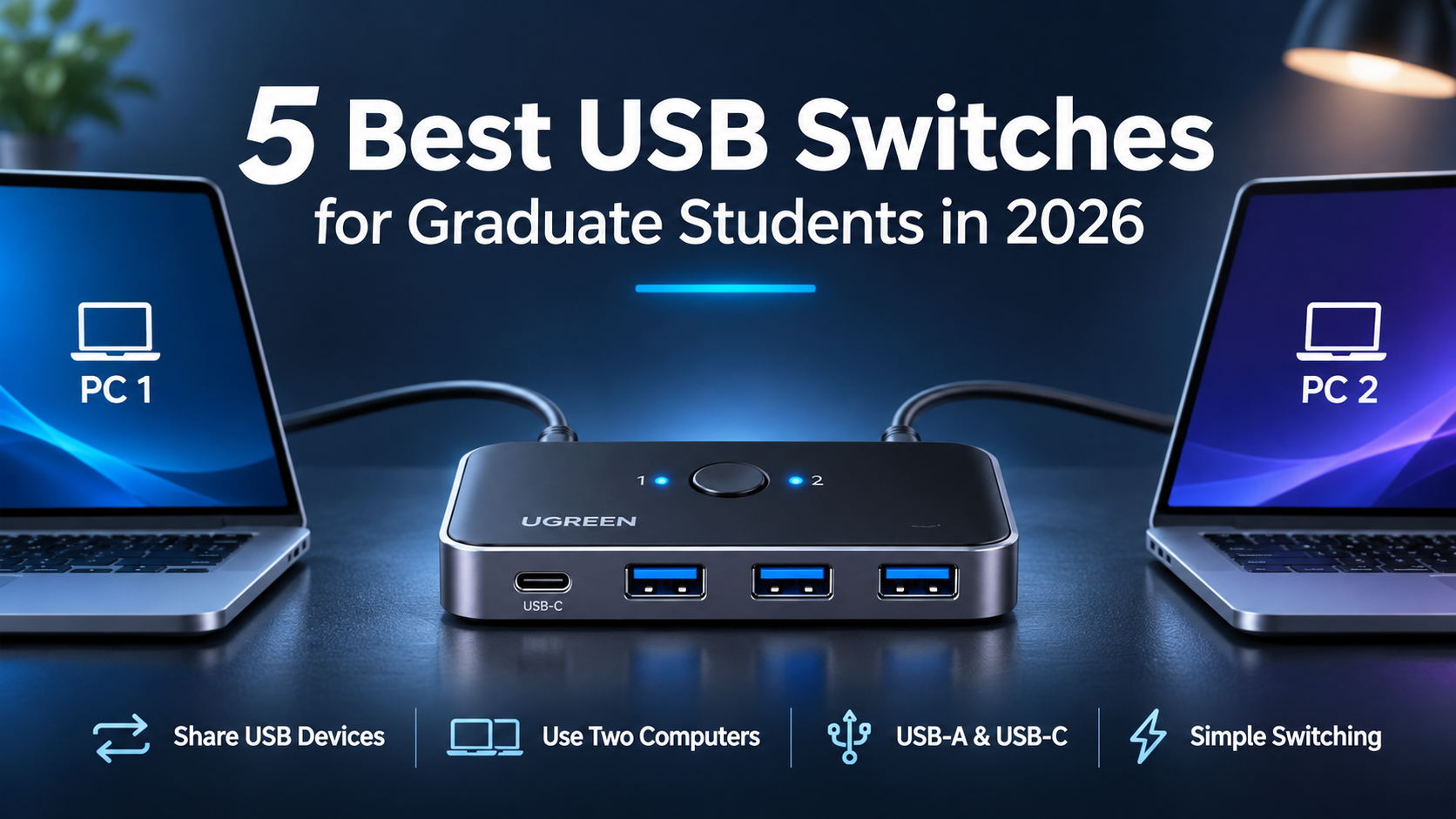
Using two computers does not mean you need two keyboards, two mice, and separate sets of USB accessories.
The best USB switches for graduate students let you share peripherals between a personal laptop and a laboratory or desktop computer without repeatedly unplugging cables.
Our top pick is the UGREEN USB 3.0 Switch (15705), while the other four options provide alternatives for smaller budgets, USB-A setups, and compatible USB docks.
Amazon Affiliate Disclosure: As an Amazon Associate, GradToolLab earns from qualifying purchases at no additional cost to you.
Quick Comparison: Best USB Switches for Graduate Students
| Product | Best For | Key Feature | Price |
|---|---|---|---|
| UGREEN USB 3.0 Switch (15705) | Best Overall | 3 USB-A + 1 USB-C, remote button | $37.99 |
| BENFEI USB 3.0 Switch | Best Value | 3 USB-A + 1 USB-C, remote button | $19.99 |
| UGREEN USB 3.0 Switch (30768) | Best for USB-A Devices | Four USB-A ports, one-button switching | $29.99 |
| SABRENT USB-SW30 | Best Budget | One USB device, compact design | $14.99 |
| Plugable USB3-SWITCH2 | Best for USB Docks | Compatible USB 3.0 hub and dock sharing | $19.95 |
Prices were observed on Amazon.com on November 2, 2026. Prices and availability may change. All five products switch USB peripherals between two computers; they do not directly switch HDMI or other monitor video signals.
1. UGREEN USB 3.0 Switch (15705)
BEST OVERALL
Best for: Graduate students who want to share multiple USB-A and USB-C peripherals between two computers.
Pros
- Three USB-A ports and one USB-C port
- Supports USB 3.0 speeds up to 5Gbps
- Includes a wired remote switching button
- Shares up to four peripherals
- Optional external power input
- Includes two computer connection cables
- Strong Amazon purchase activity
Cons
- More expensive than competing USB switches
- Does not switch monitor video
- USB-C-only computers require an appropriate adapter
- Manual switching rather than automatic detection
The UGREEN 15705 is our Best Overall USB switch because it combines four peripheral connections, convenient switching controls, and a practical combination of USB-A and USB-C ports.
A graduate student might use a personal laptop for writing and data analysis while keeping a separate desktop computer for laboratory equipment or specialized software.
Instead of moving a keyboard, mouse, printer, and other accessories between computers, this switch allows those devices to remain connected.
The included wired remote is particularly convenient. You can position the main unit behind a monitor or beneath a desk while keeping the switching button within easy reach.
Its three USB-A ports support conventional peripherals, while the USB-C port accommodates compatible USB-C devices.
Importantly, that USB-C port is intended for peripherals, not laptop charging or video output.
At the observed price of $37.99, the UGREEN 15705 is more expensive than several alternatives. However, its flexible port selection and remote control make it our preferred all-around option.
We recommend this switch for students who regularly alternate between two computers.
It is particularly suitable for:
- Sharing a keyboard and mouse
- Switching USB peripherals between a laptop and desktop
- Connecting a compatible USB webcam
- Sharing printers or scanners
- Managing a research workstation with two computers
For students still choosing their peripherals, our guides to the best wireless keyboards for graduate students and best wireless mice for graduate students cover useful options for everyday research.
| Specification | Details |
|---|---|
| Model | UGREEN 15705 |
| Supported computers | 2 |
| Shared peripheral ports | 3 × USB-A, 1 × USB-C |
| USB standard | USB 3.0 |
| Maximum theoretical speed | 5Gbps |
| Switching | Main button + wired remote |
| Computer connections | USB-A, using included cables |
| Optional power | 5V USB-C input |
| Video switching | No |
| Observed Amazon price | $37.99 |
| Amazon rating | 4.1/5 |
| Monthly purchases | 2K+ |
Compatibility note: For computers with only USB-C ports, UGREEN specifies using an appropriate USB-C-to-USB-A adapter with the included USB-A connection cable.
2. BENFEI USB 3.0 Switch
BEST VALUE
Best for: Students who want USB-A and USB-C peripheral sharing at an affordable price.
Pros
- Affordable $19.99 observed price
- Three USB-A ports and one USB-C port
- Wired remote switching button
- Maximum USB 3.0 speed of 5Gbps
- Optional USB-C power input
- Compatible with common operating systems
- Compact design
Cons
- Does not switch monitors
- Requires manual switching
- Included computer connections use USB-A
- High-power peripherals may need external power
The BENFEI USB 3.0 Switch offers an impressive collection of features for its price.
At $19.99, it provides the same general peripheral-port combination as our UGREEN Best Overall pick: three USB-A connections and one USB-C connection.
It also includes a wired remote button, allowing users to switch computers without reaching behind the desk.
For students managing a small home office or shared laboratory workstation, this can be a substantial convenience.
The switch supports USB 3.0 transfer speeds up to 5Gbps and works with compatible keyboards, mice, printers, USB cameras, and other peripherals.
An additional USB-C power input is available for situations where connected devices need more power than the selected computer reliably supplies.
The main reason we selected BENFEI is its value.
It delivers useful multi-device sharing functionality at approximately half the observed price of the UGREEN 15705.
We would not assume that the two products offer identical long-term reliability without independent testing, but BENFEI provides a particularly attractive feature set for budget-conscious students.
The BENFEI switch is a good choice for students who want multiple shared peripherals without paying for a premium model.
It works particularly well for:
- Home and university computer setups
- Shared keyboards and mice
- Printers and scanners
- USB cameras and ordinary accessories
- Students with limited equipment budgets
If your main objective is to share several devices at the lowest practical cost, BENFEI deserves serious consideration.
| Specification | Details |
|---|---|
| Product | BENFEI USB 3.0 Switch, USB3+ variant |
| Supported computers | 2 |
| Shared peripheral ports | 3 × USB-A, 1 × USB-C |
| Maximum theoretical speed | 5Gbps |
| Switching | Main button + wired remote |
| Optional power | USB-C power input |
| Operating systems | Windows, macOS, Linux, ChromeOS |
| Video switching | No |
| Observed Amazon price | $19.99 |
| Amazon rating | 4.1/5 |
| Monthly purchases | 500+ |
Amazon’s displayed review count may include other variants of this product listing.
Compatibility note: The USB-C peripheral port does not make this a USB-C video switch or laptop charger. BENFEI specifies using the included USB-A connection cables for the computers.
3. UGREEN USB 3.0 Switch (30768)
BEST FOR USB-A DEVICES
Best for: Students who primarily use conventional USB-A peripherals and want a simple four-port sharing switch.
Pros
- Four USB-A peripheral ports
- Supports two computers
- Up to 5Gbps USB 3.0 transfer speed
- Simple one-button switching
- LED indicators for the active computer
- Includes two USB-A connection cables
- Optional auxiliary power input
Cons
- No USB-C peripheral port
- No separate wired remote button
- Cannot switch monitor video
- USB-C-only laptops require an adapter
The UGREEN 30768 is a straightforward solution for students who primarily use USB-A equipment.
Unlike the UGREEN 15705 and BENFEI models, it provides four USB-A peripheral ports without including a USB-C device connection.
For some workstations, this is exactly what is needed.
A laboratory desktop computer might use a USB keyboard, mouse, printer, and another USB accessory. These can remain connected to the switch while two computers alternate control.
Switching is handled through a physical button on the unit, with indicators showing the selected computer.
The USB 3.0 interface supports a theoretical maximum of 5Gbps.
A separate auxiliary power input is available when connected devices require additional power.
At $29.99, the UGREEN 30768 is more expensive than BENFEI. Its appeal is therefore not simply price, but its dedicated four-port USB-A configuration.
We recommend this model for students whose equipment relies primarily on USB-A.
Typical applications include:
- Laboratory desktops
- Shared printers and scanners
- Wired keyboards and mice
- Older USB accessories
- Dual-computer office workstations
If your laptop lacks USB-A ports, you may also need an adapter. Our guide to the best USB-C hubs for graduate students explains how to add USB-A connections to compatible laptops.
| Specification | Details |
|---|---|
| Model | UGREEN US216 / 30768 |
| Supported computers | 2 |
| Shared peripheral ports | 4 × USB-A |
| USB standard | USB 3.0 |
| Maximum theoretical speed | 5Gbps |
| Switching | Physical button |
| Indicators | Active computer LEDs |
| Optional power | 5V Micro-USB input |
| Included host cables | 2 × USB-A-to-USB-A |
| Video switching | No |
| Observed Amazon price | $29.99 |
| Amazon rating | 4.3/5 |
| Monthly purchases | 500+ |
Compatibility note: Both computers connect through USB-A host cables. The switch transfers control of the connected USB devices; it does not provide simultaneous access.
4. SABRENT USB-SW30
BEST BUDGET
Best for: Students who want an inexpensive way to share one USB device between two computers.
Pros
- Lowest observed price in our comparison
- Compact and lightweight
- Simple one-button switching
- Supports USB 3.0 speeds up to 5Gbps
- Includes connection cables
- Compatible with USB hubs
- LED indicators
Cons
- Only one peripheral USB port
- Requires a separate hub for multiple devices
- No wired remote button
- No monitor switching
- Storage devices require careful handling
The SABRENT USB-SW30 is the simplest and most affordable product in our comparison.
At the observed price of $14.99, it provides one shared USB connection that can be switched between two computers.
This makes it useful when you only need to share a single device.
For example, a student might use the same printer, USB scanner, or another compatible peripheral with both a personal computer and a university workstation.
The switch includes a physical button and LED indicators.
It also supports a compatible external USB hub, allowing multiple peripherals to be connected through its single shared port.
However, this arrangement adds another component and may introduce power or bandwidth limitations.
For students who already own a suitable USB hub, the SABRENT can be a particularly inexpensive solution.
For those starting from scratch, a dedicated four-port USB switch may be more convenient.
The SABRENT USB-SW30 is most suitable for students who:
- Need to share one USB device
- Already own a compatible USB hub
- Prefer a minimal setup
- Want to minimize expenses
- Do not need additional switching controls
It is less suitable for users who want several USB ports built directly into the switch.
| Specification | Details |
|---|---|
| Model | SABRENT USB-SW30 |
| Supported computers | 2 |
| Shared peripheral ports | 1 × USB-A |
| USB standard | USB 3.0 |
| Maximum theoretical speed | 5Gbps |
| Switching | Physical button |
| Indicators | LED |
| Compatible USB hub | Supported |
| Included cables | 2 × USB cables |
| Video switching | No |
| Observed Amazon price | $14.99 |
| Amazon rating | 4.4/5 |
| Monthly purchases | 200+ |
Compatibility note: Safely eject USB storage devices before switching computers to reduce the risk of interrupted transfers or data corruption.
5. Plugable USB3-SWITCH2
BEST FOR USB DOCKS
Best for: Students who want to share a compatible USB 3.0 hub or USB-A docking station between two computers.
Pros
- Designed for compatible USB hub and dock sharing
- USB 3.0 transfer speeds up to 5Gbps
- One-button switching
- Plug-and-play operation
- Compact design
- Includes two USB connection cables
- Detailed manufacturer compatibility documentation
Cons
- Only one shared USB-A peripheral connection
- Not suitable for USB-C or Thunderbolt docks
- USB-C-only computers require adapters
- No automatic switching
- Not ideal for frequently switching storage drives
The Plugable USB3-SWITCH2 is particularly interesting for students who already use a USB 3.0 hub or compatible USB-A docking station.
Rather than connecting several individual peripherals directly to the switch, users can connect a supported hub or dock to its single peripheral port.
The switch then changes which computer controls that connected device.
This can be convenient in a workstation with a keyboard, mouse, and other accessories attached to a compatible USB 3.0 hub.
Plugable also provides detailed compatibility information, which is useful when planning a more complicated setup.
There is an important limitation, however.
The USB3-SWITCH2 is not designed to switch modern USB-C or Thunderbolt docking stations.
Students should confirm that their existing dock uses a compatible USB connection before purchasing.
We recommend the Plugable model for students who:
- Already own a compatible USB 3.0 hub
- Use a compatible USB-A dock
- Want one-button computer switching
- Prefer well-documented compatibility information
- Need a compact two-computer setup
For a more complete workstation, our graduate student desk setup guide explains how keyboards, monitors, and other accessories fit together.
| Specification | Details |
|---|---|
| Model | Plugable USB3-SWITCH2 |
| Supported computers | 2 |
| Shared peripheral ports | 1 × USB-A |
| USB standard | USB 3.0 |
| Maximum theoretical speed | 5Gbps |
| Switching | Physical button |
| Compatible USB hubs | Supported |
| Compatible USB-A docks | Selected USB 3.0 models |
| USB-C / Thunderbolt docks | Not supported |
| Included cables | 2 × USB-A-to-USB-B |
| Video switching | No direct HDMI switching |
| Observed Amazon price | $19.95 |
| Amazon rating | 4.2/5 |
| Monthly purchases | 100+ |
Compatibility note: Plugable does not recommend using this switch with external storage that requires frequent safe removal. Always confirm dock compatibility before purchasing.
How to Choose the Best USB Switch for Graduate School
USB switches are relatively simple accessories, but choosing the wrong type can make a workstation more complicated rather than easier to use.
Here are the most important factors to consider.
1. Count the USB Devices You Want to Share
Start by counting the peripherals you regularly use with both computers.
For example, you might want to share a keyboard, mouse, printer, and webcam.
In this case, a four-port USB switch is generally more convenient than a single-port model.
The UGREEN 15705, BENFEI, and UGREEN 30768 all provide four shared peripheral connections.
If you only need to share one USB device, the SABRENT or Plugable model may be sufficient.
Remember that one USB port on a sharing switch cannot be used by both computers simultaneously.
2. Check USB-A and USB-C Compatibility
USB-A and USB-C are different connector types.
Some modern laptops provide only USB-C connections, while many research instruments and older peripherals still use USB-A.
Importantly, a USB switch with a USB-C peripheral port does not necessarily connect directly to a computer through USB-C.
For example, the UGREEN 15705 includes a USB-C peripheral connection but uses USB-A cables for its host connections.
Check the location and purpose of each connector before buying.
3. Understand USB Switches vs. KVM Switches
This is one of the most common sources of confusion.
A USB sharing switch allows multiple computers to access USB peripherals, such as keyboards, mice, printers, or compatible hubs.
A KVM switch is designed to switch keyboard, video, and mouse connections between computers.
If you want to switch your monitor between two computers, a basic USB switch is not enough.
You may need a KVM switch or another suitable display-switching arrangement.
This distinction is especially important when building a dual-computer research workstation.
4. Consider Remote Switching Controls
Some USB switches have a button directly on the main unit.
Others include a separate wired remote.
A remote button can be convenient when the switch itself is positioned behind a monitor, underneath a desk, or among several cables.
The UGREEN 15705 and BENFEI USB3+ both include wired remote switching controls.
However, manual switching is still required.
These devices do not automatically detect which computer you want to use.
5. Check Power Requirements
USB switches receive power through their connected USB ports, but some peripherals may require additional power.
This can be relevant for USB cameras, external storage, and certain other devices.
Several models include an optional auxiliary power input.
If your connected devices disconnect unexpectedly, insufficient power may be one possible cause.
Use a compatible power supply that matches the manufacturer’s requirements.
Do not assume that a USB-C auxiliary power port supports laptop charging.
6. Be Careful With External Storage
Sharing an external SSD or USB flash drive between computers requires additional caution.
Switching computers can disconnect the storage device without properly closing active file operations.
This may interrupt transfers or cause data corruption.
Before switching, finish any transfers and use the operating system’s safe-eject or unmount function.
For frequently accessed research datasets, a dedicated storage connection or appropriate network-sharing solution may be safer and more convenient.
Frequently Asked Questions
Can Two Computers Use the Same USB Devices at Once?
Generally, no.
A conventional two-computer USB sharing switch connects its shared peripherals to one selected computer at a time.
Pressing the switch changes which computer controls the devices.
Do USB Switches Require Software?
Most basic USB switches are plug-and-play and do not require dedicated switching software.
However, individual peripherals may still require drivers on each computer.
Can I Use a USB Switch With a MacBook?
Yes, many USB switches support macOS.
However, MacBooks with only USB-C ports may require suitable adapters to connect to switches that use USB-A host cables.
Check the manufacturer’s instructions for the exact model.
Can a USB Switch Share a Webcam?
Many USB switches support compatible USB webcams.
However, high-resolution webcams can require significant bandwidth or power.
Performance depends on the switch, camera, computer, and other connected devices.
Can a USB Switch Share a Monitor?
A basic USB sharing switch does not directly switch HDMI or DisplayPort video.
For that functionality, consider an appropriate KVM switch.
Some specialized USB docks can handle video through USB data technology, but compatibility must be checked carefully.
Will a USB Switch Slow Down My Devices?
It can limit maximum available bandwidth.
USB 3.0 switches commonly support a theoretical maximum of 5Gbps, shared across the active connection.
Actual transfer speeds depend on the connected devices and overall setup.
Which USB Switch Should You Choose?
For most graduate students, we recommend the UGREEN USB 3.0 Switch (15705).
It combines four shared peripheral ports, USB-A and USB-C device support, and convenient wired remote switching.
If you want similar functionality at a lower price, the BENFEI USB 3.0 Switch offers particularly strong value.
The UGREEN 30768 is a practical alternative for workstations built primarily around USB-A devices.
For simpler setups, the SABRENT USB-SW30 is the most affordable option in our comparison.
Finally, the Plugable USB3-SWITCH2 is worth considering if you want to share a compatible USB 3.0 hub or USB-A dock.
Before purchasing, check your computer connections, the number of peripherals you want to share, and whether you need USB switching or full KVM functionality.
Final Verdict: Best USB Switches for Graduate Students in 2026
A USB switch can make working with two computers more convenient by reducing cable changes and allowing peripherals to remain connected.
Our final recommendations are:
| Category | Recommended USB Switch |
|---|---|
| Best Overall | UGREEN USB 3.0 Switch (15705) |
| Best Value | BENFEI USB 3.0 Switch |
| Best for USB-A Devices | UGREEN USB 3.0 Switch (30768) |
| Best Budget | SABRENT USB-SW30 |
| Best for USB Docks | Plugable USB3-SWITCH2 |
Our top recommendation is the UGREEN USB 3.0 Switch (15705).
It provides a flexible combination of connections and switching controls for students managing personal and university computers.
However, the BENFEI is an attractive alternative for students who want to spend less.
The best USB switch is ultimately the one that supports your existing peripherals without adding unnecessary cost or complexity.
Choose based on the devices you need to share—not simply the number of ports advertised.

