
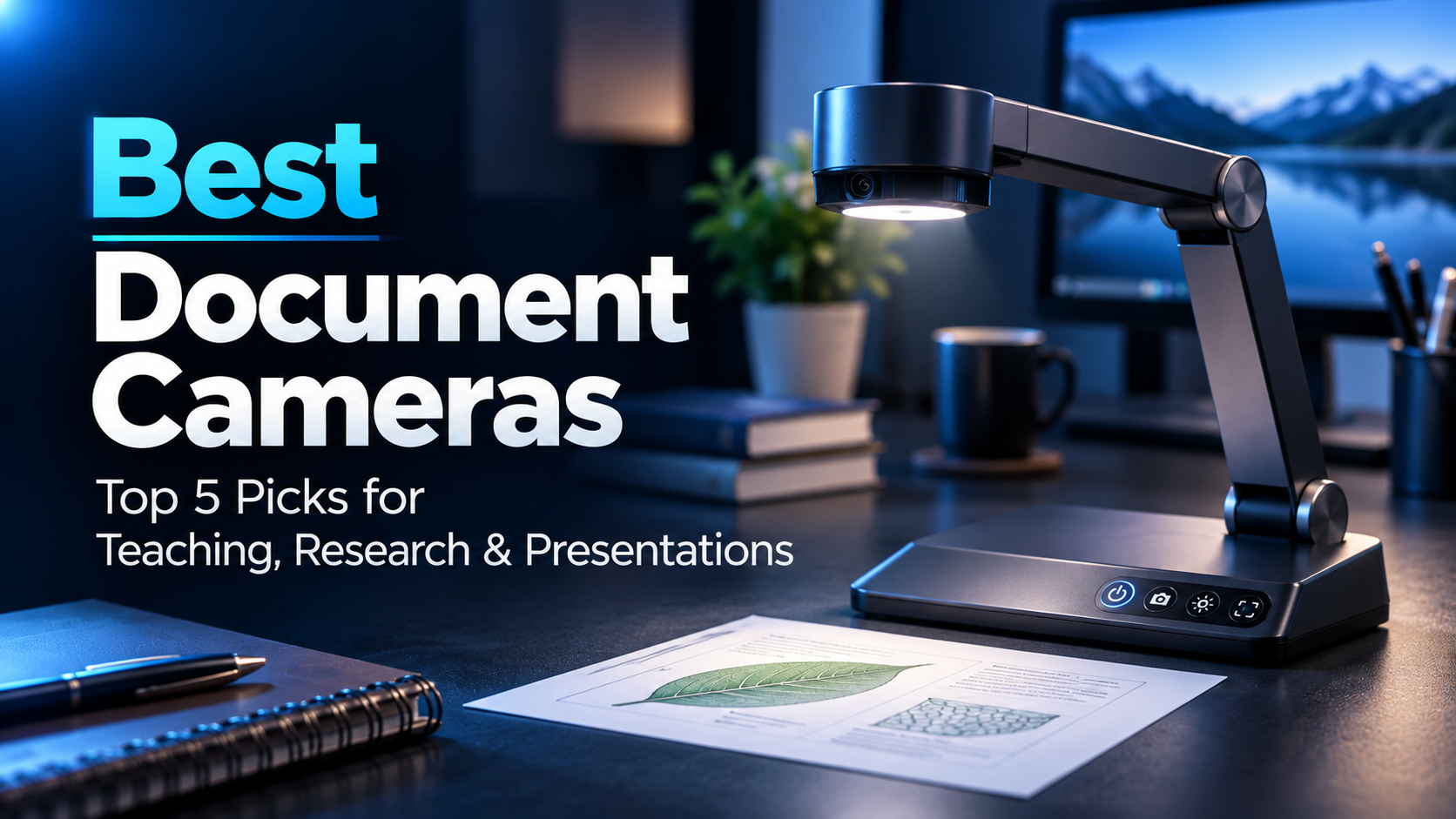
Sharing handwritten equations, research notes, or physical objects during online meetings can be surprisingly difficult with an ordinary webcam.
The best document cameras for graduate students make it easier to display documents, diagrams, and experimental materials directly from a desk.
Our top pick is the IPEVO V4K, while the other four options offer alternatives for large documents, online teaching, tighter budgets, and portable presentations.
Amazon Affiliate Disclosure: As an Amazon Associate, GradToolLab earns from qualifying purchases at no additional cost to you.
Editorial Note: Our recommendations are based on manufacturer specifications, publicly available product information, customer feedback, and suitability for academic work. We have not independently tested these cameras.
Quick Comparison: Best Document Cameras for Graduate Students
| Product | Best For | Key Feature | Price |
|---|---|---|---|
| IPEVO V4K | Best Overall | 8MP autofocus camera, adjustable arm | $115.00 |
| INSWAN INS-2 | Best for Large Documents | 13MP sensor, A3 capture area, 4K video | $95.00 |
| INSWAN INS-1 | Best for Online Teaching | 8MP, LED light, microphone, microscope adapters | $89.99 |
| THUSTAR 8MP | Best Budget | A3 coverage, adjustable LED lighting, dual microphones | $54.76 |
| OKIOCAM S-4K | Best Portable | 8MP Sony sensor, foldable design, OKIOPoint | $81.95 |
Prices were observed on Amazon.com on November 7, 2026. Prices and availability may change.
1. IPEVO V4K Document Camera
BEST OVERALL
Best for: Graduate students who want a versatile document camera for research demonstrations, handwritten explanations, and online presentations.
Pros
- 8MP camera with autofocus
- Maximum resolution of 3264 × 2448
- Up to 30fps at Full HD
- Adjustable multi-joint arm
- Compatible with Windows, macOS, and ChromeOS
- IPEVO Visualizer software support
- Built-in microphone
Cons
- Most expensive option in our comparison
- No integrated LED illumination
- Larger and heavier than some portable alternatives
- USB-A connection may require an adapter
The IPEVO V4K is our Best Overall document camera because it combines high-resolution imaging, flexible positioning, and broad software compatibility.
Its 8MP sensor captures images at resolutions up to 3264 × 2448 pixels, making it suitable for displaying handwritten notes, diagrams, and detailed documents.
The adjustable arm is particularly useful for academic work.
For example, a graduate student explaining an electronic circuit can position the camera above a circuit board without holding the board in front of a conventional webcam.
The camera can also be repositioned to show textbooks, notebooks, or three-dimensional objects.
IPEVO specifies a maximum shooting area of approximately 342 × 255mm.
That provides enough space for many common documents and research materials.
The V4K also supports Full HD video at up to 30fps, making it useful for live demonstrations.
One limitation is its lack of built-in lighting. In a dim laboratory or office, an additional desk lamp may be necessary.
At $115, the V4K is relatively expensive, but its combination of features makes it our preferred general-purpose option.
We recommend the IPEVO V4K for students who regularly present physical materials during meetings or classes.
It is particularly suitable for:
- Demonstrating experimental equipment
- Explaining handwritten equations
- Sharing circuit boards and electronic components
- Presenting diagrams during online meetings
- Recording instructional demonstrations
- Showing textbooks and academic documents
Students who also want a camera for face-to-face meetings can explore our guide to the best webcams for graduate students.
A conventional webcam is often more convenient for showing your face, while a document camera is better suited to overhead views of a workspace.
| Specification | Details |
|---|---|
| Model | IPEVO V4K |
| Camera resolution | 8MP |
| Maximum resolution | 3264 × 2448 |
| Video frame rate | Up to 30fps at 1080p |
| Autofocus | Yes |
| Maximum capture area | 342 × 255mm |
| Built-in microphone | Yes |
| Built-in LED light | No |
| Connection | USB-A |
| Operating systems | Windows, macOS, ChromeOS |
| Weight | Approximately 581g |
| Observed Amazon price | $115.00 |
| Amazon rating | 4.5/5 |
| Monthly purchases | 1K+ |
Compatibility note: The V4K uses a USB video connection rather than providing direct HDMI output. Displaying its image on an external monitor generally requires a connected computer.
2. INSWAN INS-2 Document Camera
BEST FOR LARGE DOCUMENTS
Best for: Graduate students who regularly present large diagrams, technical drawings, textbooks, and A3-sized materials.
Pros
- 13MP camera sensor
- Supports 4K video at up to 30fps
- Large 420 × 315mm capture area
- Dual-mode autofocus
- Built-in LED illumination
- Integrated microphone
- Adjustable arm
- Compatible with common desktop operating systems
Cons
- More expensive than budget alternatives
- Larger working area requires sufficient desk space
- USB-C-only computers need an adapter
- Full-resolution capture is limited to lower frame rates
The INSWAN INS-2 stands out for its large capture area and high-resolution camera.
Unlike many compact document cameras designed primarily for ordinary paper, the INS-2 supports a workspace measuring approximately 420 × 315mm.
This makes it particularly useful for large technical drawings, diagrams, and two-page document spreads.
The camera uses a 13MP CMOS sensor and supports 4K video at up to 30fps.
Its autofocus system offers two operating modes.
Single autofocus is useful for stationary documents, while continuous autofocus is designed for moving objects.
That flexibility can be valuable during research presentations.
A student might begin by displaying a printed experimental diagram and then move a physical component beneath the camera to explain its construction.
The built-in LED light also helps illuminate documents when ambient lighting is insufficient.
At the observed price of $95, the INS-2 costs only slightly more than the INS-1.
For students who regularly display large documents, we consider the additional capture area and autofocus options worthwhile.
The INSWAN INS-2 is particularly suitable for:
- Engineering and architecture students
- Technical drawing presentations
- Large handwritten diagrams
- Laboratory demonstrations
- Two-page textbook spreads
- Online teaching involving physical materials
Its large capture area is also helpful when several objects must remain visible simultaneously.
However, students who primarily present smaller notebooks may not need the additional coverage.
| Specification | Details |
|---|---|
| Model | INSWAN INS-2 |
| Sensor | 13MP CMOS |
| Maximum sensor output | 3840 × 3104 |
| 4K video | Up to 30fps at 3840 × 2160 |
| Maximum capture area | 420 × 315mm |
| Autofocus | Single and continuous modes |
| Built-in LED | Yes |
| Built-in microphone | Yes |
| Adjustable arm | Yes |
| Connection | USB-A |
| Observed Amazon price | $95.00 |
| Amazon rating | 4.5/5 |
| Monthly purchases | 300+ |
Compatibility note: The Amazon listing describes the camera as 12MP, while INSWAN’s official specifications identify a 13MP sensor. The manufacturer’s published specifications are used here.
3. INSWAN INS-1 Document Camera
BEST FOR ONLINE TEACHING
Best for: Students who teach online, explain handwritten notes, or regularly demonstrate small objects during meetings.
Pros
- 8MP camera
- Autofocus
- Built-in LED light
- Integrated microphone
- Compact base
- Adjustable camera arm
- Documate software support
- Microscope eyepiece adapters included
Cons
- Lower sensor resolution than INS-2
- No dedicated continuous autofocus mode
- USB-A connection
- Limited price advantage over INS-2
- Not ideal for automated document scanning
The INSWAN INS-1 is a practical option for graduate students involved in online teaching and academic demonstrations.
Its 8MP camera supports resolutions up to 3264 × 2448, while the adjustable arm allows documents and objects to be positioned beneath the lens.
The camera includes a built-in LED light, microphone, and physical controls for autofocus and brightness.
These features can make live teaching more convenient.
For example, a teaching assistant explaining mathematical derivations could write directly on paper while students watch the explanation through an online meeting application.
Another interesting feature is the included microscope eyepiece adapters.
INSWAN lists adapters for several common eyepiece diameters, allowing compatible microscopes to be connected to the camera.
This may be useful for students who want to demonstrate microscope observations, although compatibility depends on the microscope.
The INS-1 also supports INSWAN’s Documate software, which provides additional tools for live presentations.
At $89.99, the INS-1 is not significantly cheaper than the INS-2.
We therefore recommend it primarily for students who prefer its compact design and teaching-oriented features.
The INS-1 is a good choice for students who:
- Work as teaching assistants
- Explain equations online
- Demonstrate small experimental objects
- Participate in remote laboratory discussions
- Need integrated lighting and audio
- Occasionally present microscope observations
For students recording presentations in rooms with poor lighting, our guide to the best video conference lights for graduate students also covers ways to improve illumination.
| Specification | Details |
|---|---|
| Model | INSWAN INS-1 |
| Sensor | 8MP CMOS |
| Maximum resolution | 3264 × 2448 |
| Maximum capture area | 374 × 280mm |
| Autofocus | Yes |
| Built-in LED | Yes |
| Built-in microphone | Yes |
| Microscope adapters | Included |
| Software | Documate |
| Connection | USB-A |
| Operating systems | Windows, macOS, ChromeOS |
| Observed Amazon price | $89.99 |
| Amazon rating | 4.6/5 |
| Monthly purchases | 500+ |
Compatibility note: The included microscope adapters support selected eyepiece sizes, not every microscope. Check your microscope’s eyepiece dimensions before purchasing.
4. THUSTAR 8MP Document Camera
BEST BUDGET
Best for: Students who want an affordable overhead camera for documents, online classes, and occasional research demonstrations.
Pros
- Lowest observed price in our comparison
- 8MP camera
- Advertised A3-size capture area
- Three adjustable LED lighting levels
- Dual microphones
- Foldable arm
- Image-reversal function
- Compatible with common computer platforms
Cons
- Less detailed manufacturer documentation
- No advanced presentation software emphasized
- USB connection required
- Foldable arm requires careful positioning
- Actual performance depends on lighting and software settings
The THUSTAR 8MP Document Camera is our Best Budget choice because it offers a useful collection of features at a considerably lower price than the other models.
At $54.76, it is the most affordable product in this comparison.
Despite its lower price, the Amazon listing advertises an 8MP camera, A3-sized document coverage, and adjustable LED illumination.
The three-level lighting system is particularly useful for students who cannot control the lighting in shared classrooms or laboratories.
For example, a student demonstrating a small circuit board during an online meeting may need additional light to make its components visible.
The camera also includes two microphones and an image-reversal function.
This provides useful flexibility for teaching and presentations without requiring separate equipment for every task.
However, we would not assume that its lower price provides the same imaging performance or software experience as more expensive models.
Our recommendation is based on its advertised features, observed price, and suitability for basic academic tasks rather than independent testing.
The THUSTAR is particularly suitable for students who:
- Have a limited budget
- Occasionally teach online
- Share handwritten notes or diagrams
- Demonstrate small objects
- Need integrated LED lighting
- Do not require advanced camera software
It is also worth considering if you are trying a document camera for the first time.
| Specification | Details |
|---|---|
| Product | THUSTAR 8MP Document Camera |
| Camera resolution | 8MP |
| Advertised maximum output | 3264 × 2448 |
| Maximum video frame rate | Up to 30fps, as listed |
| Document coverage | A3-size, as advertised |
| LED illumination | Three levels |
| Microphones | Dual |
| Image reversal | Supported |
| Arm | Adjustable, foldable |
| Connection | USB |
| Operating systems | Windows, macOS, ChromeOS |
| Observed Amazon price | $54.76 |
| Amazon rating | 4.4/5 |
| Monthly purchases | 300+ |
Compatibility note: THUSTAR sells multiple document-camera models. Check that the selected listing corresponds to the 8MP version with three-level lighting and dual microphones.
5. OKIOCAM S-4K Document Camera
BEST PORTABLE
Best for: Students who frequently move between classrooms, laboratories, and study spaces and need a lightweight document camera.
Pros
- Compact, foldable design
- 8MP Sony sensor
- Maximum resolution of 3264 × 2448
- Approximately 269g
- Adjustable camera positioning
- USB plug-and-play operation
- OKIOPoint presentation features
- Compatible with several operating systems
Cons
- No built-in LED light
- No integrated microphone
- Limited document orientation options
- Smaller capture area than INS-2
- Requires sufficient external lighting
The OKIOCAM S-4K is our Best Portable document camera because of its lightweight construction and foldable design.
At approximately 269g, it is considerably lighter than the IPEVO V4K.
Its folding arm and compact base also make it easier to store in a laptop bag.
Despite its small size, the S-4K uses an 8MP Sony sensor and supports resolutions up to 3264 × 2448.
It also works with OKIOCAM Live software and the OKIOPoint presentation accessory.
OKIOPoint allows compatible software to follow a designated pointer during presentations.
This can be useful when explaining diagrams or highlighting particular areas of a document.
However, the S-4K has important limitations.
The manufacturer specifies that full A4 documents are captured in landscape orientation. Students who need to display A4 pages vertically should consider another model.
It also lacks integrated LED lighting and a microphone.
For students who prioritize portability over all-in-one functionality, these trade-offs may be acceptable.
We recommend the OKIOCAM S-4K for students who:
- Move between teaching locations
- Give presentations in different classrooms
- Want a lightweight camera
- Occasionally demonstrate handwritten work
- Need compact equipment storage
- Prefer a foldable setup
Students regularly carrying multiple accessories may also benefit from a well-organized laptop bag.
| Specification | Details |
|---|---|
| Model | OKIOCAM S-4K |
| Sensor | 8MP Sony |
| Maximum resolution | 3264 × 2448 |
| Maximum capture area | 325 × 245mm |
| Weight | Approximately 269g |
| Folded dimensions | 187 × 80 × 42mm |
| Built-in LED | No |
| Built-in microphone | No |
| Minimum focus distance | Approximately 10cm |
| Presentation software | OKIOCAM Live / OKIOPoint |
| Operating systems | Windows, macOS, ChromeOS |
| Observed Amazon price | $81.95 |
| Amazon rating | 4.5/5 |
| Monthly purchases | 100+ |
Compatibility note: The S-4K is primarily intended for A4/Letter documents in landscape orientation. Its folding design does not automatically make it suitable for every document size.
How to Choose the Best Document Camera for Graduate School
A document camera can be useful for teaching, research demonstrations, and academic presentations.
However, different models are designed for different tasks.
Before purchasing, consider the following factors.
1. Choose the Right Camera Resolution
Resolution determines how much image detail a camera can capture.
Most products in this comparison use 8MP sensors, while the INSWAN INS-2 offers a 13MP sensor.
Higher resolution can be useful when displaying small text, detailed diagrams, or experimental components.
However, resolution alone does not determine image quality.
Lens performance, autofocus, lighting, and software processing also matter.
For ordinary classroom demonstrations, an 8MP camera may be sufficient.
If you frequently display detailed drawings or large documents, additional resolution may provide more flexibility.
2. Check the Maximum Capture Area
Document cameras do not all cover the same workspace.
Some are optimized for A4 or Letter-sized documents, while others can capture larger A3 materials.
For example, the INSWAN INS-2 supports a capture area of approximately 420 × 315mm.
This makes it particularly attractive for larger diagrams and technical drawings.
The OKIOCAM S-4K has a smaller capture area and limitations on document orientation.
Before choosing a camera, consider the actual size and orientation of the materials you want to display.
3. Consider Autofocus and Frame Rate
Autofocus is useful when switching between documents and objects at different distances.
For example, a camera may need to refocus when moving from a flat notebook page to a raised electronic component.
Continuous autofocus can be especially useful for demonstrations involving moving objects.
Frame rate also matters.
For live presentations, 30fps generally provides sufficiently smooth motion.
Higher resolutions may operate at lower frame rates, so check which resolution and frame-rate combinations are supported.
4. Pay Attention to Lighting
Even a high-resolution camera can produce poor results under insufficient lighting.
Built-in LEDs can help illuminate documents, especially in dim rooms.
However, integrated lighting is not always necessary.
A well-positioned desk lamp may provide enough illumination for a camera without built-in LEDs.
Avoid strong reflections from glossy paper or plastic surfaces.
For example, lighting a circuit board directly from above may create distracting reflections on metallic components.
Adjusting the light angle can improve visibility.
5. Check Software and Computer Compatibility
Most USB document cameras work with common desktop operating systems.
However, advanced features may depend on dedicated software.
Examples include annotations, image rotation, zoom controls, and recording functions.
The INSWAN models use Documate, while IPEVO and OKIOCAM provide their own presentation software.
Before purchasing, check compatibility with your operating system and preferred meeting application.
Also confirm whether your laptop has the required USB connection.
If your laptop only provides USB-C ports, our guide to the best USB-C hubs for graduate students explains how to add connections for USB-A accessories.
6. Think About Portability
A lightweight document camera is easier to transport between classrooms and research laboratories.
However, compact designs may offer smaller capture areas or fewer integrated features.
If you mainly work at one desk, a larger adjustable arm may be more useful.
If you frequently travel between teaching locations, a folding model such as the OKIOCAM S-4K may be more convenient.
Document Camera vs. Document Scanner: Which Do You Need?
Although the names are similar, document cameras and document scanners serve different purposes.
A document camera is primarily designed to show documents or physical objects in real time.
This makes it useful for teaching, video meetings, and demonstrations.
A dedicated document scanner is generally better suited to systematically digitizing paper documents.
For example, a student who regularly scans hundreds of research papers may benefit from an automatic document feeder and software that creates searchable PDFs.
A document camera can capture pages, but it is not necessarily the most efficient option for large-scale document digitization.
If your main goal is creating digital copies of documents rather than displaying them live, explore our best document scanners for graduate students guide.
Our recommendation: Choose a document camera for live explanations and demonstrations. Choose a dedicated scanner for frequent document archiving.
Frequently Asked Questions
Can I Use a Document Camera for Zoom Meetings?
Yes.
Many USB document cameras can be selected as a video source in compatible meeting applications.
This allows you to show handwritten notes, diagrams, or objects during an online meeting.
However, certain presentation features may require the manufacturer’s software.
Can a Document Camera Replace a Webcam?
Some document cameras can also function as webcams.
However, their overhead-oriented designs are generally optimized for capturing documents and objects rather than faces.
For ordinary meetings, a conventional webcam may be more convenient.
Do I Need a 4K Document Camera?
Not necessarily.
For standard handwritten notes and diagrams, a good 1080p output may be sufficient.
Higher resolution becomes more useful when displaying fine details or large documents.
Remember that video-conferencing applications may reduce the transmitted resolution.
Can Document Cameras Capture Circuit Boards?
Yes.
Document cameras can be useful for presenting circuit boards, electronic components, and other small research objects.
However, they are not substitutes for calibrated measurement cameras or microscopes when precise dimensional or microscopic analysis is required.
Can I Scan Books With a Document Camera?
Yes, document cameras can capture pages from books without requiring the pages to pass through a scanner.
However, curved pages, shadows, and image distortion can affect the results.
For systematic document archiving, dedicated scanning equipment or specialized software may be more appropriate.
Do Document Cameras Work With MacBooks?
Many models support macOS.
However, compatibility depends on the specific camera, software version, and available USB ports.
MacBooks with only USB-C ports may require a suitable adapter.
Which Document Camera Should You Choose?
For most graduate students, we recommend the IPEVO V4K.
It offers a useful combination of high-resolution imaging, adjustable positioning, and broad compatibility.
Students who frequently display large drawings or A3-sized materials should consider the INSWAN INS-2.
For online teaching, the INSWAN INS-1 provides practical features such as built-in illumination, a microphone, and microscope adapters.
If affordability is your main priority, the THUSTAR 8MP offers an attractive entry-level option.
Finally, the OKIOCAM S-4K is particularly suitable for students who want a lightweight camera that is easy to transport.
The best choice depends on whether you primarily capture documents, demonstrate physical objects, teach online, or move between different workspaces.
Final Verdict: Best Document Cameras for Graduate Students in 2026
Document cameras can make it easier to explain research materials during online meetings, laboratory discussions, and academic presentations.
Our final recommendations are:
| Category | Recommended Document Camera |
|---|---|
| Best Overall | IPEVO V4K |
| Best for Large Documents | INSWAN INS-2 |
| Best for Online Teaching | INSWAN INS-1 |
| Best Budget | THUSTAR 8MP |
| Best Portable | OKIOCAM S-4K |
Our top pick is the IPEVO V4K.
Its combination of resolution, autofocus, and flexible positioning makes it a versatile choice for many graduate-school tasks.
However, students working with A3-sized documents may benefit more from the INSWAN INS-2, while those on a limited budget may prefer the THUSTAR.
Before purchasing, check the camera’s capture area, software compatibility, and available USB connections.
The best document camera is the one that makes your research and teaching easier—not simply the one with the highest advertised resolution.

