
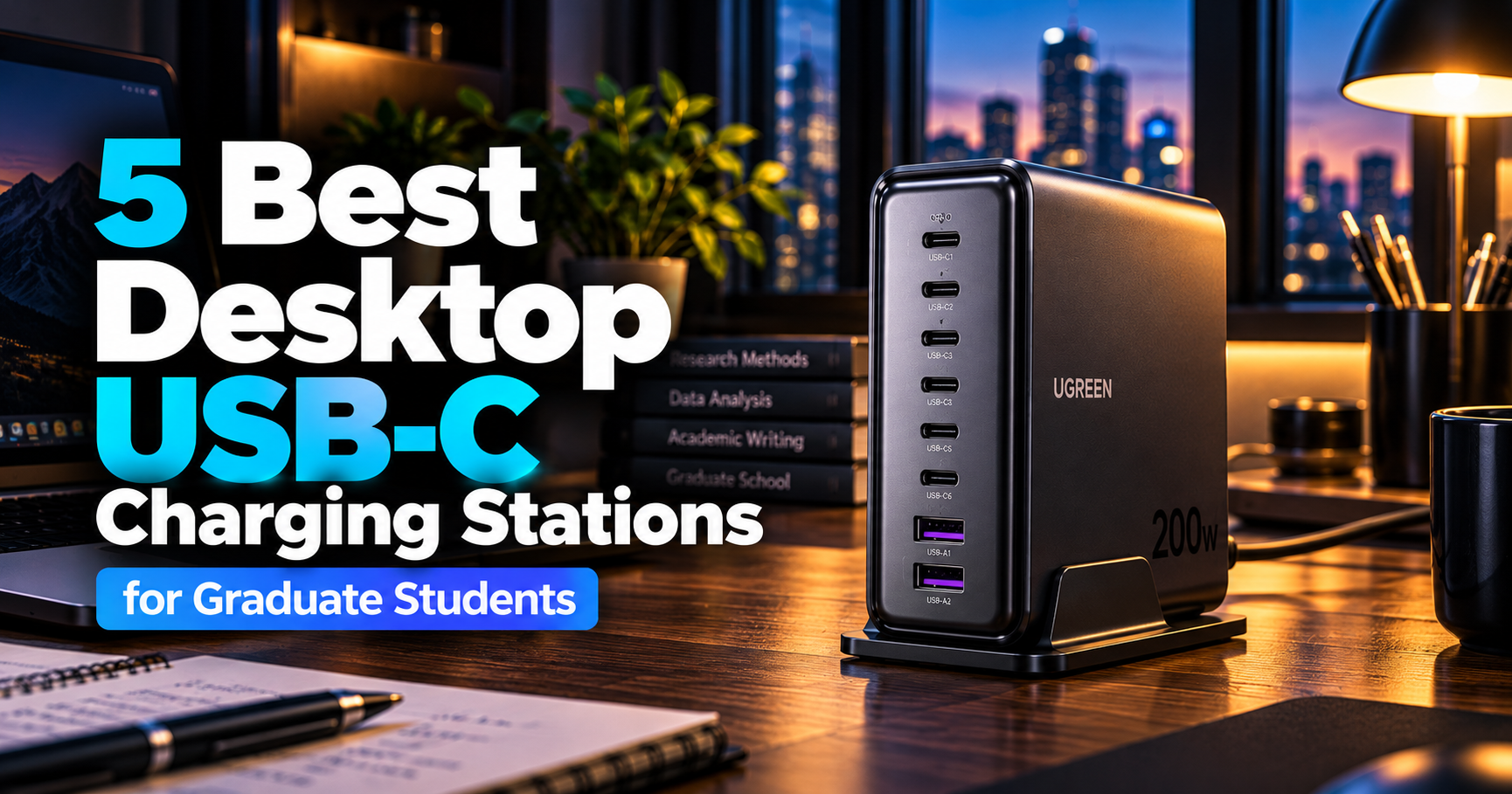
A modern graduate student’s desk can quickly become crowded with charging cables.
Between a laptop, smartphone, tablet, wireless headphones, power bank, and other accessories, keeping everything charged often means connecting several power adapters to the same wall outlet.
This becomes even more inconvenient when multiple devices need to charge simultaneously.
A dedicated desktop USB-C charging station offers a practical solution.
Instead of relying on several individual chargers, a high-output charging station can distribute power across multiple USB ports from a single device.
Modern desktop chargers can deliver 100W, 200W, or even 250W of total USB charging power, depending on the model.
Some also feature retractable cables, digital power displays, intelligent power distribution, and additional AC outlets.
For graduate students working with multiple electronic devices, these features can make a meaningful difference.
However, choosing the right charging station is not simply about selecting the highest wattage.
A 250W charging station may offer impressive specifications, but it could be unnecessary for someone using a lightweight laptop and smartphone.
Similarly, a charger with eight USB ports is not automatically better than one with six ports.
The important questions are how much power your devices require, how the charger distributes electricity when multiple devices are connected, and whether its design fits your workspace.
In this guide, we compare five desktop USB-C charging stations from Anker and UGREEN.
Our overall recommendation is the Anker Prime 200W 6-Port Charger, which combines strong charging performance, six USB ports, and competitive pricing.
For students who prioritize cable management, the Anker Nano 100W Charging Station offers a different approach with its integrated retractable USB-C cable.
Meanwhile, the UGREEN Nexode 200W provides eight USB ports for users managing larger collections of rechargeable devices.
Let’s find the best desktop USB-C charging station for your research workspace.
Disclosure: As an Amazon Associate, GradToolLab earns from qualifying purchases at no additional cost to you.
Table of Contents
Quick Comparison: Best Desktop USB-C Charging Stations
| Charging Station | Best For | Total USB Output | USB Ports | Reference Price |
|---|---|---|---|---|
| Anker Prime 200W | Best Overall | 200W | 4 USB-C + 2 USB-A | $69.99 |
| Anker Nano 100W | Best for Cable Management | 100W | 3 USB-C + 1 USB-A | $79.99 |
| UGREEN Nexode 200W | Best for Multiple Devices | 200W | 6 USB-C + 2 USB-A | $99.99 |
| Anker Prime 250W | Best Premium | 250W | 4 USB-C + 2 USB-A | $149.99 |
| Anker Prime 240W 8-in-1 | Best Hybrid Charging Station | 240W | 4 USB-C + 2 USB-A | $129.99 |
Prices were recorded from Amazon.com listings in October 2026 with delivery set to New York 10001. Prices, discounts, and availability may change.
The Anker Nano 100W and Anker Prime 240W also include AC outlets. Their USB charging wattage and AC outlet ratings are separate specifications.
Our Quick Recommendations
Best Overall: Anker Prime 200W
An excellent balance of charging power, port availability, and price. Its 200W total output and six USB ports make it suitable for many multi-device desk setups.
Best for Cable Management: Anker Nano 100W
A compact charging station with a retractable USB-C cable, additional USB ports, and three AC outlets. Particularly appealing for students who want fewer loose cables on their desks.
Best for Multiple Devices: UGREEN Nexode 200W
With eight USB ports, this charging station is designed for users who regularly connect several laptops, tablets, smartphones, and accessories.
Best Premium: Anker Prime 250W
A high-output charging station featuring a smart LCD display, up to 250W total output, and advanced charging controls.
Best Hybrid Charging Station: Anker Prime 240W 8-in-1
Combines high-output USB charging with two AC outlets, making it useful for certain compact desk setups.
Which One Should You Choose?
For most graduate students who want a dedicated desktop charger, the Anker Prime 200W is our preferred starting point.
Its combination of six ports and strong power delivery offers considerable flexibility without requiring the highest price.
However, students using smaller desks may appreciate the integrated cable management of the Anker Nano 100W.
If your desk contains a particularly large number of USB-powered devices, the UGREEN Nexode 200W provides additional ports.
The Anker Prime 250W is more appropriate for users who need advanced charging controls or additional high-power charging capabilities.
Finally, the Anker Prime 240W offers a hybrid solution for users who want USB charging and AC connectivity in a single device.
How We Chose the Best Desktop USB-C Charging Stations
Not every USB-C charger is designed for permanent desktop use.
Portable chargers prioritize size and weight, while desktop charging stations often focus on multiple connections, stable placement, and higher total power output.
For this comparison, we prioritized products that address common problems in multi-device workspaces.
Total Charging Power
A charging station’s total output determines how much USB charging power it can distribute across connected devices under supported conditions.
For example, a 200W charger may be able to power two compatible laptops at approximately 100W each.
However, that does not mean every port can provide 100W simultaneously.
Actual power distribution depends on the product and connected devices.
Maximum Single-Port Output
Maximum single-port output matters for users with demanding laptops.
A charger with 250W total output may still limit individual connections to 100W or 140W.
Students should compare the individual USB-C port specifications with their laptop’s charging requirements.
Number of USB Ports
More USB ports can reduce the number of individual power adapters required.
However, additional ports are only useful when the total available power is sufficient for the connected devices.
We considered both port count and the practical limitations of simultaneous charging.
Cable Management and Desk Space
A permanent charging station should be convenient to position.
Some models use compact horizontal designs, while others stand vertically to reduce their footprint.
Retractable cables and integrated AC outlets can also influence workspace organization.
Customer Feedback and Product Availability
We considered Amazon customer ratings, review counts, reported monthly purchase activity, and product availability.
All five selected models had established Amazon listings and reported purchase activity when checked.
However, customer popularity is only one consideration.
A product with fewer reviews may still be appropriate for a particular use case.
Our evaluation is based on manufacturer documentation, published specifications, Amazon listings, and practical workstation requirements. We have not independently measured these chargers’ electrical output, efficiency, or operating temperatures.
1. Anker Prime 200W 6-Port Charger — Best Overall Desktop USB-C Charging Station
Best for: Graduate students who want a powerful, versatile desktop charger without spending significantly more than necessary.
The Anker Prime 200W 6-Port Charger is our Best Overall recommendation.
It combines a maximum total output of 200W with six USB charging ports, making it suitable for many permanent desk setups.
More importantly, it offers these features at a relatively competitive price.
When we checked Amazon.com, the charger was listed for approximately $69.99.
The listing also showed more than 3,500 customer reviews and over 6,000 purchases in the previous month.
Those figures suggest substantial consumer interest, although they do not independently verify charging performance.
200W Total Output for Multiple Devices
The main attraction of the Anker Prime is its 200W maximum total charging output.
This provides considerably more flexibility than a basic 65W or 100W charger.
For example, a student might want to charge:
- A laptop used for research and writing
- A second laptop or tablet
- A smartphone
- Wireless headphones
- Other small USB-powered accessories
A conventional single-port charger would require switching cables between devices.
The Anker Prime allows multiple devices to remain connected.
Its maximum total output is sufficient for demanding combinations of compatible USB devices.
However, the actual power available to each device depends on which ports are occupied.
Four USB-C Ports and Two USB-A Ports
The Anker Prime provides six USB ports:
- Four USB-C ports
- Two USB-A ports
Each USB-C port supports up to 100W when used individually under the manufacturer’s specified conditions.
The manufacturer also confirms that two USB-C ports can simultaneously provide up to 100W each when connected to compatible devices.
This is particularly useful for students who use two USB-C laptops.
For example, someone might have a personal laptop for everyday work and another computer for academic projects.
Instead of maintaining two separate chargers, both devices can potentially charge from the same station.
However, the ability to reach maximum charging power depends on the laptops and cables.
Anker recommends suitable electronically marked USB-C cables for 100W charging.
The official specifications also show that the maximum combined USB output changes slightly when five or six ports are occupied.
Why 200W Is a Useful Middle Ground
Many graduate students do not need 250W or 500W of charging power.
A lightweight laptop may require 45W to 65W, while a more demanding model may benefit from 100W or higher.
A 200W desktop station can provide enough headroom for multiple devices without automatically moving into the most expensive category.
For example, consider a hypothetical desk setup:
| Device | Illustrative Charging Power |
|---|---|
| Laptop | 65W |
| Tablet | 30W |
| Smartphone | 20W |
| Wireless headphones | 5W |
| Total | 120W |
These figures are illustrative, not measured charging results.
Actual charging power varies as devices negotiate power delivery and their batteries charge.
Nevertheless, the example shows why 200W can be more than sufficient for many everyday setups.
Compact Desktop Design
Despite its high output, the Anker Prime uses a relatively compact rectangular design.
The manufacturer lists its dimensions at approximately 4.4 × 3.0 × 1.4 inches.
This makes it easier to accommodate than several individual power adapters scattered across a desk.
The six ports are arranged on one side, allowing charging cables to extend in the same general direction.
This can simplify cable routing.
However, the charger is intended primarily for desktop use rather than frequent transportation.
It also requires an AC power connection.
Temperature Monitoring and Charging Protection
Anker incorporates its ActiveShield 3.0 technology into the charger.
According to the manufacturer, the system monitors temperature and adjusts charging behavior as part of its protection features.
This is useful because high-output charging stations generate heat during normal operation.
However, no electronic charger should be considered completely immune to overheating or failure.
Always use compatible cables, follow the manufacturer’s instructions, and allow adequate ventilation.
How It Fits into a Graduate Research Workstation
A desktop charging station can reduce the number of power adapters occupying the area around a laptop.
However, charging devices is only one part of managing a workstation.
Students also frequently connect monitors, external SSDs, keyboards, mice, and other peripherals.
For those connections, our guide to the best docking stations for graduate students explores devices designed to expand laptop connectivity.
A docking station and a desktop USB-C charger perform different functions.
The charger supplies power through compatible USB connections, while a docking station primarily manages data, video, and peripheral connectivity.
Some docking stations can also charge laptops, so it is worth checking your existing equipment before purchasing another charger.
What Could Be Better?
The Anker Prime 200W does not include integrated AC outlets.
It is designed for USB charging rather than replacing a conventional power strip.
The charger also lacks the advanced LCD display found on the more expensive Anker Prime 250W.
Additionally, the individual port output may decrease when several devices are connected.
Students who need more than six USB connections may prefer the UGREEN Nexode 200W.
Pros and Cons
Pros
- 200W maximum total output
- Four USB-C ports and two USB-A ports
- Up to 100W per USB-C port under supported conditions
- Can deliver up to 100W to two compatible USB-C devices simultaneously
- Compact desktop design
- Strong Amazon purchase activity
- Competitive pricing
Cons
- No AC outlets
- No advanced LCD charging display
- Output distribution changes with connected devices
- Requires additional charging cables
- Not designed primarily for portability
Who Should Buy It?
The Anker Prime 200W is best suited to students with multiple USB-C devices who want a reliable central charging location.
It is especially attractive for laptop-based workstations requiring substantial charging power.
Our verdict: The Anker Prime 200W offers the best overall combination of output capacity, ports, and price among the five products in this guide.
2. Anker Nano 100W Charging Station — Best for Cable Management
Best for: Students who want to reduce cable clutter while maintaining convenient USB-C charging and access to AC outlets.
The Anker Nano 100W Charging Station approaches desktop charging differently.
Rather than focusing entirely on maximum output, it combines USB charging with a retractable USB-C cable and three AC outlets.
This makes it particularly interesting for smaller desks.
Graduate students often have limited space, especially when working in apartments, dorm rooms, or shared offices.
A charging station that reduces the need for loose cables can therefore offer practical benefits.
Integrated Retractable USB-C Cable
One of the Nano’s most distinctive features is its integrated retractable USB-C cable.
Instead of leaving a separate cable stretched across the desk, users can extend the cable when needed and retract it afterward.
This is convenient for devices that are charged frequently.
For example, you might use the cable to charge a smartphone during the afternoon and retract it when leaving your desk.
Anker specifies several preset cable lengths, with the maximum extension reaching approximately 2.33 feet.
This is not a particularly long cable, but it is intended for devices positioned relatively close to the charging station.
The retractable mechanism is useful for reducing clutter.
However, it also introduces a mechanical component that may eventually experience wear.
Students should avoid pulling the cable beyond its intended extension.
100W USB Charging Output
The Anker Nano supports up to 100W through an individual compatible USB-C connection.
This makes it capable of charging many modern USB-C laptops.
However, the available output changes when multiple USB devices are connected.
For example, Anker lists several two-port configurations, including 67W + 33W and 50W + 50W.
With all four USB connections in use, the manufacturer lists a possible allocation of:
- USB-C1: 30W
- USB-C2: 28W
- USB-C3: 30W
- USB-A: 12W
These values illustrate an important limitation.
Although the charger can supply up to 100W through one USB-C connection, that power is not available to every connected device simultaneously.
Students who regularly need 100W laptop charging while also charging several additional devices may prefer a 200W-class charger.
Three AC Outlets
Another advantage is the inclusion of three AC outlets.
These are separate from the USB charging connections.
They can be useful for powering compatible devices that use traditional AC adapters.
For example, a desk lamp or another small electronic accessory might require a conventional outlet.
However, the AC outlets have their own electrical rating.
Anker’s U.S. user guide lists an AC rating of 125V, 10A, with a maximum AC load of 1,000W.
The 100W USB charging specification should not be confused with the AC outlet rating.
The AC outlets also do not provide battery backup during a power failure.
Compact Desk Setup
The Nano combines several connections into a relatively small unit.
It includes a compact body, USB ports, AC outlets, and a retractable cable.
This can help reduce the number of separate accessories occupying the desk.
For students who work from a small table rather than a dedicated office desk, this is particularly relevant.
It also works well in environments where cable organization matters more than maximum charging output.
Smart Display and Charging Information
The Nano includes a display that provides charging information.
This can help users understand how power is being distributed between connected devices.
For example, if a laptop begins charging more slowly after another device is connected, the display may help explain the change.
However, the displayed charging power is not necessarily constant.
Power consumption changes throughout the charging process as devices manage their batteries.
What Could Be Better?
The main limitation is the 100W total USB charging capacity.
This is enough for many students, but considerably less than the 200W and 250W models in this guide.
The retractable cable is convenient, but its length is relatively short.
The Nano also costs approximately $79.99 in the Amazon listing we reviewed.
That is slightly more than the Anker Prime 200W, despite having a lower USB charging output.
The difference reflects the products’ different priorities rather than a straightforward performance hierarchy.
Pros and Cons
Pros
- Retractable USB-C cable
- Up to 100W USB charging
- Three AC outlets
- Three USB-C connections and one USB-A port
- Integrated display
- Compact design
- Convenient cable management
Cons
- Lower USB output than the 200W models
- Short retractable cable
- Higher price than some more powerful alternatives
- AC outlets have a separate load limit
- Not ideal for charging multiple high-power laptops simultaneously
Who Should Buy It?
The Anker Nano is best suited to students who prioritize desk organization and everyday convenience.
If your main devices are a laptop, smartphone, tablet, and a few smaller accessories, it may offer all the functionality you need.
Our verdict: The Anker Nano 100W is our favorite option for cable management, particularly when convenient placement matters more than maximum power.
3. UGREEN Nexode 200W 8-Port Charging Station — Best for Multiple Devices
Best for: Graduate students who regularly charge several USB devices and want the convenience of eight dedicated charging connections.
The UGREEN Nexode 200W Charging Station stands out because of its port count.
While most products in this comparison provide four or six USB connections, this model includes eight.
For students who use a large collection of rechargeable electronics, the additional ports can be valuable.
The UGREEN also offers a maximum total USB output of 200W.
This makes it suitable for charging a mixture of laptops, tablets, smartphones, and smaller accessories.
Eight USB Charging Ports
The UGREEN Nexode provides:
- Six USB-C ports
- Two USB-A ports
This is the largest number of USB ports among our selected products.
For example, a student might want to connect a laptop, smartphone, tablet, headphones, power bank, wireless accessories, and other devices.
With fewer ports, charging these products may require switching connections.
The UGREEN allows more devices to remain connected simultaneously.
This does not mean that all eight devices will charge at their maximum possible speeds.
However, it can reduce the inconvenience of repeatedly disconnecting cables.
200W Total Output
Like the Anker Prime 200W, the UGREEN offers a maximum total output of 200W.
Its charging capacity is distributed across the connected devices.
The manufacturer states that the USB-C1, USB-C2, and USB-C3 ports can individually provide up to 100W under supported conditions.
The remaining USB ports have different output capabilities.
This is particularly important when using high-performance laptops.
A student connecting one demanding laptop should check which USB-C port supports its required charging level.
When additional devices are connected, the power distribution changes.
UGREEN’s official product documentation confirms the eight-port configuration and identifies the model as X766, with SKU 55325 in the manufacturer’s regional listing.
Vertical Design Saves Desk Space
The UGREEN uses a vertical design with an included stand.
Unlike a flat charger that occupies a rectangular area on the desk, the Nexode stands upright.
This can be useful when space is limited.
For example, a student might position the station beside a laptop stand or external monitor.
The charging ports remain accessible from the front.
This layout can also make it easier to identify which cables are connected.
However, a vertical charging station is only convenient when it remains stable.
Students should position it on a flat surface and avoid pulling on connected cables.
Useful for Research Equipment and Accessories
Some academic work involves several USB-powered devices.
A graduate student might regularly charge a camera, tablet, wireless microphone, smartphone, or portable accessory.
A centralized charging station can make it easier to keep those devices ready.
However, not every USB-powered research instrument should be connected to a general-purpose charger.
Specialized instruments may require particular voltage supplies, electrical isolation, or manufacturer-approved adapters.
Always follow the equipment manufacturer’s power requirements.
USB-C Charging Is Not the Same as USB-C Data Connectivity
This distinction is particularly important for students working with external storage or laboratory devices.
A USB-C charging port does not necessarily support data transfer.
The UGREEN Nexode is designed primarily to supply charging power.
It is not a substitute for a USB-C hub.
If you need additional connections for external SSDs, monitors, Ethernet, or SD cards, our guide to the best USB-C hubs for graduate students compares products designed for those tasks.
This distinction prevents confusion between charging stations and devices that expand computer connectivity.
Charging Many Devices at Once
An eight-port charger is most useful when its connected devices have different power requirements.
For example, a hypothetical setup might include:
| Device | Example Charging Requirement |
|---|---|
| Laptop | 65W |
| Tablet | 30W |
| Smartphone | 20W |
| Power bank | 30W |
| Headphones | 5W |
| Small accessories | 10W |
| Total | 160W |
These are illustrative requirements, not a verified simultaneous-output configuration for this charger.
The exact power allocation depends on port selection and connected devices.
Still, the example demonstrates why 200W can be useful when several electronics are charging together.
What Could Be Better?
The biggest limitation is that 200W must be shared across eight ports.
Students expecting eight independent high-power USB-C outputs will be disappointed.
The charger also costs more than the Anker Prime 200W.
At approximately $99.99, the extra expense is mainly justified by the additional USB connections and vertical design.
If you only use three or four devices, the extra ports may provide little practical benefit.
Pros and Cons
Pros
- Eight USB ports
- Six USB-C connections
- 200W maximum total output
- Up to 100W from supported individual USB-C ports
- Vertical desktop design
- Included stand
- Suitable for larger collections of devices
Cons
- Power is shared between eight ports
- More expensive than the Anker Prime 200W
- No AC outlets
- No integrated retractable cable
- Potentially unnecessary for simple desk setups
Who Should Buy It?
The UGREEN Nexode 200W is best suited to students who own several USB-powered devices and want to keep them connected to one central charging station.
It is particularly appealing when port availability is more important than having the highest single-port output.
Our verdict: The UGREEN Nexode 200W is the most flexible option in this guide for users who prioritize USB port count.
4. Anker Prime 250W Charging Station — Best Premium Desktop USB-C Charger
Best for: Students and researchers who want high charging capacity, advanced power information, and more control over a multi-device charging setup.
The Anker Prime 250W is the premium option in our comparison.
With a maximum combined output of 250W, it provides more total charging capacity than the 200W models.
However, its most distinctive feature is not simply its additional wattage.
The charger includes a smart LCD display that provides detailed information about charging activity.
For students who regularly connect multiple high-performance devices, that visibility may be valuable.
250W Total Charging Power
The Anker Prime provides a maximum combined USB output of 250W.
This gives it additional headroom for multiple devices.
For example, users with two laptops may benefit from the ability to distribute substantial power across several connections.
However, the charger does not deliver 250W through a single port.
Its individual USB-C ports have different output limits.
Up to 140W from USB-C1
The first USB-C port supports up to 140W under the appropriate conditions.
The remaining three USB-C ports support up to 100W individually.
This distinction matters for students using high-performance laptops that support USB Power Delivery at 140W.
However, reaching 140W requires compatible hardware.
The connected computer, charging cable, and charging protocol must all support the relevant power level.
For example, 140W USB Power Delivery typically uses the Extended Power Range capabilities of USB PD.
A cable that supports only lower-power charging may not be suitable.
The manufacturer’s technical specifications also distinguish between single-port output and total multi-port output.
Smart LCD Display
The Anker Prime includes a 2.26-inch LCD display.
It provides information about charging activity and connected devices.
This can be useful when several devices are charging simultaneously.
For example, a researcher might want to know whether a laptop is receiving approximately 100W or whether its charging power has been reduced by another connected device.
A display provides more visibility than a charger without diagnostic information.
However, charging wattage changes during normal operation.
As a battery approaches full charge, the device may reduce the power it requests.
The display therefore provides information about current charging behavior rather than guaranteeing a constant output.
Advanced Power Management
The Anker Prime supports additional control features beyond those found on simpler chargers.
According to Anker, users can adjust charging preferences and monitor information through the charger’s interface and supported software features.
The manufacturer also supports firmware updates.
This may be attractive to users who want more control over charging behavior.
However, most students do not need to customize power distribution.
For ordinary laptop and smartphone charging, automatic power allocation is usually sufficient.
Suitable for More Demanding Laptops
Students working with engineering software, large datasets, video editing, or other demanding tasks may use laptops with relatively high power requirements.
A high-output USB-C charger can be useful when those laptops support compatible USB charging.
However, not every performance laptop can obtain its full required power through USB-C.
Some models depend on proprietary charging connectors or higher-wattage power adapters.
Before purchasing, verify that the laptop supports the required USB Power Delivery profile.
A 250W charging station cannot override the electrical limits of the computer.
Premium Design and Desktop Placement
The Anker Prime uses a relatively compact desktop enclosure with the charging ports and display integrated into the front.
It is designed to remain accessible on a workstation.
Its size makes it easier to monitor and manage connections compared with chargers hidden behind furniture.
However, it still requires room for cables and ventilation.
Avoid placing it in enclosed spaces where heat cannot dissipate properly.
Is the Premium Price Worth It?
The Anker Prime 250W was listed at approximately $149.99 when we checked Amazon.com.
That is more than twice the price of the Anker Prime 200W.
For most students, the price difference is difficult to justify based on charging wattage alone.
The additional benefits are the display, control features, and higher maximum single-port output.
If you do not need those features, the 200W model may provide better value.
What Could Be Better?
The most obvious disadvantage is price.
The Anker Prime 250W is expensive compared with several alternatives.
It also offers six USB ports, the same number as the cheaper Anker Prime 200W.
Students who need more connections may find the eight-port UGREEN more useful.
Finally, its advanced controls may be unnecessary for ordinary charging.
Pros and Cons
Pros
- 250W maximum total output
- Up to 140W from USB-C1
- Four USB-C ports and two USB-A ports
- Integrated LCD display
- Advanced charging information
- Firmware support
- Suitable for demanding compatible devices
Cons
- Expensive
- Only six USB ports
- Advanced features may be unnecessary
- No integrated AC outlets
- Higher output requires compatible devices and cables
Who Should Buy It?
The Anker Prime 250W is best suited to students who regularly use high-performance USB-C laptops or want detailed information about charging behavior.
It is less compelling for someone who primarily charges a lightweight laptop and smartphone.
Our verdict: The Anker Prime 250W is the most feature-rich premium USB-only charging station in our comparison, but its advantages are most valuable to demanding users.
5. Anker Prime 240W 8-in-1 — Best Hybrid Desktop Charging Station
Best for: Students who want high-output USB charging and traditional AC outlets in a compact workstation accessory.
The Anker Prime 240W 8-in-1 Charging Station offers a different approach from conventional desktop chargers.
Instead of focusing exclusively on USB connections, it combines six USB charging ports with two AC outlets.
This makes it a hybrid between a USB charging station and a compact power strip.
For students who need both types of connections, the design can be convenient.
Six USB Ports and Two AC Outlets
The Anker Prime provides eight total connections:
- Four USB-C ports
- Two USB-A ports
- Two AC outlets
The USB charging section supports a maximum combined output of 240W.
Meanwhile, the AC outlets have separate electrical ratings.
Anker lists the AC section at 125V and 13A for the U.S. version.
This means the 240W USB specification should not be interpreted as the total electrical capacity of the AC outlets.
The product’s exact load limitations and connection requirements should always be checked before use.
Up to 140W Per USB-C Port
Each of the four USB-C ports supports up to 140W individually under compatible conditions.
This is an impressive specification for a compact charging station.
However, the total USB charging capacity remains limited to 240W.
For example, connecting two laptops that each request 140W does not mean the station can deliver 280W simultaneously.
The available power must be distributed within the charger’s total USB output limit.
Anker’s specifications also show a slightly lower maximum combined USB output when five or six USB ports are occupied.
A Practical Hybrid Design
The hybrid configuration can help simplify certain workspaces.
For example, a student might use the USB ports for a laptop, smartphone, and tablet while connecting compatible AC-powered accessories through the additional outlets.
This can reduce the number of separate charging accessories.
However, the two AC outlets are not equivalent to a full-size power strip with numerous connections.
Students who require six or more AC outlets may be better served by a dedicated surge protector.
Built-In Surge Protection
The Anker Prime 240W includes surge protection for its AC section.
Anker specifies a 300J surge protection rating.
However, this is a relatively modest rating compared with many dedicated surge protectors.
Students should not assume that the product provides the same protection characteristics as a larger surge protective device.
For a closer look at models designed specifically for AC power distribution and surge suppression, see our guide to the best surge protectors for graduate students.
The two product categories serve related but different purposes.
Suitable for Compact Workstations
The Anker Prime 240W uses a slim design.
This makes it easier to position on a desk than some large conventional power strips.
The charger also includes a power display and supported app-based management features.
According to Anker, the product can provide charging information and control functions through its supported connectivity features.
However, users should not purchase the station solely for its app functionality unless they have confirmed that the relevant features meet their needs.
Cable Management Considerations
A hybrid charging station can reduce the number of separate adapters required.
However, a product with eight connections can still create considerable cable clutter.
Students should plan where the cables will run and make sure they do not obstruct desk movement.
This is especially relevant for adjustable desks.
If you’re planning a more flexible workspace, our guide to the best standing desks for graduate students compares adjustable desks for different room sizes and budgets.
When placing electrical accessories on an adjustable desk, allow enough cord length for the full height adjustment range.
Never stretch or pinch electrical cables during desk movement.
What Could Be Better?
The Anker Prime 240W is more expensive than the basic 200W model.
At approximately $129.99, it represents a significant investment.
It also provides only two AC outlets.
Students who already own a suitable power strip may not need the integrated AC connections.
Additionally, its 300J surge protection rating should not be confused with comprehensive electrical protection.
Pros and Cons
Pros
- 240W maximum combined USB output
- Four USB-C ports and two USB-A ports
- Two AC outlets
- Up to 140W per compatible USB-C port
- Slim design
- Charging information display
- App-supported management features
Cons
- Relatively expensive
- Only two AC outlets
- Limited surge energy rating
- Total USB output is shared
- May duplicate features of an existing power strip
Who Should Buy It?
The Anker Prime 240W is best suited to students who want a combination of high-power USB charging and a small number of AC outlets.
It is particularly attractive when desk space is limited and consolidating accessories is a priority.
Our verdict: The Anker Prime 240W offers the most versatile USB-and-AC combination in this roundup, provided its connection limits match your needs.
Buying Guide: How to Choose a Desktop USB-C Charging Station
Choosing a desktop charging station involves more than comparing total wattage.
The following considerations can help you identify a model that matches your devices and workspace.
1. Understand Total Output vs. Single-Port Output
This is the most important specification to understand.
A charging station advertised as 200W does not necessarily provide 200W from one USB-C port.
The total output represents the maximum power available across supported charging connections.
Individual ports have their own maximum ratings.
For example:
| Charging Station | Maximum Total USB Output | Maximum Single USB-C Output |
|---|---|---|
| Anker Prime 200W | 200W | 100W |
| Anker Nano 100W | 100W | 100W |
| UGREEN Nexode 200W | 200W | 100W on specified ports |
| Anker Prime 250W | 250W | 140W on USB-C1 |
| Anker Prime 240W | 240W | 140W |
The available output may decrease as additional devices are connected.
Always check the manufacturer’s power distribution specifications.
2. Check Your Laptop’s Charging Requirements
Before buying a charging station, identify your laptop’s charging requirements.
Look at the original power adapter or the manufacturer’s specifications.
Many lightweight laptops use chargers in the 45W–65W range.
Other laptops may require 90W, 100W, 140W, or more.
However, not every laptop supports every USB-C charging level.
For example, a laptop supplied with a proprietary 230W adapter may not support equivalent charging through USB-C.
Using a lower-powered compatible USB-C charger may still work for certain devices, but charging can be slower or insufficient under heavy workloads.
Always verify compatibility.
3. Understand Power Distribution
Multi-port charging stations automatically distribute power among connected devices.
For example, a charger with a maximum combined output of 100W might allocate 67W to one device and 33W to another.
Other configurations may divide power differently.
The exact behavior depends on which ports are occupied and which power profiles the devices request.
Some chargers also renegotiate power when another device is connected.
This can briefly interrupt charging.
It does not necessarily indicate a defect, but it may be inconvenient for certain equipment.
For students who frequently charge multiple laptops, detailed power distribution specifications are especially important.
4. Consider USB-C Cable Compatibility
A charger and laptop may support high-wattage charging, but the cable must also be compatible.
For example, delivering 100W or 140W requires a suitable USB-C cable.
USB Power Delivery can negotiate different voltage and current combinations.
Some cables are designed for lower current levels and cannot support the highest charging modes.
For high-power USB-C charging, check whether the cable supports the required power rating and electronically marked capabilities.
Do not assume that every USB-C cable supports the same electrical specifications.
5. Decide How Many Ports You Actually Need
More ports provide flexibility, but they also increase the number of devices sharing the charger’s available power.
A student using one laptop and a smartphone may only need two USB-C connections.
Someone charging a laptop, tablet, phone, headphones, and power bank may benefit from five or more ports.
The UGREEN Nexode provides eight USB connections, while the Anker Prime 200W provides six.
Neither configuration is automatically better.
Choose according to the devices you regularly charge.
6. USB-C vs. USB-A
USB-C is increasingly common on modern laptops, smartphones, tablets, and other electronic devices.
It supports modern charging protocols, including USB Power Delivery.
USB-A remains useful for older charging cables and accessories.
However, the presence of a USB-A port does not guarantee high charging power.
Many USB-A ports have lower maximum outputs than USB-C Power Delivery connections.
For a new desktop setup, USB-C should generally receive priority.
However, keeping one or two USB-A ports can provide useful compatibility.
7. Consider GaN Technology
Many modern high-output chargers use gallium nitride, commonly called GaN.
GaN power devices can offer advantages in switching performance and efficiency compared with conventional silicon-based approaches in suitable designs.
This helps manufacturers create compact chargers capable of delivering substantial power.
However, a charger using GaN is not automatically better than every charger using silicon components.
Overall performance depends on the complete power conversion design, thermal management, and electrical protections.
For consumers, the main practical benefit is the possibility of obtaining high charging power from a compact device.
8. Consider Desk Placement and Ventilation
Desktop charging stations generate heat during operation.
This is normal because power conversion is not perfectly efficient.
However, high temperatures can affect performance and reliability.
Place the charger on a stable surface.
Avoid covering ventilation openings or placing it underneath fabric or papers.
Do not trap the charger between objects that prevent heat from dissipating.
Follow the manufacturer’s installation instructions.
9. Understand USB Charging vs. AC Power
Some charging stations include AC outlets.
The Anker Nano 100W and Anker Prime 240W are examples.
However, AC outlets and USB charging ports serve different purposes.
USB ports provide regulated DC charging power.
AC outlets supply mains electricity to compatible equipment.
The electrical ratings for these functions are separate.
For example, a product advertising 240W of USB charging power may also provide AC outlets with a much higher permitted load.
However, this does not mean the AC outlets can be used without considering the product’s electrical limits.
Always check the separate USB and AC specifications.
10. Compare Long-Term Value
A charging station can be a useful long-term purchase.
However, paying for features you do not need may provide little benefit.
For example, the Anker Prime 250W includes advanced controls and a smart display.
These features may be valuable for someone who regularly monitors charging behavior.
A student who simply wants to charge a laptop and phone may find the cheaper Anker Prime 200W more practical.
Likewise, eight USB ports may be unnecessary for a minimal workstation.
Choose based on the devices you actually use rather than selecting the product with the largest specification numbers.
Desktop USB-C Charging Station vs. Regular USB-C Charger
A desktop charging station and a regular USB-C charger can perform similar charging functions.
However, they are generally optimized for different situations.
| Feature | Desktop Charging Station | Regular USB-C Charger |
|---|---|---|
| Primary use | Permanent desk setup | Portable charging |
| Port count | Often 4–8 | Often 1–4 |
| Total output | Frequently 100–250W or higher | Varies widely |
| Port accessibility | Designed for desktop placement | Often connected directly to wall |
| Size | Usually larger | Often smaller |
| Cable management | May offer integrated features | Usually simpler |
| Travel convenience | Less convenient | Generally better |
For students who frequently move between home, campus, libraries, and conferences, a portable charger may be more appropriate.
Our existing guide to the best USB-C chargers for graduate students focuses on compact chargers suitable for everyday carrying and travel.
By contrast, this article focuses on devices intended to remain on a desk.
Many students may benefit from having one charger at home and another in their backpack.
However, purchasing both is not necessary if a single charger already meets all your needs.
How Much Charging Power Do Graduate Students Actually Need?
A high-output charging station is not always necessary.
The ideal capacity depends on the devices being charged simultaneously.
Around 100W Total
A 100W station can be suitable for students with relatively simple setups.
For example, a lightweight laptop and smartphone may fit comfortably within this category.
However, charging the laptop at its maximum rate may leave less power available for other devices.
The Anker Nano 100W is particularly attractive when cable management is a higher priority than maximum output.
Around 200W Total
A 200W charging station provides more flexibility.
It may support two compatible laptops or one laptop alongside several smaller accessories.
For many graduate students, this is a practical middle ground.
The Anker Prime 200W and UGREEN Nexode 200W fall into this category.
Around 240W–250W Total
Higher-output chargers make more sense for demanding setups.
For example, someone using multiple high-performance USB-C laptops may benefit from the additional available power.
However, the connected devices must support the relevant charging profiles.
The Anker Prime 250W and Anker Prime 240W offer higher combined USB charging capacities.
For students using ordinary laptops, these models may provide more power than necessary.
Frequently Asked Questions
What Is the Best Desktop USB-C Charging Station for Graduate Students?
The Anker Prime 200W 6-Port Charger is our best overall recommendation.
It combines substantial charging power, six USB connections, and competitive pricing.
However, students who prioritize cable management may prefer the Anker Nano 100W.
Is a 200W USB-C Charging Station Worth It?
A 200W charging station can be worthwhile if you regularly charge multiple devices simultaneously.
It provides more flexibility than a basic low-output charger.
However, students who only charge one lightweight laptop and smartphone may not need that much power.
Can a 200W Charger Charge Two Laptops?
Yes, if the charging station supports the required power distribution and both laptops accept compatible USB-C charging.
For example, the Anker Prime 200W can deliver up to 100W simultaneously from two compatible USB-C connections under supported conditions.
However, not every laptop can charge through USB-C.
Does a 250W Charger Charge a Laptop Faster Than a 100W Charger?
Not necessarily.
Charging speed depends on the maximum power accepted by the laptop.
If a laptop supports only 65W charging, connecting it to a 250W station does not make it consume 250W.
The charger and device negotiate a compatible power level.
Can I Charge a MacBook and iPhone at the Same Time?
Yes, provided the charging station offers compatible connections and sufficient power.
Most multi-port desktop chargers can support combinations of laptops and smartphones.
However, charging speeds depend on the available output and the devices’ charging requirements.
Is GaN Better for Desktop Chargers?
GaN technology can enable compact, efficient high-power charger designs.
However, the use of GaN alone does not guarantee superior performance.
Thermal management, circuit design, and safety features are also important.
Do Desktop USB-C Charging Stations Support Data Transfer?
Most dedicated charging stations are designed primarily to supply power.
They should not be assumed to support USB data transfer simply because they include USB-C ports.
For data connectivity, a compatible USB-C hub or docking station is more appropriate.
Can I Use a Desktop Charging Station for a Gaming Laptop?
Possibly.
Some gaming laptops support USB-C Power Delivery, but the available charging power may be lower than their maximum operating requirements.
Other models require proprietary power adapters.
Check the laptop manufacturer’s specifications before purchasing.
Do Charging Stations Work During Power Outages?
No.
A standard desktop USB-C charging station does not provide battery backup.
It requires an external electrical supply.
If you need temporary power during an outage, consider an appropriately rated UPS or another suitable backup power solution.
Is It Safe to Leave Devices Connected Overnight?
Modern compatible devices generally manage their battery charging automatically.
However, always use charging equipment according to the manufacturer’s instructions.
Avoid damaged cables, unsuitable adapters, blocked ventilation, or equipment showing signs of overheating.
No charging accessory is completely risk-free.
Can I Use a 100W Cable with a 140W Charger?
A cable rated for 100W should not be assumed to support 140W charging.
Higher-power USB Power Delivery configurations require compatible cables and devices.
To use a 140W charging mode, verify that the cable supports the necessary USB PD Extended Power Range requirements.
How Many USB Ports Should a Charging Station Have?
For many students, four to six ports are sufficient.
Students with larger collections of rechargeable electronics may appreciate eight ports.
However, the available total charging power matters just as much as the number of connections.
Can a Desktop Charging Station Replace a Power Strip?
Only if the product includes suitable AC outlets and its electrical ratings match the connected equipment.
USB-only charging stations cannot directly power ordinary AC devices.
Hybrid products provide additional flexibility, but they still have electrical limitations.
Final Verdict: Which Desktop USB-C Charging Station Should You Buy?
The best desktop USB-C charging station depends on the devices you use and the way your workspace is organized.
Here are our final recommendations.
Best Overall — Anker Prime 200W
The Anker Prime 200W offers an excellent combination of power, USB port availability, and value.
Its six ports and 200W total output make it suitable for many permanent laptop-based workstations.
Best for Cable Management — Anker Nano 100W
The Anker Nano 100W is ideal for students who want a cleaner desk.
Its retractable cable, compact design, and integrated AC outlets make it particularly convenient for smaller workspaces.
Best for Multiple Devices — UGREEN Nexode 200W
The UGREEN Nexode 200W is the strongest option for students who prioritize the number of USB connections.
Its eight ports provide flexibility for charging large collections of electronics.
Best Premium — Anker Prime 250W
The Anker Prime 250W offers advanced charging information, high total output, and support for up to 140W through its primary USB-C port.
It is most appropriate for users who can take advantage of its premium features.
Best Hybrid — Anker Prime 240W 8-in-1
The Anker Prime 240W combines high-output USB charging with two traditional AC outlets.
It is a practical choice for certain compact workstations that benefit from both types of connections.
Our Overall Recommendation
For most graduate students, we recommend the Anker Prime 200W 6-Port Charger.
Its combination of high output, useful port selection, and competitive pricing makes it a practical starting point.
However, more power and more ports are not always better.
The best charging station is the one that provides enough power for your devices while keeping your workspace convenient and organized.
Before purchasing, check your laptop’s charging requirements, confirm cable compatibility, and review the manufacturer’s power distribution specifications.
A well-chosen desktop charging station can make it easier to keep your academic devices ready without surrounding your desk with unnecessary charging adapters.