
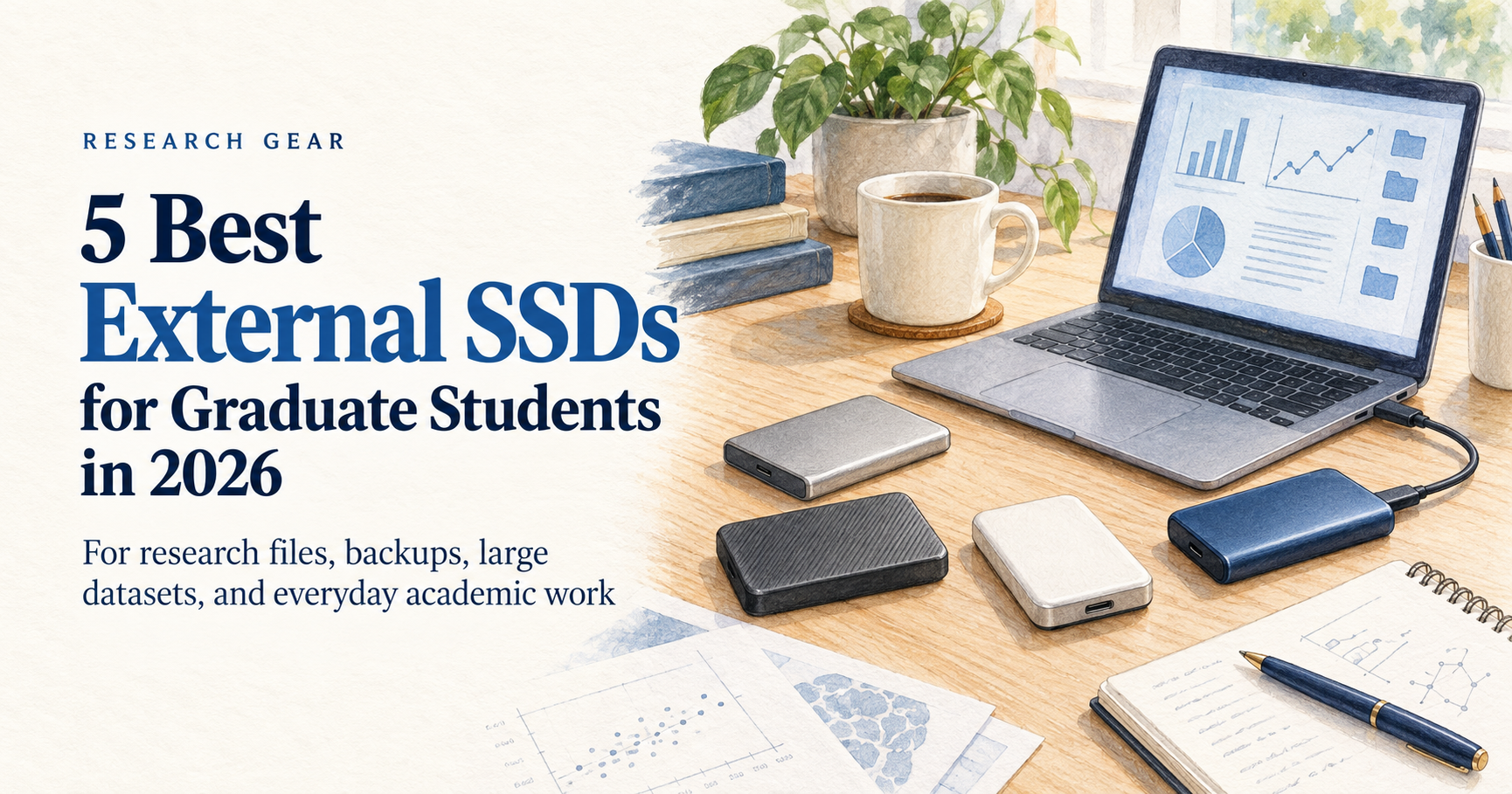
Graduate students and researchers often work with more files than they expect.
PDF libraries grow. Research data gets larger. Presentation files pile up. Python projects, simulation results, microscopy images, videos, and thesis backups can quickly consume the storage on a laptop.
An external SSD gives you a simple way to add fast, portable storage without replacing your computer.
For this guide, we focused on five portable SSDs that make sense for academic work. Instead of choosing products based only on maximum benchmark speeds, we also considered portability, durability, compatibility, and how useful each drive is for real research workflows.
Disclosure: This post contains affiliate links. If you buy through one of these links, GradToolLab may earn a commission at no additional cost to you.
Table of Contents
Quick comparison
| External SSD | Best for | Max speed | Why we like it |
|---|---|---|---|
| Samsung T7 Shield | Best Overall | Up to 1,050 MB/s | Durable, fast enough for most research work |
| Crucial X10 Pro | Large Research Files | Up to 2,100 MB/s | Excellent for moving large datasets |
| Samsung T9 | Maximum Speed | Up to 2,000 MB/s | High performance for compatible laptops |
| Kingston XS1000 | Portability | Up to 1,050 MB/s | Extremely small and lightweight |
| Crucial X9 Pro | Everyday Research Backups | Up to 1,050 MB/s | Compact, durable, and easy to use |
Note: SSD prices can change frequently. We recommend checking the latest Amazon price before buying.
1. Samsung T7 Shield — Best Overall
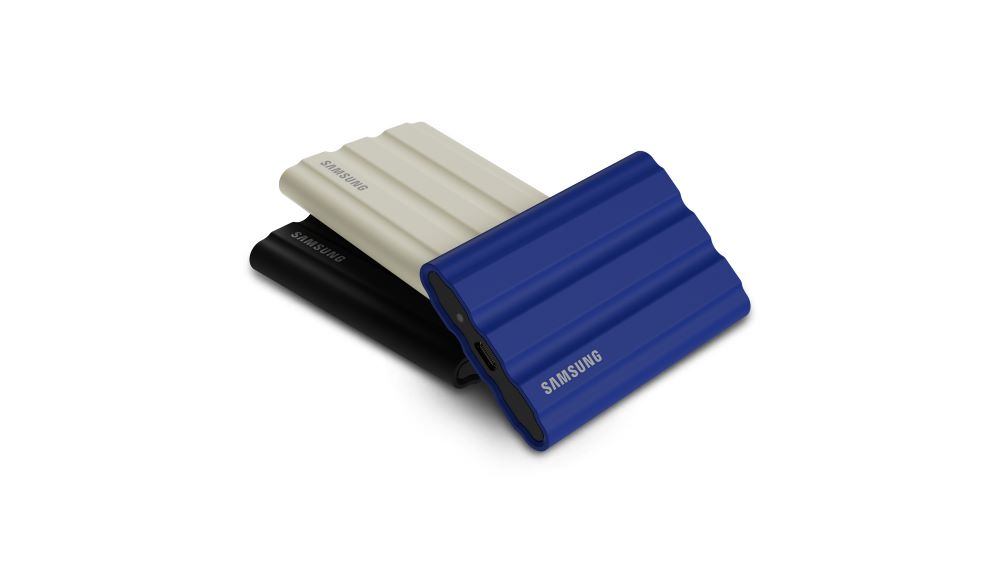
Image: Samsung Newsroom
For most graduate students, the Samsung T7 Shield is the external SSD I would start with.
It reaches sequential read speeds of up to 1,050 MB/s and write speeds of up to 1,000 MB/s, which is already fast enough for thesis files, reference libraries, datasets, presentations, photos, and most everyday research transfers.
More importantly, the T7 Shield is designed to survive being carried around. Samsung rates it at IP65 for water and dust resistance and for drops of up to 3 meters. It is available in 1TB, 2TB, and 4TB capacities.
That combination matters for students who regularly move between a lab, office, library, classroom, and home.
If you are also improving your everyday research setup, see our guide to the 5 Best Laptop Stands for Graduate Students in 2026.
You probably do not need the fastest SSD on the market just to back up your thesis or move experimental data between computers. You need something fast, dependable, and portable enough to keep in your bag.
Why it works well for graduate students
The T7 Shield offers a good balance between performance and durability without requiring a specialized high-speed USB port.
That makes it especially useful if you use multiple computers—for example, a university workstation during the day and your personal laptop at home.
Pros
- Excellent balance of speed and durability
- IP65 water and dust resistance
- Up to 3-meter drop resistance
- 1TB, 2TB, and 4TB options
- AES 256-bit hardware encryption
- Works well for everyday research storage
Cons
- Larger and heavier than ultra-compact drives such as the Kingston XS1000
- Faster SSDs are available if your laptop supports 20Gbps USB
Best for: Most graduate students and researchers who want one reliable external SSD.
2. Crucial X10 Pro — Best for Large Research Files
The Crucial X10 Pro makes more sense if your research regularly involves very large files.
It supports read speeds of up to 2,100 MB/s and write speeds of up to 2,000 MB/s. Crucial also gives it IP55 water and dust resistance and drop resistance up to 2 meters.
That extra performance can be useful when moving large folders containing high-resolution microscopy images, video datasets, simulation results, or other data-heavy research material.
For small Word documents and PDFs, however, you probably will not notice enough difference to justify choosing it purely for speed.
Why it works well for researchers
Graduate students working with large datasets often spend more time transferring files than someone whose work is primarily writing and reading.
If that sounds like your workflow, the X10 Pro’s additional bandwidth can make more sense than a standard 1,000 MB/s portable SSD.
It is also broadly compatible with Windows, macOS, Linux, Android, and iPad devices, although actual performance still depends on your computer and USB connection.
Pros
- Up to 2,100 MB/s read speed
- Up to 2,000 MB/s write speed
- Excellent for large research datasets
- Compact design
- IP55 water and dust resistance
- Password protection
Cons
- More performance than many students actually need
- Your laptop needs an appropriate high-speed USB connection to take advantage of its full performance
Best for: Researchers working with large datasets, imaging files, video, or other storage-intensive projects.
If you are choosing between these two drives, see our Samsung T7 Shield vs Crucial X10 Pro comparison for a closer look at speed, durability, and USB compatibility.
3. Samsung T9 — Best for Maximum Speed
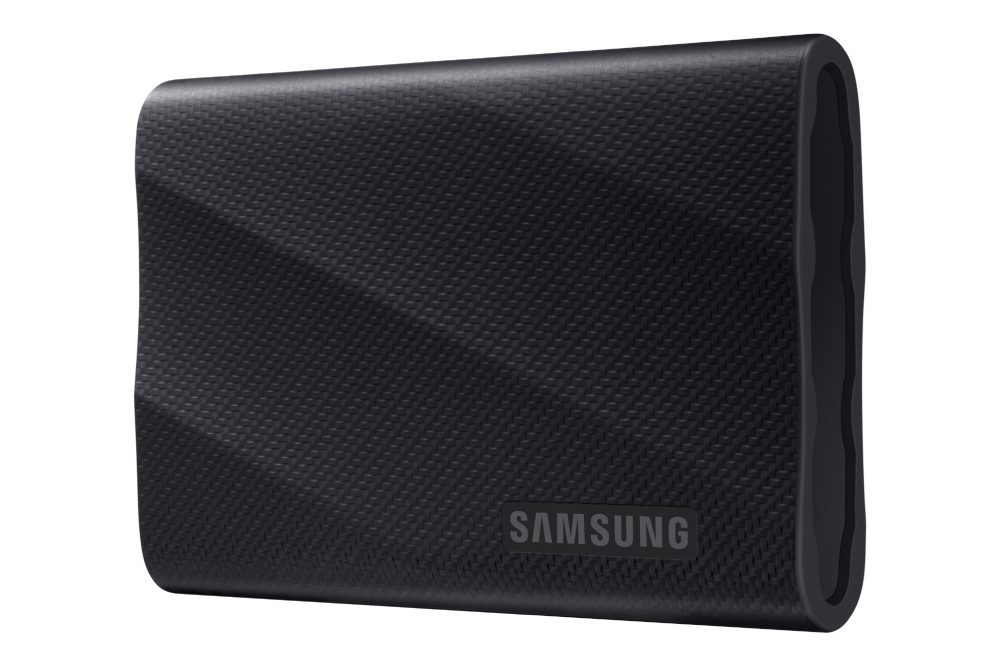
Image: Samsung Newsroom
The Samsung T9 is the performance-focused option in this list.
The 1TB model supports sequential read speeds of up to 2,000 MB/s and write speeds of up to 1,950 MB/s over USB 3.2 Gen 2×2. Samsung also rates the drive for drops of up to 3 meters and includes AES 256-bit hardware encryption.
There is one important limitation, though:
Your computer needs to support USB 3.2 Gen 2×2 to get the full performance.
Samsung specifically notes that reaching the maximum transfer speed requires a compatible host device and cable.
That means the T9 is not automatically the best choice simply because its specification sheet has a bigger number.
Check your laptop before buying
For researchers, this is especially important.
If your laptop only supports a 10Gbps USB connection, paying extra for a 20Gbps drive may provide little practical benefit.
Before buying the T9, check your laptop’s USB specifications.
If your computer supports the required connection and you regularly transfer very large files, the T9 becomes much more attractive.
Pros
- Up to 2,000 MB/s read performance
- Up to 1,950 MB/s write performance on the 1TB model
- 3-meter drop resistance
- AES 256-bit hardware encryption
- Good choice for demanding workloads
Cons
- Full speed requires USB 3.2 Gen 2×2
- Unnecessary for students who mainly store PDFs, documents, and small datasets
- Heavier than several alternatives in this guide
Best for: Researchers whose laptops support 20Gbps USB and who regularly transfer large files.
4. Kingston XS1000 — Best for Portability
If you carry your research setup with you every day, the Kingston XS1000 stands out for one reason:
It is tiny.
The drive weighs only 28.7 grams and measures roughly 69.5 × 32.6 × 13.5 mm. Despite the small size, it reaches up to 1,050 MB/s read and 1,000 MB/s write speeds. Kingston offers it in 1TB and 2TB capacities.
That makes it particularly attractive for students who already carry a laptop, charger, notebooks, adapters, and other research equipment around campus.
Why portability matters
An external SSD is not very useful if you stop carrying it because it is inconvenient.
The XS1000 can easily fit into a small laptop sleeve or accessory pocket and adds very little weight to a research bag.
The trade-off is that Kingston does not position it as a rugged IP-rated drive in the way Samsung does with the T7 Shield.
If durability is your top priority, the T7 Shield may still be the better choice.
Pros
- Only 28.7g
- Extremely compact
- Up to 1,050 MB/s read speed
- Up to 1,000 MB/s write speed
- 1TB and 2TB options
- Easy to carry between campus, lab, and home
Cons
- Not the best option if ruggedness is your main priority
- Slower than the X10 Pro and T9
Best for: Commuting students and researchers who want the smallest practical SSD.
5. Crucial X9 Pro — Best for Everyday Research Backups
Not every researcher needs 2,000 MB/s transfer speeds.
If your main goal is to keep a second copy of your thesis, papers, code, reference library, presentations, and regular research files, the Crucial X9 Pro is a sensible alternative.
It reaches speeds of up to 1,050 MB/s, offers IP55 water and dust resistance, and is rated to withstand drops of up to 2 meters. It is also designed for broad compatibility across Windows, macOS, Linux, Android, and iPad devices.
That makes it a good fit for a researcher who wants a compact drive that can stay in a laptop bag and be used for regular backups.
A good match for normal research workloads
For many graduate students, everyday files are not enormous.
A thesis folder, Zotero library, Python project, presentation archive, or collection of journal PDFs does not require a 2,000 MB/s SSD.
In that situation, the X9 Pro gives you portable SSD performance without making maximum benchmark speed the main priority.
Pros
- Up to 1,050 MB/s performance
- IP55 water and dust resistance
- Up to 2-meter drop resistance
- Compact design
- Broad device compatibility
- Good fit for regular backups
Cons
- Much slower than the X10 Pro for very large transfers
- Current pricing can sometimes make faster models worth considering, so check prices before buying
Best for: Graduate students who want a compact SSD primarily for everyday files and backups.
What SSD capacity should a graduate student buy?
For most graduate students, 1TB is the best starting point.
It provides enough room for a large document library, presentations, code projects, photos, and research datasets without immediately paying for capacity you may never use.
Choose 1TB if you mainly store:
- Papers and PDFs
- Thesis files
- Reference libraries
- PowerPoint presentations
- Python, MATLAB, or R projects
- Regular laptop backups
- Moderate research datasets
Consider 2TB if you regularly work with:
- High-resolution images
- Large experimental datasets
- Video
- Simulation outputs
- Multiple computers
- Large long-term research archives
Consider 4TB only if you know you need it
More storage is convenient, but SSD prices can change significantly.
Do not automatically buy the largest drive available simply because you might need the space someday.
For many graduate students, buying the capacity that fits your current workflow is the more practical choice.
Check your USB port before paying for extra speed
One of the easiest mistakes to make when buying an external SSD is paying for performance your laptop cannot use.
A drive advertised at 2,000 MB/s does not guarantee that you will actually transfer files at 2,000 MB/s.
The SSD, cable, port, computer, and workload all affect real-world transfer performance.
This is particularly relevant to the Samsung T9 and Crucial X10 Pro, which are designed for higher-bandwidth connections. Samsung explicitly requires USB 3.2 Gen 2×2 for the T9’s maximum sequential speeds.
If your laptop only provides a standard 10Gbps USB connection, a drive such as the Samsung T7 Shield, Kingston XS1000, or Crucial X9 Pro may make more sense.
If you frequently run out of ports, see our guide to the 5 Best USB-C Hubs for Graduate Students in 2026.
External SSD vs cloud storage for research
You do not necessarily have to choose one.
Cloud storage is convenient for syncing small files across devices, while an external SSD is useful when you need to move or store large amounts of data locally.
For important research, using both can be a better approach.
For example:
- Keep your active files on your laptop
- Maintain a second copy on an external SSD
- Keep another backup in approved cloud or institutional storage when appropriate
An external SSD should not be the only copy of irreplaceable research data.
And if your lab or university has specific data-security requirements, always follow those policies before storing sensitive or restricted research data on a personal drive.
Which of the Best External SSDs for Graduate Students Should You Buy?
For most graduate students, our first choice is the Samsung T7 Shield.
It is fast enough for typical academic work, durable enough to carry every day, and does not rely on a specialized 20Gbps USB connection to make sense.
Choose the Crucial X10 Pro if you routinely move large research datasets.
Choose the Samsung T9 if maximum transfer speed matters and your laptop supports USB 3.2 Gen 2×2.
Choose the Kingston XS1000 if portability is your highest priority.
And choose the Crucial X9 Pro if you mainly want a compact, durable SSD for regular research backups.
There is no single external SSD that is best for every researcher.
The best choice depends on how large your files are, how often you move them, what ports your laptop supports, and how much storage you actually need.
Building a more comfortable research setup? You may also like our guides to the best wireless mice and best wireless keyboards for graduate students.
External storage is only one part of a well-equipped research workstation. For a broader look at monitors, keyboards, ergonomic furniture, lighting, and other useful accessories, explore our graduate student desk setup guide featuring 12 practical essentials.
FAQ
Is 1TB enough for a graduate student?
For most students, yes.
If you mainly store papers, thesis files, presentations, programming projects, and moderate datasets, 1TB provides plenty of additional storage.
Researchers working with large image, video, or simulation datasets may benefit from 2TB or more.
Is an external SSD better than an external hard drive for research?
An SSD is usually more convenient for portable academic work because it is faster, smaller, and has no moving mechanical parts.
An HDD can still make sense when you need a very large amount of storage at the lowest possible cost.
Can I run research files directly from an external SSD?
In many cases, yes.
Fast external SSDs can be used for datasets, project folders, photos, videos, and other working files.
Performance will depend on the SSD and the USB connection to your computer.
Should I buy the fastest external SSD?
Not necessarily.
If your computer cannot support the drive’s maximum interface speed, you may be paying for performance you cannot use.
For normal PDFs, thesis files, presentations, and backups, a roughly 1,000 MB/s portable SSD is already very fast.