
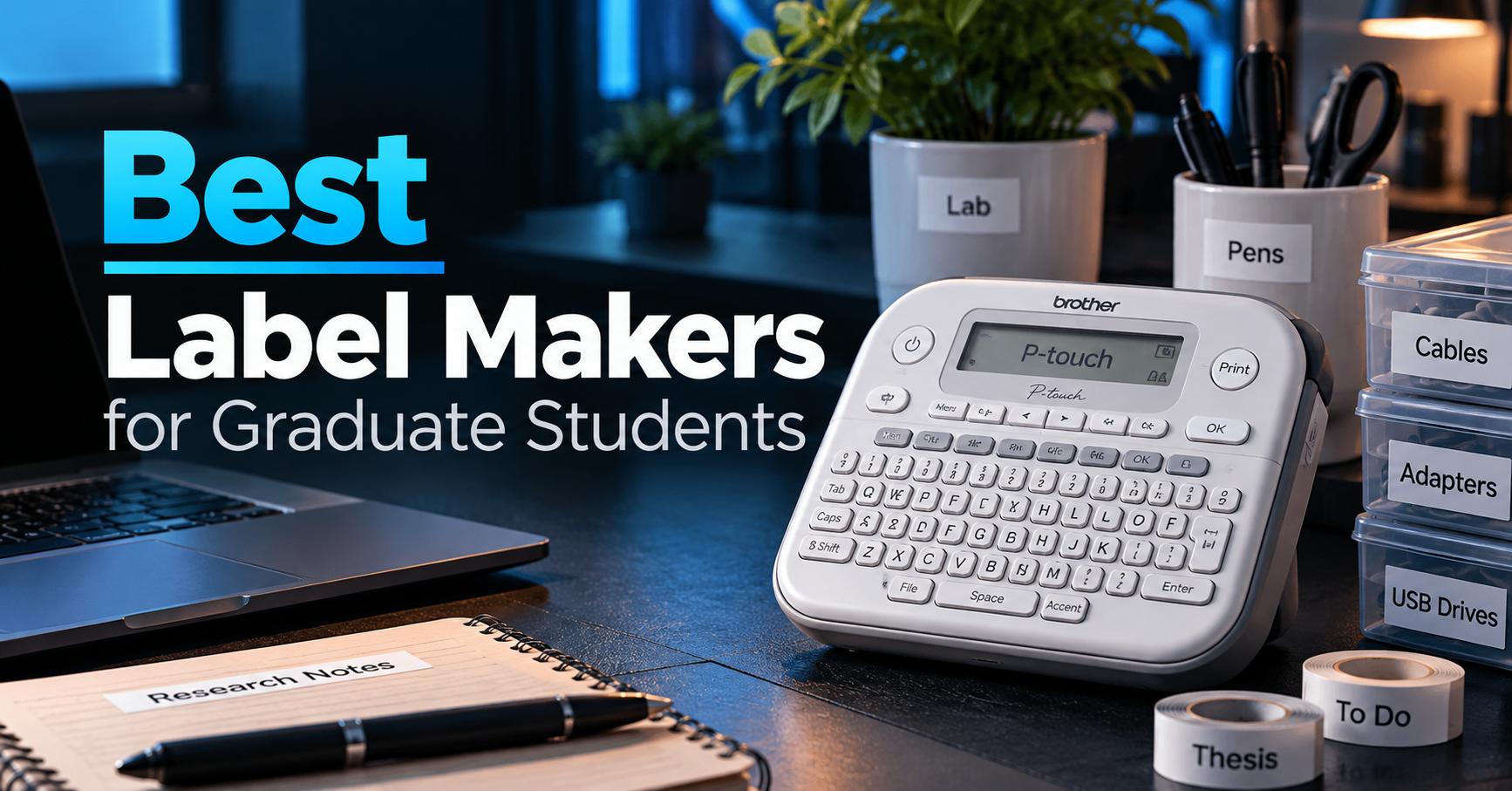
Keeping research materials, cables, documents, and laboratory equipment organized can save valuable time during graduate school.
A good label maker makes it easier to identify supplies, organize shared workspaces, and maintain a more efficient study or research environment.
In this guide, we compare five of the best label makers for graduate students in 2026, from affordable Bluetooth printers to more durable tape-based models suitable for everyday laboratory organization.
As an Amazon Associate, GradToolLab earns from qualifying purchases at no additional cost to you.
Editorial note: This guide is based on manufacturer specifications, publicly available product information, and practical academic use cases. We have not independently tested the products featured in this comparison. Prices, included accessories, and compatible label materials may vary by model and seller.
Why Graduate Students Need a Good Label Maker
Graduate school often involves managing more equipment and materials than expected.
A typical research workspace may contain charging cables, external storage devices, reference documents, notebooks, laboratory supplies, and shared equipment.
Without a clear organization system, finding the right item can become unnecessarily time-consuming.
This is especially noticeable in shared research laboratories.
When multiple students use the same equipment, clearly identifying cables, storage containers, and supplies can reduce confusion.
For example, labeling an external hard drive with its intended purpose can help distinguish research backups from personal storage.
Similarly, organizing equipment drawers or document folders with printed labels can make shared resources easier to locate.
Label makers offer a convenient alternative to handwritten labels.
However, not all label makers are designed for the same applications.
Some use direct thermal printing, which eliminates the need for ink cartridges but may produce labels with limited long-term durability.
Others use dedicated tape cartridges, including laminated options designed to resist everyday moisture, abrasion, and certain environmental conditions.
For graduate students, choosing between these technologies is often more important than simply comparing prices.
The following five products address different academic needs, from basic desk organization to more demanding research environments.
Quick Comparison: Best Label Makers for Graduate Students
| Label Maker | Printing System | Maximum Label Width | Best For |
|---|---|---|---|
| DYMO LabelManager 160 | D1 tape cartridges | 12mm | Best Overall |
| Brother P-touch PT-D220 | TZe laminated tape | 12mm | Best for Lab Organization |
| Phomemo D30 | Direct thermal | 15mm media* | Best Budget |
| NIIMBOT B1 | Direct thermal | 50mm media* | Best for Storage Labels |
| Brother P-touch CUBE Plus | TZe laminated tape | 24mm | Best Premium |
Media width refers to supported label material rather than the actual printable width. The Phomemo D30 has a specified effective printing width of 12mm, while the NIIMBOT B1 has an effective printing width of 48mm.
Our Top Recommendations
Best Overall: DYMO LabelManager 160
A practical, keyboard-equipped label maker for students who want straightforward labeling without relying on a smartphone.
Best Budget: Phomemo D30
An affordable Bluetooth label maker for basic organization and students who prefer creating labels on their phones.
Best for Research Labs: Brother P-touch PT-D220
A strong choice for everyday equipment and storage labeling thanks to its compatibility with Brother’s laminated TZe tapes.
Best for Larger Storage Labels: NIIMBOT B1
Useful for organizing supply boxes, shelves, and equipment containers that benefit from wider labels.
Best Premium: Brother P-touch CUBE Plus
A more advanced option offering smartphone and computer connectivity, rechargeable operation, and wider laminated labels.
1. DYMO LabelManager 160 — Best Overall
Best for: Graduate students who want a dependable label maker for documents, equipment, cables, and everyday workspace organization.
The DYMO LabelManager 160 is our best overall recommendation because it combines straightforward operation with useful labeling features.
Unlike compact Bluetooth models that depend on a smartphone application, the LabelManager 160 includes a built-in keyboard and display.
This allows students to create labels directly on the device without connecting a phone or computer.
For everyday university work, that simplicity can be a significant advantage.
Easy Label Creation With a Built-In Keyboard
One of the LabelManager 160’s most appealing features is its QWERTY keyboard.
The familiar layout makes entering text straightforward.
Students can type a label, preview it on the LCD screen, and print it using the device’s controls.
The LabelManager 160 also includes dedicated formatting buttons for common text adjustments.
According to DYMO, users can select from six font sizes, eight text styles, and several framing options.
The device also provides symbols and other formatting features that can help create more informative labels.
This is useful when identifying laboratory supplies, storage containers, or document folders.
Instead of writing labels by hand, users can create consistent printed text that is easier to read at a glance.
Suitable for Everyday Academic Organization
Consider a graduate student who regularly works with multiple research projects.
Each project may involve printed papers, notebooks, folders, and storage devices.
Without consistent labeling, materials can become difficult to distinguish.
The LabelManager 160 provides a simple way to create labels such as:
- Project A — Reference Papers
- Calibration Equipment
- USB-C Adapters
- Archived Data
- Office Supplies
This may seem like a minor convenience, but clear labeling becomes increasingly useful as the number of projects and materials grows.
For students who regularly manage printed documents, our best paper shredders for graduate students guide also explores equipment for organizing and securely disposing of unnecessary paperwork.
Tape Compatibility
The LabelManager 160 uses DYMO D1 label cartridges.
It supports tape widths of 6mm, 9mm, and 12mm.
This provides flexibility for different labeling tasks.
Narrower labels are useful for compact surfaces, while 12mm labels offer more room for readable text.
DYMO offers D1 tapes in multiple colors and material options, including standard and more durable variants.
However, students should not assume that every D1 tape has identical environmental resistance.
The durability of a finished label depends on the specific cartridge, adhesive, surface, and exposure conditions.
For ordinary indoor organization, standard D1 tapes may be sufficient.
For more demanding laboratory conditions, checking material compatibility is important.
Portability and Power
The LabelManager 160 operates using six AAA batteries.
An optional compatible AC adapter can also be used.
Its battery-powered design makes it convenient for moving between rooms.
For example, students could carry it between a research laboratory, office, and storage area without needing to connect it to a computer.
However, the need for replaceable batteries is a drawback compared with rechargeable models.
Students who frequently print labels should account for this additional operating cost.
Why We Recommend It
The LabelManager 160 focuses on the features most students actually need.
It does not require Bluetooth pairing, smartphone applications, or complex software configuration.
Instead, it provides a straightforward way to create readable labels.
The Amazon bundle selected for this comparison also includes three D1 tape cartridges.
This is useful because students can begin organizing their workspace without immediately purchasing additional tape.
However, bundle contents vary between listings, so check the exact package before purchasing.
Pros
- Built-in QWERTY keyboard
- LCD label preview
- Easy-to-use formatting controls
- Supports three tape widths
- No smartphone required
- Portable, battery-powered operation
- Selected bundle includes three label cartridges
Cons
- Uses six AAA batteries
- No Bluetooth connectivity
- Maximum tape width limited to 12mm
- Less flexible for complex designs than computer-connected models
- Replacement tape costs accumulate over time
Bottom Line
The DYMO LabelManager 160 is an excellent general-purpose label maker for graduate students.
Its straightforward operation and versatile D1 tape system make it particularly suitable for organizing documents, office supplies, and everyday academic equipment.
For students who want one dependable label maker without unnecessary complexity, it is our best overall choice.
Check Current Price on Amazon
2. Brother P-touch PT-D220 — Best for Lab Organization
Best for: Graduate students who want durable laminated labels for everyday equipment, storage containers, and research workspace organization.
The Brother P-touch PT-D220 is one of the most interesting products in this comparison for research-focused users.
Its main advantage is compatibility with Brother’s TZe label tapes.
Unlike basic direct thermal labels, many TZe tapes feature laminated construction designed to improve resistance to everyday wear and environmental exposure.
This makes the PT-D220 attractive for students who need labels that remain readable during regular handling.
Laminated Labels for Everyday Research Equipment
Research laboratories often contain shared equipment and accessories.
For example, several power adapters may look almost identical despite belonging to different instruments.
Similarly, storage boxes may contain different components or materials.
Clear labeling can help reduce confusion.
The PT-D220 uses Brother TZe tapes, including laminated varieties.
Brother describes its genuine laminated TZe tapes as resistant to water, fading, and certain chemicals.
However, this does not mean every compatible tape is suitable for every laboratory environment.
Resistance depends on the exact tape construction and the chemicals, temperatures, and exposure times involved.
For ordinary equipment identification and room-temperature storage, laminated labels can be particularly useful.
Built-In Keyboard and Formatting Features
Like the DYMO LabelManager 160, the Brother PT-D220 includes a QWERTY keyboard.
This allows users to create labels without relying on a smartphone or computer.
The device also includes a small display and dedicated formatting controls.
According to Brother, the PT-D220 provides:
- 14 fonts
- 11 font styles
- 99 frames
- More than 600 symbols
- 25 predefined label templates
These options provide considerable flexibility for ordinary labeling tasks.
For example, students can create consistent labels for drawers, cables, equipment shelves, or project folders.
The device can also store frequently used labels for later printing.
This is useful when repeatedly labeling similar supplies or replacing worn labels.
Tape Width and Compatibility
The PT-D220 supports Brother TZe tapes up to 12mm wide.
This is sufficient for many ordinary labeling applications.
However, the relatively narrow maximum width may limit the amount of text that fits comfortably on a single label.
For larger storage boxes or equipment containers, a wider label could be preferable.
Students who need more elaborate formatting or wider labels may benefit from the Brother P-touch CUBE Plus, which supports tape widths up to 24mm.
Power and Portability
The PT-D220 operates using six AAA batteries or an optional compatible AC adapter.
This makes it convenient for occasional use around a research workspace.
However, it does not feature the built-in rechargeable battery found in the CUBE Plus.
Another limitation is its lack of computer connectivity.
The PT-D220 is intended primarily as a standalone label maker.
For students who need to generate large quantities of labels from spreadsheets or databases, a computer-connected model may be more appropriate.
Why It Makes Sense for Graduate Research
The PT-D220 is particularly appealing for students who prioritize label durability over advanced digital features.
For example, it can be useful for organizing:
- Shared equipment drawers
- Instrument accessories
- Storage boxes
- Charging cables
- Laboratory notebooks
- General equipment identification
However, important research samples may require specialized labels.
The PT-D220 should not automatically be used for cryogenic sample storage, hazardous chemical identification, or other regulated applications without verifying the complete labeling system.
For everyday research workspace organization, though, its laminated tape compatibility makes it a strong option.
Pros
- Compatible with Brother laminated TZe tapes
- Built-in QWERTY keyboard
- Multiple fonts, symbols, and templates
- Suitable for everyday equipment labels
- Standalone operation
- Useful label memory features
Cons
- Maximum tape width limited to 12mm
- No Bluetooth or computer connectivity
- Uses replaceable AAA batteries
- Special laboratory applications require additional material verification
- Replacement TZe tapes can increase long-term costs
Bottom Line
The Brother P-touch PT-D220 is our best recommendation for everyday laboratory organization.
Its laminated tape compatibility makes it a practical option for identifying equipment, cables, and storage containers.
For graduate students who need durable labels but do not require computer connectivity, it offers a useful balance of features and simplicity.
Check Current Price on Amazon
3. Phomemo D30 — Best Budget
Best for: Students who want an inexpensive, portable label maker for organizing personal supplies, notebooks, and small accessories.
The Phomemo D30 takes a different approach from traditional label makers.
Instead of using a built-in keyboard, it connects to a smartphone through Bluetooth.
Users create labels using the manufacturer’s mobile application and print them directly from the compact device.
This makes it particularly attractive for students who prefer using their phones rather than operating a separate keyboard.
Compact Design for Everyday Use
One of the D30’s strongest advantages is its portability.
According to Phomemo, the device measures approximately 131.5 × 75 × 29mm and weighs around 153 grams.
This makes it substantially smaller than many conventional keyboard-equipped label makers.
Students can store it in a drawer, backpack, or small desk organizer without requiring much space.
Its lightweight design also makes it convenient for occasional labeling around a shared workspace.
For example, students could use it to organize stationery, personal accessories, or small storage containers.
Bluetooth Printing From a Smartphone
The D30 uses Bluetooth connectivity and Phomemo’s Print Master application.
The app provides templates, text editing, symbols, and other labeling options.
This allows students to create labels using a familiar touchscreen interface.
For example, a student organizing class materials could create separate labels for different subjects or research topics.
The app-based system also makes it easier to experiment with label layouts before printing.
However, smartphone dependence can be inconvenient in environments where personal phones are restricted.
It also introduces an additional software requirement.
Students should confirm that their smartphone is compatible with the app before purchasing.
Inkless Thermal Printing
The D30 uses direct thermal printing.
This means it does not require conventional ink or toner cartridges.
Instead, the printer produces images through heat-sensitive label material.
This reduces the number of consumables required.
However, replacement labels are still necessary.
The D30 supports several label media widths, including 6mm, 12mm, 14mm, and 15mm, depending on the selected materials.
Its effective printing width is approximately 12mm.
This distinction matters because the full width of the label material is not necessarily printable.
Important Limitation: Label Durability
Direct thermal labels are convenient, but they may not be the best choice for long-term or demanding environments.
Because the image is formed in heat-sensitive material, exposure to heat, sunlight, friction, or certain chemicals can affect readability.
The exact durability depends on the label formulation and storage conditions.
For ordinary indoor organization, this may not be a significant problem.
However, labels used on research samples or equipment exposed to harsh conditions require greater care.
For example, a label identifying a personal stationery box has very different requirements from one identifying a sample stored in a laboratory freezer.
The D30 is better suited to the former.
Rechargeable Operation
The D30 includes a rechargeable lithium battery.
According to Phomemo’s specifications, it uses a 1,000mAh battery and supports charging through a Micro-USB connection.
This eliminates the need for disposable AAA batteries.
However, Micro-USB may be less convenient for students whose other equipment primarily uses USB-C.
If you regularly carry multiple charging accessories, our best tech organizer bags for graduate students guide explores ways to keep cables, chargers, and other small electronics organized.
Pros
- Affordable
- Compact and lightweight
- Bluetooth smartphone connectivity
- No ink or toner required
- Rechargeable battery
- Multiple label templates
Cons
- Requires a compatible smartphone application
- Direct thermal labels may have limited environmental durability
- Relatively narrow printing area
- Uses Micro-USB charging
- Less suitable for demanding laboratory applications
Bottom Line
The Phomemo D30 is our best budget recommendation for students who want a simple, inexpensive label maker.
Its compact size and smartphone-based operation make it particularly suitable for organizing personal study materials, stationery, and small storage containers.
However, students requiring highly durable labels should consider a tape-based alternative.
Check Current Price on Amazon
4. NIIMBOT B1 — Best for Storage Labels
Best for: Graduate students who want wider labels for storage boxes, equipment shelves, supplies, and general workspace organization.
The NIIMBOT B1 is a compact Bluetooth label printer designed for creating a wider variety of labels than many small handheld models.
Its main advantage is support for label media up to 50mm wide.
This makes it particularly useful for identifying larger containers or surfaces where wider labels improve readability.
For students organizing shared research spaces, that flexibility can be valuable.
Larger Labels for Better Organization
Small label makers are useful for narrow surfaces, but they are not ideal for every situation.
For example, a storage box may contain several related accessories.
A very narrow label might not provide enough space to identify its contents clearly.
The NIIMBOT B1 offers a wider printing format.
According to the manufacturer, it supports label media widths from 20mm to 50mm, with an effective printing width of up to 48mm.
This allows students to create larger labels for storage containers, drawers, shelves, and equipment boxes.
Wider labels can also accommodate more readable text or simple visual elements.
Bluetooth Connectivity and Label Templates
The NIIMBOT B1 connects to compatible devices using Bluetooth.
Users can create labels through the manufacturer’s software.
The application supports different text layouts, symbols, and label templates.
This makes it suitable for students who prefer designing labels on a smartphone rather than typing directly on the printer.
For example, a laboratory could use consistent label designs across several storage shelves.
Students might create labels identifying spare cables, electronic components, batteries, or general supplies.
However, the exact features available may depend on the software version and device compatibility.
Direct Thermal Printing
Like the Phomemo D30, the NIIMBOT B1 uses direct thermal printing.
This means it does not require conventional ink or toner cartridges.
The manufacturer lists a printing resolution of 203dpi.
This is appropriate for ordinary text and basic label graphics, although extremely small text may be difficult to read depending on the design.
Another advantage is the relatively simple consumable system.
Instead of replacing ink cartridges, users replace compatible thermal label rolls.
However, students should check the cost and availability of suitable label materials.
As with other thermal printers, long-term readability depends on the specific labels and environmental conditions.
Research Workspace Applications
The NIIMBOT B1 can be useful for organizing equipment and general supplies.
For example, students working in an engineering laboratory may need to manage numerous electronic components and accessories.
A label maker can help identify storage boxes containing cables, connectors, adapters, and spare parts.
This becomes particularly valuable when multiple students share the same storage area.
Students who regularly transfer research data between devices may also benefit from our best external SSDs for graduate students guide, which compares portable storage solutions for academic workflows.
Clear physical labels can complement a consistent digital file-naming system.
However, a printed label should not replace proper recordkeeping.
For critical samples or regulated laboratory materials, identification should follow the institution’s established procedures.
Why Choose the B1 Instead of the Phomemo D30?
The main reason is label size.
The Phomemo D30 is smaller and more affordable, making it suitable for basic personal organization.
The NIIMBOT B1 supports substantially wider label media, which makes it more suitable for storage containers and larger surfaces.
However, the additional width is not always necessary.
If your primary goal is labeling small notebooks or stationery items, the D30 may already be sufficient.
Pros
- Supports label media up to 50mm wide
- Effective printing width up to 48mm
- Bluetooth connectivity
- Inkless thermal printing
- Suitable for storage boxes and larger labels
- Compact design
- Rechargeable battery
Cons
- Requires compatible software
- Thermal labels may deteriorate under certain conditions
- Larger than the smallest portable models
- Replacement label costs vary by size
- Not intended for specialized laboratory sample identification
Bottom Line
The NIIMBOT B1 is our best recommendation for students who want wider labels for general storage and equipment organization.
Its relatively compact design and flexible label sizes make it useful for organizing shared workspaces.
For students who primarily need labels for boxes, shelves, and general supplies, it offers a practical alternative to narrower handheld models.
Check Current Price on Amazon
5. Brother P-touch CUBE Plus — Best Premium
Best for: Graduate students and researchers who want more advanced label design, wider laminated tapes, and smartphone or computer connectivity.
The Brother P-touch CUBE Plus is the most premium option in this comparison.
Unlike traditional label makers with integrated keyboards, the CUBE Plus is designed to work with smartphones, tablets, and computers.
This provides greater flexibility when creating custom labels.
It also supports wider laminated tapes than the smaller Brother PT-D220.
For researchers who frequently organize equipment or need consistent labeling across multiple storage areas, these features can be valuable.
Smartphone and Computer Connectivity
The CUBE Plus supports Bluetooth connectivity with compatible mobile devices.
Users can create labels using Brother’s applications, including P-touch Design&Print 2 and iPrint&Label.
It also supports computer-based label creation through a USB connection and Brother’s P-touch Editor software.
This provides more flexibility than a standalone keyboard-equipped label maker.
For example, students could create labels using a computer when preparing a larger organizational project.
They could then use a smartphone for smaller adjustments or individual labels.
However, software compatibility should be verified for the operating system and version being used.
Wider Laminated Labels
One of the biggest advantages of the CUBE Plus is support for Brother TZe tapes up to 24mm wide.
This is twice the maximum tape width of the PT-D220.
Wider labels provide more space for text, symbols, and other design elements.
For example, a researcher might want to create a label containing an equipment name, identification code, and storage location.
With a wider tape, the information can be arranged more clearly.
The CUBE Plus also supports different types of TZe tapes, depending on the application.
These include laminated tapes and other specialized options.
However, not every tape offers the same durability or adhesive performance.
Students should select tapes according to the intended surface and environmental conditions.
More Advanced Label Design
The CUBE Plus works with Brother’s P-touch Editor software.
This allows users to create more elaborate label layouts than those available on many basic handheld models.
Depending on the selected workflow, features include custom formatting, symbols, barcodes, and data-based printing.
This can be useful when several labels share a consistent format.
For example, a research group might need to identify a collection of storage boxes using a standardized naming convention.
A computer-based design workflow can make maintaining consistent formatting easier.
However, generating labels from spreadsheets or other datasets may require additional preparation.
For casual users, this level of functionality may be unnecessary.
Rechargeable Battery and Automatic Cutting
The CUBE Plus includes a rechargeable lithium-ion battery.
This avoids the need to repeatedly purchase disposable batteries.
It also features an automatic tape cutter.
Compared with manually cutting each label, automatic cutting can make repeated printing more convenient.
For students who only print a few labels occasionally, this may not matter much.
However, for someone organizing an entire laboratory workspace, the convenience becomes more noticeable.
Is the Premium Price Worth It?
At the Amazon price observed during our comparison, the CUBE Plus was significantly more expensive than the other models.
This makes it difficult to recommend to every graduate student.
For basic desk organization, an inexpensive Phomemo D30 or keyboard-equipped DYMO may be sufficient.
However, the CUBE Plus becomes more attractive when users need wider laminated labels, more sophisticated formatting, or computer connectivity.
It may also be appropriate for equipment purchased and shared by a research group rather than an individual student.
For students who need a conventional printer for papers, conference materials, or coursework, our best printers for graduate students guide explores devices intended for full-page document printing.
Pros
- Supports laminated TZe tapes up to 24mm
- Bluetooth smartphone connectivity
- Computer-based label creation
- Rechargeable battery
- Automatic tape cutter
- Advanced formatting and design options
- Suitable for more extensive organization projects
Cons
- Expensive
- Requires a phone or computer for label creation
- Software compatibility must be checked
- Replacement tapes add ongoing costs
- Advanced features may be unnecessary for occasional labeling
Bottom Line
The Brother P-touch CUBE Plus is our best premium recommendation for graduate students and researchers who want greater control over label creation.
Its combination of wider laminated tapes, computer connectivity, and rechargeable operation makes it particularly useful for more extensive organization projects.
However, students with simpler labeling needs can save money by choosing a less expensive model.
Check Current Price on Amazon
How to Choose the Best Label Maker for Graduate School
Choosing the right label maker requires more than comparing the initial purchase price.
Printing technology, label size, replacement materials, connectivity, and long-term durability all influence how useful a device will be.
Here are the most important factors to consider.
1. Determine What You Need to Label
Start by identifying the objects you want to organize.
For ordinary student use, these might include notebooks, file folders, storage boxes, charging cables, or stationery supplies.
For laboratory environments, the list may include equipment drawers, general storage containers, or instrument accessories.
The best label maker depends on the size and environmental requirements of these objects.
For example, a narrow label may be sufficient for identifying a notebook.
A large storage container may benefit from a wider label.
Similarly, a label placed on an ordinary office drawer does not require the same durability as a label used near chemicals or extreme temperatures.
Choosing based on the intended application helps avoid unnecessary spending.
Students working with multiple laptop accessories may also find our best USB-C hubs for graduate students guide helpful when organizing their computer setups.
2. Understand Printing Technology
The products in this guide use two broad approaches.
The Phomemo D30 and NIIMBOT B1 use direct thermal printing.
These printers produce an image through heat-sensitive label material without conventional ink or toner.
This makes them convenient for everyday organization.
However, printed labels may be sensitive to environmental conditions.
The Brother P-touch models use thermal-transfer printing with compatible tape cartridges, including laminated options.
The DYMO LabelManager 160 uses dedicated D1 tape cartridges, with different material choices available.
For students who need more durable labels, the specific tape construction matters.
3. Choose the Right Label Width
Label width affects readability and available design space.
A narrow label may work well for cables or small stationery items.
However, wider labels provide more room for text and symbols.
| Typical Application | Width to Consider |
|---|---|
| Small accessories | Approximately 6–12mm |
| Office supplies and folders | Approximately 9–15mm |
| Storage boxes | Approximately 20–25mm |
| Larger equipment containers | Approximately 25–50mm |
These are general guidelines rather than fixed requirements.
Actual suitability depends on the printer’s margins, available print height, font size, and the surface being labeled.
A wide label does not automatically guarantee better readability.
Good contrast, appropriate font size, and concise wording are equally important.
4. Consider Connectivity
Some label makers include built-in keyboards.
Others rely on smartphones or computers.
Keyboard-equipped models are convenient when you need to create a label quickly without additional devices.
They are also useful in environments where smartphone use is inconvenient or restricted.
Bluetooth models provide more flexible design interfaces.
However, they depend on compatible software.
Computer-connected models can be particularly useful for creating more complex layouts or organizing larger quantities of information.
The best option depends on whether you prioritize simplicity or customization.
5. Evaluate Long-Term Costs
Replacement labels can become a significant expense over time.
A low-cost printer is not necessarily the cheapest option if its consumables are expensive.
When comparing label makers, consider the cost of replacement cartridges or rolls, the usable label length, and how much material is wasted between prints.
For example, consider two hypothetical label systems.
System A costs $20 initially and uses $12 replacement rolls.
System B costs $50 initially but uses $7 replacement rolls.
If you print only a few labels each month, System A may remain more economical.
However, frequent users may eventually benefit from the lower consumable cost of System B.
These are illustrative prices, not the current prices of the products featured in this guide.
The important point is to consider the total cost of ownership rather than the initial purchase price alone.
6. Check Durability Requirements
Label durability is especially important for research environments.
Ordinary labels may be exposed to moisture, cleaning products, temperature changes, or repeated handling.
However, durability claims should be evaluated carefully.
For example, a manufacturer describing a tape as water-resistant does not necessarily mean that it can withstand immersion in laboratory solvents.
Similarly, a label advertised as suitable for outdoor use is not automatically compatible with cryogenic storage.
Always consult the specifications of the exact label material.
Thermal vs. Laminated Labels: Which Is Better?
The distinction between direct thermal and laminated labels is one of the most important considerations in this guide.
Both technologies have advantages, but they are suited to different applications.
Direct Thermal Labels
Direct thermal printers use heat-sensitive material to produce printed text and graphics.
The process does not require conventional ink or toner cartridges.
This makes direct thermal printers convenient and relatively simple to maintain.
Examples in this guide include the Phomemo D30 and NIIMBOT B1.
These models are especially attractive for basic organization.
However, direct thermal labels may experience reduced readability under prolonged exposure to heat, light, or certain chemicals.
Their durability varies depending on the material formulation.
Therefore, they should not automatically be selected for long-term research sample identification.
Laminated Tapes
Laminated label tapes incorporate a protective layer over the printed information.
This can improve resistance to abrasion, moisture, and certain environmental exposures.
Brother’s laminated TZe tapes are an example.
Such labels are often useful for everyday equipment identification.
However, performance depends on the exact tape variant.
The adhesive and laminate must also be compatible with the surface and intended environment.
A laminated label designed for ordinary equipment identification is not necessarily suitable for liquid nitrogen storage.
Which Should You Choose?
For personal study materials and everyday storage organization, direct thermal printing is often sufficient.
For frequently handled equipment or general laboratory storage, laminated tapes may offer useful durability advantages.
For harsh chemical exposure, extreme temperatures, or critical sample identification, specialized labeling materials may be necessary.
The most suitable labeling method depends on environmental requirements, not simply whether the label looks durable.
Can You Use Regular Label Makers in Research Laboratories?
Yes, but the answer depends on what you are labeling.
A general-purpose label maker can be useful in many research environments.
For example, it can help identify equipment drawers, shelves, charging cables, and ordinary storage boxes.
However, research laboratories may contain environments that exceed the capabilities of standard office labels.
Ordinary Laboratory Organization
For routine organization at room temperature, the products in this guide can be practical.
Examples include:
- Identifying equipment storage areas
- Labeling drawers and supply boxes
- Organizing general-purpose cables
- Marking office materials
- Identifying noncritical accessories
The appropriate label material should still be selected based on the surface and expected conditions.
Cryogenic Storage
Cryogenic storage presents different challenges.
Samples stored at extremely low temperatures require labels and adhesives designed to remain attached and readable.
For example, specialized cryogenic labels are available for storage environments reaching approximately −196°C.
These materials are specifically developed for applications such as liquid nitrogen storage.
Ordinary consumer label tapes should not be assumed to withstand these conditions.
The label manufacturer must explicitly specify compatibility with the intended temperature range, container material, and application conditions.
Chemical Exposure
Some laboratory labels may be exposed to solvents, disinfectants, or other chemicals.
Different adhesives and protective films respond differently to these substances.
Even when a label is described as chemically resistant, that claim may apply only to certain chemicals and exposure durations.
Therefore, compatibility must be verified for the specific application.
Safety and Sample Traceability
Another important consideration is the purpose of the label.
A label used to organize cables is different from one used to identify hazardous substances or critical research samples.
For regulated or safety-related applications, labeling requirements may be established by institutions, laboratories, or relevant regulations.
General-purpose consumer label makers should not replace required safety labeling systems.
Likewise, research sample identification should follow appropriate traceability procedures.
A printed label can support an organized workflow, but it should not replace accurate records.
Practical Labeling Ideas for Graduate Students
A label maker becomes most useful when incorporated into a consistent organization system.
Here are several practical applications for graduate school.
1. Organizing Research Documents
Graduate students accumulate numerous documents throughout their studies.
These may include printed papers, administrative forms, course materials, and research notes.
Labeling folders and storage boxes makes it easier to locate documents when needed.
For example, students could organize materials by project name, academic year, or document type.
A consistent system is more important than using elaborate label designs.
2. Identifying Computer Accessories
Research desks often contain multiple USB cables and charging adapters.
Some accessories may look similar despite serving different purposes.
Labels can help identify which cables belong to particular devices.
For example, students could mark cables for external monitors, USB hubs, or laboratory instruments.
However, avoid attaching labels to connectors or moving parts where they could interfere with proper operation.
3. Managing Shared Equipment
Shared laboratories often rely on equipment used by several researchers.
A clear labeling system can help identify where accessories belong.
For example, storage boxes can be labeled with their contents or intended equipment.
This may reduce confusion when multiple users return items to shared storage.
However, labels should complement rather than replace the laboratory’s established equipment-management procedures.
4. Organizing Storage Devices
External hard drives and portable SSDs are common in research environments.
Students may use different storage devices for backups, temporary data transfers, or project-specific files.
Clear labels can help distinguish these devices physically.
For example, a storage device might be marked with a project identifier or intended function.
Sensitive information should not be unnecessarily exposed through external labels.
5. Creating an Organized Study Workspace
Label makers are also useful outside laboratories.
Students can use them to organize stationery drawers, charging accessories, storage containers, and personal supplies.
This is particularly helpful for students working in compact apartments or shared spaces.
A simple labeling system can make it easier to maintain an organized workspace without repeatedly searching through drawers.
Frequently Asked Questions
Are label makers worth buying for graduate students?
Yes, particularly for students who regularly organize documents, equipment, storage containers, or research accessories.
A label maker can provide consistent and readable labels.
However, students who only need a few labels each year may not need a dedicated device.
What is the best label maker for graduate students?
The DYMO LabelManager 160 is our best overall recommendation for everyday organization.
It offers straightforward keyboard operation and supports multiple tape widths.
For students prioritizing laminated labels, the Brother P-touch PT-D220 may be a better choice.
Are thermal label makers good for laboratory use?
They can be useful for ordinary organization, but their suitability depends on the application.
Direct thermal labels may be sensitive to heat, light, and certain chemicals.
For critical research samples or demanding environments, specialized materials may be required.
Which label maker is best for organizing cables?
The Brother P-touch PT-D220 is a practical option for everyday cable identification because it supports laminated TZe tapes.
However, users should select tape materials appropriate for the cable surface and avoid interfering with connectors or ventilation.
Can label makers print barcodes?
Some models support barcode printing through compatible software.
For example, the Brother P-touch CUBE Plus offers computer-based label creation that includes barcode functionality.
However, barcode quality and readability depend on the printer, label dimensions, and selected format.
The Brother PT-D220 does not support barcode printing according to its official specifications.
Do label makers require ink?
Not all label makers use conventional ink cartridges.
Direct thermal models such as the Phomemo D30 and NIIMBOT B1 use heat-sensitive label material.
Tape-based thermal-transfer systems use dedicated cartridges or tapes.
Replacement consumables are still required.
Can I use ordinary labels in a laboratory freezer?
Do not assume ordinary labels are suitable for laboratory freezers.
Adhesive performance and print durability depend on temperature, surface material, and environmental conditions.
For critical samples, use labels explicitly rated for the intended storage conditions.
Are Bluetooth label makers better than keyboard models?
Not necessarily.
Bluetooth models provide flexible design options through smartphone applications.
Keyboard-equipped models are often simpler for quick labeling tasks.
The better choice depends on how frequently you print labels and whether you need advanced formatting.
How much should I spend on a label maker?
For basic organization, an inexpensive model may be sufficient.
Students who need laminated labels or standalone keyboard operation may benefit from midrange devices.
Premium models are more appropriate when wider labels, computer connectivity, or advanced design features are genuinely useful.
Can one label maker handle every laboratory labeling task?
Usually not.
General-purpose label makers can handle many ordinary organization tasks.
However, specialized laboratory applications may require materials and printing systems designed for particular temperatures, chemicals, surfaces, or regulatory requirements.
Final Verdict: Which Label Maker Should Graduate Students Buy?
The best label maker depends on the objects you need to organize and the conditions in which the labels will be used.
For most graduate students, we recommend the DYMO LabelManager 160.
Its built-in keyboard, straightforward operation, and flexible tape options make it a practical choice for everyday academic organization.
However, students who prioritize more durable labels for ordinary laboratory equipment should consider the Brother P-touch PT-D220.
Its compatibility with laminated TZe tapes makes it particularly attractive for identifying storage containers, cables, and frequently handled accessories.
For students with limited budgets, the Phomemo D30 offers a compact and affordable solution for everyday labeling.
The NIIMBOT B1 is better suited to students who want wider labels for storage boxes, shelves, and larger containers.
Finally, the Brother P-touch CUBE Plus offers the greatest flexibility for users who need wider laminated tapes, smartphone connectivity, and computer-based label design.
Ultimately, the most expensive label maker is not necessarily the best option.
A student organizing notebooks and stationery may be perfectly satisfied with an inexpensive Bluetooth printer.
A researcher identifying shared equipment may benefit more from laminated tapes.
And a laboratory handling critical samples may require an entirely different labeling system.
Choose a label maker based on your actual organization needs, the durability required, and the long-term cost of replacement labels.
A suitable label maker can be a useful addition to your graduate school setup, helping you maintain a more organized workspace and spend less time searching for materials.

