
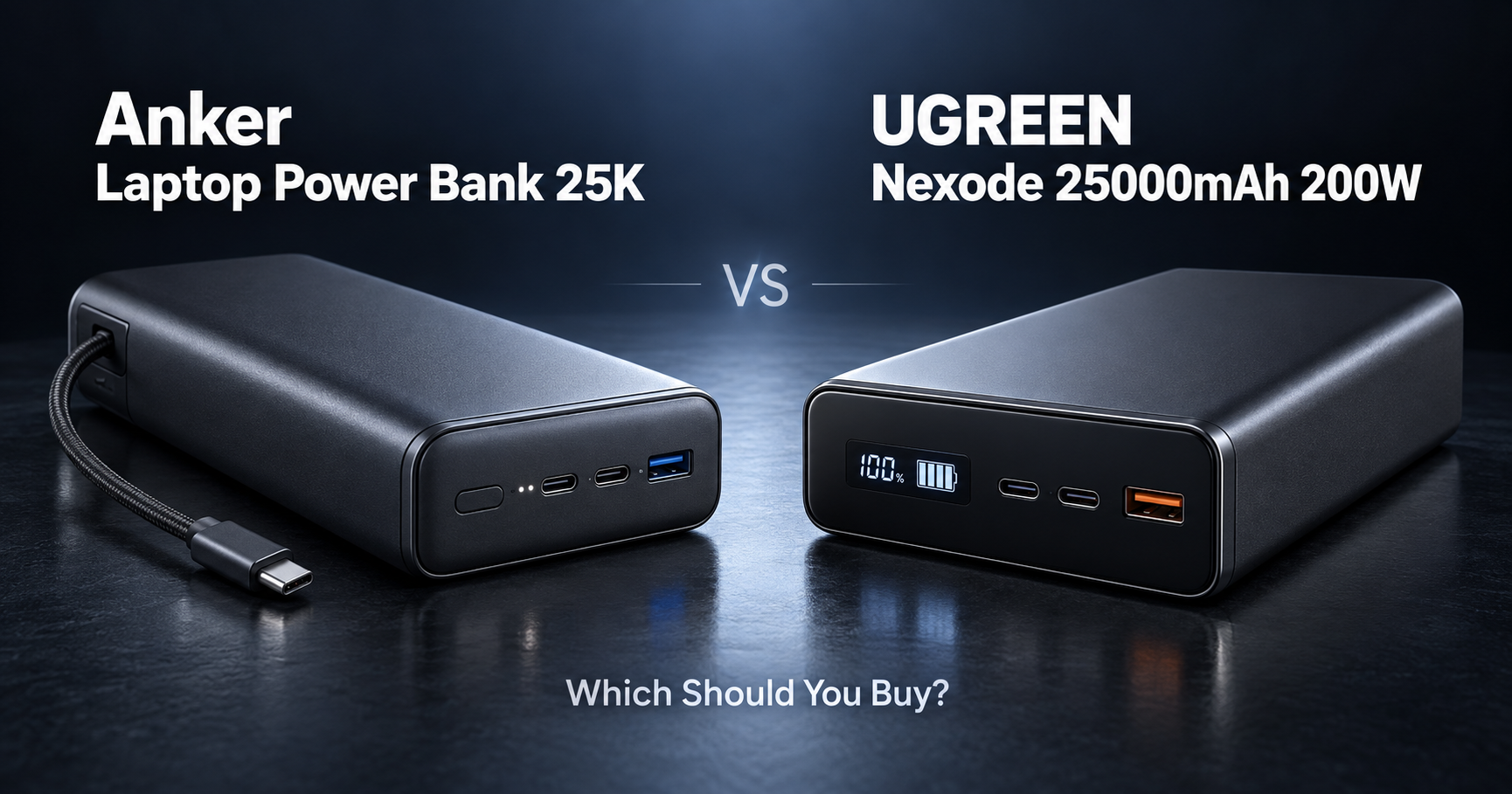
Anker Laptop Power Bank 25K or UGREEN Nexode 25000mAh 200W?
Both are large 25,000mAh power banks designed to charge laptops, tablets, phones, and other USB devices away from a wall outlet.
They are also surprisingly close in size and weight.
But they prioritize different things.
Here is the short answer:
Get the Anker if you want built-in cables and the easiest everyday experience.
Get the UGREEN if you want higher maximum output and up to 140W from a single USB-C port.
For most graduate students carrying one laptop, one phone, and maybe a tablet, I would lean toward the Anker.
For higher-power laptops or charging multiple demanding devices, the UGREEN has the stronger power specifications.
If you are still comparing other options, see our best power banks for graduate students.
Quick Comparison
| Anker Laptop Power Bank 25K | UGREEN Nexode 25000mAh 200W | |
|---|---|---|
| Capacity | 25,000mAh / 90Wh | 25,000mAh / 90Wh |
| Maximum total output | 165W | 200W |
| Maximum single USB-C output | 100W | 140W |
| USB-C connections | 3 total | 2 |
| USB-A | 1 | 1 |
| Built-in cables | 2 | No |
| Devices at once | Up to 4 | Up to 3 |
| Maximum recharge input | 100W | 65W |
| Display | Yes | TFT smart display |
| Weight | 595g | ~592g |
| Flight capacity | 90Wh | 90Wh |
| Best for | Convenience | Maximum power |
Anker rates its model for 165W total output, 100W from an individual USB-C connection, and up to 100W input. It includes two integrated USB-C cables plus a separate USB-C port and USB-A port.
UGREEN rates the Nexode for 200W total output, with USB-C1 supporting up to 140W and USB-C2 up to 100W.
If You Hate Carrying Extra Cables
Get the Anker.
This is probably the Anker’s biggest advantage.
It has two built-in USB-C cables.
One is retractable.
The other shorter cable can also function as a carrying strap. Anker says the power bank provides three USB-C connections in total plus one USB-A port.
That means you can put it in your backpack and already have what you need to charge a laptop or phone.
For graduate students moving between:
the lab,
library,
office,
classroom,
airport,
and conference venues,
that is genuinely useful.
A power bank is much less useful when you realize the USB-C cable is still sitting on your desk.
Best choice: Anker Laptop Power Bank 25K
If You Need the Most Power
Get the UGREEN.
The numbers are straightforward.
Anker:
165W maximum total output
UGREEN:
200W maximum total output
UGREEN also supports up to 140W from its primary USB-C port, while each Anker USB-C connection tops out at 100W.
That difference matters more for high-power laptops than it does for phones or tablets.
If your laptop can actually accept more than 100W over USB-C PD, the UGREEN gives you more headroom.
It also makes more sense if you want to charge two relatively demanding devices at the same time.
Best choice: UGREEN Nexode 25000mAh 200W
If You Use a MacBook Air or Thin-and-Light Laptop
Anker is probably enough.
Most graduate students do not need 140W charging.
If you use a MacBook Air, ultrabook, Chromebook, or another laptop with more modest USB-C power requirements, 100W is already plenty.
The Anker can provide up to 100W from any of its USB-C connections.
In this situation, I would rather have the convenience of the built-in cables than power capacity the laptop cannot use.
You can leave the charger at home, put the Anker in your backpack, and have both power and cables with you.
Best choice: Anker
If You Use a High-Power MacBook Pro or Windows Laptop
UGREEN has the advantage.
UGREEN’s main USB-C connection supports PD 3.1 and up to 140W output.
That makes it more suitable for laptops that can take advantage of very high USB-C charging rates.
The important phrase here is:
can take advantage of it.
A 140W power bank does not automatically charge every laptop at 140W.
Your laptop must support the appropriate USB Power Delivery profile, and the cable also needs to support the required power level.
But when the hardware supports it, the UGREEN has clearly more performance available.
Best choice: UGREEN
If You Charge Several Devices at Once
This one is interesting.
Anker supports more devices.
The Anker can charge up to four devices simultaneously through its three USB-C connections and one USB-A connection.
UGREEN’s smart-display model provides:
two USB-C ports,
and one USB-A port.
So it can charge three devices at once.
However, UGREEN has the higher 200W overall power ceiling.
So the decision is:
More devices → Anker
More power available to fewer high-power devices → UGREEN
For the typical combination of:
laptop,
phone,
earbuds,
and maybe a tablet,
Anker’s four-device flexibility is appealing.
If You Regularly Charge Two Laptops
UGREEN.
This is one of the strongest cases for buying the UGREEN.
Its first USB-C port can deliver up to 140W, while the second supports up to 100W, with up to 200W total output available depending on the charging combination.
That makes it better suited to a setup where you may be carrying:
a work laptop,
plus a personal laptop,
or a laptop plus another high-power USB-C device.
For most students this is probably overkill.
But if that sounds like your setup, the extra output is meaningful.
Best choice: UGREEN
If You Want Faster Power Bank Recharging
Anker.
A big power bank is only convenient if you can recharge it quickly.
Anker supports up to 100W input through its USB-C connections.
The UGREEN smart-display model is rated for up to 65W USB-C input.
That gives Anker a significant advantage when you need to refill the battery before leaving home, the lab, or your hotel.
You will need an appropriately powerful USB-C charger either way.
If you still need one, see our best USB-C chargers for graduate students.
Best choice: Anker
What About Capacity?
Tie.
Both power banks are rated at:
25,000mAh
and approximately:
90Wh
So neither has a meaningful capacity advantage on paper.
That is enough capacity to make these much more useful for laptops than small 10,000mAh phone-focused power banks.
But remember that the full advertised battery capacity is never delivered directly to your device.
Energy is lost during voltage conversion and charging.
Anker itself notes that its 25,000mAh unit typically delivers less usable capacity than the raw cell rating because of these conversion losses.
So do not interpret 25,000mAh as a guarantee of a particular number of laptop charges.
What About Air Travel?
Both are rated at 90Wh.
That puts them below the common 100Wh threshold used for ordinary carry-on lithium-ion batteries on many airlines.
However, airline and national rules can change, and spare lithium batteries generally belong in carry-on baggage rather than checked baggage.
So always confirm the current rules for your airline before traveling.
For researchers attending conferences or traveling internationally, this is one reason 25,000mAh / 90Wh power banks are attractive: they provide substantial capacity without moving into the much larger battery category.
Best choice: Either
Which One Is Easier to Carry?
Basically a tie in weight.
Anker:
595g
UGREEN:
approximately 592g.
That is almost identical.
Neither is light.
These are laptop-class power banks, not something I would buy just to charge a phone.
But if you are already carrying a laptop, charger, mouse, SSD, and other research gear, replacing separate chargers and cables can make the weight easier to justify.
If you want to reduce the rest of your bag weight, see our best laptop backpacks for graduate students.
Which Display Is Better?
UGREEN is more information-focused.
Both power banks include displays.
Anker’s smart display shows information such as remaining battery, input/output power, and charging status.
UGREEN uses a TFT smart display and shows battery percentage, voltage, current, input, output, and charging information in real time.
This is not a reason I would choose one power bank over the other by itself.
But if you like monitoring exactly what your laptop is drawing, the UGREEN display fits its more power-focused design.
Best choice: Slight advantage to UGREEN
If You Want the Simplest Travel Setup
Anker.
Laptop.
Phone.
Power bank.
That is almost all you need.
Because the cables are integrated, you do not have to maintain a separate little collection of USB-C cables in your bag.
This is exactly the type of feature that sounds minor on a product page but becomes convenient after months of use.
For conferences, commuting, or working in cafés and libraries, the Anker is easier to recommend.
Best choice: Anker
If You Mainly Charge a Phone
Neither.
This is important.
Both products weigh around 600g and have 25,000mAh batteries.
If all you need is enough energy to keep an iPhone, Pixel, or Galaxy alive until the evening, these are excessive.
They make sense when you regularly need to charge a laptop.
For phone-only use, a smaller and lighter power bank is usually the better choice.
That is why our best power banks for graduate students guide includes options for different kinds of users rather than recommending a huge laptop power bank to everyone.
Which One Is Better for Graduate Students?
For most: Anker.
The UGREEN is technically more powerful.
But most graduate students probably do not need 140W from one port or 200W total output.
The Anker still gives you:
25,000mAh capacity,
100W laptop charging,
165W total output,
four-device charging,
100W recharging,
a display,
and two built-in USB-C cables.
That is an extremely practical combination.
The built-in cables are especially useful because graduate-school gear tends to move between multiple locations.
So if I were choosing one for a normal research backpack, I would take the Anker.
Which One Is Better for a Power User?
UGREEN.
If you know why you need more than 100W from one USB-C port, the answer changes.
The UGREEN gives you:
140W single-port USB-C output,
200W maximum total output,
25,000mAh / 90Wh capacity,
and a detailed TFT display.
That is a better fit for high-power laptops and demanding multi-device setups.
The extra power is its reason to exist.
The Easiest Way to Decide
| Your situation | Buy this |
|---|---|
| I want built-in cables | Anker |
| I want the highest total output | UGREEN |
| I need 140W USB-C | UGREEN |
| I use a MacBook Air or ultrabook | Anker |
| I use a high-power laptop | UGREEN |
| I charge four devices | Anker |
| I regularly charge two laptops | UGREEN |
| I want faster power-bank recharging | Anker |
| I want fewer cables in my backpack | Anker |
| I want a detailed TFT display | UGREEN |
| I only charge my phone | Neither |
| I want 25,000mAh / 90Wh | Either |
So, Which Should You Buy?
Buy the Anker Laptop Power Bank 25K if:
You want built-in USB-C cables.
You mainly charge one laptop plus smaller devices.
100W laptop charging is enough for you.
You want to recharge the power bank at up to 100W.
You want to charge up to four devices.
You travel or move between workspaces frequently.
Buy the UGREEN Nexode 25000mAh 200W if:
Your laptop can benefit from more than 100W USB-C charging.
You want up to 140W from one USB-C port.
You want 200W total output.
You regularly charge two high-power devices.
You care more about maximum charging performance than integrated cables.
Final Thoughts
These two power banks have almost the same battery capacity and almost the same weight.
The difference is not really about how much energy they store.
It is about how you want to use that energy.
The Anker is the more convenient everyday power bank.
Its built-in cables, four-device support, and 100W recharging make it especially practical for students who move between different workspaces.
The UGREEN is the more powerful power bank.
Its 140W single-port output and 200W total output make it more appropriate for demanding USB-C laptops and heavier charging setups.
So the simple answer is:
Convenience and travel → Anker Laptop Power Bank 25K.
Maximum laptop charging power → UGREEN Nexode 25000mAh 200W.
Still comparing options?
See our best power banks for graduate students.
And if your laptop charger is also due for an upgrade, see our best USB-C chargers for graduate students.

