
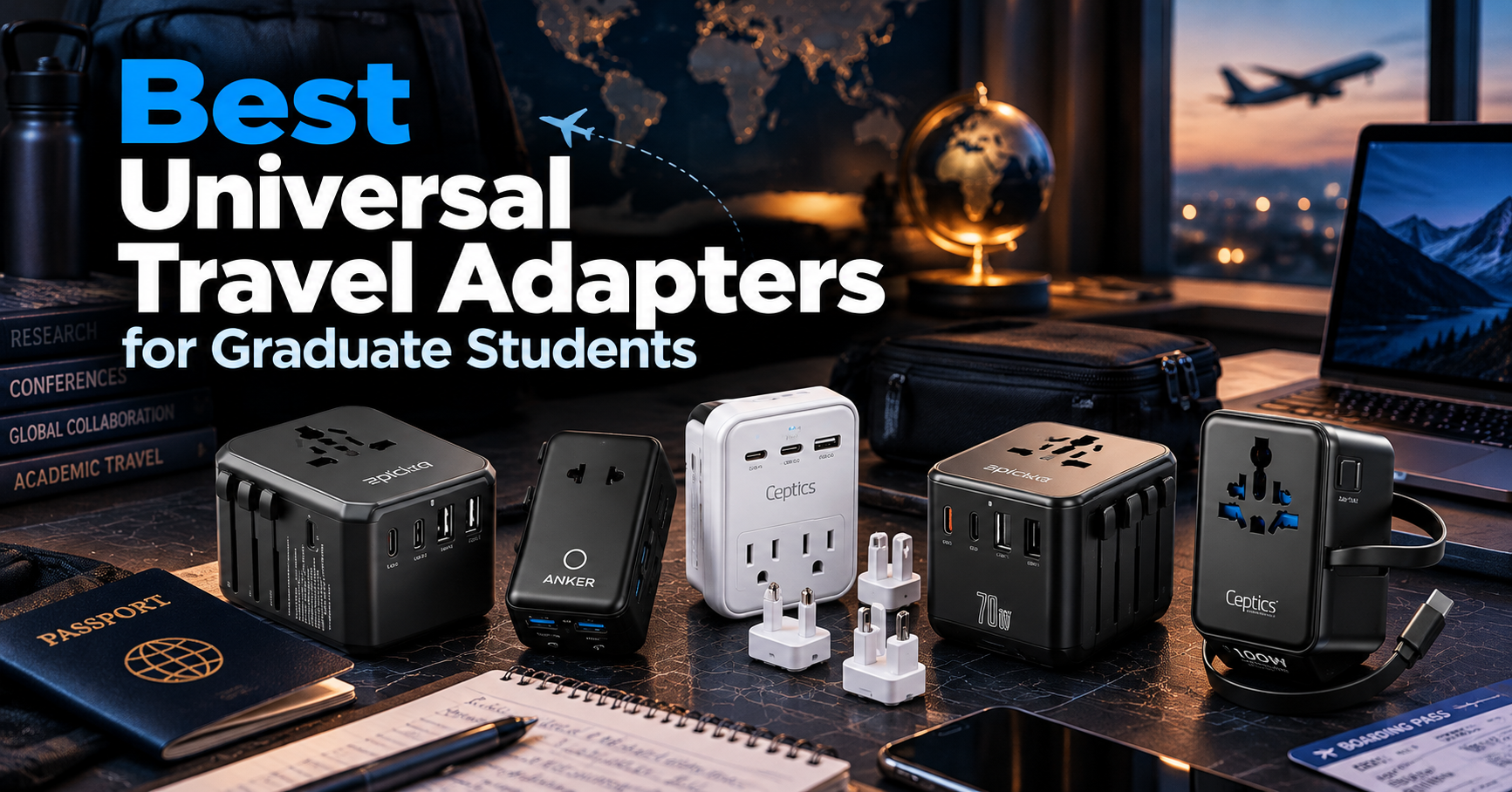
International conferences, research exchanges, and study-abroad programs often require graduate students to travel with laptops, smartphones, and other electronic devices.
A universal travel adapter can simplify charging abroad by supporting different plug types and, in some models, providing multiple USB ports.
In this guide, we compare five of the best universal travel adapters for graduate students in 2026, focusing on charging performance, portability, plug compatibility, safety considerations, and value.
As an Amazon Associate, GradToolLab earns from qualifying purchases at no additional cost to you.
Editorial note: Our recommendations are based on manufacturer specifications, publicly available product information, and practical academic use cases. We have not independently tested these products. Prices, availability, and specifications may change.
Table of Contents
1. EPICKA TA-105+ Universal Travel Adapter
BEST OVERALL
Best for: Graduate students looking for an affordable all-in-one travel adapter for international conferences, research trips, and everyday device charging.
Pros
- Affordable price compared with high-output alternatives
- Three USB-C and two USB-A ports
- Retractable plug system for multiple regions
- Built-in replaceable fuse and safety shutters
Cons
- Limited USB charging power compared with 70W and 100W models
- Not designed to replace a high-power laptop charger
- Does not convert voltage
- Not suitable for every socket or grounding requirement
The EPICKA TA-105+ earns our Best Overall recommendation because it offers a practical combination of international plug compatibility, multiple charging ports, and an affordable price.
For many graduate students, international travel does not require an expensive high-output charging system.
A typical conference trip may involve a smartphone, wireless earbuds, a tablet, and a laptop with its own power adapter.
In this situation, a travel adapter that supports several devices without occupying excessive luggage space can be particularly useful.
The TA-105+ features three USB-C ports, two USB-A ports, and one AC outlet.
This arrangement allows students to connect several compatible devices while using the AC outlet for equipment that requires a separate power supply.
For example, a graduate student attending a conference in Germany could use the USB ports for smaller electronic devices while connecting a compatible dual-voltage laptop charger through the AC outlet.
The adapter includes retractable plug configurations designed for common international socket standards.
According to EPICKA, its design supports use across more than 200 countries and regions, although compatibility must still be checked for individual destinations.
Another advantage is its built-in replaceable fuse.
The manufacturer specifies a 10A fuse alongside protective shutters and a plug-locking mechanism.
These features are useful considerations when selecting electrical accessories, although they do not remove the need to follow the product’s rated limits.
The TA-105+ also provides up to 28W of USB charging output under the manufacturer’s specified conditions.
This is adequate for many smaller electronics, but substantially less than the high-output models featured later in this guide.
Students who want to charge a USB-C laptop directly from the adapter should consider the EPICKA TA-105 Pro or Ceptics 100W model instead.
Overall, the TA-105+ offers a useful balance of everyday charging functionality and price.
The EPICKA TA-105+ is particularly suitable for graduate students who travel internationally but do not need high-power USB-C laptop charging.
Potential users include:
- Students attending international academic conferences
- Graduate students participating in short research exchanges
- Researchers who travel with smartphones and tablets
- Students who already own a compatible laptop power adapter
- Budget-conscious travelers who want multiple USB ports
Its strongest advantage is convenience.
Instead of carrying several separate phone chargers, students can use the integrated USB ports for compatible devices.
However, students should avoid assuming that the adapter can power every electronic device directly.
A laptop that requires 65W or more through USB-C will generally need its original compatible charger or a higher-output alternative.
The TA-105+ is best suited to travelers who prioritize affordability and basic charging versatility.
Model: EPICKA TA-105+
Adapter type: Universal all-in-one travel adapter
USB-C ports: 3
USB-A ports: 2
AC outlets: 1
Maximum USB charging output: 28W, according to EPICKA
International plug configurations: Type A, C, G, and I
Fuse: Replaceable 10A fuse
Voltage conversion: Not supported
Best suited for: Smartphones, tablets, small USB accessories, and compatible AC-powered chargers
The adapter is designed for common international travel scenarios.
However, students should verify the plug type used at their destination before purchasing.
The presence of a universal AC socket also does not guarantee that every grounded device will maintain a protective earth connection.
Students using equipment that requires grounding should verify the complete adapter and outlet configuration.
The TA-105+ does not convert voltage.
Any AC-powered device connected through the adapter must support the voltage and frequency available at the destination.
2. Anker Nano Travel Adapter 20W
BEST COMPACT
Best for: Graduate students who want a slim, lightweight travel adapter for smartphones, tablets, and compact electronic accessories.
Pros
- Compact design for travel bags and organizer pouches
- Two USB-C and two USB-A ports
- Up to 20W output from one USB-C port
- Simple all-in-one international plug system
Cons
- USB output drops to 15W shared when multiple ports are used
- Not suitable for high-power USB-C laptop charging
- No voltage conversion
- Two-pin design is unsuitable for devices requiring protective grounding
The Anker Nano Travel Adapter is our Best Compact recommendation because it focuses on portability while retaining useful charging functionality.
Graduate students often travel with more electronic accessories than expected.
A laptop, smartphone, wireless earbuds, portable SSD, and presentation equipment can quickly fill a backpack.
For these travelers, reducing the size of charging accessories can make packing more convenient.
The Anker Nano Travel Adapter measures approximately 3.39 × 1.97 × 0.98 inches and weighs approximately 3.77 ounces.
Its relatively slim design makes it easier to store in a compact electronics organizer than many bulkier travel adapters.
Despite its small size, the adapter includes two USB-C ports, two USB-A ports, and one AC outlet.
The primary USB-C port supports up to 20W when used individually.
This is useful for charging compatible smartphones and smaller USB-C devices.
However, an important limitation is its power-sharing behavior.
When two or more USB ports are used simultaneously, the combined USB output is limited to 15W.
For example, connecting a smartphone and tablet at the same time does not provide 20W to each device.
Instead, both devices share the available output.
This distinction matters when comparing the Nano with higher-output alternatives.
A 20W maximum rating may sound sufficient for casual charging, but it is not equivalent to a 65W or 100W laptop charger.
Students planning to charge a laptop through the AC outlet can use a separate compatible power adapter, provided the electrical ratings and grounding requirements are satisfied.
Another notable consideration is the adapter’s two-pin connection design.
Devices requiring a protective earth connection should not be connected through an adapter that cannot maintain the required grounding.
For graduate students who prioritize compact travel accessories and mainly charge small devices, the Anker Nano offers a practical solution.
The Anker Nano Travel Adapter is well suited to graduate students who want to minimize their travel accessories.
It is especially appealing for:
- Short international conference trips
- Study-abroad travel with limited luggage
- Students carrying compact laptop backpacks
- Travelers who primarily charge smartphones and earbuds
- Researchers who prefer lightweight accessories
Consider a student traveling abroad for a three-day conference.
Their electronics may include a smartphone, wireless earbuds, a laptop, and a smartwatch.
The Nano provides USB ports for smaller devices while allowing a compatible power adapter to be connected through its AC outlet.
However, the limited shared USB output makes it less attractive for charging multiple power-hungry devices simultaneously.
Students who frequently travel with a high-power USB-C laptop may prefer the EPICKA TA-105 Pro or Ceptics 100W model.
Model: Anker A9215
Adapter type: Compact universal travel adapter
Dimensions: Approximately 3.39 × 1.97 × 0.98 inches
Weight: Approximately 3.77 ounces
USB-C ports: 2
USB-A ports: 2
AC outlets: 1
USB-C1 output: Up to 20W
USB-C2 output: Up to 15W
USB-A output: Up to 12W per port when used individually
Multiple USB ports: 15W shared maximum
International plug configurations: Type A, C, G, and I
Voltage conversion: Not supported
The adapter is intended for common international plug configurations.
However, its charging capabilities depend on the number of devices connected.
When several USB ports are in use, their shared power limit can substantially reduce charging performance.
Students should also note that the AC outlet’s electrical rating is separate from the 20W USB charging specification.
The adapter’s AC outlet does not convert the destination country’s voltage.
For a compatible laptop charger, the label should indicate support for the local electrical supply, commonly through an input range such as 100–240V AC.
Devices requiring protective grounding should not be used through the Nano’s two-pin connection.
3. Ceptics World-Way 6 Travel Adapter Kit 35W
BEST SWAPPABLE PLUG KIT
Best for: Graduate students who want interchangeable travel plugs, two AC outlets, and a grounded connection for compatible international travel setups.
Pros
- Interchangeable plug system for different destinations
- Two North American AC outlets
- Up to 35W USB-C Power Delivery
- Grounded design for compatible plug configurations
- Includes a travel case
Cons
- Multiple plug attachments require additional organization
- Less convenient than a single retractable-plug adapter
- 35W USB-C output may be insufficient for some laptops
- Grounding and plug compatibility still require destination-specific checks
The Ceptics World-Way 6 Travel Adapter Kit earns our Best Swappable Plug Kit recommendation because it uses a different approach to international plug compatibility.
Most universal travel adapters rely on retractable plugs built into a single housing.
This design is convenient, but it is not ideal for every travel situation.
The Ceptics kit instead uses interchangeable plug attachments that can be selected according to the destination.
For graduate students traveling between multiple countries, this provides a flexible alternative to conventional all-in-one adapters.
One important advantage is the presence of two North American AC outlets.
A graduate student may need to connect a laptop charger and another compatible electronic device simultaneously.
Having two outlets can reduce the need to alternate between devices.
However, both outlets remain subject to the adapter’s electrical ratings.
The manufacturer also specifies a grounded connection for the supported configurations.
This is particularly relevant for users whose devices require protective grounding.
Nevertheless, students should verify that the selected plug attachment and destination outlet provide an appropriate earth connection before connecting grounded equipment.
Another useful feature is USB-C Power Delivery charging.
The kit supports up to 35W through its designated USB-C PD output under the specified single-output conditions.
This is suitable for some smaller USB-C devices and lower-power laptops.
However, students whose laptops require 65W, 90W, or more should not assume that 35W will provide normal charging performance.
The kit also includes a USB-A port, additional USB-C connectivity, and an attached USB-C cable.
These options help accommodate different electronic accessories.
The main disadvantage is the need to manage separate plug attachments.
Unlike a retractable universal adapter, the Ceptics kit requires students to select and carry the appropriate attachment.
However, this design may appeal to travelers who prefer dedicated plug configurations and multiple AC outlets.
The Ceptics World-Way kit is particularly suitable for graduate students who travel with several AC-powered devices.
Potential applications include:
- International research conferences
- Academic exchanges across multiple countries
- Extended study-abroad programs
- Research trips involving multiple charging accessories
- Travel setups requiring compatible grounded AC connections
For example, a graduate student participating in an international collaboration may travel with a laptop, external display accessories, and multiple chargers.
The Ceptics kit offers flexibility when those devices use compatible North American plugs.
Students should still verify the electrical ratings of every connected device.
Another advantage is the travel case, which can help keep the interchangeable plug attachments organized.
However, the kit may be unnecessarily complicated for travelers who only need to charge a smartphone.
For simple international trips, an all-in-one adapter such as the EPICKA TA-105+ may be more convenient.
Model: Ceptics World-Way WPS-3C
Adapter type: Interchangeable international plug kit
Plug system: Six interchangeable attachments
AC outlets: Two North American-style outlets
USB-A ports: 1
USB-C connectivity: USB-C ports and attached USB-C cable
Maximum USB-C PD output: 35W under specified single-output conditions
Grounding: Supported through compatible configurations
Additional features: Voltage indicator and manufacturer-specified surge protection
Travel accessories: Carrying case
Voltage conversion: Not supported
The interchangeable system is designed for travel across multiple countries.
However, students should verify the appropriate plug attachment for each destination.
The kit’s grounded design is a significant advantage over some two-pin travel adapters, but the complete connection must maintain protective grounding where required.
The manufacturer also specifies surge protection, but users should not treat this as a guarantee against every electrical disturbance.
Another important consideration is USB-C power distribution.
Although the device supports 35W USB-C PD charging, connecting multiple USB devices can change the available output.
Students should check the manufacturer’s power-allocation specifications before connecting several devices simultaneously.
4. EPICKA TA-105 Pro 70W
BEST FOR LAPTOP CHARGING
Best for: Graduate students who want a travel adapter capable of directly charging compatible USB-C laptops during international research trips.
Pros
- Up to 70W USB-C Power Delivery output
- Three USB-C and two USB-A ports
- GaN charging technology
- Multiple international plug configurations
- Built-in replaceable fuse
Cons
- More expensive than basic travel adapters
- Maximum USB-C output decreases when multiple ports are used
- Not sufficient for every high-power laptop
- Does not convert voltage
The EPICKA TA-105 Pro is our Best for Laptop Charging recommendation because it combines international plug compatibility with higher USB-C charging performance.
For graduate students, a laptop is often the most important electronic device during a research trip.
Conference presentations, research documents, programming environments, and experimental data may all depend on having a reliably charged computer.
While basic travel adapters can power a separate laptop charger through an AC outlet, higher-output models offer another option.
The TA-105 Pro supports up to 70W USB-C Power Delivery through its primary USB-C port.
This allows it to charge compatible USB-C laptops directly without requiring a separate laptop power brick.
For example, a graduate student whose laptop normally uses a 65W USB-C charger may be able to use the TA-105 Pro as their primary travel charging accessory, provided the laptop and charging cable are compatible.
However, charging compatibility depends on more than the maximum wattage.
The laptop must support USB-C Power Delivery, and the charger must provide an appropriate voltage and current profile.
Students should verify these requirements before leaving their original charger at home.
Another advantage is the inclusion of three USB-C ports and two USB-A ports.
This provides flexibility for charging smartphones, earbuds, tablets, and other compatible devices.
However, the adapter does not provide 70W independently from every USB-C port.
According to EPICKA, the primary USB-C port supports up to 70W when used alone.
When the primary USB-C port is used alongside other USB outputs, its available output can decrease.
For example, the manufacturer’s stated combined-output configuration includes 45W for the primary USB-C port and 15W shared by additional ports.
This distinction is important for students who expect to charge a laptop and several accessories simultaneously.
The TA-105 Pro also uses GaN technology, which supports a compact high-output charging design.
Overall, it offers a practical option for students who want to reduce the number of charging accessories in their travel bag.
The EPICKA TA-105 Pro is particularly suitable for graduate students who rely heavily on USB-C laptops.
Potential users include:
- Students presenting research at international conferences
- Researchers conducting programming or data analysis abroad
- Graduate students traveling with USB-C laptops and tablets
- People who want to reduce the number of separate charging adapters
- Students who need higher USB-C output than basic travel adapters provide
Consider a graduate student attending a week-long international research workshop.
They may need to use their laptop throughout the day for presentations, data processing, and communication.
At the hotel, the TA-105 Pro can provide direct USB-C charging for a compatible laptop while also supporting additional devices.
However, students using laptops that require substantially more than 70W should check whether the adapter can maintain adequate charging performance.
For high-power workstations and certain gaming laptops, a dedicated charger may still be necessary.
Model: EPICKA TA-105 Pro
Adapter type: GaN universal travel adapter
Maximum USB-C output: 70W through USB-C1
USB-C ports: 3
USB-A ports: 2
AC outlets: 1
Combined USB output: Depends on the connected ports
Example combined output: 45W + 15W under the manufacturer’s specified configuration
International plug configurations: Type A, C, G, and I
Fuse: Replaceable 10A fuse
Weight: Approximately 8.32 ounces
Voltage conversion: Not supported
The TA-105 Pro offers considerably more USB charging power than the EPICKA TA-105+.
However, buyers should distinguish the 70W maximum USB-C output from the AC outlet’s electrical rating.
The AC outlet does not transform the voltage supplied by the wall.
Students must verify that any connected AC-powered equipment supports the destination’s voltage and frequency.
Another important consideration is cable compatibility.
To obtain higher USB-C charging power, students need a suitable USB-C cable that supports the required current.
The manufacturer’s stated output also depends on how many charging ports are used simultaneously.
5. Ceptics GaN Universal Travel Adapter 100W
BEST HIGH-POWER
Best for: Graduate students who want high-output USB-C laptop charging and a built-in retractable cable for international travel.
Pros
- Up to 100W USB-C output through the retractable cable
- Built-in USB-C cable reduces the need to carry a separate cable
- Two additional USB-C and two USB-A ports
- Two AC input sockets
- Supports common international plug standards
Cons
- Higher price than basic travel adapters
- Additional USB-C ports have lower individual power limits
- Maximum USB-C output depends on the charging configuration
- Not a voltage converter
The Ceptics 100W Universal Travel Adapter earns our Best High-Power recommendation because it combines higher USB-C charging output with a retractable cable.
For graduate students who travel with laptops, having a reliable charging setup is essential.
Some laptops require more power than typical smartphone chargers can provide.
A travel adapter that supports higher USB-C output can therefore be useful for students who want to minimize their charging accessories without sacrificing compatibility.
The Ceptics model includes a built-in retractable USB-C cable rated for up to 100W under the manufacturer’s specified conditions.
This is its most distinctive feature.
Instead of packing a separate USB-C cable for laptop charging, students can use the integrated cable when connecting a compatible device.
For example, a graduate student traveling to an international conference may carry a laptop, smartphone, and wireless earbuds.
The built-in cable can support compatible laptop charging, while the remaining USB ports provide additional charging options.
However, users should understand that the adapter’s ports do not all provide 100W.
According to Ceptics, the retractable cable supports up to 100W.
The additional USB-C ports are rated for up to 15W individually, while the USB-A ports are rated for up to 12W individually.
Students should therefore connect a laptop requiring higher USB-C output through the appropriate cable rather than assuming that every USB-C port provides the same performance.
Another advantage is the inclusion of two AC input sockets.
This provides additional flexibility for compatible charging equipment.
However, users must respect the adapter’s total electrical rating and the requirements of the destination’s electrical system.
The integrated cable also introduces a practical consideration.
Although it reduces the need to carry a separate cable, damage to the built-in cable may be less convenient than replacing an ordinary detachable USB-C cable.
Students who prefer easily replaceable charging cables may find the EPICKA TA-105 Pro more appealing.
Nevertheless, the combination of 100W USB-C output and integrated cable storage makes the Ceptics a strong choice for high-power travel charging.
The Ceptics 100W model is particularly suitable for graduate students who travel with power-hungry USB-C devices.
Potential users include:
- Researchers traveling with higher-power USB-C laptops
- Students who want fewer separate charging accessories
- Graduate students attending international conferences
- People carrying laptops, tablets, and smartphones
- Travelers who want a built-in charging cable
The retractable cable is particularly useful for students who want to simplify their electronics organizer.
For example, a student preparing for a conference may already need to pack HDMI adapters, USB-C hubs, external storage, and presentation accessories.
Reducing the number of separate cables can make that setup easier to manage.
However, students should not assume that every laptop can be charged at 100W.
Compatibility depends on the laptop’s charging requirements and the adapter’s supported USB-C Power Delivery profiles.
For laptops that require proprietary charging connectors or unusually high power, the original charger may still be necessary.
Model: Ceptics UP-100KU-WC
Adapter type: GaN universal travel adapter
Maximum USB-C cable output: 100W
Retractable USB-C cable: Built in
Additional USB-C ports: 2
USB-A ports: 2
AC input sockets: 2
Additional USB-C port output: Up to 15W per port individually
USB-A output: Up to 12W per port individually
International plug configurations: Type A, C, G, and I
Fuse: Replaceable 10A fuse
Voltage conversion: Not supported
The integrated USB-C cable is the primary reason to choose this model over lower-output alternatives.
However, students should remember that the 100W rating refers to the designated USB-C cable under supported conditions.
The total charging arrangement and connected devices can influence actual performance.
The adapter also supports common international plug configurations, but this does not guarantee compatibility with every electrical socket worldwide.
Students should verify destination-specific plug requirements, electrical ratings, and grounding compatibility.
As with the other travel adapters in this guide, the Ceptics does not convert voltage.
How to Choose a Universal Travel Adapter
Choosing the right universal travel adapter involves more than comparing the number of USB ports or the maximum charging wattage.
For graduate students traveling internationally, an adapter must be compatible with the destination’s electrical system while providing enough charging capacity for the devices they plan to carry.
A student attending a short academic conference may only need to charge a smartphone and laptop.
A researcher participating in a longer international exchange may need to connect several devices, including tablets, cameras, external storage accessories, and laboratory-related electronics.
Before purchasing a travel adapter, consider the following factors.
1. Check the Plug Types Used at Your Destination
The first step is identifying the plug and socket standards used in the country you plan to visit.
Different regions use different electrical plug configurations.
For example, the United States and Japan commonly use Type A plugs, while the United Kingdom uses Type G.
Many continental European countries use Type C, E, or F configurations, depending on the country and equipment.
Australia commonly uses Type I.
Universal travel adapters typically support several of these configurations through retractable or interchangeable plugs.
However, the term “universal” does not guarantee compatibility with every outlet.
Some countries use multiple socket standards, and certain plug types may not be supported by a standard four-configuration adapter.
For example, some destinations require Type D, J, or M plugs that may need separate adapters.
Before traveling, check the socket types used at your destination, including any special requirements at the university, hotel, or research facility.
Students traveling to several countries should consider whether one universal adapter can accommodate the complete itinerary.
2. Understand the Difference Between Travel Adapters and Voltage Converters
This is one of the most important considerations when purchasing a travel adapter.
A travel adapter changes the physical plug connection. It does not normally convert voltage.
Different countries use different electrical supply voltages.
For example, the United States commonly uses approximately 120V, while many European countries use approximately 230V.
A universal travel adapter allows a compatible plug to fit a foreign outlet, but it does not automatically change the supplied voltage.
Before connecting an electrical device, check its input rating.
Many modern laptop chargers and smartphone power adapters support a wide input range, often labeled:
INPUT: 100–240V AC, 50/60Hz
Devices with this rating can generally operate across the specified voltage and frequency range.
However, not all electrical products are designed for international use.
Some hair dryers, electric shavers, household appliances, and specialized electronic devices may support only a limited voltage range.
Connecting an incompatible device to a higher-voltage supply can damage the equipment and create safety hazards.
For graduate students traveling with laptops, the safest approach is to verify the input specifications of the laptop charger and every other AC-powered device before departure.
The same principle applies to laboratory equipment.
Research devices may have specialized power requirements that cannot be satisfied by an ordinary travel adapter.
Do not connect laboratory or measurement equipment abroad without confirming its electrical compatibility and any institutional safety requirements.
3. Compare USB-C Charging Power
USB-C charging performance varies substantially between travel adapters.
In this guide, the selected products range from compact low-output models to adapters capable of delivering up to 100W through a designated USB-C connection.
However, a higher wattage rating does not automatically mean that an adapter is better for every traveler.
The required charging power depends on the device.
For smartphones and small accessories, a 20W USB-C connection may be sufficient.
Some tablets and compact laptops can use 30W or 45W chargers.
Many laptops require 65W or more for normal charging performance.
Higher-performance laptops may require substantially more power.
Students should check the power requirements of their specific laptop rather than relying on general device categories.
A laptop that normally uses a 100W charger may charge slowly or lose battery capacity during demanding workloads when connected to a substantially lower-output adapter.
Conversely, purchasing a 100W adapter may provide little benefit if the student only needs to charge a smartphone and wireless earbuds.
Our recommendation is to identify the highest-power device you intend to charge directly through USB-C.
Then select an adapter that supports the required charging protocol, voltage profile, and power level.
4. Understand Single-Port and Multi-Port Power Distribution
One of the most common misunderstandings about USB chargers involves maximum output ratings.
A travel adapter advertised as 70W does not necessarily provide 70W from every USB-C port.
Similarly, connecting several devices may reduce the available power per port.
For example, the Anker Nano Travel Adapter supports up to 20W through its primary USB-C port when used individually.
However, when multiple USB charging ports are used simultaneously, their total shared output is limited to 15W.
The EPICKA TA-105 Pro supports up to 70W through its primary USB-C port under single-port conditions.
When additional USB ports are used, the manufacturer’s specified power distribution may reduce the primary port’s available output.
This distinction matters for graduate students who want to charge a laptop, smartphone, and tablet simultaneously.
A charger that provides adequate power to a laptop when used alone may provide less power when several other devices are connected.
Before purchasing, review the manufacturer’s output-allocation information.
Pay particular attention to whether the advertised maximum refers to one port, combined USB output, or the adapter’s AC outlet rating.
These figures represent different electrical capabilities and should not be treated as interchangeable.
5. Consider Whether You Need a Grounded Adapter
Grounding is another important safety consideration.
Some electronic devices use a protective earth connection to reduce the risk of electric shock under certain fault conditions.
A travel adapter that accepts a three-prong plug does not necessarily provide a continuous protective earth connection.
This is particularly important when using equipment with grounded power supplies.
For example, some laptop chargers and research equipment use three-prong AC plugs.
If the equipment requires protective grounding, the travel adapter and destination outlet must provide an appropriate grounded connection.
The Ceptics World-Way Adapter Kit is designed to support grounded connections through compatible plug configurations.
However, users must still confirm that the selected attachment and destination outlet provide the required connection.
Two-pin travel adapters should not be used to defeat the protective grounding requirements of an electrical device.
Students who are uncertain about their equipment’s grounding requirements should consult the manufacturer or a qualified electrical professional.
For laboratory equipment, institutional electrical safety procedures should take priority over convenience.
6. Think About Portability and Packing Space
Graduate students traveling internationally often have limited luggage space.
A conference trip may require a laptop, research documents, professional clothing, presentation accessories, and personal belongings.
Choosing compact charging accessories can make packing easier.
The Anker Nano Travel Adapter is particularly appealing for students who prioritize portability.
Its slim design is intended to fit into smaller travel bags and electronics organizers.
However, compact size can involve compromises in charging performance.
Students who need direct laptop charging may prefer a larger model with higher USB-C output.
The Ceptics 100W adapter provides another approach by integrating a retractable USB-C cable.
This can reduce the number of separate cables required for travel.
For students carrying several small electronic accessories, our guide to the best tech organizer bags for graduate students explores ways to keep chargers, cables, and adapters organized.
Our best laptop backpacks for graduate students guide also covers carrying options for academic travel.
When evaluating portability, consider the total charging setup rather than only the dimensions of the travel adapter.
A slightly larger adapter that replaces several separate chargers may reduce the amount of equipment you need to pack.
7. Consider the Number of AC Outlets
Most compact universal travel adapters include one AC outlet.
This is sufficient for many students who only need to connect a laptop charger.
However, travelers carrying several AC-powered devices may benefit from additional outlets.
For example, a student may want to connect a laptop charger and another compatible power adapter at the same time.
The Ceptics World-Way kit provides two North American-style AC outlets.
The Ceptics 100W model also offers two AC input sockets.
However, additional outlets do not increase the electrical capacity of the wall connection.
Every connected device contributes to the total electrical load.
Students should check the adapter’s current and power ratings and avoid exceeding the manufacturer’s limits.
High-power appliances such as electric kettles, heaters, and hair dryers require particular caution.
Even if an appliance’s plug physically fits, the adapter may not be suitable for its electrical requirements.
8. Check Safety Features and Product Ratings
Electrical safety should be a priority when selecting a travel adapter.
Useful features may include replaceable fuses, protective shutters, secure plug-locking mechanisms, and clearly stated electrical ratings.
However, the presence of these features does not guarantee that every possible electrical hazard is eliminated.
Students should purchase from reputable sellers and verify the manufacturer’s documentation.
Before using an adapter, inspect it for visible damage, loose components, or signs of overheating.
Do not use an adapter with damaged pins, exposed wiring, or an unstable connection.
Avoid overloading the adapter or connecting equipment that exceeds its stated limits.
Another consideration is the quality of the wall connection.
In some hotels or older buildings, electrical sockets may be worn or positioned in ways that make bulky adapters difficult to support.
If an adapter cannot maintain a secure connection, use an alternative outlet or appropriate equipment.
For research travel, electrical safety is more important than charging convenience.
9. Plan Your Complete Charging Setup
A travel adapter is only one component of an international charging setup.
Students should also consider their laptop’s charging cable, external accessories, and portable power needs.
For example, a graduate student traveling to an overseas conference may carry a USB-C laptop, smartphone, wireless earbuds, and external SSD.
A suitable charging arrangement could include a high-output universal travel adapter, compatible USB-C cables, and a laptop power bank for use away from wall outlets.
Our guide to the best laptop power banks for graduate students explores portable charging options for conferences, libraries, and research travel.
However, a laptop power bank and a universal travel adapter serve different purposes.
A power bank stores energy for use away from an outlet.
A travel adapter allows compatible equipment to connect to different international wall sockets.
For students working with several computer accessories, our guide to the best USB-C hubs for graduate students discusses another important part of a portable workstation.
Our best desktop USB-C charging stations for graduate students guide may also be useful for organizing charging equipment in a permanent study environment.
The goal is to avoid carrying unnecessary equipment while ensuring that every essential device can be charged safely.
Do You Really Need a Universal Travel Adapter?
Not every graduate student needs a universal travel adapter.
The answer depends on where you are traveling, which electronic devices you carry, and whether those devices are compatible with the destination’s electrical system.
For a student traveling to several countries with different plug standards, a universal travel adapter can be convenient.
Instead of purchasing separate adapters for every destination, one device may support several common socket configurations.
However, a universal adapter is not always the most practical solution.
When a Universal Travel Adapter Makes Sense
A universal travel adapter is particularly useful for graduate students who regularly travel internationally.
Potential situations include attending research conferences in different countries, participating in international academic collaborations, studying abroad, or joining overseas research programs.
For example, a student may travel to Germany for a conference and later visit the United Kingdom for a research exchange.
These destinations use different electrical plug configurations.
A suitable universal adapter can simplify preparation by supporting several common international standards.
Adapters with integrated USB charging also allow students to reduce the number of separate charging accessories.
However, travelers should still verify compatibility for each destination.
When a Country-Specific Adapter May Be Better
Students traveling to only one country may not need a universal model.
For example, if a graduate student plans to spend an entire semester in a country with a specific socket standard, a dedicated country-specific adapter may be simpler.
A suitable country-specific adapter may also be preferable when equipment requires protective grounding or when a specialized plug standard is involved.
Another consideration is durability.
A simple adapter without retractable components may be easier to use in some permanent setups.
However, product quality varies, so the absence of moving parts does not automatically guarantee better reliability.
The appropriate choice depends on the destination, equipment, and required electrical connections.
Can You Use Your Existing Laptop Charger Abroad?
Many modern laptop chargers support international voltage ranges.
If a charger’s input label states 100–240V AC and 50/60Hz, it is generally designed to operate across those electrical conditions.
However, the physical plug may still be incompatible with the destination’s outlet.
In that situation, a suitable travel adapter or manufacturer-approved alternative power cord may be needed.
Students should also verify grounding requirements.
A compatible input-voltage rating does not mean that every travel adapter is suitable for the charger.
Before traveling, check the exact charger model and follow its manufacturer’s instructions.
Should You Buy a 70W or 100W Travel Adapter?
Higher-output travel adapters can be useful for students who want to charge laptops directly through USB-C.
However, the appropriate wattage depends on the laptop.
For example, a student whose laptop supports 65W USB-C charging may benefit from a 70W adapter.
A student using a laptop that requires closer to 100W may prefer a compatible 100W model.
However, charging performance also depends on the supported USB-C Power Delivery profiles and the power distribution between ports.
A 100W maximum rating does not guarantee that every connected laptop will receive 100W.
Students who already own a compatible international laptop charger may not need a high-output travel adapter at all.
In that case, a simpler adapter may provide better value.
A Practical Recommendation for Graduate Students
Before purchasing, list the electronic devices you expect to carry on your next international trip.
Identify which devices require AC power and which can charge directly through USB.
Then check the electrical requirements of each device.
If your primary needs are smartphone charging and connecting an existing laptop charger, a basic universal adapter may be sufficient.
If you want to charge a compatible laptop directly through USB-C, a 70W or 100W model may provide additional convenience.
If grounding is required, prioritize a solution that maintains the necessary protective earth connection.
The best travel adapter is not simply the one with the most ports or highest advertised wattage. It is the one that safely supports your specific equipment and destination.
Frequently Asked Questions
1. What is the best universal travel adapter for graduate students?
Our Best Overall recommendation is the EPICKA TA-105+ Universal Travel Adapter.
It offers a combination of affordability, multiple USB ports, and international plug compatibility suitable for many ordinary travel situations.
However, students who need direct USB-C laptop charging may prefer the EPICKA TA-105 Pro 70W or Ceptics 100W model.
The best choice depends on the devices you intend to charge.
2. Do universal travel adapters work in every country?
Not necessarily.
Many universal travel adapters support common plug types used across numerous countries and regions.
However, some destinations use socket standards that are not supported by typical all-in-one models.
Students should verify the plug types used at their destination before purchasing.
3. Can a universal travel adapter charge a laptop?
Yes, but compatibility depends on the charging method.
A travel adapter’s AC outlet can accommodate a compatible laptop charger, provided the electrical ratings and grounding requirements are satisfied.
Some higher-output models can also charge compatible laptops directly through USB-C Power Delivery.
However, not every USB-C port supports laptop-level charging power.
4. Do universal travel adapters convert voltage?
No.
The travel adapters featured in this guide do not convert AC voltage.
They provide physical plug compatibility and, in some cases, integrated USB charging.
Any AC-powered device must support the destination’s voltage and frequency.
Students should check the input specifications before connecting equipment.
5. Is a 20W travel adapter enough for a laptop?
Usually not for normal charging of laptops that require substantially more power.
A 20W USB-C output is more appropriate for smartphones and smaller electronic accessories.
Some low-power devices may accept 20W charging, but students should verify their specific laptop’s requirements.
For laptops that normally use 65W or higher chargers, a suitable higher-output model is generally preferable.
6. What is the difference between a 70W and 100W travel adapter?
The main difference is the maximum supported USB charging output under the manufacturer’s specified conditions.
A 100W model can provide more power than a 70W model when used with compatible devices and cables.
However, actual charging performance depends on the available power profiles and the number of connected devices.
Students should compare the detailed charging specifications rather than relying only on the advertised maximum.
7. Can I charge several devices simultaneously?
Many universal travel adapters include multiple USB ports and AC outlets.
However, simultaneous charging may reduce the power available to individual USB devices.
For example, an adapter with a 20W maximum single-port output may provide less total power when multiple USB ports are used.
Always check the manufacturer’s power-sharing specifications.
8. Can I use a universal travel adapter with a hair dryer?
Only if the travel adapter and hair dryer are electrically compatible and the manufacturer permits that use.
Hair dryers can consume substantial electrical power.
Many models are also designed for a limited voltage range.
A universal travel adapter does not convert voltage, and some adapters prohibit high-power heating appliances.
Students should verify the appliance’s input voltage, power requirements, and the adapter’s stated limits before use.
9. Are universal travel adapters allowed on airplanes?
Ordinary travel plug adapters without batteries are generally different from lithium-ion power banks.
However, airline and airport security rules can vary by jurisdiction and operator.
Students should verify any applicable restrictions before traveling, especially when carrying additional electrical equipment.
For battery-powered devices, consult the airline’s specific lithium battery policies.
10. Are universal travel adapters safe for expensive electronics?
A properly designed adapter used within its stated electrical limits can be suitable for compatible electronics.
However, safety depends on the adapter, electrical supply, grounding configuration, and connected equipment.
Students should purchase from reputable manufacturers and avoid using damaged or overloaded adapters.
For devices requiring protective grounding, confirm that the complete connection maintains the required earth connection.
11. Do I need a separate laptop charger if my travel adapter has USB-C?
Not necessarily.
If the travel adapter provides sufficient USB-C Power Delivery output and supports the laptop’s required charging profiles, it may replace a separate USB-C charger.
However, some laptops use proprietary connectors or require more power than the travel adapter can provide.
Students should confirm compatibility before relying on a travel adapter as their only laptop charger.
12. Which travel adapter is best for international conferences?
The best choice depends on the electronics carried.
For smartphones and smaller accessories, the EPICKA TA-105+ or Anker Nano may be sufficient.
For students who want to charge compatible laptops directly through USB-C, the EPICKA TA-105 Pro 70W and Ceptics 100W provide higher-output alternatives.
Students carrying compatible grounded equipment may prefer a suitable grounded adapter kit.
Final Verdict: Which Universal Travel Adapter Should Graduate Students Buy?
A reliable travel adapter is a practical accessory for graduate students who attend international conferences, participate in research exchanges, or study abroad.
However, not every traveler needs the same charging capabilities.
For most students who want an affordable and versatile option, the EPICKA TA-105+ Universal Travel Adapter is our Best Overall recommendation.
Its three USB-C ports, two USB-A ports, and international plug configurations make it suitable for many everyday travel scenarios.
The Anker Nano Travel Adapter 20W is our recommendation for students who prioritize portability.
Its compact design makes it particularly appealing for short trips and lightweight travel setups.
However, its limited shared USB output makes it less suitable for charging multiple high-power devices.
For students who prefer interchangeable plug attachments and need compatible grounded connections, the Ceptics World-Way 6 Adapter Kit offers a different approach.
Its two North American AC outlets and 35W USB-C Power Delivery support provide flexibility for certain travel setups.
The EPICKA TA-105 Pro 70W is our recommendation for students who want to charge compatible USB-C laptops directly through their travel adapter.
Its higher USB-C output makes it more suitable for laptop-focused academic workflows than basic travel adapters.
Finally, the Ceptics 100W Universal Travel Adapter is our Best High-Power recommendation.
Its retractable USB-C cable and higher maximum charging output make it particularly appealing for students who want to reduce the number of separate charging accessories.
Our Recommendations at a Glance
| Your Priority | Our Recommendation |
|---|---|
| Best overall value | EPICKA TA-105+ |
| Compact travel setup | Anker Nano 20W |
| Interchangeable plugs and compatible grounding | Ceptics World-Way 6 |
| USB-C laptop charging | EPICKA TA-105 Pro 70W |
| High-power charging with a built-in cable | Ceptics 100W |
One Final Consideration
Before purchasing a universal travel adapter, check the electrical requirements of your devices and the plug standards used at your destination.
A travel adapter cannot make an incompatible electrical appliance safe to use on a different voltage supply.
Similarly, the presence of a universal socket does not guarantee that protective grounding is maintained.
Graduate students traveling with laptops, research equipment, and other electronics should prioritize compatibility and safety over the number of charging ports.
For ordinary conference trips, a compact adapter may be sufficient.
For longer international research visits, a higher-output model or specialized plug kit may provide additional flexibility.
Choose a travel adapter that supports your actual devices, fits your travel requirements, and complies with the electrical conditions at your destination.
The best option is not necessarily the most expensive model.
It is the one that makes international academic travel more convenient without compromising electrical safety.

