
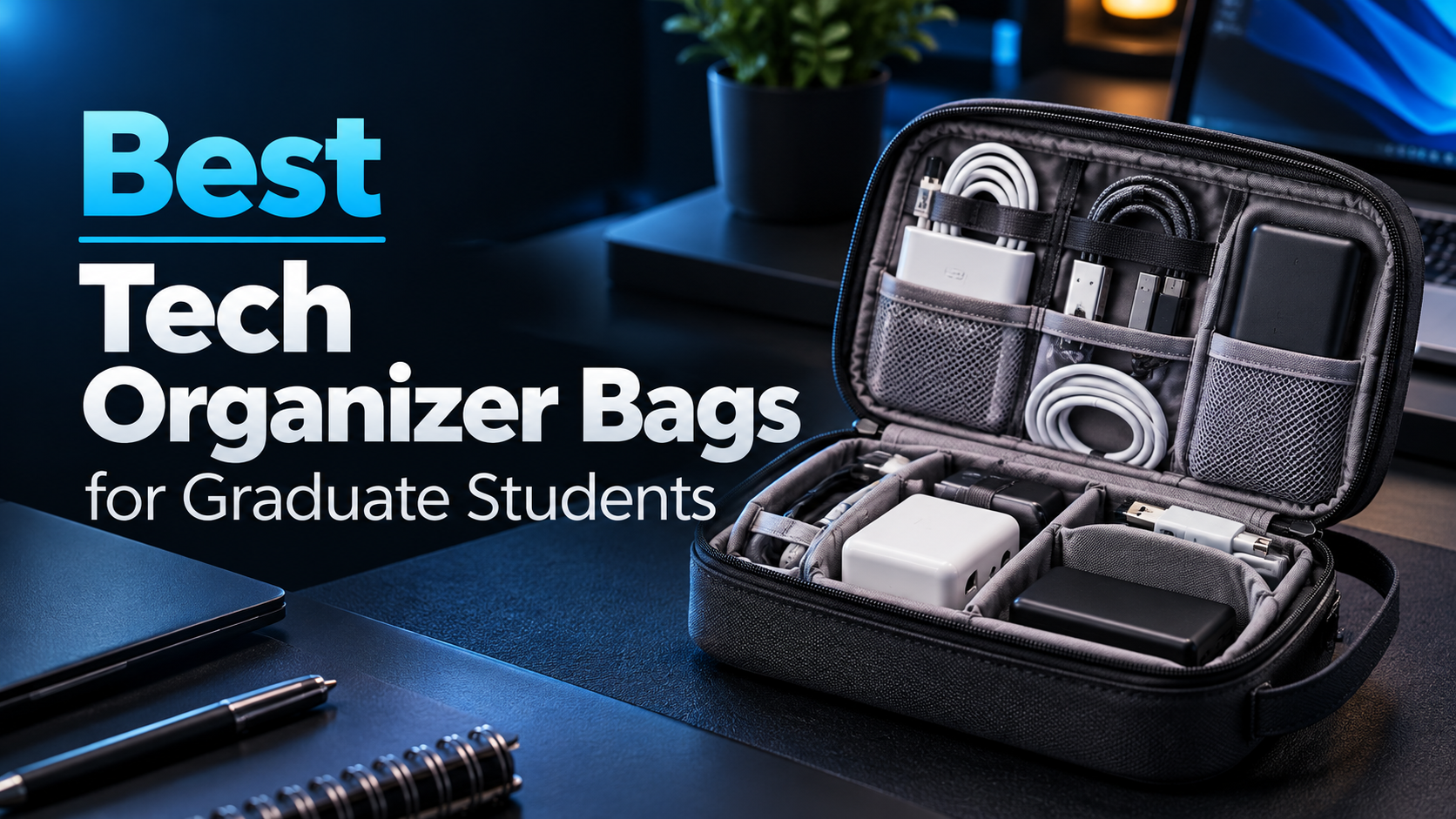
A graduate student’s backpack can quickly become a collection of tangled charging cables, USB adapters, external drives, and other small electronic accessories.
Whether you’re moving between university laboratories, studying at the library, or traveling to an academic conference, keeping these accessories organized can make your daily routine considerably easier.
Few things are more frustrating than searching through a crowded backpack for a USB-C adapter just before an important presentation.
A tech organizer bag offers a simple solution.
Also known as an electronics organizer or cable organizer pouch, these bags are designed to keep chargers, cables, storage devices, and other small accessories in dedicated compartments.
However, not every tech organizer bag is designed for the same purpose.
Some prioritize compact dimensions and affordability, making them ideal for students who carry only a few charging cables and adapters.
Others offer larger compartments for laptop chargers, power banks, external SSDs, and travel accessories.
Premium models may also feature sophisticated internal organization, weather-resistant materials, and designs that allow them to stand upright on a desk.
For graduate students, the right organizer depends on the equipment you carry and how frequently you move between workspaces.
In this guide, we compare five of the best tech organizer bags for graduate students in 2026, focusing on storage capacity, organization, portability, material quality, and overall value.
Whether you need a compact cable pouch for everyday commuting or a larger organizer for research trips, these options can help you keep your academic essentials organized.
As an Amazon Associate, GradToolLab earns from qualifying purchases at no additional cost to you.
Editorial note: This guide is based on manufacturer specifications, publicly available product information, and practical academic use cases. We have not independently tested the products featured in this comparison. Product dimensions, storage compatibility, and availability may vary by model or size.
Table of Contents
Quick Comparison: Best Tech Organizer Bags for Graduate Students
| Tech Organizer Bag | Key Feature | Best For |
|---|---|---|
| tomtoc Electronic Organizer | Spacious compartments and removable card holder | Best Overall |
| FYY Electronic Organizer | Compact dual-layer design | Best Budget |
| BAGSMART Large Electronic Organizer | Slim layout with cable loops and pockets | Best for Cable Organization |
| UGREEN Electronics Organizer Case | Compartments for chargers and larger accessories | Best for Chargers and Power Banks |
| Peak Design Tech Pouch | Origami-style pockets and premium materials | Best Premium |
Our top recommendation is the tomtoc Electronic Organizer because it offers a versatile storage layout for students who regularly carry multiple electronic accessories.
However, students who primarily need to organize charging cables may prefer the more affordable FYY or BAGSMART options.
For carrying larger chargers and power banks, the UGREEN organizer offers a different approach.
Meanwhile, the Peak Design Tech Pouch is particularly attractive for researchers who want a premium organizer that can also function as part of their desk setup.
1. tomtoc Electronic Organizer — Best Overall
Best for: Graduate students who regularly carry chargers, cables, external storage devices, and multiple accessories between workspaces.
The tomtoc Electronic Organizer is our best overall recommendation because it combines a versatile internal layout with practical features designed for everyday portability.
For graduate students who rely on several electronic accessories, keeping everything in one organized location can reduce unnecessary clutter.
The tomtoc Navigator-T13 Accessory Pouch M is designed for exactly this purpose.
Rather than functioning as a simple cable pouch, it offers dedicated storage areas for chargers, cables, portable storage devices, and other accessories.
Flexible Internal Organization
One of the most useful features of this organizer is its compartment layout.
According to tomtoc, the medium-sized Navigator-T13 provides 18 storage compartments, including mesh pockets, elastic straps, and dedicated accessory sections.
These compartments help separate different types of equipment.
For example, a graduate student could keep USB-C charging cables in one section, an external SSD in another, and smaller adapters in dedicated pockets.
The organizer also includes elastic bands designed to reduce movement inside the pouch.
Another useful feature is its removable memory card holder.
According to the manufacturer, this holder accommodates multiple SD, CF, and TF/SIM cards.
This can be particularly valuable for students working with cameras, scientific instruments, or other devices that rely on removable storage.
The medium model has a stated capacity of 2.4 liters and measures approximately 10.24 × 5.91 × 3.94 inches.
However, students should still compare these dimensions with the accessories they intend to carry.
Practical for Academic Workflows
Graduate students frequently work across multiple locations.
You might spend the morning analyzing data in a research laboratory, move to the university library to write a paper, and return home to continue working.
Carrying a laptop is straightforward, but managing the accessories that accompany it can be less convenient.
A dedicated organizer helps ensure that important equipment remains together.
For example, students working with experimental data may regularly carry portable storage devices between computers.
Keeping these devices in a dedicated compartment makes them easier to locate.
If you’re choosing a portable storage solution for academic work, our best external SSDs for graduate students guide compares options for transferring and storing research data.
Materials and Construction
The Navigator-T13 uses water-repellent polyester fabric, according to tomtoc.
The manufacturer also lists a YKK zipper and a carrying handle.
These are useful design details, although they do not guarantee that the organizer will withstand every type of physical impact or weather condition.
The pouch is designed to stand upright when opened, allowing users to access its compartments without spreading every accessory across the desk.
This can be convenient in shared laboratories, classrooms, and temporary workspaces.
Pros
- Versatile internal compartment layout
- 18 storage compartments in the medium model
- Removable memory card holder
- Space for chargers, cables, and portable drives
- Water-repellent exterior material
- Designed to stand upright when opened
Cons
- More expensive than basic cable organizers
- Larger than compact everyday pouches
- May be unnecessary for students carrying only a few cables
- Individual accessory fit depends on dimensions
Bottom Line
The tomtoc Electronic Organizer is our best overall recommendation for graduate students who carry a variety of electronic accessories.
Its combination of compartment organization, portability, and practical design makes it particularly suitable for students who move between research facilities, libraries, and home workspaces.
Check Current Price on Amazon
2. FYY Electronic Organizer — Best Budget
Best for: Students who want an affordable and compact solution for organizing everyday charging cables and small accessories.
Not every graduate student needs a large or expensive tech organizer.
If your everyday setup consists of a laptop charger, several cables, USB adapters, and a few small accessories, a compact organizer may be sufficient.
The FYY Electronic Organizer offers a practical solution without requiring a large investment.
It is particularly appealing to students who want to eliminate cable clutter while keeping their backpacks lightweight.
Compact Dual-Layer Design
The FYY Electronic Organizer features two separate storage layers.
This design allows users to divide their accessories into different sections rather than placing everything inside one large compartment.
For example, charging cables and small adapters can be stored separately from a compact mouse or charging accessory.
Mesh pockets and elastic loops help organize smaller items.
This arrangement can reduce the amount of time spent searching for accessories inside a crowded backpack.
The selected compact model measures approximately 7.5 × 4.3 × 2.2 inches.
FYY also offers larger versions, but those should not be confused with the smaller model featured in this comparison.
Suitable for Everyday University Use
The FYY organizer is especially useful for students who commute to campus regularly.
Imagine arriving at the university library and preparing your laptop for several hours of writing.
Instead of searching through your backpack for a charging cable, USB adapter, or flash drive, you can keep these items together in a small organizer.
This convenience becomes particularly valuable when moving between classrooms or shared workspaces.
The compact design also makes it suitable for students who prefer smaller backpacks or lightweight bags.
However, students carrying large laptop power adapters should carefully check the available space.
The FYY’s relatively small dimensions mean that some bulky accessories may not fit comfortably.
Material and Protection
The FYY organizer uses a coated fabric exterior and includes light internal padding.
The manufacturer markets the exterior as water-resistant or waterproof, depending on the listing.
However, this should not be interpreted as a guarantee of complete waterproof protection.
For example, a coated fabric may resist minor splashes while still allowing water to enter through seams or zippers.
Students carrying valuable electronics should keep the organizer inside a suitable backpack during heavy rain.
Why We Recommend It
The FYY stands out because it delivers the essential benefits of a tech organizer at an accessible price.
Graduate students often need to prioritize spending on computers, research equipment, textbooks, and other academic expenses.
An expensive accessory pouch may not be necessary if your primary goal is simply to organize a few cables.
The FYY offers a sensible starting point.
It also works well as a secondary organizer for accessories that are used less frequently.
For example, you could keep spare USB cables, adapters, and flash drives together in one pouch while using another organizer for everyday essentials.
Pros
- Affordable
- Compact and lightweight design
- Two separate storage layers
- Mesh pockets and elastic loops
- Suitable for cables and small accessories
- Several size options available
Cons
- Limited space in the selected compact version
- Less suitable for bulky laptop chargers
- Basic materials compared with premium alternatives
- Not designed to provide waterproof protection for submerged electronics
Bottom Line
The FYY Electronic Organizer is our best budget recommendation for graduate students who want a simple way to organize essential accessories.
For students who primarily carry charging cables, USB adapters, and other small items, it offers practical value without unnecessary complexity.
Check Current Price on Amazon
3. BAGSMART Large Electronic Organizer — Best for Cable Organization
Best for: Students who carry multiple charging cables, USB adapters, memory cards, and other small accessories.
The BAGSMART Large Electronic Organizer is designed for people who prefer keeping small accessories separated and easy to identify.
Unlike bulkier organizers with deep compartments, this model emphasizes a relatively slim layout with multiple storage pockets and elastic loops.
That makes it particularly attractive for graduate students who carry numerous cables and small computer accessories.
Organized Storage for Cables and Adapters
One of the BAGSMART organizer’s main advantages is its internal arrangement.
The selected model includes mesh pockets, elastic loops, and dedicated sections for smaller accessories.
These compartments are useful for organizing items such as USB-C cables, charging cords, flash drives, memory cards, and compact adapters.
Instead of placing several cables into one compartment, students can assign individual locations to frequently used accessories.
This can make it easier to identify missing items before leaving a laboratory or conference venue.
The organizer also opens relatively flat, allowing users to see several compartments at once.
For students who frequently connect equipment to different computers, this type of organization can be particularly useful.
A Slim Design for Backpacks
The BAGSMART Large Electronic Organizer measures approximately 10.6 × 7.5 × 1.2 inches, according to the published product specifications.
This gives it a relatively wide but shallow profile.
The advantage is that it can fit alongside other flat items in a backpack.
However, the slim construction also creates limitations.
Large charging bricks or thick power banks may not fit as comfortably as they would in a deeper organizer.
Therefore, the BAGSMART is better suited to students whose accessory collections consist mainly of cables, compact adapters, and smaller electronic items.
Practical for Students Using Multiple Devices
Graduate students often connect several accessories to their laptops.
For example, a research setup might include an external monitor, a USB-C hub, a wired network adapter, and portable storage.
Each device may require a different cable or connector.
Keeping these accessories organized can make it easier to recreate a productive workspace in different locations.
Students who regularly use USB-C expansion accessories may also find our best USB-C hubs for graduate students guide helpful when choosing equipment for their laptops.
The BAGSMART organizer can complement these accessories by keeping the necessary cables and adapters together.
Portability and Everyday Use
The relatively flat design makes this organizer suitable for daily commuting.
It can be packed alongside a laptop, notebooks, or other academic materials without requiring a separate carrying bag.
The internal elastic loops also help keep cables from moving freely inside the pouch.
However, students who need significant impact protection for expensive electronic devices should not assume that a fabric organizer provides the same protection as a dedicated hard case.
Pros
- Multiple cable loops and storage pockets
- Slim profile
- Dedicated spaces for small accessories
- Easy access to organized cables
- Practical for commuting
- Relatively affordable
Cons
- Limited depth for bulky chargers
- Less versatile for larger electronic accessories
- Not a substitute for protective equipment cases
- Storage layout favors smaller items
Bottom Line
The BAGSMART Large Electronic Organizer is our best choice for students who carry several cables and compact electronic accessories.
Its slim profile and compartment-focused design make it particularly useful for maintaining an organized daily technology setup.
Check Current Price on Amazon
4. UGREEN Electronics Organizer Case — Best for Chargers and Power Banks
Best for: Graduate students who carry larger charging accessories alongside cables and smaller electronics.
While slim cable organizers are useful for small accessories, they may not be ideal for students carrying laptop chargers or power banks.
These devices often have thicker bodies and require more flexible storage space.
The UGREEN Electronics Organizer Case offers a different approach.
The selected medium-sized model features a more substantial pouch design with divided compartments intended for charging accessories and everyday electronics.
Designed for Larger Accessories
The UGREEN organizer includes storage areas for items such as cables, adapters, power banks, and portable electronic devices.
Its internal arrangement separates smaller accessories from the main storage sections.
This is useful because placing a heavy power adapter directly against delicate cables or portable storage devices may create unnecessary pressure.
A divided layout makes it easier to organize accessories according to their size and shape.
For example, a student could use one section for a compact laptop charger and another for USB cables or a portable SSD.
However, not every laptop charger or power bank will fit.
Students should measure their largest accessories and compare them with the organizer’s internal dimensions before purchasing.
Useful for Mobile Laptop Workflows
Laptop power banks are increasingly useful for students who work away from electrical outlets.
However, carrying a power bank often means carrying additional charging cables.
A dedicated organizer can help keep these accessories together.
For students who regularly work in libraries, trains, or conference venues, this can simplify preparing their equipment.
Our best laptop power banks for graduate students guide explores portable charging solutions for compatible laptops.
Combining a suitable power bank with an appropriately sized organizer can help create a more manageable mobile workstation.
Exterior Materials and Protection
According to the Amazon product listing, the UGREEN organizer uses polyester fabric, sturdy zippers, and divided internal pockets.
The case also incorporates soft padding intended to provide a degree of protection against everyday contact and minor bumps.
However, it should not be considered equivalent to a dedicated impact-resistant hard case.
Likewise, any water-resistant construction should be treated as protection against limited moisture exposure rather than complete waterproofing.
The main advantage of this organizer is its storage layout rather than extreme protection.
Why It Stands Out
The UGREEN model occupies a useful middle ground.
It offers more room for thicker accessories than a very slim cable organizer, while remaining a dedicated electronics pouch rather than a large general-purpose bag.
For graduate students who frequently carry a laptop charger, power bank, and associated cables, this design may be more appropriate than a flat organizer.
It is also useful for students who want to separate heavier charging equipment from smaller items inside their backpacks.
Pros
- Compartments suited to various charging accessories
- Medium-sized design
- Separate storage areas for cables and smaller items
- Polyester exterior
- Practical for power banks and compatible laptop chargers
- Suitable for daily commuting and travel
Cons
- Larger than compact cable organizers
- Individual charger compatibility must be checked
- Less sophisticated internal organization than premium options
- Does not replace a dedicated protective hard case
Bottom Line
The UGREEN Electronics Organizer Case is our best recommendation for students who prioritize carrying chargers and power banks.
Its divided internal layout makes it a practical choice for organizing the charging equipment that often accompanies a laptop.
Check Current Price on Amazon
5. Peak Design Tech Pouch — Best Premium
Best for: Graduate students and researchers who want a premium organizer for everyday work, travel, and desk organization.
The Peak Design Tech Pouch is one of the most distinctive products in this comparison.
Rather than relying only on conventional mesh pockets and elastic bands, it features an innovative internal layout designed to make efficient use of available space.
It is considerably more expensive than basic organizers, but it offers features that may appeal to frequent travelers and users who carry numerous accessories.
Origami-Style Internal Organization
The defining feature of the Peak Design Tech Pouch is its origami-inspired compartment system.
Instead of simply dividing the interior into two large sections, the pouch uses folded pockets that create multiple storage areas.
This allows different accessories to be arranged separately while making use of the available internal volume.
For example, a student could organize USB cables, charging adapters, memory cards, and small batteries in different compartments.
The layout also allows many accessories to remain visible when the pouch is opened.
This can be valuable when setting up equipment in a shared workspace.
Rather than removing every accessory from the bag, users can identify and retrieve the item they need.
Designed for Desk Access
Another advantage is the pouch’s clamshell-style opening.
Peak Design designed the regular Tech Pouch to provide easy access to its contents while remaining open.
This allows it to function as more than just a storage bag.
For example, a researcher could place the organizer beside a laptop during a conference or collaborative research session.
The pouch can then serve as a compact accessory station, with frequently used cables and adapters readily accessible.
The regular version also includes an external zippered pocket with a cable pass-through.
This allows a compatible device to remain inside the pouch while a charging cable passes through the designated opening.
However, users should still follow device manufacturers’ guidance regarding charging ventilation and heat buildup.
Premium Materials
According to Peak Design, the regular Tech Pouch uses a weatherproof 400D recycled nylon canvas exterior.
The material is designed to resist ordinary weather exposure.
However, weatherproof construction should not be interpreted as a guarantee that the pouch can be submerged in water.
The product also includes exterior handles and smaller internal storage loops.
These features contribute to its travel-oriented design.
For students who regularly travel to conferences, a well-organized accessory pouch can be useful when moving between airports, hotels, universities, and presentation venues.
Our best laptop backpacks for graduate students guide explores bags that can accommodate laptops and related equipment during academic travel.
Is the Premium Price Worth It?
The Peak Design Tech Pouch is significantly more expensive than the FYY and BAGSMART models.
For students who simply need somewhere to store a few USB cables, the additional cost may not be justified.
However, users who frequently access a large collection of electronic accessories may appreciate its internal organization.
Its design is particularly relevant for people who want an organizer that works both inside a backpack and on a desk.
This combination makes it attractive for researchers who move between multiple workspaces and value convenient access to their equipment.
Pros
- Innovative origami-style internal pockets
- Premium 400D recycled nylon exterior
- Weather-resistant construction
- Wide clamshell opening
- Can function as an organized desk accessory station
- External cable pass-through
- Suitable for regular travel
Cons
- Expensive compared with basic organizers
- More elaborate than necessary for minimal setups
- Not waterproof
- May take up more space than slim cable organizers
Bottom Line
The Peak Design Tech Pouch is our best premium recommendation for graduate students and researchers who value thoughtful organization and quality materials.
Its distinctive internal design and convenient access make it particularly suitable for frequent travelers and users who carry multiple electronic accessories.
Check Current Price on Amazon
How to Choose the Best Tech Organizer Bag for Graduate School
Choosing the right tech organizer depends on what you carry, how frequently you travel, and how much space is available in your backpack.
Here are the most important factors to consider.
1. Identify the Accessories You Carry
Before choosing an organizer, make a list of the electronic accessories you regularly bring to campus.
Common examples include USB-C charging cables, laptop chargers, external SSDs, USB adapters, flash drives, memory cards, wireless mice, and power banks.
Students who carry only a few cables may prefer a compact organizer.
Those using multiple computers or research instruments may need additional compartments.
The goal is to choose a bag that accommodates your actual equipment rather than purchasing the largest option available.
2. Consider Internal Storage Layout
Storage capacity is important, but compartment design can matter just as much.
A large pouch with one open compartment may hold many accessories, but smaller items can become difficult to locate.
Organizers with elastic loops and mesh pockets make it easier to separate cables and adapters.
Meanwhile, deeper compartments may be more suitable for power banks and laptop chargers.
For students carrying a combination of small and large accessories, a flexible compartment layout is often preferable.
3. Compare Dimensions Carefully
External dimensions help determine whether an organizer will fit inside your backpack.
However, they do not always reveal how much equipment can fit inside.
Padding, internal dividers, and zipper placement all reduce usable space.
For example, a relatively flat organizer may have a large footprint but limited space for thick charging adapters.
Conversely, a deeper pouch may accommodate bulky accessories but occupy more room inside a backpack.
If you already own the accessories you plan to carry, measure the largest items before purchasing an organizer.
Pay particular attention to laptop power adapters, large power banks, and portable storage devices.
4. Look for Appropriate Protection
Tech organizers can provide useful protection against everyday scratches and minor contact between accessories.
However, different products offer different levels of padding and structural support.
Soft fabric pouches are primarily designed for organization.
They should not automatically be treated as impact-resistant cases.
If you carry particularly delicate equipment, consider using a dedicated protective case inside your backpack.
Likewise, pay attention to water-resistance claims.
Water-resistant fabric may help protect against small splashes, but it does not necessarily prevent water from entering through seams or zippers.
For valuable electronics, keeping the organizer inside a suitable weather-resistant bag is generally a sensible precaution.
5. Consider Daily Commuting Versus Travel
Your ideal organizer may depend on how frequently you move between locations.
For everyday commuting, a compact and lightweight pouch may be the most convenient option.
It can hold essential cables and accessories without taking up unnecessary backpack space.
For academic conferences and longer trips, a larger organizer may be preferable.
Travel often requires additional chargers, adapters, storage devices, and backup accessories.
A pouch with clearly separated compartments can make it easier to check that everything is packed before leaving.
6. Avoid Paying for Unnecessary Features
Premium organizers can offer appealing materials and elaborate compartment systems.
However, these features are not equally valuable to every student.
If your main goal is keeping three charging cables and a USB adapter together, a budget model may be sufficient.
On the other hand, if you frequently use numerous accessories, paying more for an efficient storage layout may make sense.
The best tech organizer is the one that fits your equipment and daily routine without adding unnecessary bulk or expense.
What Should Graduate Students Keep in a Tech Organizer?
A tech organizer is most useful when its contents match your daily academic workflow.
Here are three practical examples.
Everyday University Essentials
For ordinary commuting, a minimal organizer might contain:
- USB-C charging cable
- Compact laptop charger
- USB-A to USB-C adapter
- USB flash drive
- Small charging cable for a smartphone
A compact organizer such as the FYY may provide enough space for this type of setup, depending on the size of the charger.
Research and Data Management Essentials
Students who frequently move experimental data between computers may carry additional accessories.
A research-focused organizer might contain an external SSD, USB-C hub, data cables, memory cards, and small adapters.
The tomtoc’s compartment layout is particularly relevant for this type of equipment collection.
However, portable storage devices containing important research data should still be handled carefully.
An organizer helps with physical storage, but it does not replace proper data backups.
Academic Conference Travel Essentials
Conference travel can require a larger collection of accessories.
In addition to basic charging equipment, students may carry spare cables, presentation adapters, a power bank, and other travel-related electronics.
A medium-sized organizer such as the UGREEN may be appropriate for students who need to pack bulkier charging accessories.
Meanwhile, the Peak Design Tech Pouch offers an alternative for users who prioritize convenient access to their equipment during travel.
The key is to avoid overpacking.
A tech organizer should make equipment easier to carry and access, not become another source of unnecessary weight.
Are Tech Organizer Bags Worth Buying?
For students who regularly carry multiple electronic accessories, a tech organizer can be a worthwhile addition to a backpack.
The main benefit is convenience.
Keeping charging cables, adapters, and small storage devices in dedicated compartments makes them easier to locate.
It also reduces the likelihood of small accessories becoming scattered throughout a backpack.
However, a dedicated organizer is not essential for everyone.
A student who uses a laptop without carrying additional accessories may have little reason to purchase one.
Similarly, some backpacks already include sufficient internal storage compartments.
Before buying a separate organizer, consider whether your existing bag provides enough organization.
The value of a tech pouch increases when you frequently switch workspaces or carry equipment that would otherwise become difficult to manage.
For graduate students balancing research, coursework, and travel, that convenience can be useful.
Frequently Asked Questions
What is a tech organizer bag?
A tech organizer bag is a storage pouch designed for electronic accessories such as charging cables, adapters, power banks, flash drives, and portable storage devices.
Most models include dedicated compartments, mesh pockets, or elastic loops to keep items organized.
Are tech organizer bags useful for graduate students?
Yes, particularly for students who regularly carry multiple electronic accessories between home, campus, and other workspaces.
They can help organize chargers, cables, and portable storage devices while reducing clutter inside a backpack.
However, students who carry very few accessories may not need a dedicated organizer.
Can a tech organizer hold a laptop charger?
Some models can accommodate laptop chargers, but compatibility depends on the charger’s dimensions and the organizer’s internal space.
Compact chargers may fit inside smaller pouches, while larger power adapters often require deeper compartments.
Measure your charger before purchasing.
Can I store an external SSD in a tech organizer?
Yes.
Many tech organizers include compartments that can accommodate portable SSDs.
However, ordinary fabric organizers do not necessarily provide the same impact protection as dedicated SSD cases.
If you frequently transport valuable storage devices, consider their protection requirements.
Are tech organizer bags waterproof?
Not necessarily.
Many products use water-resistant fabric, but that does not guarantee complete waterproof protection.
Water may still enter through seams, zippers, or openings.
Avoid exposing organizers containing valuable electronics to heavy rain or submersion.
What size tech organizer should I buy?
The best size depends on your equipment.
A small pouch may be sufficient for charging cables and USB adapters.
Students carrying chargers, external drives, power banks, and other accessories may benefit from a medium-sized model.
Choose based on the dimensions of your largest accessories rather than the product’s advertised capacity alone.
Is an expensive tech organizer worth it?
It depends on your needs.
Premium organizers may offer more sophisticated compartments, higher-quality materials, and easier access.
However, budget options can be perfectly adequate for basic cable storage.
Students should prioritize useful features over brand reputation or price alone.
Can I bring a tech organizer on an airplane?
Yes, ordinary empty tech organizer bags are generally suitable for travel.
However, the electronic accessories stored inside them may be subject to airline restrictions.
For example, spare lithium-ion batteries and power banks are generally required to travel in carry-on baggage rather than checked luggage.
Always check the rules that apply to the devices you carry.
Final Verdict: Which Tech Organizer Bag Should Graduate Students Buy?
The best tech organizer bag depends on the accessories you carry and how you use them.
For most graduate students who regularly transport multiple electronic accessories, we recommend the tomtoc Electronic Organizer.
Its versatile compartment layout and dedicated storage features make it particularly suitable for chargers, cables, portable storage devices, and other everyday equipment.
However, students looking for a more affordable option should consider the FYY Electronic Organizer.
Its compact dual-layer design provides a practical solution for basic cable organization.
The BAGSMART Large Electronic Organizer is particularly useful for students who carry numerous charging cables, USB adapters, and small accessories.
For those who prioritize storing bulkier equipment, the UGREEN Electronics Organizer Case offers a more suitable layout for compatible chargers and power banks.
Finally, the Peak Design Tech Pouch is an attractive premium option for frequent travelers and researchers who value sophisticated internal organization.
Ultimately, a good tech organizer should simplify your daily academic routine.
Whether you’re commuting to university, working in a research laboratory, or traveling to an academic conference, keeping your electronic accessories organized can make moving between workspaces more convenient.
Choose an organizer that fits your equipment, offers practical access to frequently used accessories, and matches your budget.