
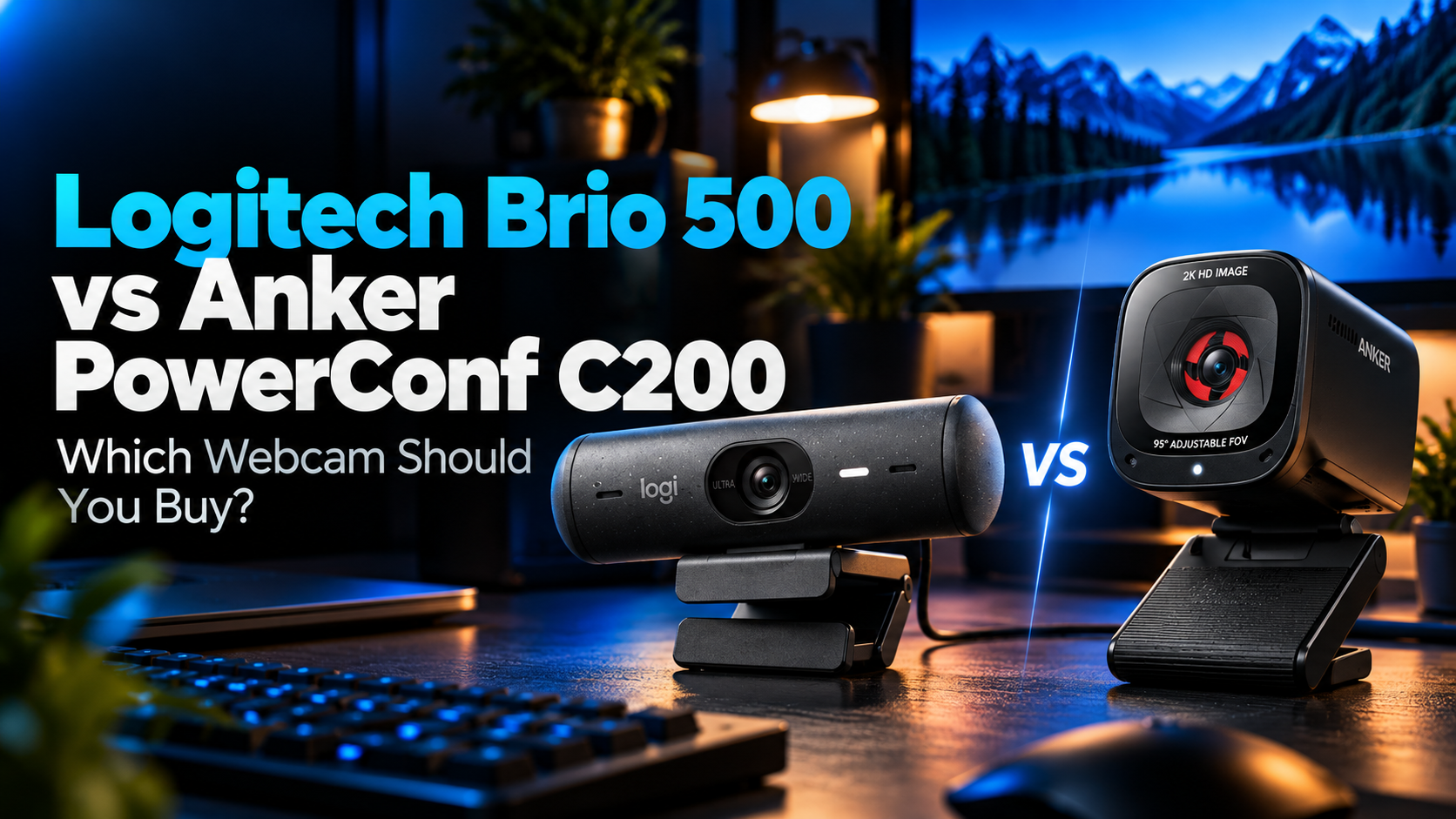
Choosing between the Logitech Brio 500 vs Anker PowerConf C200 is not simply a question of which webcam has the higher resolution.
The Anker PowerConf C200 offers 2K video, autofocus, adjustable field of view, and built-in microphones at a much lower price. Meanwhile, the Logitech Brio 500 focuses on video meeting features, including automatic framing, intelligent lighting correction, and a dedicated Show Mode for presenting physical objects.
For graduate students who regularly attend research meetings, record presentations, teach online classes, or participate in virtual interviews, both webcams offer useful capabilities.
However, the price difference is substantial.
At the Amazon.com prices we observed on October 27, 2026, the Logitech Brio 500 costs $133.99, while the Anker PowerConf C200 costs $69.99.
That raises an important question: Is the Logitech Brio 500 worth paying an extra $64 for?
Quick answer: We recommend the Anker PowerConf C200 for most graduate students because it provides higher maximum resolution and the essential features needed for online meetings at a significantly lower price. Choose the Logitech Brio 500 if you specifically need automatic framing, Show Mode, or its additional meeting-focused features.
In this comparison, we examine video resolution, autofocus, lighting correction, microphones, software, privacy, compatibility, and overall value to help you decide.
If you are exploring other options, our best webcams for graduate students guide covers additional cameras for research meetings, presentations, and everyday academic work.
Amazon Affiliate Disclosure: As an Amazon Associate, GradToolLab earns from qualifying purchases at no additional cost to you.
Editorial Note: This comparison is based on published manufacturer specifications, official product documentation, publicly available information, and typical graduate-student workflows. We have not independently performed hands-on testing of these webcams. Amazon.com prices were observed on October 27, 2026, and may change.
Quick Verdict: Logitech Brio 500 vs Anker PowerConf C200
Both webcams are designed to improve video communication compared with basic built-in laptop cameras.
However, they approach that goal differently.
Choose the Logitech Brio 500 if:
- You regularly give online presentations or teach remotely.
- You want automatic framing that helps keep you centered.
- You frequently demonstrate physical objects, sketches, or handwritten notes.
- You prefer Logitech’s RightLight 4 automatic lighting correction.
- You want 720p video at up to 60fps.
- You use a compatible system that supports the webcam’s advanced software features.
- You are comfortable paying more for specialized meeting capabilities.
Choose the Anker PowerConf C200 if:
- You want the best overall value.
- You prefer 2K resolution over standard 1080p.
- You primarily attend Zoom, Teams, or Google Meet meetings.
- You want autofocus and adjustable field of view.
- You prefer a compact webcam for a laptop or small desk.
- You do not need automatic subject tracking.
- You would rather spend the $64 difference on other equipment.
Our verdict: The Anker PowerConf C200 is the better purchase for most graduate students.
It delivers the fundamental features of a dedicated webcam without approaching the price of the Logitech Brio 500.
However, the Logitech has a meaningful advantage for students whose academic work involves frequent demonstrations or more dynamic video presentations.
The best choice depends on how you actually use your camera.
Logitech Brio 500 vs Anker PowerConf C200: Specifications Compared
| Feature | Logitech Brio 500 | Anker PowerConf C200 |
|---|---|---|
| Maximum resolution | 1920 × 1080 | 2560 × 1440 |
| Maximum frame rate | 1080p/30fps; 720p/60fps | 2K/30fps |
| Autofocus | Yes | Yes |
| Field of view | 65° / 78° / 90° | 65° / 78° / 95° |
| Automatic framing | RightSight | No |
| Presentation mode | Show Mode | No dedicated equivalent |
| Lighting features | RightLight 4 with HDR | Low-light-oriented F2.0 lens and software adjustments |
| Built-in microphones | Dual noise-reducing microphones | Dual microphones with noise reduction |
| Privacy shutter | Integrated | Integrated |
| Software | Logi Tune | AnkerWork |
| Connection | Attached USB-C cable | USB-C camera connection |
| Mounting | Monitor/laptop clip; tripod compatible | Adjustable clip; tripod thread |
| Observed Amazon.com price | $133.99 | $69.99 |
| Our recommendation | Best for Presentations | Best Overall Value |
Prices reflect the selected configurations displayed on Amazon.com on October 27, 2026. Prices and availability may change.
The most obvious difference is resolution.
The Anker PowerConf C200 supports 2560 × 1440 video, while the Logitech Brio 500 reaches 1920 × 1080.
However, resolution is only one component of image quality.
Lighting, processing, autofocus, and video conferencing software can all affect the final image.
The Logitech also supports 720p at 60fps, while the Anker is limited to 30fps.
Another important distinction is automatic framing.
The Brio 500 can automatically adjust its framing to help keep the subject centered using Logitech’s RightSight feature.
The PowerConf C200 provides adjustable field of view and digital framing controls, but it does not offer equivalent automatic subject tracking.
These differences become especially relevant when choosing a webcam for teaching or recording presentations.
1. Anker PowerConf C200
BEST OVERALL VALUE
Best for: Graduate students who want an affordable 2K webcam with autofocus, adjustable field of view, and practical features for research meetings, online presentations, and everyday video calls.
Pros
- 2560 × 1440 maximum video resolution
- Significantly less expensive than the Logitech Brio 500
- Autofocus support
- Adjustable 65°, 78°, and 95° field of view
- Dual built-in microphones
- Noise reduction and automatic gain control
- Integrated privacy cover
- Compact design
- AnkerWork software for image adjustments
- Compatible with common video conferencing platforms
- Suitable for many laptop and desktop setups
Cons
- Maximum frame rate limited to 30fps
- No automatic subject-tracking feature equivalent to RightSight
- No dedicated Show Mode
- Image quality still depends on lighting and software settings
- Advanced adjustments require AnkerWork software
- Higher resolution may not be fully transmitted by every meeting platform
- Built-in microphones are not a replacement for every dedicated audio setup
The Anker PowerConf C200 is our overall value recommendation because it combines a strong set of practical webcam features with a substantially lower purchase price.
At $69.99, it costs $64 less than the Logitech Brio 500 in our Amazon.com comparison.
For graduate students purchasing equipment with limited budgets, that difference matters.
A webcam is rarely the only accessory needed for an effective academic workstation.
Students may also need a microphone, monitor, desk light, headphones, or other equipment.
Spending less on the webcam can leave additional money for accessories that improve the overall working environment.
The PowerConf C200 also has a clear resolution advantage.
Its maximum capture resolution is 2560 × 1440, commonly described as 2K in Anker’s marketing.
This provides more pixels than the Brio 500’s 1920 × 1080 output.
In situations where the recording application supports the full resolution, additional pixels can provide more image detail.
That may be useful for students recording presentations, participating in interviews, or creating educational content.
However, a higher resolution does not automatically guarantee better real-world image quality.
For example, a poorly lit room can produce an unattractive image even when the camera captures more pixels.
Likewise, video conferencing platforms may reduce the transmitted resolution depending on account settings, available bandwidth, and application limitations.
Therefore, we would not purchase the C200 solely because its specification sheet lists a higher resolution.
Its overall combination of resolution, autofocus, and price is what makes it attractive.
Another important feature is adjustable field of view.
The C200 offers 65°, 78°, and 95° options through AnkerWork software.
A narrower setting can help keep attention on the speaker while reducing how much of the surrounding room appears in the frame.
A wider setting can be useful when several people need to appear on camera or when the webcam sits relatively close to the user.
For graduate students working in small rooms or shared offices, having these framing choices can be valuable.
The webcam also includes autofocus.
This is particularly helpful when the user’s distance from the camera changes slightly during a meeting.
Instead of relying on a fixed-focus system, the camera can adjust focus automatically.
The PowerConf C200 also includes dual microphones with noise reduction and automatic gain control.
These features are intended to improve speech capture during calls.
However, we would still recommend a dedicated microphone for users who regularly record lectures, narrate tutorials, or require more consistent audio quality.
Our best USB microphones for graduate students guide covers options for improving speech recording beyond the capabilities of a webcam’s integrated microphones.
The C200 also includes an integrated physical privacy cover.
This provides a simple way to block the lens when the webcam is not in use.
For students working from shared accommodation or using a permanent home workstation, physical privacy protection is a welcome feature.
Perhaps the largest drawback is the absence of automatic framing.
Although users can adjust the camera’s field of view and framing through software, the C200 does not automatically follow the subject in the same way as the Logitech Brio 500.
That limitation may not matter during ordinary research meetings.
However, it becomes more important when the speaker frequently moves around.
Overall, the C200 provides the capabilities most graduate students need without the higher price associated with premium conferencing features.
We recommend the Anker PowerConf C200 for graduate students who primarily use their webcams while seated at a desk.
Typical use cases include:
- Weekly research group meetings
- Online graduate seminars
- Virtual interviews
- Remote collaboration with research partners
- Recorded presentation introductions
- Teaching assistant office hours
- Occasional educational videos
- General Zoom, Teams, and Google Meet calls
The C200 is especially attractive for students who want to improve their laptop’s video setup without building an expensive recording workstation.
For example, a graduate student who attends several virtual meetings each week may benefit from having a dedicated webcam positioned above an external monitor.
This allows the laptop screen to remain available for notes, documents, or presentation controls.
Meanwhile, the webcam stays positioned at a more comfortable viewing angle.
The C200 can also make sense for students who move between different workspaces.
Its compact form factor makes it relatively convenient to carry alongside a laptop.
However, users who frequently demonstrate physical objects or move significantly while presenting may benefit more from the Brio 500.
For an ordinary desk-based workflow, we think the C200 offers better value.
- Product: Anker PowerConf C200
- Type: 2K USB webcam
- Maximum resolution: 2560 × 1440
- Maximum frame rate: 30fps
- Additional resolutions: 1080p and 720p at up to 30fps
- Image sensor: 5MP CMOS
- Autofocus: Yes
- Field of view: 65°, 78°, 95°
- Lens aperture: F2.0
- Microphones: Dual integrated microphones
- Audio processing: Noise reduction and automatic gain control
- Privacy cover: Integrated
- Software: AnkerWork
- Connection: USB-C on the camera
- Mounting: Adjustable monitor clip and tripod thread
- Dimensions: Approximately 55 × 51 × 41 mm
- Weight: Approximately 83 g
- Supported systems: Windows and macOS, subject to software requirements
- Observed Amazon.com price: $69.99
The C200 supports common conferencing applications, including Zoom, Microsoft Teams, and Google Meet.
However, software compatibility and available camera settings can vary by operating system and application version.
AnkerWork allows users to adjust settings such as field of view and image characteristics.
Before purchasing, confirm that your computer supports the required connection and that the software features you need are available on your operating system.
2. Logitech Brio 500
BEST FOR PRESENTATIONS
Best for: Graduate students, teaching assistants, and researchers who frequently participate in video presentations and want automatic framing, intelligent lighting correction, and a dedicated mode for demonstrating physical materials.
Pros
- Full HD 1080p video
- Supports 720p at 60fps
- RightSight automatic framing
- Show Mode for presenting physical objects
- RightLight 4 automatic lighting correction with HDR
- Autofocus
- Adjustable 65°, 78°, and 90° field of view
- Dual noise-reducing microphones
- Integrated privacy shutter
- Logi Tune software
- USB-C plug-and-play connection
- Detachable mounting clip
- Well suited to presentation-focused workstations
Cons
- Considerably more expensive than the Anker C200
- Maximum resolution limited to 1080p
- Advanced features depend on Logi Tune
- Logi Tune is not available for ChromeOS
- Some advanced feature availability depends on the operating system
- The USB-C cable is attached
- Premium features may be unnecessary for ordinary seated meetings
The Logitech Brio 500 is our recommendation for presentation-focused academic workflows.
Although the Anker PowerConf C200 offers higher maximum resolution and lower pricing, the Brio 500 provides several features that can make online communication more convenient.
The first is RightSight automatic framing.
This feature helps keep the speaker centered as they move within the camera’s view.
For a graduate student sitting at a desk throughout an entire meeting, automatic framing may provide limited additional value.
However, consider someone delivering an online seminar.
The presenter might shift position, lean toward a whiteboard, or move while explaining a concept.
In these situations, automatic framing can help maintain a more consistent composition.
This is especially useful when the camera is positioned farther away from the speaker.
However, RightSight requires Logi Tune and is not available in every operating-system configuration.
Students should verify software compatibility before purchasing the webcam specifically for this feature.
The second important advantage is Show Mode.
This feature allows the webcam to be tilted downward to present physical objects or materials on the desk.
For graduate students, this can be more useful than it initially sounds.
Consider a researcher explaining a handwritten calculation to a collaborator.
Instead of creating a digital version of the equation, the researcher may want to show a notebook.
A teaching assistant might also demonstrate a small electronic component or explain a diagram drawn on paper.
Show Mode is designed to make these types of demonstrations more convenient.
This creates a meaningful distinction between the Brio 500 and the C200.
The Anker webcam can also be physically repositioned, but it does not provide Logitech’s dedicated Show Mode workflow.
For students who regularly demonstrate objects during online teaching, this difference may justify paying more.
Another advantage is RightLight 4.
Logitech describes this as an automatic lighting correction system with HDR support.
Its purpose is to improve how the user appears under different lighting conditions.
For example, students may attend meetings in rooms with strong window light, overhead lighting, or relatively dim desk illumination.
Automatic correction can help the camera adapt to these conditions.
However, this does not mean the Brio 500 necessarily produces a better image than the C200 in every lighting environment.
We have not independently compared their video output under controlled conditions.
For users who want more consistent lighting, a dedicated light can also be helpful.
Our best video conference lights for graduate students guide covers options for improving workstation lighting.
The Brio 500 also supports 720p video at 60fps.
This can provide smoother motion than 30fps when the application supports that mode.
However, the maximum resolution at 60fps is lower than its Full HD setting.
Therefore, users choosing the Brio 500 must decide whether they prefer 1080p detail or the potential smoothness of 720p/60fps.
For most ordinary research meetings, 1080p/30fps is sufficient.
The additional frame-rate option becomes more relevant when motion is important.
The Brio 500 also includes autofocus, adjustable field of view, noise-reducing microphones, and an integrated privacy shutter.
These are useful features, but several are also available on the less expensive Anker.
This means the main justification for choosing Logitech is not simply having a better-equipped webcam.
It is having access to the specific meeting-focused features that distinguish the Brio 500.
At the observed $133.99 price, we would not recommend it to every graduate student.
However, for users who regularly teach, demonstrate objects, or move during presentations, the higher price can be reasonable.
We recommend the Logitech Brio 500 for graduate students whose work involves more than ordinary seated video calls.
It is particularly suitable for:
- Teaching assistants running online classes
- Researchers demonstrating physical objects
- Graduate students presenting handwritten calculations
- Students recording instructional videos
- Researchers participating in frequent virtual interviews
- Users who want automatic framing
- Students who frequently change between different presentation activities
- Anyone who specifically values Logitech’s meeting-focused software
For example, an engineering graduate student might need to show a circuit board during a remote discussion.
A mathematics student might want to demonstrate equations written on paper.
A teaching assistant might alternate between addressing students and showing an object on the desk.
These workflows can benefit from Show Mode.
Similarly, someone who frequently stands or moves during presentations may appreciate RightSight automatic framing.
However, users should remember that these features depend on the supported software environment.
If your primary use is sitting in front of a monitor during weekly Zoom meetings, we think the C200 is the more economical purchase.
The Brio 500 is most compelling when its additional features directly support your work.
- Product: Logitech Brio 500
- Type: Full HD USB webcam
- Maximum resolution: 1920 × 1080
- 1080p frame rate: Up to 30fps
- 720p frame rate: Up to 60fps
- Camera resolution: 4MP
- Autofocus: Yes
- Field of view: 65°, 78°, 90°
- Digital zoom: Up to 4×
- Lighting correction: RightLight 4 with HDR
- Automatic framing: RightSight
- Presentation feature: Show Mode
- Microphones: Dual noise-reducing microphones
- Privacy shutter: Integrated
- Connection: Attached USB-C cable
- Cable length: 1.5 m
- Software: Logi Tune
- Mounting: Detachable monitor/laptop clip; tripod compatible
- Dimensions: Approximately 110 × 31.5 × 31.5 mm without mount
- Supported systems: Windows, macOS, ChromeOS, with feature limitations
- Observed Amazon.com price: $133.99
The Brio 500 works with common video conferencing platforms, including Zoom, Teams, and Google Meet.
However, not every advanced feature is available on every operating system.
In particular, Logi Tune is unavailable for ChromeOS, and automatic-framing support should be checked for the intended operating system.
If you are buying the Brio 500 mainly for RightSight or Show Mode, verify compatibility before purchasing.
Video Quality: Is Anker’s 2K Resolution Better Than Logitech’s 1080p?
Resolution is one of the most noticeable differences between these webcams.
The Anker PowerConf C200 supports a maximum resolution of 2560 × 1440.
The Logitech Brio 500 supports a maximum resolution of 1920 × 1080.
In terms of pixel count, the Anker captures approximately 78% more pixels at its maximum resolution.
That is a substantial numerical difference.
However, more pixels do not automatically produce better-looking video.
Anker: Higher Maximum Resolution
The C200’s 2K capability can be useful for recording applications that support 1440p.
For example, graduate students creating instructional videos may want to record themselves speaking alongside presentation materials.
A higher-resolution source can provide greater flexibility when editing or cropping footage.
It may also preserve additional detail when the final recording is exported at a supported resolution.
However, the benefit depends on lighting, compression, camera processing, and the recording software.
If a video conferencing application transmits only 720p or 1080p, the C200’s higher maximum resolution may provide little visible benefit to other participants.
Logitech: Full HD With Additional Processing Features
The Brio 500 focuses on Full HD video combined with automatic lighting correction and presentation features.
Logitech’s RightLight 4 system is designed to adjust to different lighting environments.
The camera also supports autofocus and different field-of-view settings.
These features can make it easier to maintain a suitable image without manually adjusting every setting.
However, without controlled hands-on testing, we cannot determine whether the Brio 500 delivers better contrast, skin tones, noise reduction, or dynamic range than the C200.
Our Video Quality Verdict
Anker wins on maximum resolution.
However, the practical image-quality winner depends on the environment and recording application.
For students who want higher-resolution recording at a lower price, the C200 is attractive.
For students who value automatic framing and Logitech’s lighting features, the Brio 500 offers additional capabilities.
Neither camera should be selected based on resolution alone.
Frame Rate: 30fps vs 60fps
Frame rate describes how many individual frames a camera captures each second.
Both webcams support 30fps video.
However, the Logitech Brio 500 can also capture 720p video at up to 60fps.
The Anker PowerConf C200 supports a maximum of 30fps.
This gives Logitech an advantage when smoother motion is a priority.
For example, 60fps can be useful when a presenter moves frequently or demonstrates objects in front of the camera.
However, 60fps does not automatically improve image clarity.
At 720p, the Brio 500 records fewer pixels per frame than it does at 1080p.
Therefore, the user must choose between higher resolution and a higher frame rate.
The C200 offers higher maximum resolution but does not provide the same 60fps option.
For ordinary graduate-student meetings, 30fps is generally adequate.
Additionally, some conferencing applications limit the frame rate or adjust it depending on network conditions.
Our verdict: Logitech wins on maximum supported frame rate, but Anker remains sufficient for most ordinary academic video calls.
Autofocus and Field of View
Both webcams include autofocus.
This means they can adjust focus automatically rather than requiring the user to maintain a fixed distance from the camera.
For students who occasionally lean toward their desks or move closer to the screen, autofocus is a practical feature.
Both models also provide adjustable fields of view.
| Setting | Logitech Brio 500 | Anker PowerConf C200 |
|---|---|---|
| Narrow | 65° | 65° |
| Medium | 78° | 78° |
| Wide | 90° | 95° |
The Anker offers a slightly wider maximum field of view.
However, the difference between 90° and 95° is relatively small.
The more important consideration is how the camera is positioned.
A narrow field of view is useful when the user wants to remain the primary focus.
For example, a graduate student attending an interview may prefer a tighter composition that excludes unnecessary background details.
A wider field of view can be helpful when multiple people share a camera or when the webcam is placed close to the subject.
However, wider framing also reveals more of the surrounding room.
Our Autofocus and Field-of-View Verdict
Both webcams provide useful framing flexibility.
The C200 has a slightly wider maximum viewing angle, while the Brio 500 adds automatic framing through RightSight.
We would choose Logitech for users who frequently change position during meetings.
For a stationary desk setup, both cameras offer sufficient flexibility.
Automatic Framing: Where Logitech Has a Clear Advantage
Automatic framing is one of the strongest reasons to choose the Brio 500.
Logitech’s RightSight feature is designed to keep the speaker centered while they move.
This can be especially useful during presentations.
Consider a graduate student explaining research results during a virtual seminar.
The student may lean toward a monitor, turn to retrieve an object, or change position while speaking.
Automatic framing helps maintain a more consistent view.
The PowerConf C200 does not offer equivalent automatic subject tracking.
Users can adjust the field of view and framing manually through AnkerWork, but this is different from continuous automatic framing.
For students who remain seated throughout meetings, this distinction may not matter.
However, for teaching assistants or researchers who regularly move while presenting, it can make the Brio 500 more convenient.
Winner: Logitech Brio 500.
Before purchasing, confirm RightSight compatibility with your operating system and the current version of Logi Tune.
Show Mode: A Useful Feature for Teaching and Research
Show Mode is another distinctive feature of the Brio 500.
It allows users to tilt the webcam downward and present physical materials on the desk.
This creates several possibilities for academic work.
An engineering student could demonstrate a small electronic component.
A mathematics teaching assistant could show handwritten calculations.
A researcher could display notes, sketches, or other physical materials during a remote discussion.
In these situations, a conventional webcam positioned above the monitor may not provide the most convenient viewing angle.
Show Mode is designed to simplify this process.
The PowerConf C200 can be repositioned physically, but it does not provide the same dedicated presentation mode.
However, Show Mode does not automatically turn the Brio 500 into a professional document camera.
Users should still consider lighting, camera placement, focus, and the size of the material being shown.
For frequent document demonstrations, a dedicated document scanner or document camera may be more appropriate.
Our best document scanners for graduate students guide covers equipment for digitizing research materials and documents.
Winner: Logitech Brio 500.
Show Mode is one of the strongest reasons for graduate students to consider paying more for the Logitech.
Low-Light Performance and Lighting Correction
Lighting can have a greater influence on perceived webcam quality than resolution alone.
A camera used in a well-lit room may produce a clearer image than a higher-resolution camera used under poor lighting conditions.
Both manufacturers provide features intended to improve video under less-than-ideal conditions.
Logitech RightLight 4
The Brio 500 includes Logitech’s RightLight 4 technology with HDR.
This system is designed to improve how the subject appears under varying lighting conditions.
For example, a student may attend a video meeting while sitting near a window.
Depending on the time of day, strong light may enter the room from one side.
Automatic correction can help maintain a more balanced appearance.
However, performance depends on the actual lighting environment.
Anker Low-Light Features
The C200 uses an F2.0 lens and provides image adjustments through AnkerWork.
The manufacturer emphasizes its ability to capture video in relatively dim environments.
Users can also adjust image settings to suit their workspace.
However, without testing the two cameras under identical conditions, we cannot establish which produces cleaner images in low light.
Our Lighting Verdict
Both products offer useful capabilities.
Logitech has a more explicitly developed automatic lighting correction feature set.
Anker provides lower-cost hardware with image adjustments.
For graduate students frequently attending meetings in dim rooms, we recommend improving the lighting environment regardless of which webcam they choose.
Even a modest dedicated desk light can make a meaningful difference.
Microphone Quality: Do You Need a Separate USB Microphone?
Both webcams include built-in microphones.
The Logitech Brio 500 uses dual noise-reducing microphones.
The Anker PowerConf C200 also uses a dual-microphone arrangement with noise reduction and automatic gain control.
For occasional video meetings, these integrated microphones may be adequate.
However, microphone performance depends on more than the number of microphones or the presence of noise reduction.
The distance between the speaker and the webcam matters.
So does the acoustic environment.
A student speaking in a quiet room may have fewer problems than someone participating in meetings near air conditioning, keyboard noise, or other people.
Noise reduction can help manage some unwanted sounds, but it is not guaranteed to eliminate them completely.
For students who regularly record narration or online lectures, a dedicated USB microphone may offer more control over microphone placement.
This can be particularly useful when recording educational videos or preparing presentations that require clear speech.
Our best USB microphones for graduate students guide examines equipment designed specifically for voice recording.
Our Audio Verdict
Neither webcam has a clear winner based on published microphone specifications alone.
Both include practical built-in audio systems.
Without independent microphone recordings, we would not claim that one provides consistently better speech quality.
For users who prioritize audio, choosing a dedicated microphone is likely to be more important than choosing between these two webcams.
Privacy and Everyday Convenience
Both webcams include physical privacy protection.
This is particularly useful for students who leave their cameras permanently connected to their computers.
A physical cover provides a visible way to block the camera lens when it is not in use.
The Logitech Brio 500 uses an integrated privacy shutter.
The Anker PowerConf C200 also includes a built-in privacy cover.
Both approaches are preferable to relying only on software indicators when the goal is physically blocking the lens.
For graduate students working from home, this is a useful everyday feature.
The physical design of each webcam also deserves consideration.
The C200 is relatively compact, making it attractive for smaller setups.
The Brio 500 has a wider horizontal body and a detachable mounting clip.
Both can be positioned on compatible displays.
Users should check the thickness and shape of their monitor before purchasing.
For students using an external monitor, proper camera placement can also improve eye contact during meetings.
Positioning the camera close to eye level is often more useful than simply purchasing a more expensive webcam.
Software and Compatibility: Logi Tune vs AnkerWork
Both webcams provide companion software for adjusting their settings.
However, the available features differ.
Logitech Logi Tune
Logi Tune provides access to supported camera settings and advanced functions.
Depending on compatibility, these may include:
- Field-of-view adjustments
- Digital zoom
- Image settings
- RightSight automatic framing
- Show Mode
- Firmware updates
These features make the Brio 500 attractive for users who want more control over their meeting experience.
However, Logi Tune is not available for ChromeOS.
Certain features may also have additional operating-system requirements.
Therefore, users should confirm compatibility rather than assuming every advertised feature works on every computer.
AnkerWork
AnkerWork provides configuration options for the PowerConf C200.
These include field-of-view settings and image adjustments.
Users can also use the software for supported firmware updates.
The C200 provides sufficient customization for many everyday meetings.
However, it does not include Logitech’s automatic framing or Show Mode.
Our Software Verdict
Logitech wins for advanced meeting-oriented features.
Anker provides the essential customization options at a lower price.
For most students using a stationary webcam, the simpler feature set may be sufficient.
Price and Value: Is the Logitech Brio 500 Worth $64 More?
Price is one of the most important factors in this comparison.
At the time of our Amazon.com check on October 27, 2026:
| Product | Observed Price |
|---|---|
| Logitech Brio 500 | $133.99 |
| Anker PowerConf C200 | $69.99 |
| Difference | $64.00 |
At these prices, the Logitech costs approximately 91% more than the Anker.
That is a significant premium.
For graduate students purchasing equipment on limited budgets, $64 could contribute toward other useful accessories.
For example, better lighting can improve how a person appears on camera.
A dedicated microphone can improve control over voice recording.
A monitor stand or other ergonomic accessory can help position the camera more comfortably.
Therefore, the important question is not whether the Brio 500 has more features.
It does.
The question is whether those features justify the additional cost.
When Logitech Is Worth Paying More For
The Brio 500 becomes more attractive if:
- You regularly use Show Mode.
- You need automatic framing.
- You frequently move while presenting.
- You want access to Logitech’s supported meeting features.
- You prefer having a 720p/60fps option.
- Your budget comfortably accommodates the higher price.
In these situations, the premium may be justified.
When Anker Is the Better Purchase
We recommend the C200 if:
- You primarily attend ordinary video meetings.
- You want 2K recording capability.
- You use the webcam while seated at a desk.
- You do not need automatic framing.
- You prefer a compact camera.
- You want to reduce equipment costs.
- You would rather invest in a dedicated microphone or lighting.
For these users, paying significantly more for the Brio 500 is difficult to justify.
Our Value Verdict
Winner for value: Anker PowerConf C200.
The Brio 500 offers meaningful additional capabilities.
However, we believe most graduate students will get more value from the C200 at the observed prices.
Which Webcam Is Better for Graduate Students?
Different academic workflows create different requirements.
| Graduate-Student Use Case | Our Recommendation |
|---|---|
| Weekly research meetings | Anker PowerConf C200 |
| Everyday Zoom calls | Anker PowerConf C200 |
| Budget workstation | Anker PowerConf C200 |
| Higher-resolution local recording | Anker PowerConf C200 |
| Compact laptop setup | Anker PowerConf C200 |
| Online teaching demonstrations | Logitech Brio 500 |
| Presenting handwritten notes | Logitech Brio 500 |
| Automatic speaker framing | Logitech Brio 500 |
| Moving during presentations | Logitech Brio 500 |
| 720p/60fps video | Logitech Brio 500 |
| Basic video interviews | Anker PowerConf C200 |
| Specialized presentation workstation | Logitech Brio 500 |
For Weekly Research Meetings
We recommend the Anker PowerConf C200.
Most research meetings involve one person speaking while seated in front of a computer.
The C200 provides autofocus, adjustable framing, and built-in microphones at a lower cost.
For this type of workflow, Logitech’s additional presentation features may remain unused.
For Online Teaching
We recommend considering the Logitech Brio 500.
Show Mode can be particularly useful when demonstrating physical objects or notes.
RightSight may also help when the presenter moves.
However, users should confirm software compatibility before purchasing.
For Recorded Research Presentations
Both webcams can work.
The Anker offers higher maximum capture resolution.
The Logitech offers dedicated presentation features.
If the recording primarily involves a seated speaker, we prefer the Anker.
If the presenter frequently demonstrates physical materials, Logitech may be the more appropriate choice.
For Virtual Interviews
We recommend the Anker PowerConf C200 for most students.
A stable camera position, appropriate lighting, and clear speech are usually more important than automatic framing.
The C200 provides the essential hardware without requiring a premium investment.
For a Small Desk
Both models are viable.
The Anker’s compact form factor may be attractive for smaller workspaces.
However, users should also consider monitor placement, mounting compatibility, and cable routing.
For a more organized workstation, our best desk mats for graduate students guide explores additional desk accessories.
Should You Buy a More Expensive Webcam?
Not necessarily.
A more expensive webcam may provide additional features, but those features do not always translate into a better experience.
For graduate students, the ideal webcam depends on several factors.
First, consider how frequently you use video calls.
If you only attend occasional meetings, a basic external webcam may be sufficient.
Second, consider your recording environment.
A poorly lit room can limit the benefit of purchasing a higher-resolution camera.
Third, consider whether you need automatic framing or presentation-specific capabilities.
If you never demonstrate physical materials and rarely move during meetings, these features may provide limited value.
Finally, consider your total workstation budget.
A balanced combination of camera, microphone, and lighting may be more useful than spending most of the budget on one premium webcam.
Frequently Asked Questions
Is the Logitech Brio 500 Better Than the Anker PowerConf C200?
The Logitech Brio 500 offers more advanced presentation features, including RightSight automatic framing and Show Mode.
However, the Anker PowerConf C200 provides higher maximum resolution at a significantly lower price.
We recommend the C200 for most graduate students, while the Brio 500 is better suited to users who specifically need its presentation features.
Is the Anker PowerConf C200 Really 2K?
Yes.
The Anker PowerConf C200 supports a maximum video resolution of 2560 × 1440 at 30fps.
However, the resolution actually used during a video call depends on the conferencing application, settings, and network conditions.
Does the Logitech Brio 500 Support 4K?
No.
The Logitech Brio 500 supports a maximum video resolution of 1920 × 1080 at 30fps.
It also supports 1280 × 720 at up to 60fps.
It should not be confused with Logitech’s separate Brio 4K webcam products.
Does the Anker PowerConf C200 Support 60fps?
No.
The PowerConf C200 supports a maximum frame rate of 30fps.
The Logitech Brio 500 supports up to 60fps at 720p.
Which Webcam Is Better for Zoom Meetings?
We recommend the Anker PowerConf C200 for most ordinary Zoom meetings.
It offers autofocus, adjustable framing, and integrated microphones at a lower price.
However, the Brio 500 may be more suitable if you frequently move while presenting or use Show Mode.
Can the Logitech Brio 500 Automatically Follow You?
The Brio 500 supports RightSight automatic framing, which helps keep the subject centered.
However, this feature requires compatible Logitech software and operating-system support.
It is not equivalent to a motorized pan-and-tilt camera.
Does the Anker PowerConf C200 Have Auto-Framing?
No.
The C200 provides adjustable framing and field-of-view controls through AnkerWork, but it does not provide automatic subject tracking equivalent to Logitech RightSight.
Which Webcam Is Better for Low-Light Conditions?
Both webcams offer features intended to improve video in challenging lighting.
The Logitech Brio 500 includes RightLight 4 with HDR, while the Anker C200 uses an F2.0 lens and software-based image adjustments.
Without controlled hands-on testing, we cannot determine which consistently produces better low-light footage.
Improving the room’s lighting is recommended regardless of camera choice.
Do Both Webcams Have Privacy Shutters?
Yes.
Both the Logitech Brio 500 and Anker PowerConf C200 include integrated physical privacy covers.
These allow users to block the lens when the webcam is not needed.
Do You Need a Separate Microphone?
Not necessarily.
Both webcams include built-in microphones that may be sufficient for occasional meetings.
However, a dedicated microphone can be useful for students who regularly record presentations, lectures, or instructional content.
Is the Logitech Brio 500 Worth the Extra $64?
It can be, but only if you use its additional capabilities.
RightSight automatic framing, Show Mode, and 720p/60fps support provide meaningful differences.
For ordinary desk-based video calls, we think the Anker PowerConf C200 offers better value at the observed prices.
Final Verdict: Logitech Brio 500 vs Anker PowerConf C200
Both webcams are reasonable choices for graduate students, but they serve different priorities.
The Anker PowerConf C200 is our overall recommendation.
It offers 2K maximum resolution, autofocus, adjustable field of view, integrated microphones, and physical privacy protection at a substantially lower price.
For everyday research meetings, online interviews, and occasional recorded presentations, it provides the features most students need.
The Logitech Brio 500 is our recommendation for presentation-focused workflows.
Its RightSight automatic framing and Show Mode offer useful capabilities for students who teach, demonstrate physical materials, or move during presentations.
However, those features come at a substantial premium.
Our final recommendation: Choose the Anker PowerConf C200 if you want the best value for everyday graduate-student work. Choose the Logitech Brio 500 if its specialized presentation features solve a specific problem in your workflow.
For most students, we would save the $64 and invest it in improving the overall workstation rather than the webcam alone.

