
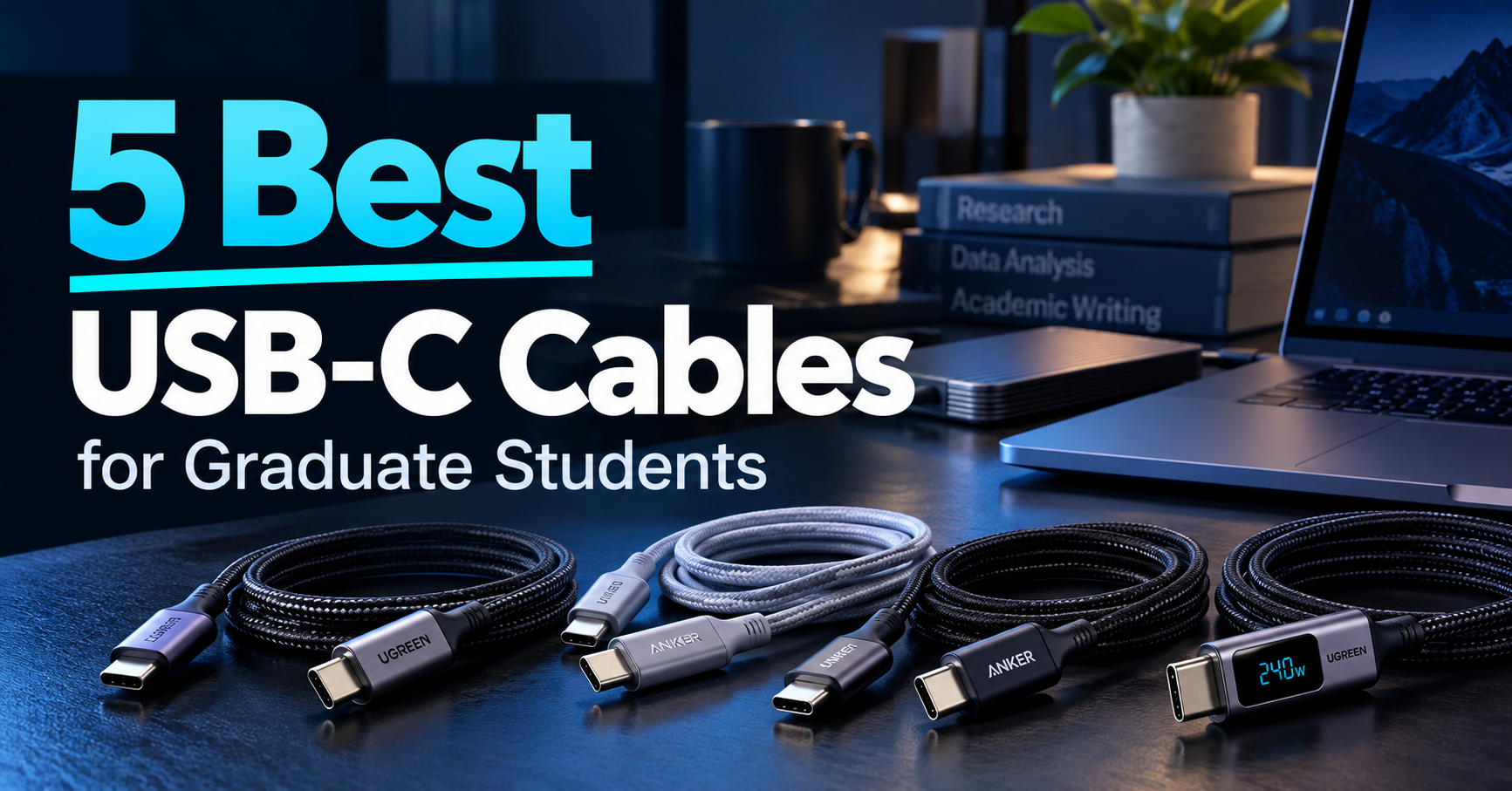
USB-C cables are essential for charging laptops, transferring research data, and connecting external monitors and docking stations.
However, not all USB-C cables offer the same capabilities. Some support high-wattage charging but only basic data transfer, while others provide USB4 speeds and video output.
In this guide, we compare five of the best USB-C cables for graduate students in 2026, focusing on charging performance, data transfer speeds, compatibility, durability, and value.
As an Amazon Associate, GradToolLab earns from qualifying purchases at no additional cost to you.
Editorial note: Our recommendations are based on manufacturer specifications, publicly available product information, and practical academic use cases. We have not independently tested these products. Advertised performance figures represent manufacturer claims rather than independently verified results. Prices, availability, and specifications may change.
Table of Contents
1. UGREEN USB4 Gen4 80Gbps 240W Cable
BEST OVERALL
Best for: Graduate students who want one versatile USB-C cable for compatible high-speed external SSDs, docking stations, monitors, and laptop charging.
Pros
- Up to 80Gbps USB4 data transfer capability
- Supports up to 240W USB Power Delivery
- Supports video output through compatible connections
- DisplayPort 2.1 support
- Braided construction
- Suitable for advanced USB-C desk setups
- Broad backward compatibility with slower USB connections
Cons
- More expensive than basic charging cables
- Approximately 3.3-foot length may be restrictive
- Full 80Gbps performance requires compatible hardware
- Overkill for students who only charge phones or basic laptops
The UGREEN USB4 Gen4 80Gbps 240W USB-C Cable is our Best Overall recommendation because it combines three important capabilities: high-power charging, high-speed data transfer, and video output.
These features are especially relevant to graduate students who use their laptops for more than basic browsing and document editing.
A student working on a research project may use the same laptop to charge its battery, transfer experimental data to an external SSD, and connect to an external monitor.
However, not every USB-C cable can handle all three tasks.
Some inexpensive cables support fast charging but are limited to USB 2.0 data transfer speeds.
Others may support data transfer but lack the video capabilities needed for a USB-C monitor.
UGREEN’s USB4 Gen4 cable is designed to address these limitations.
According to UGREEN, the cable supports data transfer rates up to 80Gbps when connected to compatible USB4 Gen4 equipment.
This makes it a potential option for students who work with high-performance external storage devices, advanced docking stations, or other bandwidth-intensive accessories.
For example, a researcher processing large experimental datasets may regularly move files between a workstation and an external SSD.
A high-bandwidth cable can help prevent the connection itself from becoming the limiting factor, provided the computer and storage device support sufficiently high transfer speeds.
However, using an 80Gbps cable does not automatically make an ordinary USB-C SSD faster.
Actual transfer performance is limited by the slowest relevant component, including the host port, connected device, storage medium, and protocol overhead.
Another advantage is video compatibility.
UGREEN advertises DisplayPort 2.1 support and high-resolution output capabilities, with a stated maximum of 16K at 60Hz under suitable conditions.
That headline figure requires an unusually capable hardware setup and should not be interpreted as something every laptop or monitor can achieve.
For most graduate students, the more realistic benefit is being able to connect a compatible external monitor or docking station without switching to a separate charging-only cable.
The cable also supports up to 240W USB Power Delivery 3.1.
This provides substantial charging headroom for supported devices, although the actual power delivered depends on the laptop, charger, and charging protocol.
The main disadvantages are price and length.
Students who simply need a cable for charging their smartphones or connecting a low-power laptop may gain little practical benefit from USB4 Gen4.
For those users, the Anker 310 provides a much more affordable alternative.
Nevertheless, for students building a flexible and technically capable research workstation, UGREEN offers the most complete feature combination in this comparison.
The UGREEN USB4 Gen4 cable is especially suitable for graduate students who use advanced USB-C accessories.
Potential users include:
- Researchers transferring large datasets to external SSDs
- Engineering students working with high-bandwidth storage
- Students using USB4-compatible docking stations
- Researchers connecting supported external monitors
- Graduate students using one laptop across multiple workspaces
- Students who want a single cable for charging, data, and video
For example, consider a graduate student working with image datasets, simulation results, or measurement files.
After collecting data in a laboratory, the student may transfer large files to an external SSD for analysis at home.
If both the computer and SSD support high-speed USB4 connections, a capable cable becomes important.
The same cable may also be useful with a supported docking station connected to an external monitor.
Our guide to the best external SSDs for graduate students explores storage devices that can complement this type of workflow.
However, students who primarily use their cables to charge a phone or tablet do not need to pay for 80Gbps performance.
The UGREEN model is best suited to users who can actually benefit from its additional capabilities.
Product: UGREEN USB4 Gen4 80Gbps 240W USB-C Cable
Model: 65383
Connector type: USB-C to USB-C
Cable length: Approximately 3.3 feet / 1 meter
Maximum charging power: Up to 240W
Charging specification: USB Power Delivery 3.1 EPR
Maximum advertised data rate: Up to 80Gbps
Data specification: USB4 Gen4
Video support: Yes, with compatible source and display equipment
Display specification: DisplayPort 2.1
Maximum manufacturer-advertised resolution: Up to 16K at 60Hz under supported conditions
Construction: Braided cable with reinforced connector housings
E-marker: Supported
Package quantity: One cable
The cable’s advertised 80Gbps capability requires compatible USB4 Gen4 hardware.
If a laptop supports only USB 10Gbps, connecting this cable will not upgrade the laptop to 80Gbps.
Likewise, connecting a basic external SSD does not increase the SSD’s own transfer capabilities.
Video output also requires a compatible USB-C video connection and supporting display equipment.
A USB-C port that supports charging and data transfer only may not provide video output.
For students using docking stations, the complete connection must support the desired features.
This includes the computer, dock, cable, monitor, and any applicable display bandwidth requirements.
2. Anker 310 USB-C to USB-C Cable, 60W, 2-Pack
BEST BUDGET
Best for: Graduate students who want affordable USB-C charging cables for smartphones, tablets, compatible laptops, and everyday accessories.
Pros
- Very affordable two-pack
- Up to 60W charging
- Convenient 6-foot cable length
- Braided construction
- Suitable for everyday USB-C charging
- Useful for keeping cables at home and on campus
Cons
- Limited to USB 2.0 data transfer speeds
- Does not support video output
- 60W may be insufficient for some laptops
- Not suitable for high-performance SSD connections
The Anker 310 USB-C to USB-C Cable is our Best Budget recommendation because it provides an affordable solution for the most common USB-C task: charging everyday electronics.
Graduate students often use several USB-C devices throughout the day.
A typical setup may include a laptop, smartphone, tablet, headphones, portable battery, and other accessories.
Not all of these devices require expensive high-speed cables.
In many situations, a reliable charging cable is all that is needed.
The Anker 310 focuses on this basic requirement.
The version selected for this guide includes two 6-foot USB-C to USB-C cables.
This makes the package particularly practical for students who divide their time between home and university.
For example, one cable can remain connected to a charger at a home desk, while the second can be stored in a backpack for campus use.
The approximately 6-foot length also provides additional flexibility when an electrical outlet is not immediately beside a desk.
Anker specifies charging support up to 60W for the 310 series.
This is sufficient for many smartphones, tablets, and compatible lower-power laptops when paired with an appropriate charger.
However, students should check their laptop’s actual charging requirements.
Some laptops are designed to charge at higher power levels, particularly during demanding workloads.
A 60W cable may limit charging performance in those situations.
Another important limitation is data transfer speed.
Anker identifies the 310 as a USB 2.0 cable, with a maximum theoretical transfer rate of 480Mbps.
This is adequate for ordinary synchronization tasks such as moving documents or small files.
However, it is not suitable for taking full advantage of a high-speed external SSD.
The cable also does not support USB-C video output.
Students should not purchase it expecting to connect a laptop directly to a USB-C monitor.
Despite these limitations, its low price, useful length, and two-cable package make it one of the most practical options for everyday charging.
For many graduate students, purchasing an expensive USB4 cable for every device would provide little additional benefit.
The Anker 310 demonstrates why choosing a cable for its intended task is often more important than choosing the highest specification.
The Anker 310 is particularly suitable for students who prioritize price and convenience.
Potential uses include:
- Charging smartphones and tablets
- Charging compatible 60W-or-lower laptops
- Keeping a spare cable in a laptop backpack
- Maintaining separate charging cables at home and university
- Connecting USB-C accessories for basic charging
- Replacing an inexpensive damaged charging cable
For example, a student may regularly charge a smartphone at a desk while using another cable to connect a portable battery during travel.
A two-pack provides an economical way to cover both situations.
The Anker 310 is also useful for students who need an extra charging cable but do not need advanced data or video features.
However, if your laptop requires higher charging power, consider the Anker 240W two-pack instead.
If your main purpose is transferring large research files or connecting a monitor, choose a cable that explicitly supports the necessary data or video specification.
Product: Anker 310 USB-C to USB-C Cable
Connector type: USB-C to USB-C
Selected length: 6 feet / approximately 1.8 meters per cable
Package quantity: Two cables
Maximum charging power: Up to 60W
Maximum advertised data rate: 480Mbps
Data specification: USB 2.0
Video output: Not supported
Construction: Braided cable
Power source: Requires a separate compatible USB-C charger
Typical applications: Charging phones, tablets, compatible laptops, and accessories
The most important limitation is that the Anker 310 is primarily a charging cable.
Although it can carry USB 2.0 data, it does not provide the high-speed connectivity required by many external SSDs or docking stations.
It also does not support direct USB-C video output.
Students should consider the charging requirements of their devices before purchasing.
The advertised 60W rating is the maximum supported power under appropriate conditions, not a guarantee that every connected device will charge at 60W.
Actual power depends on the charger, connected device, and USB Power Delivery negotiation.
3. Anker USB-C to USB-C 240W Fast Charging Cable, 2-Pack
BEST FOR CHARGING
Best for: Graduate students who want high-power USB-C charging cables for compatible laptops, power banks, and other devices without paying for advanced data-transfer features.
Pros
- Supports up to 240W charging
- Two cables included
- Convenient 6-foot length
- Suitable for compatible high-power USB-C chargers
- Useful for home and laboratory charging setups
- More affordable than many full-featured USB4 cables
Cons
- Primarily designed for charging
- USB 2.0-class data transfer
- Does not provide high-speed external SSD performance
- Not suitable for USB-C video output
- Many student devices cannot use the full 240W rating
The Anker 240W USB-C Cable earns our Best for Charging recommendation because it provides substantial charging capability without requiring students to pay for premium data and display features.
USB-C charging requirements vary considerably between devices.
A smartphone may need relatively little power, while a laptop performing demanding work may benefit from a substantially higher charging limit.
For graduate students using power-hungry laptops, a cable rated for higher USB Power Delivery can be valuable.
The Anker 240W cable is designed for this purpose.
The selected version includes two 6-foot USB-C to USB-C cables.
This combination provides flexibility for students who work in more than one location.
For example, a student may keep one charging cable connected to a high-output charger at home and another in a university laboratory.
The 6-foot length allows the laptop to be positioned some distance from the charger or wall outlet.
Another advantage is the distinction between charging capability and data capability.
A 240W rating indicates the cable’s maximum supported USB Power Delivery level under compatible conditions.
It does not mean the connected laptop will actually receive 240W.
To deliver higher charging power, the charger and device must support the appropriate USB Power Delivery profile.
A laptop that requests 65W will not suddenly consume 240W simply because the cable supports that maximum.
This distinction is especially important for students choosing cables for existing devices.
A higher-rated cable can provide charging headroom, but it will not necessarily make a device charge faster.
The Anker 240W charging cable is also not intended to replace a high-speed USB4 cable.
The corresponding Anker 240W two-pack family uses USB 2.0-class data transfer, with a maximum theoretical speed of 480Mbps.
This is suitable for basic file synchronization but not ideal for large research datasets.
Video output is also not supported on the charging-focused version discussed here.
Therefore, students should not use its 240W rating as evidence that it can connect an external display.
Overall, this Anker two-pack is a practical option for students who need more charging capacity than a basic 60W cable but do not require fast data transfer or monitor connectivity.
The Anker 240W cable is suitable for students who regularly charge laptops and larger USB-C devices.
Potential users include:
- Graduate students using compatible high-power laptops
- Researchers who work with laptop docking and charging setups
- Students charging large USB-C power banks
- Students maintaining separate charging stations at home and university
- Users who want additional power-delivery headroom
- Students who do not need high-speed data or video through the same cable
For example, a student using a laptop for simulation software or computational analysis may want a dedicated charging cable with a higher power rating.
If the charger and laptop support a higher USB Power Delivery profile, a suitably rated cable can help avoid a cable-level power limit.
However, not every laptop uses USB Power Delivery for its highest-performance charging mode.
Some devices rely on proprietary charging systems or have lower USB-C power limits.
Students should consult their laptop manufacturer’s charging specifications before assuming that a 240W USB-C cable will provide maximum charging performance.
Our guide to the best USB-C chargers for graduate students can help students consider the charger alongside the cable.
Product: Anker USB-C to USB-C 240W Fast Charging Cable
Selected package: Two-pack
Selected length: 6 feet / approximately 1.8 meters per cable
Connector type: USB-C to USB-C
Maximum charging power: Up to 240W
Charging specification: USB Power Delivery 3.1 EPR capability
Data transfer: USB 2.0-class, up to 480Mbps on the corresponding charging-cable variant
Video output: Not supported on the charging-focused variant
Typical applications: High-power USB-C charging and ordinary data synchronization
Power adapter included: No
Students should verify the exact cable variant before purchasing because Anker sells multiple 240W USB-C cables with different data capabilities.
The version featured here is the 6-foot, two-pack charging cable, not the Anker 515 USB4 model discussed later in this article.
A 240W charging rating does not imply 40Gbps transfer speed, Thunderbolt compatibility, or video support.
For high-speed storage or an external monitor, choose a cable with those features explicitly listed.
4. Anker 515 USB4 40Gbps 240W Cable
BEST FOR USB4
Best for: Graduate students who need a capable USB4 cable for high-speed external storage, compatible docking stations, and supported external monitors.
Pros
- Up to 40Gbps data transfer
- Supports up to 240W charging
- USB4 connectivity
- Supports video output on compatible hardware
- Suitable for high-speed external SSDs
- Compact 3.3-foot length for desk connections
Cons
- More expensive than basic charging cables
- Short length may limit cable placement
- Maximum speeds require compatible hardware
- Not a certified Thunderbolt 4 cable
- Anker documents limitations when connecting to Thunderbolt 4 equipment
The Anker 515 USB4 Cable is our Best for USB4 recommendation because it provides high-speed data capability, substantial charging support, and video connectivity in a cable suited to demanding desktop setups.
For many graduate students, transferring files is an occasional task involving documents or presentations.
However, some research workflows involve much larger datasets.
Examples include microscopy images, video recordings, simulation outputs, large programming projects, and collections of experimental measurements.
When regularly transferring large files, the connection between a computer and external storage device can become important.
An ordinary USB 2.0 cable may significantly limit the transfer performance of a fast SSD.
The Anker 515 addresses this problem with USB4 connectivity.
According to Anker, it supports data transfer rates up to 40Gbps when connected to compatible equipment.
This makes it suitable for students using USB4-capable storage devices or docking accessories.
For example, an engineering student may use a fast external SSD to transfer data from a laboratory workstation to a personal laptop.
A high-speed cable can help the storage connection operate closer to its supported capabilities.
However, it is important to distinguish theoretical connection speed from actual file-transfer performance.
A 40Gbps cable does not guarantee 40Gbps file transfers.
Performance depends on the SSD, enclosure, computer port, storage controller, file system, and other factors.
Another advantage is video support.
Anker advertises output capabilities up to 8K at 60Hz or 4K at 144Hz when the connected hardware supports those modes.
For graduate students, the practical benefit is compatibility with certain external-monitor and docking-station configurations.
Students may use an external display for reading research papers while keeping programming tools, spreadsheets, or analysis software open on the laptop screen.
The Anker 515 also supports charging up to 240W with compatible equipment.
This means the same cable can potentially handle several demanding USB-C functions.
However, there is an important compatibility caveat.
Although some Anker product listings describe the cable as Thunderbolt 4 compatible, Anker’s technical notes state that this model is not fully compatible with Thunderbolt 4 specifications and may operate at Thunderbolt 3-level capabilities when connected to Thunderbolt 4 hardware.
Therefore, students who specifically require an Intel-certified Thunderbolt 4 cable should choose a product with that certification.
For users with compatible USB4 equipment, the Anker 515 remains a strong option.
The Anker 515 is most suitable for students who need more than basic USB-C charging.
Potential users include:
- Researchers using high-speed external SSDs
- Engineering students transferring experimental data
- Students using compatible USB4 docking stations
- Graduate students connecting supported external displays
- Researchers moving between laptop and workstation setups
- Students who want a versatile short cable for a permanent desk
For example, a graduate student may connect a high-speed external SSD to a laptop while processing large image files.
If the SSD enclosure and laptop support USB4, a suitable 40Gbps cable can be important for achieving the connection’s intended performance.
Similarly, students using supported docking stations may appreciate a cable that carries data, video, and power through an appropriate USB-C connection.
Our guide to the best docking stations for graduate students explores devices that may benefit from this type of connectivity.
However, students who only need charging should consider the less expensive Anker 240W cable.
Product: Anker 515 USB-C to USB-C Cable
Model: A8487
Data specification: USB4
Maximum advertised data rate: Up to 40Gbps
Maximum charging power: Up to 240W
Connector type: USB-C to USB-C
Cable length: 3.3 feet / approximately 1 meter
Video output: Supported with compatible hardware
Manufacturer-advertised video modes: Up to 8K at 60Hz or 4K at 144Hz under supported conditions
Typical applications: High-speed storage, docking stations, displays, and charging
Thunderbolt 4 certification: Not established; manufacturer documents compatibility limitations
The Anker 515 is intended for high-speed USB-C connections.
However, achieving its advertised performance requires compatible equipment.
A computer with a 10Gbps USB-C port will not achieve 40Gbps simply by using this cable.
Likewise, monitor output depends on the computer’s supported video capabilities and the connected display.
Students should also review Anker’s Thunderbolt compatibility guidance before purchasing the cable for a Thunderbolt-based docking setup.
For users who specifically require certified Thunderbolt 4 performance, a clearly certified Thunderbolt 4 cable is the more appropriate purchase.
5. UGREEN Nexode 240W USB-C Cable with Digital Display
BEST FOR POWER MONITORING
Best for: Graduate students who want to see charging voltage, current, and power directly on their USB-C cable while charging laptops and other electronics.
Pros
- Built-in digital charging display
- Displays voltage, current, and power
- Supports up to 240W USB Power Delivery
- Touch controls for display orientation and brightness management
- Convenient 6.6-foot length
- Braided construction
- Useful for comparing charging setups
Cons
- Data transfer limited to 480Mbps
- No video output
- Display adds cost compared with ordinary charging cables
- Display readings are not a substitute for calibrated measurement equipment
- Requires compatible devices to use higher charging power
The UGREEN Nexode 240W USB-C Cable with Digital Display is our Best for Power Monitoring recommendation because it adds a feature that ordinary charging cables do not provide: a built-in screen showing charging information.
Most USB-C cables provide little feedback about what is happening during charging.
A laptop may display a charging symbol, but users cannot always tell how much electrical power is being delivered through the cable at a particular moment.
The UGREEN Nexode adds a compact digital display to one of its connectors.
According to the manufacturer, the screen can show voltage, current, and charging power.
This provides a convenient way to observe changes when using different chargers and devices.
For example, a graduate student may own several USB-C chargers with different power ratings.
One charger might support a lower power level, while another supports higher-output USB Power Delivery.
A cable with a display can help the student observe how the connection behaves under different conditions.
This is particularly interesting for students who enjoy electronics, computer hardware, or understanding how their equipment works.
However, the display should not be confused with a laboratory-grade USB power analyzer.
It provides a convenient charging indicator rather than calibrated measurement data suitable for scientific experiments.
The Nexode also supports up to 240W USB Power Delivery 3.1.
This gives it substantial charging capability when paired with suitable chargers and devices.
The selected 6.6-foot version also provides useful reach for desk setups.
Another feature is the touch-controlled screen.
UGREEN states that users can change the display orientation with a touch and turn the display off with a longer press.
This may be helpful when using the cable at night or when the illuminated screen is distracting.
However, the most important limitation is data connectivity.
Despite its high charging rating and digital display, the Nexode is a USB 2.0-class cable.
Its maximum theoretical data rate is 480Mbps.
UGREEN also explicitly states that the cable does not support video output.
Therefore, it is not intended for high-speed external SSD transfers or direct USB-C monitor connections.
The Nexode is best understood as an advanced charging cable, not an all-purpose high-bandwidth cable.
The UGREEN Nexode is most suitable for students who want more information about their charging setup.
Potential users include:
- Engineering students interested in USB-C power delivery
- Graduate students using several USB-C chargers
- Laptop users who want to observe charging power
- Students charging large USB-C power banks
- Electronics enthusiasts
- Researchers who enjoy monitoring everyday device behavior
For example, a student may use a multi-port USB-C charger to power a laptop and smartphone simultaneously.
When more devices are connected, the charger may redistribute its available power across its ports.
The Nexode’s display can provide an indication of the power being delivered through its connection.
However, displayed power is not the same as battery charging power or overall system power consumption.
The connected device may use some of the incoming power to run its components while the battery receives the remainder.
Students who need precise electrical measurements should use an appropriate calibrated instrument instead.
For ordinary charging observation, however, the built-in display is a convenient feature.
Product: UGREEN Nexode 240W USB-C Cable with Digital Display
Connector type: USB-C to USB-C
Selected length: 6.6 feet / approximately 2 meters
Maximum charging power: Up to 240W
Charging specification: USB Power Delivery 3.1
Maximum data transfer rate: 480Mbps
Data specification: USB 2.0
Video output: Not supported
Display type: Built-in digital charging-status screen
Displayed information: Voltage, current, and power
Controls: Touch input for display orientation and screen-off function
Construction: Braided cable with reinforced connector housings
E-marker: Supported
Typical applications: Laptop charging, phone charging, power banks, and charging observation
The Nexode’s screen is its defining feature.
However, the cable does not independently increase the charging speed of a device.
The amount of power delivered still depends on the charger, connected device, and supported charging protocol.
Students should also remember that the display provides an indication of power through the cable rather than a full diagnostic analysis of the charging system.
For transferring large research files, choose a USB4 cable instead.
Best USB-C Cables for Graduate Students: Quick Comparison
The five cables in this guide are designed for different priorities. Some focus on affordable everyday charging, while others support high-bandwidth data and display connections.
| Cable | Maximum Charging | Maximum Data Speed | Video Output | Best For |
|---|---|---|---|---|
| UGREEN USB4 Gen4 | 240W | 80Gbps | Yes, with compatible devices | Best Overall |
| Anker 310 (2-Pack) | 60W | 480Mbps | No | Best Budget |
| Anker 240W (2-Pack) | 240W | 480Mbps | No | Best for Charging |
| Anker 515 USB4 | 240W | 40Gbps | Yes, with compatible devices | Best for USB4 |
| UGREEN Nexode Display | 240W | 480Mbps | No | Best for Power Monitoring |
These figures represent advertised maximum capabilities. Actual transfer performance, charging wattage, and video output depend on the devices connected.
A higher number is not automatically better.
For example, a 240W charging cable with USB 2.0 data transfer may be more suitable for a laptop charger than an expensive USB4 cable, provided the user does not need high-speed peripherals.
Conversely, a student using a high-performance external SSD should check data transfer specifications before considering charging wattage.
How to Choose a USB-C Cable for Graduate School
USB-C has become one of the most common connectors used by laptops, smartphones, tablets, external storage devices, and monitors.
However, the connector’s physical shape does not reveal everything the cable can do.
Two cables that look almost identical may support very different charging power, data speeds, and display capabilities.
For graduate students, understanding these differences can prevent unnecessary spending and connection problems.
1. Understand the Difference Between Charging and Data Transfer
The most important rule when purchasing a USB-C cable is that charging performance and data transfer performance are separate specifications.
A cable rated for 240W can still transfer data at only 480Mbps.
This is the case for several charging-focused products in our comparison.
USB 2.0 cables are sufficient for ordinary charging and basic file synchronization.
However, they are not ideal for transferring large research datasets.
A USB4 cable, on the other hand, may support much higher data rates while also providing substantial charging capability.
For example, the UGREEN USB4 Gen4 cable is rated for up to 80Gbps and 240W.
The Anker 515 supports up to 40Gbps and 240W.
Both are more suitable for compatible high-bandwidth peripherals than a basic USB 2.0 cable.
Before buying, determine whether you need the cable primarily for charging or for connecting data-intensive devices.
2. Choose the Right Charging Wattage
USB-C charging cables commonly advertise power ratings such as 60W, 100W, or 240W.
These values indicate the maximum power the cable is designed to carry under supported conditions.
However, the cable does not determine charging power by itself.
Three components matter: the charger, the cable, and the device being charged.
The actual negotiated charging power cannot exceed the capabilities of the connected charging system.
For example, connecting a 240W cable to a 65W USB-C charger does not create a 240W charging connection.
Likewise, a laptop designed to accept a maximum of 65W will not automatically charge faster through a 240W cable.
Students should check the charging requirements of their laptop and the supported output of their power adapter.
Our guide to the best USB-C chargers for graduate students provides additional options for building a compatible charging setup.
3. Match Data Transfer Speed to Your External SSD
Data transfer speed is particularly important for graduate students who regularly handle large files.
Research data may include high-resolution images, experimental recordings, simulation results, video files, and software project folders.
Moving these files between storage devices can take considerable time.
A USB 2.0 cable is limited to a theoretical maximum of 480Mbps, substantially below modern high-speed external SSD interfaces.
USB4 cables supporting 40Gbps or 80Gbps provide much greater potential bandwidth.
However, actual transfer speeds depend on the SSD’s hardware, its enclosure, the computer’s port, and the protocol being used.
A USB4 cable cannot turn a USB 10Gbps SSD into an 80Gbps device.
For this reason, the best cable is usually one that meets the actual requirements of the storage device rather than simply offering the highest specification available.
If you are choosing external storage, see our guide to the best external SSDs for graduate students.
4. Check Whether the Cable Supports Video Output
One of the most common USB-C compatibility mistakes involves external monitors.
Students may assume that any USB-C cable can connect a laptop to a USB-C display.
Unfortunately, this is not true.
Many charging-focused USB-C cables do not support video output.
The Anker 310, Anker 240W charging two-pack, and UGREEN Nexode Digital Display cable are not suitable for the display connections described in this guide.
Video-capable USB4 cables, such as the UGREEN USB4 Gen4 and Anker 515, provide the necessary cable capabilities for supported systems.
However, the laptop and monitor must also support an appropriate display connection.
For example, a USB-C port that only supports charging and basic data transfer cannot be converted into a video output by purchasing a more expensive cable.
Before connecting an external display, confirm the specifications of the laptop’s USB-C port, the monitor, and the cable.
Our guide to the best portable monitors for graduate students covers additional considerations for mobile display setups.
5. Understand USB4 and Thunderbolt Compatibility
USB4 and Thunderbolt are related high-performance connectivity technologies, but they are not identical.
A cable that supports USB4 does not automatically meet every Thunderbolt certification requirement.
For example, the Anker 515 supports USB4 data transfer at up to 40Gbps.
However, Anker states that this model is not Thunderbolt 4 compatible as a full Thunderbolt 4 cable and may operate at Thunderbolt 3-level capabilities when connected to Thunderbolt 4 equipment.
This distinction matters when selecting a cable for a specific docking station or professional peripheral.
If a manufacturer requires a certified Thunderbolt cable, students should follow that requirement rather than assuming any USB4 cable will provide identical performance.
The same principle applies to USB4 Gen4 and newer high-bandwidth connections.
The connected computer and device must support the relevant technology to achieve the cable’s advertised maximum capability.
For students using advanced workstation accessories, our guide to the best docking stations for graduate students explores related connectivity considerations.
6. Consider Cable Length
Cable length is easy to overlook, but it can make a significant difference in everyday convenience.
Short cables are useful for portable SSDs and docking stations located close to a laptop.
They also reduce unnecessary cable clutter on a compact desk.
Longer cables provide more flexibility when power adapters are underneath a desk or far from the device.
For example, a six-foot cable can be convenient for a laptop charger used beside a bed, library table, or study desk.
However, high-speed data cables are often shorter because maintaining signal integrity becomes more challenging as cable length increases.
Students should avoid choosing the longest cable automatically.
Instead, measure the distance between the devices and select an appropriate length for the intended use.
7. Consider Durability and Cable Construction
A USB-C cable used daily may experience repeated bending, unplugging, packing, and transportation.
Students who regularly move between university and home should consider how a cable is constructed.
Braided exteriors, reinforced connector housings, and strain relief can be useful design features.
However, manufacturer bend-test figures are laboratory claims and do not guarantee a particular real-world lifespan.
A cable can still be damaged by excessive bending, crushing, pulling, or unsuitable handling.
Students should avoid sharply folding cables near the connectors and should replace cables with visibly damaged insulation or connectors.
It is also sensible to avoid placing heavy objects on cables inside crowded backpacks.
8. Look for Clear Specifications and Certification
When shopping for USB-C cables, prioritize products that clearly state their power rating and data transfer capabilities.
Terms such as “fast charging” or “high speed” can be ambiguous when used without technical details.
A useful listing should explain the cable’s supported charging power, data speed, and video capability.
Where relevant, USB-IF certification can provide additional assurance that a product has passed the applicable compliance testing.
However, manufacturer claims and marketplace descriptions should not automatically be treated as proof of certification.
Students should check the specific product model and certification information rather than assuming that a familiar brand or USB-C connector guarantees a particular standard.
Do You Really Need a 240W or 80Gbps USB-C Cable?
Not necessarily.
USB-C cable specifications have advanced substantially, but many students do not need the highest available performance.
For ordinary smartphone charging, a 60W cable may provide everything necessary.
For a laptop that supports higher USB Power Delivery levels, a suitable 240W-rated cable can provide additional charging headroom.
However, the cable will not increase power beyond what the charger and laptop support.
The same applies to data transfer.
An 80Gbps cable can be useful in a high-bandwidth USB4 Gen4 environment, but it provides no automatic speed improvement when connected to a slower SSD or USB port.
A student whose external storage device operates at 10Gbps may not see a practical benefit from using an 80Gbps cable instead of a compatible cable rated for the drive’s actual connection.
The important distinction is whether the cable creates a bottleneck.
If the cable already meets the charging, data, and display requirements of your equipment, a more expensive model may not improve the experience.
For most graduate students, compatibility and appropriate specifications matter more than purchasing the highest numbers available.
Frequently Asked Questions
1. What is the best USB-C cable for graduate students?
Our Best Overall recommendation is the UGREEN USB4 Gen4 80Gbps cable because it supports charging, high-speed data, and video functionality on compatible hardware.
However, the best choice depends on the intended application.
For affordable charging, the Anker 310 two-pack may be more practical. For high-power charging, the Anker 240W two-pack is worth considering. Students using USB4 equipment may prefer the Anker 515.
2. Does every USB-C cable support fast charging?
No.
USB-C describes a connector type, not a single charging specification.
Different cables support different power levels, and charging performance also depends on the charger and connected device.
Check the cable’s rated wattage and the requirements of your equipment before purchasing.
3. Is a 240W USB-C cable faster than a 60W cable?
Not necessarily.
A 240W cable can support higher power delivery when used with compatible equipment.
However, a device that charges at 30W or 60W will not automatically charge faster because the cable supports 240W.
The charger and receiving device must also support higher power delivery.
4. Can a 240W USB-C cable transfer files at 40Gbps?
Only if it also supports the necessary data standard.
A 240W charging cable may offer only USB 2.0 data transfer at 480Mbps.
Charging wattage and data speed are separate capabilities.
Always check both specifications.
5. Can I connect an external monitor with any USB-C cable?
No.
Many USB-C cables are intended primarily for charging and basic data transfer.
A monitor connection requires an appropriate video-capable cable and compatible USB-C ports on the connected equipment.
A cable rated for 240W charging does not necessarily support video output.
6. What USB-C cable should I use for an external SSD?
Choose a cable that supports the storage device’s required data speed and connection standard.
A USB4 SSD may benefit from a compatible 40Gbps cable, while a slower SSD may not require that level of bandwidth.
Check the specifications of both the SSD and the computer.
7. What is the difference between USB4 40Gbps and USB4 80Gbps?
The figures describe different maximum supported data rates.
An 80Gbps connection offers greater theoretical bandwidth than a 40Gbps connection.
However, obtaining the higher speed requires compatible host and peripheral hardware.
A cable’s rating alone does not guarantee the advertised speed.
8. Can USB4 cables be used with older USB-C devices?
Generally, compatible USB4 cables can operate with many earlier USB standards.
However, the available functionality depends on the connected devices and their supported protocols.
A connection may operate at a lower data rate or with fewer features than the cable’s maximum specifications.
Students should confirm compatibility with any specialized equipment.
9. Is USB4 the same as Thunderbolt 4?
No.
USB4 and Thunderbolt 4 have overlapping capabilities, but they are not interchangeable in every situation.
Some USB4 cables may not satisfy the certification or functionality requirements of specific Thunderbolt equipment.
When a device requires certified Thunderbolt connectivity, select a cable that meets the manufacturer’s requirements.
10. Do I need a special USB-C cable for a docking station?
It depends on the docking station.
Basic USB-C hubs may operate with less demanding cables, while USB4 or Thunderbolt docking stations may require specific high-bandwidth connections.
Using an unsuitable cable can limit features or prevent a display or peripheral from functioning correctly.
Follow the dock manufacturer’s cable specifications.
11. Why is my USB-C charging speed lower than expected?
Charging power can vary with the charger’s available output, the device’s supported charging protocols, battery level, temperature, and current workload.
A multiport charger may also divide its available power between connected devices.
A high-rated cable does not override these limitations.
12. Are USB-C cables with digital displays useful?
They can be useful for observing charging behavior.
A cable such as the UGREEN Nexode Digital Display can show voltage, current, and power during charging.
However, it is not a replacement for a calibrated USB power meter or laboratory measurement instrument.
Its primary benefit is convenience.
13. Are more expensive USB-C cables worth it?
Sometimes.
A high-quality USB4 cable may be worth the additional cost for fast external storage, docking stations, or monitor connections.
However, students who only need charging may gain little benefit from those features.
Buy a cable that meets the actual requirements of your devices rather than paying for specifications you will not use.
14. Can I use the same USB-C cable at home and during academic travel?
Yes, provided the cable is compatible with your devices and charging equipment.
A six-foot charging cable can be convenient for hotel rooms, university workspaces, and conference travel.
However, international power compatibility is determined primarily by the charger and power adapter, not the USB-C cable alone.
For travel preparation, see our guide to the best universal travel adapters for graduate students.
Final Verdict: Which USB-C Cable Should Graduate Students Buy?
The best USB-C cable for graduate students depends on what it needs to connect.
For students who want a versatile cable capable of supporting advanced data transfer, charging, and video output on compatible hardware, the UGREEN USB4 Gen4 80Gbps cable is our Best Overall recommendation.
Its main advantage is flexibility across demanding USB-C applications.
However, many students do not need that level of performance.
For basic phone, tablet, and compatible laptop charging, the Anker 310 60W two-pack offers excellent value.
Its affordable price and two-cable package make it practical for students who work in several locations.
For students who need greater charging power, the Anker 240W USB-C two-pack provides suitable charging capability without paying for unnecessary high-speed data features.
The Anker 515 USB4 cable is a practical choice for students using compatible 40Gbps storage and USB4 peripherals.
However, buyers should pay attention to its stated Thunderbolt 4 compatibility limitations.
Finally, the UGREEN Nexode 240W cable with Digital Display is worth considering for students who enjoy monitoring their charging setup.
Its integrated screen adds convenience, although it is not a high-speed data or video cable.
Our Recommendations at a Glance
| Your Priority | Our Recommendation |
|---|---|
| Best Overall | UGREEN USB4 Gen4 80Gbps |
| Best Budget | Anker 310 60W Two-Pack |
| Best for Charging | Anker 240W Two-Pack |
| Best for USB4 | Anker 515 USB4 40Gbps |
| Best for Power Monitoring | UGREEN Nexode Digital Display |
One Final Consideration
Before purchasing any USB-C cable, check three things: the charging wattage you need, the data transfer speed your devices support, and whether you require video output.
These capabilities are not interchangeable.
A cable with a high charging rating may still provide only USB 2.0 data speeds, and a fast USB4 cable cannot make slower hardware operate beyond its limits.
For everyday charging, an affordable cable is often enough.
For external SSDs, docking stations, and monitors, choosing the correct technical specification becomes far more important.
Choose the USB-C cable that matches your equipment and academic workflow—not simply the one with the largest numbers on the packaging.
The right cable should make charging and connecting your research devices more reliable and convenient without adding unnecessary cost or complexity.

