
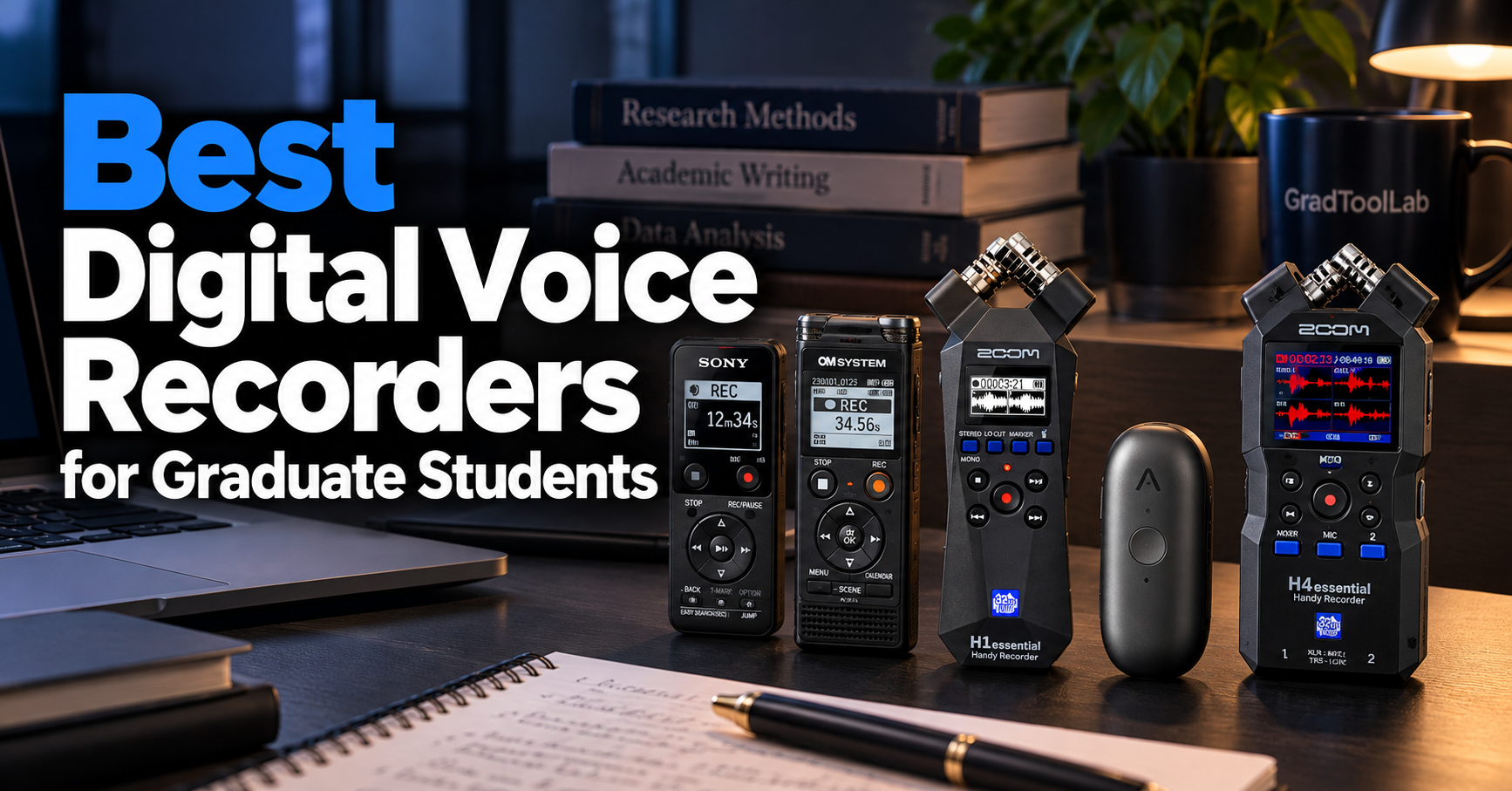
A digital voice recorder can be a valuable tool for graduate students who need to capture lectures, research interviews, meetings, or fieldwork conversations.
While smartphones offer convenient recording features, dedicated voice recorders provide alternatives for long recording sessions, stereo audio capture, and specialized research applications. Some models also offer AI-powered transcription and summaries.
In this guide, we compare five of the best digital voice recorders for graduate students in 2026, focusing on recording features, portability, ease of use, price, and suitability for academic work.
As an Amazon Associate, GradToolLab earns from qualifying purchases at no additional cost to you.
Editorial note: Our recommendations are based on manufacturer specifications, publicly available product information, and practical academic use cases. We have not independently tested these products. Prices, availability, and features may change.
Table of Contents
1. Sony ICD-PX370
BEST BUDGET
Best for: Graduate students who want a straightforward, affordable voice recorder for lectures, meetings, and everyday academic note-taking.
Pros
- Long battery life of up to 62 hours
- Simple controls and built-in USB connector
- 4GB internal memory with microSD expansion
- Lightweight and portable design
Cons
- Mono recording only
- No built-in AI transcription
- Limited recording format options
The Sony ICD-PX370 is our Best Budget recommendation because it offers the essential features graduate students need without the complexity of professional audio equipment.
For many students, recording a lecture or research meeting does not require advanced microphones, multiple recording channels, or expensive accessories. A reliable device that can capture speech and transfer recordings to a computer may be sufficient.
The ICD-PX370 focuses on these basic requirements.
One of its most useful features is its built-in USB connector. Instead of requiring a separate USB cable, the recorder can connect directly to a compatible computer for file transfers.
This is convenient for students who regularly move recordings from the device to their laptops.
The recorder also includes 4GB of internal memory, with the option to expand storage using a compatible microSD card.
Sony specifies up to 57 hours of continuous recording with two AAA alkaline batteries when using the 128 kbps MP3 recording mode. Battery life can vary depending on recording settings and operating conditions.
For students attending long lectures, seminars, or academic conferences, this extended battery life is a practical advantage.
Another useful feature is voice-operated recording, which can automatically start or pause recording based on detected sound levels.
However, this feature should be used carefully when recording quiet speakers, as low-volume speech may not always trigger recording reliably.
The main limitation is its monaural microphone.
Unlike stereo recorders, the ICD-PX370 does not capture separate left and right audio channels through its built-in microphone.
This is generally acceptable for straightforward speech recording, but it provides less spatial information than a stereo recording system.
Overall, the Sony ICD-PX370 is a practical choice for graduate students who prioritize simplicity, portability, and battery life over advanced audio features.
The Sony ICD-PX370 is particularly suitable for graduate students who need a dedicated recorder for everyday academic activities.
Potential uses include:
- Recording university lectures and seminars
- Capturing research meetings with permission
- Recording personal study notes
- Reviewing discussions with academic supervisors
- Documenting verbal instructions during research activities
Its physical recording controls may also appeal to students who prefer a dedicated device rather than relying on a smartphone.
The recorder is especially useful for situations where recording speech is more important than capturing environmental sound in detail.
However, students conducting complex field recordings or interviews with multiple external microphones may benefit from a more advanced recorder.
For these applications, the Zoom H4essential featured later in this guide provides additional recording flexibility.
The Sony ICD-PX370 is a compact digital voice recorder designed primarily for speech recording.
Its main specifications include:
- Built-in memory: 4GB
- Expandable storage: microSD card support
- Recording format: MP3
- Microphone: Built-in monaural microphone
- Power source: Two AAA batteries
- Battery life: Up to approximately 62 hours, depending on recording mode
- Computer connection: Built-in USB-A connector
- Audio input: External microphone input
- Audio output: Headphone jack
- Weight: Approximately 74g, including batteries
The recorder also supports playback-speed adjustment, making it useful when reviewing recorded lectures or spoken explanations.
Students can slow down playback when listening to complex academic discussions or increase playback speed when reviewing familiar material.
However, the ICD-PX370 does not provide built-in AI transcription or automated meeting summaries.
Students who need searchable transcripts must use separate transcription software or services.
For research interviews involving personal or confidential information, any external transcription service should be evaluated against the university’s data-handling requirements.
2. OM SYSTEM WS-883
BEST FOR LECTURES
Best for: Graduate students who regularly record lectures, seminars, and academic discussions and want stereo recording with convenient playback features.
Pros
- Built-in stereo microphones
- 8GB internal memory with microSD support
- Intelligent Auto Mode and Low-Cut Filter
- Direct USB connection and rechargeable batteries
Cons
- More expensive than basic mono recorders
- Limited high-resolution PCM recording options
- No integrated AI transcription
The OM SYSTEM WS-883 earns our Best for Lectures recommendation because it combines stereo recording capabilities with features designed specifically for spoken audio.
Graduate students frequently attend lectures, seminars, and research meetings where speakers may be positioned at different locations within a room.
In these situations, microphone placement and recording settings can influence how clearly different voices are captured.
The WS-883 uses two built-in directional microphones arranged at a 90-degree angle to provide stereo recording.
This configuration can capture more spatial information than a single monaural microphone, although actual speech clarity still depends on distance, room acoustics, and background noise.
One of its most useful features is Intelligent Auto Mode.
This function automatically adjusts the recording level according to the detected sound.
For students who do not want to manually adjust recording levels before every lecture, automatic level adjustment can simplify operation.
The recorder also includes a Low-Cut Filter.
This feature is intended to reduce unwanted low-frequency sounds, such as air-conditioning noise and other environmental disturbances.
However, it cannot eliminate every type of background noise.
Another useful feature is Voice Balancer playback.
This function is designed to make quieter recorded voices easier to hear during playback.
For academic discussions involving multiple speakers, such playback adjustments may make recordings easier to review.
The WS-883 also includes 8GB of internal memory and supports compatible microSD cards.
Its built-in USB connector allows students to transfer recordings directly to a computer without carrying a separate cable.
Unlike many simple voice recorders, the WS-883 also supports rechargeable AAA batteries and compatible in-device charging.
Overall, the WS-883 provides a useful balance between traditional voice-recording simplicity and features that support lecture review.
The OM SYSTEM WS-883 is particularly suitable for graduate students who regularly attend academic lectures and discussions.
Potential applications include:
- Recording lectures in large classrooms
- Capturing research seminars
- Reviewing discussions involving several speakers
- Recording academic conference presentations
- Revisiting detailed explanations from supervisors
Its stereo microphones make it especially relevant for situations where sound originates from different positions.
The playback features can also be useful for students reviewing technical terminology or complex spoken explanations.
For example, a graduate student attending a specialized seminar may want to revisit a particular explanation without listening to the entire recording at normal speed.
The recorder’s playback controls and search functions can support this process.
However, students who primarily want automatic meeting summaries may prefer an AI-focused device such as the PLAUD NotePin S.
The OM SYSTEM WS-883 is designed for lectures, meetings, interviews, and personal voice recording.
Its main specifications include:
- Built-in memory: 8GB
- Expandable storage: microSD cards up to 32GB
- Microphones: Built-in directional stereo microphones
- Recording formats: MP3 and linear PCM
- PCM recording: 22.05kHz, 16-bit mono
- Power source: Two AAA batteries
- Rechargeable operation: Supported with compatible Ni-MH batteries
- Computer connection: Direct USB
- Recording features: Intelligent Auto Mode, Low-Cut Filter, and voice activation
- Playback features: Voice Balancer, Calendar Search, and playback-speed control
- Weight: Approximately 77g, including batteries
The combination of stereo MP3 recording and specialized playback functions makes the WS-883 well suited to spoken academic content.
However, students should distinguish its recording formats carefully.
Although the recorder supports linear PCM, its PCM mode is limited to 22.05kHz, 16-bit monaural recording.
Students who need higher-resolution stereo audio for acoustic research or sound analysis should consider a more specialized recorder.
Another consideration is battery life.
Actual operating time depends on the recording mode and battery type, so students should check their settings before important recording sessions.
3. Zoom H1essential
BEST FOR STEREO RECORDING
Best for: Graduate students who need portable stereo recording for field observations, research interviews, and academic projects involving environmental sound.
Pros
- 32-bit float recording
- Built-in X/Y stereo microphones
- USB microphone functionality
- Compact and portable design
Cons
- Requires a separate microSD card
- No built-in AI transcription
- Integrated microphones can pick up handling and environmental noise
- Less flexible than multi-input recorders
The Zoom H1essential is our Best for Stereo Recording recommendation because it offers advanced digital recording capabilities in a relatively compact device.
Unlike basic voice recorders designed primarily for spoken notes, the H1essential is intended to capture a wider range of audio.
Its built-in X/Y stereo microphones are particularly useful for recording sounds from different positions within an environment.
This makes the recorder attractive for graduate students working in fields where environmental sound is relevant.
Examples include field observations, acoustic documentation, interviews, and audiovisual research projects.
One of the H1essential’s most important features is 32-bit float recording.
Traditional recording workflows often require careful input-level adjustments to avoid clipping when sounds become unexpectedly loud.
The H1essential’s 32-bit float recording system provides substantial flexibility when handling changes in recording levels.
For example, an interview may begin with a quiet conversation before someone suddenly speaks more loudly.
With a suitable recording system, 32-bit float files can preserve a wider range of signal levels for adjustment during editing.
However, this technology does not guarantee perfect recordings.
Microphone overload, wind noise, physical handling noise, and poor microphone placement can still reduce audio quality.
Another useful feature is the H1essential’s USB microphone functionality.
When connected to a compatible computer or mobile device, it can function as an external microphone.
This gives the device additional flexibility beyond standalone recording.
The recorder also includes a 3.5mm microphone input, allowing users to connect a compatible external microphone.
However, the external input replaces the built-in X/Y microphone input rather than allowing both to record simultaneously.
The H1essential is therefore best understood as a portable stereo recorder rather than a full multi-input recording system.
For graduate students who want to move beyond basic lecture recording, it provides an accessible introduction to more advanced audio capture.
The Zoom H1essential is particularly suitable for graduate students whose academic activities involve recording more than ordinary speech.
Potential applications include:
- Recording environmental sounds during fieldwork
- Capturing interviews in controlled environments
- Documenting acoustic observations
- Recording research presentations and demonstrations
- Producing audio material for academic projects
Students studying sound-related subjects may find its stereo recording capabilities especially useful.
It can also be useful for graduate students preparing educational videos, research presentations, or other audiovisual content.
However, the H1essential may be unnecessarily sophisticated for students who simply want to record lectures.
For those users, the Sony ICD-PX370 or OM SYSTEM WS-883 may provide a more straightforward experience.
Students who require multiple independent microphone inputs should consider the Zoom H4essential instead.
The Zoom H1essential combines built-in stereo microphones with 32-bit float recording and USB connectivity.
Its main specifications include:
- Recording technology: 32-bit float
- Microphones: Built-in X/Y stereo microphones
- Storage: microSDHC and microSDXC cards
- Maximum supported card capacity: 1TB
- Power source: Two AAA batteries or compatible USB-C power
- Computer connection: USB-C
- Microphone input: 3.5mm mic/line input
- Audio output: 3.5mm headphone/line output
- Additional function: USB microphone mode
- Recording controls: Dedicated recording and marker buttons
One important consideration is storage.
The H1essential requires a compatible microSD card for standalone recording. Unlike conventional voice recorders with built-in memory, it cannot record without a suitable card installed.
Students should therefore include the cost of a microSD card when planning their purchase.
The recorder also supports USB microphone operation with compatible computers and mobile devices.
However, its USB microphone mode operates differently from standalone 32-bit float recording, so students should check the supported audio settings for their intended application.
Another consideration is microphone placement.
For outdoor recording, wind protection may be necessary.
For interviews, positioning the recorder close to the speaker is often more important than choosing a higher recording resolution.
Students who plan to use a recorder regularly for fieldwork should also consider protective storage and backup procedures.
4. PLAUD NotePin S
BEST AI RECORDER
Best for: Graduate students who want wearable recording, AI transcription, and automatically generated summaries for permitted meetings and academic discussions.
Pros
- AI transcription and meeting summaries
- Lightweight wearable design
- Up to 20 hours of continuous recording
- 64GB internal storage
Cons
- AI transcription has monthly usage limits
- Paid plans may be necessary for frequent use
- Cloud processing raises research-data privacy considerations
- Less suitable for specialized high-quality audio recording
The PLAUD NotePin S is our Best AI Recorder recommendation because it offers a different approach to recording academic discussions.
Traditional digital voice recorders primarily focus on capturing and storing audio.
The NotePin S combines wearable recording hardware with AI-powered transcription and summarization features.
For graduate students, this can provide a more convenient way to review permitted research meetings, academic discussions, and personal spoken notes.
One of its most distinctive features is its compact wearable design.
Rather than carrying a conventional handheld recorder, users can attach the NotePin S using accessories such as a magnetic pin, clip, lanyard, or wristband.
This design allows hands-free recording when appropriate and permitted.
The device includes 64GB of internal storage and supports up to 20 hours of continuous recording under the manufacturer’s stated conditions.
It can also record audio without an internet connection.
However, its AI processing features generally require internet access to synchronize recordings and generate transcripts or summaries.
The main attraction is its integration with Plaud’s AI platform.
According to the manufacturer, the system supports transcription in 112 languages, speaker labeling, and AI-generated summaries.
For example, a graduate student could use an authorized recording of a project meeting to create a draft summary of the discussion.
This may help identify action items, organize important points, and review topics that require further attention.
However, AI-generated transcripts and summaries should not be treated as perfectly accurate.
Technical terminology, unfamiliar names, overlapping speech, and background noise can produce errors.
Students should verify important statements against the original recording before using them in academic work.
Another consideration is the subscription system.
The NotePin S includes a Starter plan with 300 minutes of AI transcription per month.
Students who need more transcription time may require a paid plan.
This means that the long-term cost of ownership can be higher than the initial hardware price.
Most importantly, students must consider how their research data is handled.
Uploading recordings of research participants, unpublished findings, or confidential meetings to an external AI platform may require institutional approval and appropriate consent.
Overall, the PLAUD NotePin S is a compelling option for students who prioritize organizing spoken information, provided its subscription model and data-handling requirements fit their needs.
The PLAUD NotePin S is particularly suitable for graduate students who frequently attend meetings and want help organizing recorded information.
Potential applications include:
- Creating draft summaries of permitted research meetings
- Organizing spoken personal research notes
- Reviewing academic discussions
- Identifying action items from project meetings
- Preparing structured notes from approved recordings
Its wearable design may be especially attractive to students who want a compact device that does not occupy desk space.
However, it is not necessarily the best choice for every research activity.
Students conducting formal interviews involving personal information should check their institution’s research ethics requirements and data-management policies before using cloud-based transcription.
Similarly, researchers working with confidential, proprietary, or unpublished information should not assume that an AI recording service is automatically approved for their projects.
For users who only need to store recordings locally, a conventional digital recorder may offer a simpler workflow.
The PLAUD NotePin S is a wearable voice recorder with integrated AI processing services.
Its main specifications include:
- Built-in storage: 64GB
- Microphones: Two MEMS microphones
- Recording time: Up to 20 hours of continuous recording
- Standby time: Up to 40 days
- Battery capacity: 320mAh
- Charging time: Approximately 2 hours
- Connectivity: Bluetooth Low Energy and Wi-Fi
- Weight: Approximately 17.4g
- Dimensions: 51 × 21 × 11mm
- Included accessories: Magnetic pin, clip, lanyard, wristband, charging dock, and cable
- AI transcription: 300 minutes per month included with the Starter plan
The device can store recordings locally without an internet connection.
However, transcription, summaries, and other AI processing features require an appropriate connection and access to Plaud’s services.
Students should also consider the distinction between hardware storage and cloud-based processing.
Although recordings can initially be stored on the device, using the AI features involves transferring data into the relevant software workflow.
For academic use, the institution’s policies on recording, cloud storage, external AI processing, and participant consent should be reviewed before use.
Another important limitation is telephone recording.
The NotePin S is designed for wearable voice recording and does not include the vibration-based phone-call recording capability available in certain other Plaud products.
Students should also review subscription terms before purchasing, as transcription allowances and advanced AI features can differ between plans.
5. Zoom H4essential
BEST FOR FIELDWORK
Best for: Graduate students and researchers who need flexible multi-channel audio recording for fieldwork, interviews, and research projects involving external microphones.
Pros
- 32-bit float recording
- Two XLR/TRS microphone inputs
- Built-in X/Y stereo microphones
- Four-track recording and USB audio interface functionality
Cons
- More expensive than basic voice recorders
- Larger and heavier than compact models
- External microphones and accessories increase total cost
- More complex setup than simple handheld recorders
The Zoom H4essential earns our Best for Fieldwork recommendation because it offers significantly more recording flexibility than a conventional digital voice recorder.
For many graduate students, a basic handheld recorder is sufficient for lectures and personal notes.
However, some academic projects require more control over microphones, recording channels, and audio sources.
The H4essential is designed for these more demanding situations.
One of its defining features is its combination of built-in X/Y stereo microphones and two external XLR/TRS combo inputs.
This allows users to connect compatible professional microphones while retaining access to the recorder’s built-in microphone system.
For example, a researcher conducting a structured interview may want to position microphones closer to individual speakers rather than relying entirely on a recorder placed in the center of a room.
The H4essential provides additional flexibility for this type of setup.
Its external inputs also support phantom power for compatible microphones.
This can be useful when working with condenser microphones that require an external power supply.
Another important feature is 32-bit float recording.
This recording format provides considerable flexibility when adjusting levels during post-production.
For fieldwork involving unexpected changes in sound intensity, this can reduce the need for constant manual level adjustment.
However, 32-bit float recording cannot correct every recording problem.
Microphone distortion, poor placement, wind noise, and unwanted environmental sounds can still affect the final result.
The H4essential also functions as a USB audio interface.
When connected to a compatible computer or mobile device, it can provide multiple audio inputs for recording applications.
This makes the recorder useful beyond standalone field recording.
For example, a graduate student could use the device with appropriate microphones for research interviews and later connect it to a computer for another audio-related project.
The main disadvantage is complexity.
Compared with the Sony ICD-PX370 or OM SYSTEM WS-883, the H4essential requires greater attention to recording settings, microphones, storage media, and power requirements.
It is also more expensive, particularly when external microphones and accessories are included.
Nevertheless, its flexible recording capabilities make it a strong option for research activities that require more than straightforward voice capture.
The Zoom H4essential is particularly suitable for graduate students whose research depends on detailed or flexible audio recording.
Potential applications include:
- Field interviews involving external microphones
- Environmental sound documentation
- Acoustic research and observation
- Recording multiple audio sources during research activities
- Producing audio for academic films and presentations
- Creating high-quality recordings for qualitative research projects
Its two XLR/TRS inputs are especially valuable when external microphone placement matters.
For example, a researcher interviewing two participants may want separate microphones positioned near each speaker.
The H4essential can support compatible multi-microphone setups, although the exact configuration depends on the microphones and recording settings used.
The built-in X/Y microphones also provide a convenient option for capturing ambient sound.
However, the H4essential may be unnecessarily complex for students who only record lectures.
For straightforward academic note-taking, simpler and less expensive recorders are usually more convenient.
For students who primarily record personal notes and want automated summaries, the PLAUD NotePin S may be a better match.
The Zoom H4essential is a portable multi-track audio recorder designed for flexible recording applications.
Its main specifications include:
- Recording technology: 32-bit float
- Recording format: WAV, with additional format support depending on firmware
- Built-in microphones: X/Y stereo microphone system
- External microphone inputs: Two XLR/TRS combo inputs
- Phantom power: Supported
- Recording capabilities: Four-track recording
- Storage: microSDHC and microSDXC
- Maximum supported card capacity: 1TB
- Power source: Two AA batteries or compatible USB-C power
- Computer connection: USB-C
- USB audio interface: Four inputs and two outputs
- Display: Full-color LCD
- Weight: Approximately 243g, including batteries
The H4essential supports recording to compatible microSD cards, which must be purchased separately if one is not included in the selected package.
Students planning extended field sessions should also consider battery consumption.
Battery life varies substantially depending on the recording configuration.
For example, using multiple recording channels and external microphones can increase power consumption.
Phantom-powered microphones may create additional power demands.
For longer sessions, compatible external USB power may be worth considering.
Another important consideration is file management.
Multi-channel recordings can generate relatively large audio files, especially when using high-quality uncompressed formats.
Students should establish a reliable workflow for transferring, organizing, and backing up their recordings.
Our best external SSDs for graduate students guide explores portable storage options that may be useful when managing large research files.
Finally, researchers should remember that recording quality depends on more than the recorder itself.
Microphone selection, placement, environmental conditions, and appropriate recording techniques can have a major influence on the usefulness of the final audio.
How to Choose a Digital Voice Recorder
Choosing the right digital voice recorder involves more than comparing prices or recording quality.
For graduate students, the best recorder depends on how the device will be used, whether recordings contain sensitive information, and how easily audio files can be integrated into an academic workflow.
A student who wants to record lectures may prioritize battery life and simple controls. A researcher conducting field interviews may need external microphone inputs and more flexible recording options.
Before purchasing, consider the following factors.
1. Determine Your Primary Recording Purpose
The first step is identifying what you actually need to record.
Different academic activities have different requirements.
For example, recording a lecture primarily involves capturing speech clearly enough for later review.
In contrast, documenting environmental sounds or conducting interviews with multiple participants may require more advanced recording capabilities.
| Academic Activity | Important Features | Recommended Model |
|---|---|---|
| Lectures and personal notes | Simple controls, battery life | Sony ICD-PX370 |
| Seminars and group discussions | Stereo microphones, playback features | OM SYSTEM WS-883 |
| Environmental sound recording | Stereo recording, portable design | Zoom H1essential |
| Meeting notes and summaries | AI transcription, automated summaries | PLAUD NotePin S |
| Field interviews and research recording | External microphone inputs, multitrack recording | Zoom H4essential |
These recommendations are based on product features and intended use cases rather than independent laboratory testing.
The most expensive recorder is not necessarily the best option for every student.
For ordinary lectures, a simple digital voice recorder may provide everything necessary.
2. Understand Mono and Stereo Recording
Digital voice recorders typically support monaural or stereo recording.
Mono recording captures audio as a single channel.
This is often sufficient for lectures, personal notes, and straightforward voice recordings.
For example, the Sony ICD-PX370 uses a built-in monaural microphone and focuses on practical speech recording.
Stereo recording, on the other hand, captures two audio channels.
This can preserve some information about the spatial arrangement of sound sources.
For instance, a stereo recorder may capture differences between voices coming from the left and right sides of a room.
However, stereo recording does not automatically make speech easier to understand.
Microphone positioning, speaker distance, room acoustics, and background noise remain important.
For most graduate students, microphone placement is more important than simply choosing the recorder with the most advanced specifications.
3. Compare Audio Recording Formats
Recording format is another important consideration.
Common formats include MP3 and WAV.
MP3 recording uses lossy audio compression to reduce file size.
This makes it convenient for long lectures, academic discussions, and recordings that need to be stored or transferred efficiently.
For ordinary speech recording, an appropriately configured MP3 recorder may provide sufficient quality.
WAV recording is commonly used when preserving audio quality or performing further audio analysis is important.
Uncompressed PCM WAV files generally require substantially more storage space than compressed MP3 files.
Some advanced recorders also support 32-bit float recording.
This format provides greater flexibility when adjusting recorded audio levels during editing.
For example, the Zoom H1essential supports 32-bit float WAV recording, which can be useful when recording sound sources with unpredictable volume levels.
However, 32-bit float recording does not eliminate microphone distortion, wind noise, or other problems caused by poor recording conditions.
For academic work, choose a recording format based on how the audio will be used.
If you only need to review spoken lectures, compact MP3 files may be sufficient.
If you plan to analyze sound, preserve detailed recordings, or perform extensive editing, a suitable WAV format may be preferable.
4. Consider Battery Life and Recording Duration
Battery life becomes particularly important during long recording sessions.
Graduate students may need to record:
- Multi-hour lectures and conferences
- Research interviews
- Field observations
- Laboratory demonstrations
- Extended academic discussions
A recorder that stops unexpectedly can result in lost information.
Before purchasing, check the manufacturer’s stated battery life for the recording mode you intend to use.
Battery performance can vary depending on recording quality, microphone configuration, display usage, and connected accessories.
For example, using external microphones with phantom power can increase power consumption on compatible professional recorders.
Students planning extended fieldwork should also consider carrying spare batteries or using an approved external power source.
Another consideration is storage capacity.
Some recorders include internal memory, while others require a separately purchased microSD card.
Students should confirm that their recorder has enough available storage before beginning important sessions.
5. Evaluate Microphone Inputs and Connectivity
Not every graduate student needs external microphones.
For recording lectures or personal notes, a built-in microphone may be sufficient.
However, external microphone compatibility becomes more important for structured interviews or specialized research applications.
For example, the Zoom H4essential includes two XLR/TRS inputs alongside its built-in stereo microphone system. These inputs allow researchers to use compatible external microphones when more control over sound capture is required.
This can be useful when recording multiple speakers or positioning microphones close to participants.
Students should also check how recordings are transferred to a computer.
Common options include built-in USB connectors, USB-C connections, and removable memory cards.
A straightforward transfer process can save time when regularly organizing academic recordings.
If your research involves online interviews or computer-based recording, our best USB microphones for graduate students guide explores another category of audio equipment designed for desktop use.
6. Think About Storage and File Management
Recording audio is only one part of a research workflow.
Students must also consider how recordings will be organized, stored, and protected.
A simple file-management system can prevent recordings from becoming difficult to locate.
For example, research recordings can be organized using a consistent naming structure:
ProjectName_Interview01_2026-10-21.wav
This makes files easier to identify without relying exclusively on the recorder’s automatic filenames.
For research involving participants, however, file naming should follow the approved data-management plan. Avoid including identifying information when it is unnecessary.
Students should also establish a reliable backup process.
Our best external SSDs for graduate students guide explores portable storage options for managing research files.
For smaller recordings and document transfers, our best USB flash drives for graduate students guide provides additional options.
However, sensitive recordings should only be stored on devices and services permitted by the institution’s data-security policies.
7. Decide Whether You Need AI Transcription
AI transcription is becoming an increasingly important feature in digital recording workflows.
Instead of manually listening to an entire recording, students may be able to generate a written transcript and search for relevant information.
AI-powered services can also produce summaries and identify discussion topics.
However, these features introduce additional considerations.
Unlike a conventional recorder that can operate entirely through local file storage, an AI transcription workflow may involve transferring recordings to an external service.
For confidential research, this difference is important.
Students should consider whether AI processing is permitted before choosing a recorder primarily for its transcription features.
Are AI Voice Recorders Worth It for Graduate Students?
AI voice recorders can be useful for graduate students, particularly those who frequently attend meetings, conduct interviews, or need to organize spoken information.
However, AI transcription is not automatically worth the additional cost.
The decision depends on how frequently you record audio, how much time transcription could save, and whether the service is appropriate for your research data.
1. The Main Advantage: Turning Recordings Into Searchable Notes
A conventional voice recorder stores audio for later playback.
An AI recorder can add another layer of functionality by converting spoken words into text.
This can make it easier to search for particular topics without repeatedly listening to an entire recording.
For example, consider a graduate student attending a one-hour research meeting.
During the meeting, several experimental problems, potential solutions, and future tasks may be discussed.
Afterward, an AI transcription service could produce a draft transcript and summary.
The student could then review the original recording and correct the AI-generated notes.
This workflow may reduce the amount of time needed to organize meeting information.
However, transcription accuracy varies.
Technical vocabulary, unfamiliar names, overlapping speakers, and poor recording conditions can lead to errors.
AI-generated summaries may also omit important details or misrepresent statements.
Therefore, important research information should always be checked against the original recording.
2. Consider the Long-Term Subscription Cost
One disadvantage of AI recording systems is that the initial hardware price may not represent the total cost of ownership.
The PLAUD NotePin S, for example, includes a free Starter plan with 300 minutes of transcription per month.
Students who need additional transcription time can purchase higher-tier plans.
The manufacturer currently lists a Pro plan with 1,200 monthly transcription minutes and an Unlimited plan with additional usage allowances and conditions.
For students who only record occasional meetings, the free allowance may be sufficient.
However, a student conducting several long interviews every week could exceed the free allowance relatively quickly.
Before purchasing an AI recorder, consider how many hours of audio you expect to transcribe each month.
Also check whether advanced features require a paid plan.
These may include additional AI tools, specialized summaries, or expanded transcription capabilities.
Subscription prices and usage limits can change, so they should be verified before purchasing.
3. Research Privacy and Data Security Matter
Privacy is one of the most important considerations when using AI recording tools in academic research.
A recording may contain more than ordinary conversation.
It could include unpublished research findings, confidential project discussions, identifiable participant information, or proprietary laboratory data.
Uploading this material to an external transcription service may create additional data-management obligations.
Before using an AI transcription service for research, consider the following questions:
- Does the recording contain identifiable or confidential information?
- Have participants consented to recording and any proposed external processing?
- Does the university permit the selected AI service?
- Where are the recordings and transcripts stored?
- Who can access the uploaded information?
- Can the recordings and generated transcripts be deleted when required?
These considerations are particularly important for research involving human participants.
Institutional review boards may require researchers to explain their recording procedures, obtain appropriate consent, and establish secure data-management practices.
For example, the University of Utah’s Institutional Review Board emphasizes informing research participants about recording purposes, storage, confidentiality, security, and future use.
Similarly, the University of Kentucky provides guidance for research involving AI transcription, including disclosure of the AI service and review of AI-generated transcripts.
The exact requirements depend on the institution, jurisdiction, and research project.
For sensitive research data, convenience should never take priority over approved data-handling procedures.
4. AI Transcription Does Not Replace Careful Research Documentation
AI-generated notes can be helpful, but they should not replace the researcher’s responsibility to document information accurately.
For example, an AI system might incorrectly transcribe a technical term or confuse statements made by different speakers.
In a casual meeting summary, such mistakes may be inconvenient.
In formal research documentation, they may have more serious consequences.
Graduate students should treat AI-generated transcripts as working documents that require review.
A practical workflow is to preserve the original recording, review the transcript, correct errors, and organize the final notes according to the project’s approved procedures.
If an AI service is involved, both the original recording and generated material should be managed under the applicable data-retention and security requirements.
5. When a Traditional Recorder Is the Better Choice
A conventional digital voice recorder may be preferable when students do not need automated transcription.
Traditional recorders can offer several advantages:
- No recurring AI subscription required for recording
- Straightforward local recording workflows
- Greater choice of audio formats in some models
- Compatibility with external audio-editing tools
- More specialized microphone options in advanced models
For example, a graduate student conducting acoustic field measurements may prioritize recording quality and microphone compatibility over AI summarization.
Another student may prefer to record lectures locally and review the audio manually.
In these situations, a traditional recorder such as the Zoom H1essential or OM SYSTEM WS-883 may be more appropriate.
Our Recommendation
AI voice recorders are most attractive for graduate students who frequently work with spoken information and are permitted to use the associated transcription services.
The PLAUD NotePin S offers convenient recording and AI note-taking features, but users should consider the subscription model and data-management requirements.
For students who simply need reliable audio recordings, a traditional digital voice recorder may provide better value.
The best choice is the one that fits both your academic workflow and your institution’s research requirements.
Frequently Asked Questions
1. What is the best digital voice recorder for graduate students?
The best digital voice recorder depends on the intended application.
The Sony ICD-PX370 is a practical budget option for basic speech recording, while the OM SYSTEM WS-883 offers stereo microphones and useful lecture-review features.
For portable stereo recording, the Zoom H1essential provides more advanced recording capabilities.
Students interested in AI transcription may prefer the PLAUD NotePin S, while those needing external microphone inputs should consider the Zoom H4essential.
2. Is a digital voice recorder better than a smartphone?
Not necessarily.
Modern smartphones can provide convenient recording capabilities without requiring an additional device.
However, dedicated voice recorders may offer advantages such as physical recording controls, removable batteries, expandable storage, or external microphone compatibility.
Some specialized recorders also support recording formats and microphone configurations that are unavailable through typical smartphone recording applications.
For occasional personal notes, a smartphone may be sufficient.
3. Can graduate students record university lectures?
Recording policies vary between institutions, courses, and jurisdictions.
Some universities permit recordings for personal study under specific conditions, while others require instructor permission or impose additional restrictions.
Students should check the applicable university policies and obtain permission when required.
Recordings should not be distributed or published without the necessary authorization.
4. Are digital voice recorders useful for research interviews?
Yes.
Digital voice recorders can help researchers preserve spoken responses for later review, transcription, and analysis.
However, research involving human participants may require ethics approval, informed consent, and specific data-security procedures.
Students should follow their institution’s approved research protocol before recording interviews.
5. Do I need stereo recording for lectures?
Not always.
Mono recording is often sufficient when the primary goal is capturing a lecturer’s speech.
Stereo recording may be useful when sound originates from several locations, such as during group discussions.
However, microphone placement and recording conditions often have a greater influence on speech clarity than the number of audio channels.
6. What is 32-bit float recording?
32-bit float is an audio recording format that provides a wide range of representable signal levels and greater flexibility when adjusting audio during editing.
It can be useful when recording sounds with unpredictable volume changes.
However, it does not prevent every type of distortion or recording problem.
For ordinary lectures and personal notes, 32-bit float recording is usually unnecessary.
7. Can AI voice recorders transcribe academic interviews?
AI transcription tools can generate draft transcripts from recorded interviews.
However, their accuracy depends on audio quality, language, speaker clarity, and technical terminology.
Researchers should verify transcripts against the original recordings.
They must also confirm that external AI processing is permitted by the relevant institutional policies and participant consent arrangements.
8. Are AI voice recorders worth the subscription cost?
They may be worthwhile for students who regularly transcribe long meetings or interviews.
However, the value depends on transcription frequency, time savings, and the service’s features.
Students who only occasionally need transcription may find a free allowance sufficient.
Those who primarily need audio recording may prefer a conventional recorder without recurring transcription fees.
9. How much storage does a digital voice recorder need?
The required storage depends on the recording format, quality settings, and total recording duration.
Compressed MP3 recordings generally use less storage than uncompressed WAV recordings.
For ordinary lectures, a recorder with several gigabytes of memory may provide substantial recording capacity.
Students recording high-resolution audio or multiple tracks should consider expandable storage and reliable backup options.
10. Can I connect a digital voice recorder to my computer?
Many digital voice recorders support computer connections through USB.
Some include built-in USB connectors, while others use USB-C or removable memory cards.
Certain advanced models can also function as USB microphones or audio interfaces.
Before purchasing, check the connection requirements and compatibility with your computer’s operating system.
Final Verdict: Which Digital Voice Recorder Should Graduate Students Buy?
The best digital voice recorder for graduate students depends on how the device will be used.
Students who simply want to capture lectures and personal notes generally do not need expensive professional recording equipment.
For these users, the Sony ICD-PX370 offers a straightforward recording experience with practical features for everyday academic use.
The OM SYSTEM WS-883 is particularly appealing for students who frequently attend lectures, seminars, and group discussions.
Its stereo microphones and playback features provide additional flexibility when reviewing spoken information.
For students who need portable stereo recording, the Zoom H1essential offers a more specialized solution.
Its 32-bit float recording capabilities make it attractive for field observations and projects involving environmental sound.
The PLAUD NotePin S is our recommendation for students who prioritize AI transcription and automated meeting summaries.
However, its subscription model and data-processing requirements should be considered carefully.
Finally, the Zoom H4essential offers the greatest flexibility for researchers who need multiple recording channels and external microphone inputs.
Its advanced capabilities make it particularly useful for fieldwork and more demanding recording projects.
Our Recommendations at a Glance
| Your Priority | Our Recommendation |
|---|---|
| Affordable everyday recording | Sony ICD-PX370 |
| Lectures and seminars | OM SYSTEM WS-883 |
| Portable stereo recording | Zoom H1essential |
| AI transcription and summaries | PLAUD NotePin S |
| Research interviews and fieldwork | Zoom H4essential |
One Final Consideration
Before purchasing a dedicated voice recorder, determine whether your current smartphone already meets your recording needs.
For occasional personal notes, a smartphone may be sufficient.
However, graduate students who frequently record lectures, interviews, or research-related audio may benefit from the specialized features of a dedicated recorder.
The most important considerations are recording reliability, microphone compatibility, battery life, file management, and institutional recording policies.
Choose a recorder that makes your academic workflow more efficient without introducing unnecessary complexity or data-management risks.
The best recorder is not necessarily the most expensive or technically advanced model.
It is the one that reliably captures the information you need while meeting the requirements of your research environment.

