
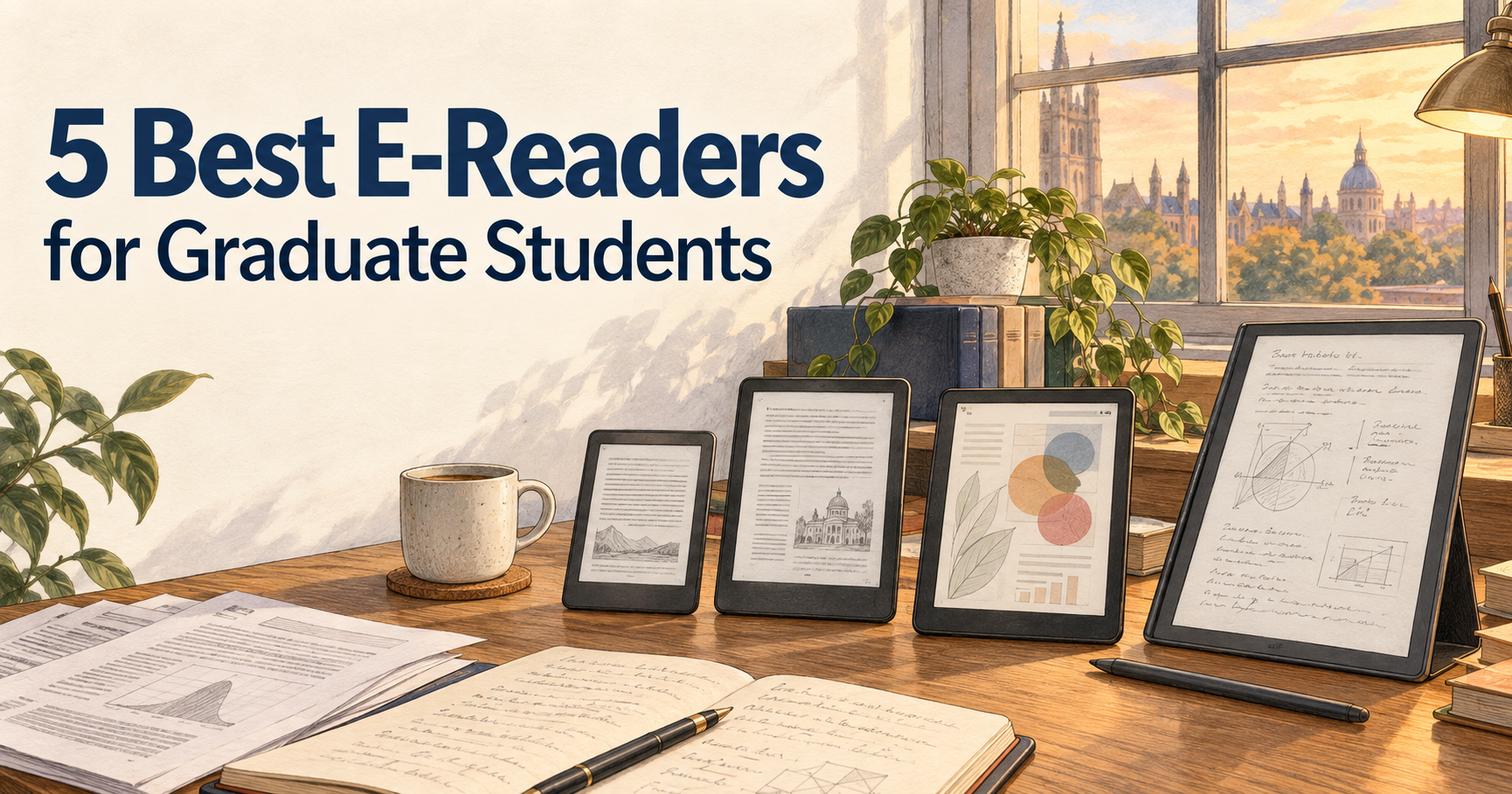
Graduate students read a lot — papers, textbooks, journal articles, reference books, and sometimes an unreasonable number of PDFs.
A laptop or tablet can handle all of those tasks, but an E Ink reader offers something different: a distraction-free screen that is easier to stare at for long reading sessions and can often last for weeks between charges.
The challenge is that not every e-reader is designed for the same kind of work. Some are excellent for books but awkward with full-size research papers. Others support handwriting, color annotations, cloud storage, or Android apps, but cost much more.
For this guide, I compared five e-readers that make sense for graduate students, focusing on screen size, PDF usability, annotation tools, portability, battery life, file support, and overall value for academic work.
Disclosure: This post contains affiliate links. If you buy through one of these links, GradToolLab may earn a commission at no additional cost to you.
Quick Comparison
| E-Reader | Best For | Display | Storage | Standout Feature |
|---|---|---|---|---|
| Kindle Paperwhite | Best Overall | 7″ B&W E Ink | 16GB | Simple, polished reading experience |
| Kobo Clara BW | Best Budget | 6″ B&W E Ink | 16GB | Compact size and broad format support |
| Kobo Libra Colour | Best for Color Annotation | 7″ Color E Ink | 32GB | Color highlighting and stylus support |
| Kindle Scribe Colorsoft | Best for Note-Taking | 11″ Color E Ink | 64GB model tested | Large screen and Premium Pen |
| BOOX Go 10.3 Gen II Lumi | Best for Research PDFs | 10.3″ B&W E Ink | 64GB | Android 15 and wide document support |
1. Kindle Paperwhite — Best Overall
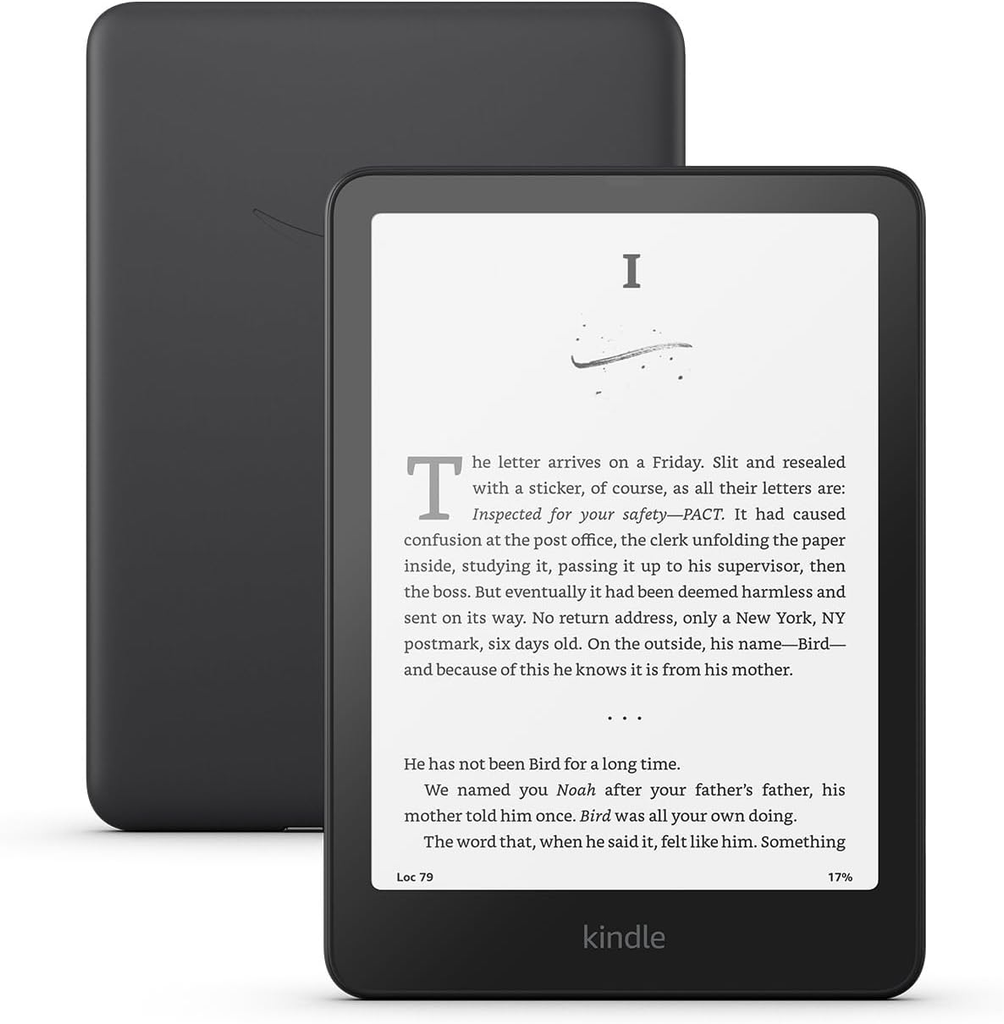
Image courtesy of Amazon
For most graduate students who mainly want to read books, assigned readings, and long-form material without carrying around another full tablet, the Kindle Paperwhite is the easiest recommendation.
The current Paperwhite uses a 7-inch, 300 ppi glare-free display, along with 16GB of storage on the standard model. Amazon also says the current generation offers faster page turns than its predecessor and up to roughly three months of battery life under its stated test conditions. It is also waterproof.
The biggest advantage is simplicity.
You do not get the advanced handwriting features of the Scribe or the flexible Android environment of the BOOX, but that can actually be useful when the main goal is focused reading. Open the book, read, highlight, and continue.
For graduate students who already own a laptop for research and writing, the Paperwhite works well as a secondary device for textbooks, nonfiction, commuting, and reading away from a desk.
Its 7-inch screen is much more portable than the large note-taking models below, so it is also easier to throw into a bag every day.
If you regularly carry a laptop, charger, books, and an e-reader around campus, see our guide to the best laptop backpacks for graduate students.
Pros
- Sharp 7-inch 300 ppi display
- Excellent portability
- Long battery life
- Waterproof
- Large Kindle ecosystem
- Simple interface with few distractions
Cons
- Screen is small for full-page research PDFs
- No stylus handwriting
- Less flexible file workflow than BOOX
- Black-and-white display only
Best for: Students who primarily read books and long-form text and want a reliable, distraction-free e-reader.
Price: Check current price on Amazon
2. Kobo Clara BW — Best Budget E-Reader
The Kobo Clara BW is the budget-focused option in this comparison.
It uses a 6-inch E Ink Carta 1300 HD touchscreen with a resolution of 1448 × 1072, includes 16GB of storage, USB-C, adjustable ComfortLight PRO, and IPX8 waterproofing. Kobo lists support for EPUB, EPUB3, PDF, MOBI, TXT, HTML, CBZ, CBR, and several image formats.
That broad format support is particularly useful if your reading material does not come entirely from one bookstore ecosystem.
The smaller 6-inch screen makes the Clara BW highly portable, but it also creates the same limitation as the Paperwhite: full-page journal articles and papers designed for letter- or A4-size pages can feel cramped.
For books, articles converted to reflowable formats, and general academic reading, however, the device is much easier to carry than a 10- or 11-inch note-taking tablet.
Kobo also estimates battery life of up to 53 days under its specified light and wireless settings, so frequent charging should not be necessary for typical reading use.
If you travel frequently and want to reduce the number of chargers you carry, a compact option from our best USB-C chargers for graduate students guide can power your e-reader alongside other devices.
Pros
- Compact and lightweight
- 16GB of storage
- Broad native file support
- Adjustable warm front light
- Waterproof
- USB-C
- Lower price than the larger models in this guide
Cons
- 6-inch display is small for research PDFs
- No stylus support
- No color display
- Less suitable for detailed figures and large documents
Best for: Students who want an affordable, portable e-reader primarily for books and text-heavy reading.
Price: Check current price on Amazon
3. Kobo Libra Colour — Best for Color Reading and Annotation
The Kobo Libra Colour adds something that traditional black-and-white e-readers cannot: color.
It uses a 7-inch E Ink Kaleido 3 display with 300 ppi for black-and-white content and 150 ppi for color. The device includes 32GB of storage, physical page-turn buttons, IPX8 waterproofing, ComfortLight PRO, Bluetooth, and USB-C.
For academic use, the most interesting feature is support for the Kobo Stylus 2, which allows handwritten annotations and color highlighting. The stylus is sold separately, so that additional cost should be considered before buying.
Color can be useful when reading material that contains diagrams, highlighted passages, charts, or illustrations. It is not going to reproduce color like an LCD or OLED tablet, but that is not really the point — you still get the low-distraction E Ink experience.
The Libra Colour also supports Dropbox and Google Drive integration, which makes moving documents between a computer and the reader easier than on more closed e-reader platforms.
The physical page-turn buttons are another small but useful feature for long reading sessions.
Its limitation is still screen size. Seven inches is comfortable for books, but a complex two-column research paper may require zooming and panning.
If your academic workflow also involves taking extensive notes on a computer, our guide to the best wireless keyboards for graduate students covers options for building a more comfortable writing setup.
Pros
- Color E Ink display
- 32GB storage
- Supports Kobo Stylus 2
- Color highlighting and handwritten annotation
- Physical page-turn buttons
- Google Drive and Dropbox integration
- Waterproof
Cons
- Stylus sold separately
- Color resolution is lower than black-and-white resolution
- Still relatively small for full-size PDFs
- More expensive than basic e-readers
Best for: Students who want color highlighting, handwritten annotations, and a more flexible reading workflow without moving to a full tablet.
Price: Check current price on Amazon
4. Kindle Scribe Colorsoft — Best for Note-Taking
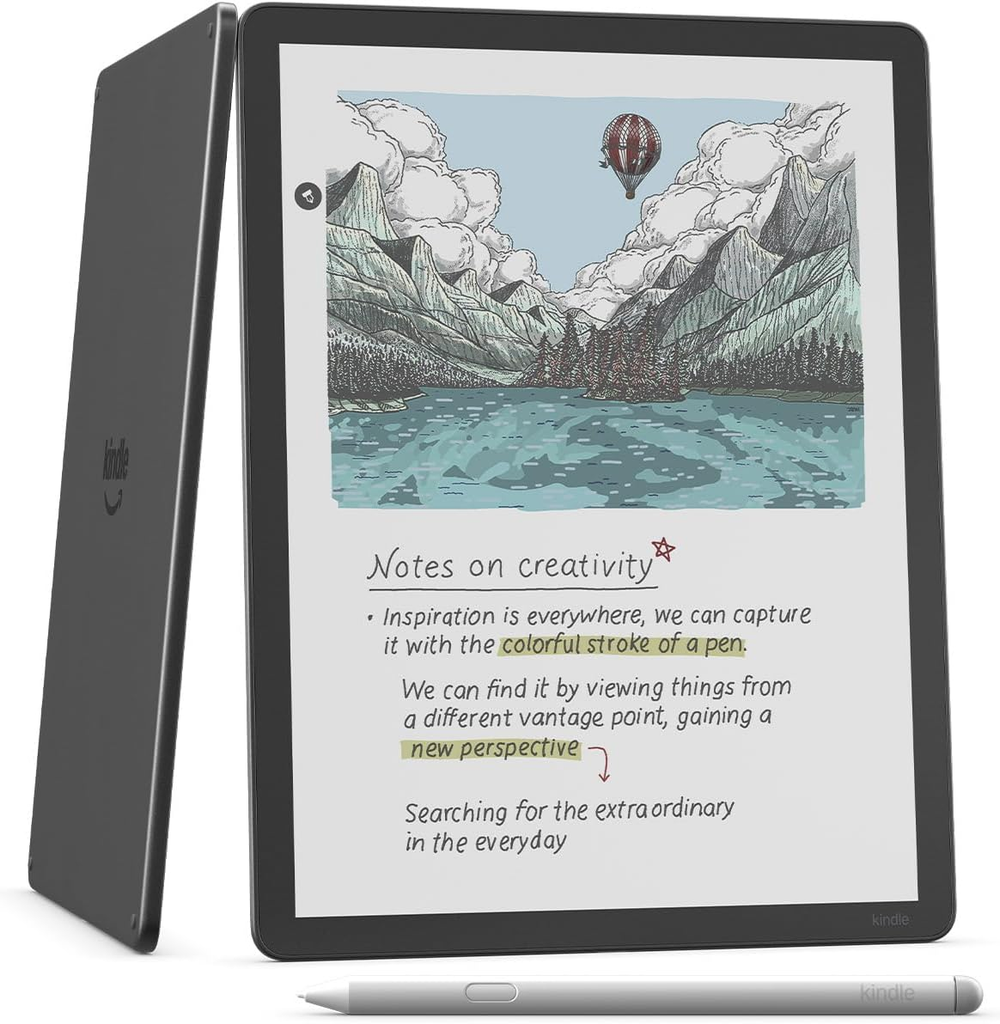
Image courtesy of Amazon
The Kindle Scribe Colorsoft is significantly more expensive than a normal e-reader, but it is also designed to do much more.
It features an 11-inch glare-free color display and includes Amazon’s Premium Pen for handwriting. The current Scribe generation is thinner and lighter than previous models, and Amazon says handwriting and page-turning performance have also been improved.
The larger screen changes how useful an e-reader can be for academic work.
Instead of treating handwritten notes as a small secondary feature, the Scribe gives you enough space for notebooks, brainstorming, diagrams, reading notes, and longer handwritten sessions.
The Colorsoft model also supports color writing and highlighting, making it easier to visually separate ideas or organize notes.
For graduate students who like handwritten thinking but do not want to carry both notebooks and an e-reader, this is the most notebook-like Kindle in the comparison.
The trade-off is price.
At this level, you are moving far beyond a simple reading device and into premium digital-notebook territory. If you mainly read novels and textbooks, the Paperwhite gives you most of the reading experience for much less.
The large 11-inch design also makes the Scribe less convenient for casual commuting than a Paperwhite or Clara BW.
For a desk-based reading and writing setup, you may also want to look at our best desk lamps for graduate students, especially if you frequently alternate between digital notes and printed papers.
Pros
- Large 11-inch display
- Color E Ink
- Premium Pen included
- Excellent space for handwritten notes
- Suitable for larger documents
- Distraction-free compared with conventional tablets
- Strong Kindle integration
Cons
- Very expensive
- Much larger than traditional e-readers
- Overkill for basic reading
- Less flexible software environment than BOOX
Best for: Graduate students who want to combine reading and substantial handwritten note-taking in one premium E Ink device.
Price: Check current price on Amazon
5. BOOX Go 10.3 Gen II Lumi — Best for Research PDFs
For research-heavy use, the BOOX Go 10.3 Gen II Lumi is the most flexible device in this comparison.
It uses a 10.3-inch monochrome E Ink display at 300 ppi, includes 64GB of storage and 4GB of RAM, and runs Android 15. The Lumi version also adds an adjustable warm/cool front light.
Where the BOOX really stands out is document support.
BOOX lists compatibility with formats including PDF, EPUB, MOBI, DOC, DOCX, PPT, PPTX, HTML, RTF, CBZ, CBR, and more, and the system supports third-party Android apps.
That makes it far more adaptable to research workflows than a conventional e-reader.
For example, instead of treating the device purely as a bookstore reader, you can use it as a dedicated document device for journal papers, lecture notes, manuscripts, and other files.
The 10.3-inch screen is also much better suited to research PDFs than a 6- or 7-inch e-reader. You may still need to zoom in on particularly dense documents, but the experience is much closer to the original page size.
BOOX includes its InkSense Plus stylus, which supports 4,096 levels of pressure sensitivity, making the device useful for handwritten notes and document annotation as well.
There is a downside to all this flexibility: complexity.
A Kindle or Kobo is easier to understand immediately. The BOOX behaves more like a specialized Android tablet with an E Ink screen, which means there are more settings, apps, refresh modes, and workflows to learn.
If you often work with PDFs on both an e-reader and a laptop, a second screen can also help when writing papers. See our guide to the best portable monitors for graduate students.
Pros
- Large 10.3-inch 300 ppi display
- 64GB storage
- Android 15
- Third-party app support
- Excellent document format compatibility
- Stylus included
- Front light with warm and cool adjustment
- Particularly well suited to research PDFs
Cons
- More complicated than Kindle or Kobo
- Expensive
- Larger and less pocketable
- More settings and software options to manage
Best for: Researchers and graduate students who regularly read PDFs, annotate documents, and want a flexible E Ink device rather than a simple bookstore reader.
Price: Check current price on Amazon
Which E-Reader Should You Choose?
The right e-reader depends on what you actually plan to read.
If most of your reading consists of books, textbooks, and long-form text, the Kindle Paperwhite is the simplest all-around choice. It is portable, mature, and does not make you pay for advanced features you may never use.
The Kobo Clara BW is the better fit if you want to spend less while keeping broad file support and a compact design.
Choose the Kobo Libra Colour if color highlighting, page-turn buttons, and occasional handwritten annotation matter more to you than maximum screen size.
The Kindle Scribe Colorsoft makes sense when handwriting is a central part of your workflow and you want a large Kindle-based digital notebook.
And if your research revolves around PDFs, document files, cloud services, and more customizable workflows, the BOOX Go 10.3 Gen II Lumi is the most capable research-focused option in this group.
What to Look for in an E-Reader for Graduate School
Screen Size
Screen size matters much more for academic work than it does for reading novels.
A 6- or 7-inch reader is excellent for ordinary books because it is small and easy to carry.
Research papers are different.
Academic PDFs are often formatted for A4 or letter-size pages, sometimes with two columns, small figures, footnotes, and tables. Shrinking all of that onto a 6-inch screen can make reading uncomfortable.
If PDFs are a major part of your workflow, a 10- or 11-inch device is worth considering.
Black-and-White vs. Color
Black-and-white E Ink still offers the sharpest and simplest experience for ordinary text.
Color E Ink becomes useful when you regularly work with:
- Color-coded highlights
- Diagrams
- Charts
- Illustrated textbooks
- Handwritten notes
- Documents where color carries meaning
However, color E Ink is more muted than a conventional tablet display.
Do not buy a color e-reader expecting iPad-like color reproduction.
PDF Support
A device saying that it “supports PDF” does not necessarily mean it handles PDFs well.
The actual experience depends on screen size, zooming, cropping, annotation tools, processing speed, and file-transfer options.
If PDFs are your priority, large-screen devices such as the BOOX or Scribe are usually much more practical than pocket-sized readers.
Note-Taking
Consider whether you simply want to highlight passages or actually want to write.
There is a major difference between:
highlighting text while reading
and
using the device as a digital notebook.
If handwriting is important, pay attention to stylus compatibility, whether the stylus is included, screen size, notebook features, and document annotation tools.
Storage
For ordinary eBooks, storage is rarely a major problem.
Text-based books are relatively small, so even 16GB can hold a large library.
Storage becomes more relevant if you keep:
- Large PDF collections
- Audiobooks
- Illustrated textbooks
- Comics
- Scanned documents
- Research archives
For that kind of use, 32GB or 64GB gives you more room.
Battery Life
One of the biggest advantages of E Ink is battery life.
Unlike a laptop or conventional tablet, an e-reader may go days or weeks without needing to be charged.
That makes them particularly convenient for commuting, conferences, libraries, and travel.
If you regularly work away from outlets with several devices, our guide to the best power banks for graduate students may also be useful.
Do Graduate Students Really Need an E-Reader?
Not necessarily.
If you already have an iPad or another tablet and are comfortable reading on an LCD or OLED display, buying an e-reader may not fundamentally change your workflow.
The advantage of E Ink is more specific.
It provides a paper-like, low-distraction environment for long reading sessions while using very little battery.
An e-reader becomes particularly useful if you:
- Read for hours every week
- Get distracted when reading on a laptop
- Want something lighter than a tablet
- Read during commutes
- Want weeks of battery life
- Prefer E Ink for long-form text
- Want a dedicated device for research PDFs or handwritten notes
If you mainly skim papers and spend the rest of your time writing or analyzing data on a computer, your laptop may still be the more practical tool.
FAQ
Is a Kindle good for graduate students?
Yes, particularly if you read a lot of books, textbooks, and long-form material.
A Kindle Paperwhite is less suitable for complex full-page PDFs because of its smaller screen, while the larger Kindle Scribe models are much better suited to note-taking and larger documents.
Can you read research papers on an e-reader?
Yes, but the experience varies significantly by device.
Small 6- and 7-inch readers can open PDFs, but academic papers may require frequent zooming.
For researchers who regularly work with full-size PDFs, a 10-inch or larger E Ink device is generally more practical.
Is BOOX better than Kindle for PDFs?
For flexible PDF and document workflows, BOOX offers several advantages.
The Go 10.3 Gen II Lumi has a larger screen, broad file-format compatibility, Android 15, third-party app support, and handwriting tools.
Kindle devices are generally simpler, while BOOX gives you more control.
Is color E Ink worth it for graduate school?
It can be.
Color is most useful for highlighted notes, charts, diagrams, and documents where different colors help organize information.
If nearly everything you read is black text, however, a monochrome display may be simpler and less expensive.
Is the Kobo Libra Colour good for note-taking?
It supports Kobo Stylus 2 and allows handwritten notes and color annotations, but the stylus is sold separately.
Its 7-inch size makes it better suited to reading annotations than extensive notebook-style writing.
For large handwritten notebooks, an 11-inch Kindle Scribe or 10.3-inch BOOX provides significantly more writing space.
Should I buy an e-reader or an iPad for research?
An iPad is more versatile.
It can run full-featured apps, browse the web smoothly, display rich color, play video, and handle many productivity tasks.
An e-reader is more specialized.
Choose E Ink if your priority is long-form reading, fewer distractions, battery life, and a paper-like display.
Choose a conventional tablet if you need one device for reading, browsing, video, presentations, multitasking, and more advanced apps.
Final Thoughts
There is no single e-reader that is ideal for every graduate student.
For straightforward reading, the Kindle Paperwhite offers the best balance of portability and simplicity.
The Kobo Clara BW provides a more affordable alternative with broad file compatibility, while the Kobo Libra Colour adds color, physical page-turn buttons, and optional handwriting.
The Kindle Scribe Colorsoft moves into digital-notebook territory with its large color display and included pen.
And for research-heavy workflows, the BOOX Go 10.3 Gen II Lumi stands out because of its large screen, Android software, stylus support, and extensive document compatibility.
The most important question is not which device has the longest feature list.
It is what you actually spend most of your time reading.
For books, choose portability.
For handwritten notes, choose writing space.
For academic PDFs, choose screen size and document flexibility.
Prices and availability can change over time, so check the latest details before purchasing.