
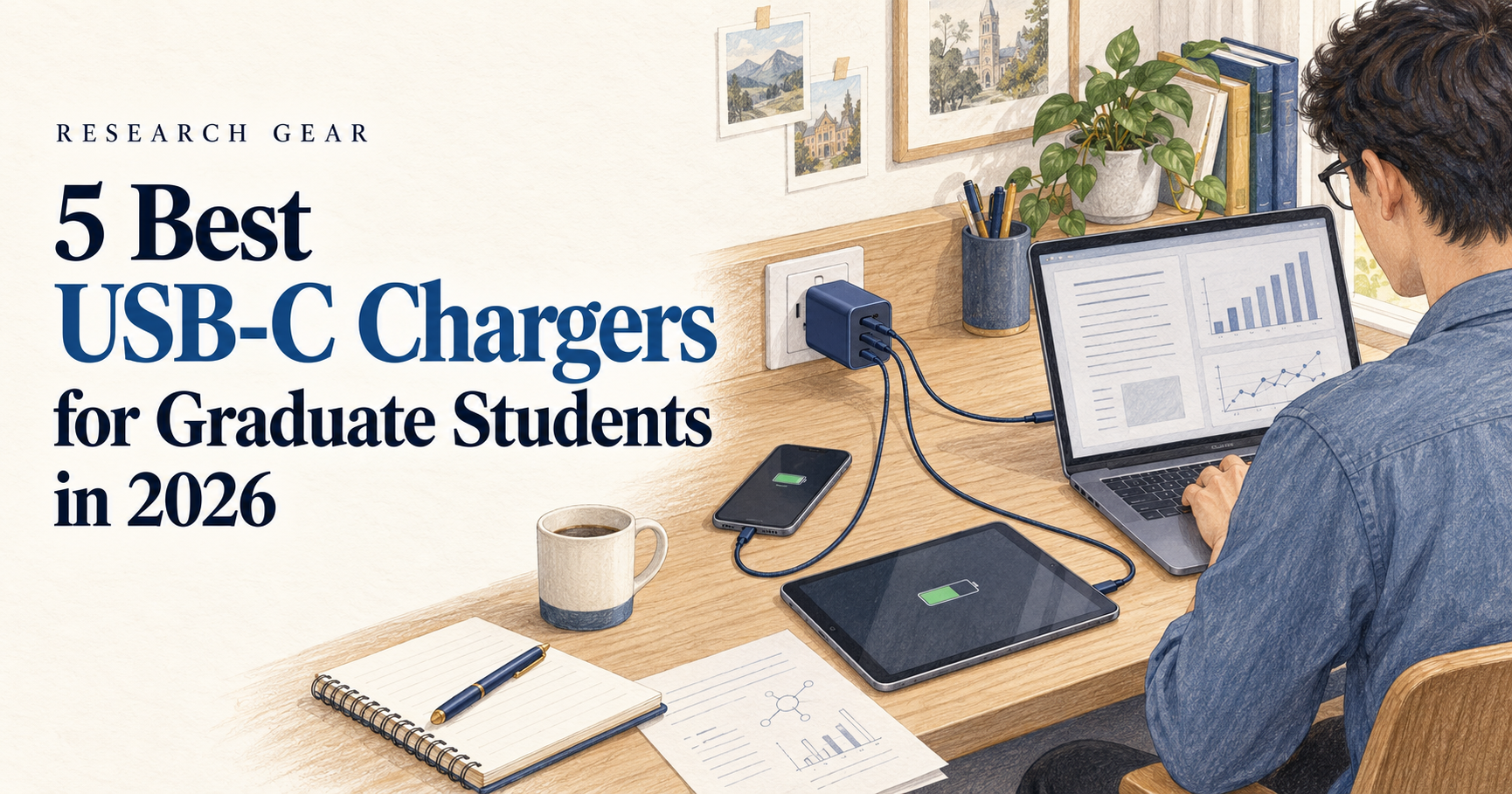
A good USB-C charger can replace several power adapters in your backpack.
For graduate students, that can make a surprisingly large difference.
You may need to charge a laptop in the research lab, a phone between classes, a tablet while reading papers, or several devices at once during a conference or trip.
Instead of carrying a separate charger for every device, a modern GaN USB-C charger can often handle most of them from a single wall outlet.
In this guide, we compare five of the best USB-C chargers for graduate students in 2026, from compact everyday chargers to high-power options for laptops and international travel.
We focused on charging power, number of ports, portability, device compatibility, and how useful each charger is for real academic workflows.
Disclosure: This article contains affiliate links. As an Amazon Associate, GradToolLab may earn a commission from qualifying purchases at no additional cost to you.
Quick Comparison
| USB-C Charger | Best For | Maximum Output | Ports | Main Advantage |
|---|---|---|---|---|
| Anker Prime Charger 160W | Best Overall | 160W total | 3× USB-C | High power with smart display |
| UGREEN Nexode 100W 4-Port | Best Value | 100W | 3× USB-C + 1× USB-A | Practical balance of power and ports |
| Anker Nano Charger 70W | Best for Portability | 70W | 2× USB-C + 1× USB-A | Compact everyday charger |
| Satechi 145W USB-C 4-Port GaN Travel Charger | Best for International Travel | 145W | 4× USB-C | International plug adapters included |
| Anker 140W Max 4-Port GaN Charger | Best for Multiple Devices | 140W | 3× USB-C + 1× USB-A | Four ports and built-in display |
1. Anker Prime Charger 160W — Best Overall
The Anker Prime Charger 160W is our best overall choice for graduate students who want one charger that can handle both a laptop and multiple smaller devices.
It provides up to 160W of total output across three USB-C ports, while a compatible device can receive very high power from a single port.
That makes it powerful enough for demanding laptops while still being practical for everyday devices such as phones, tablets, earbuds, and other USB-C accessories.
It also includes a built-in smart display, which gives it an advantage over more basic wall chargers.
Anker lists three USB-C ports, up to 160W total output, and a compact 65 × 52 × 35 mm body.
Why it works well for graduate students
Graduate students often carry several rechargeable devices.
A typical setup might include:
- A USB-C laptop
- A smartphone
- A tablet
- Wireless headphones
- A portable monitor
- Other research accessories
A high-output multi-port charger can reduce the number of power adapters you need to carry.
For example, instead of using one charger for your laptop and another for your phone, you can connect both to the same wall charger.
That is especially useful in libraries, conference venues, airports, or older university buildings where wall outlets may be limited.
The smart display is actually useful
A display on a charger may sound unnecessary, but it can help you understand how power is being distributed between connected devices.
That is useful when you are charging several devices at once and want to know whether your laptop is receiving enough power.
What to consider
This is a premium, high-output charger.
If your only devices are a phone and a lightweight laptop, you probably do not need 160W.
But if you want one charger that can remain useful as your setup expands, it is the strongest all-around option in this guide.
Best for: Graduate students who want one powerful charger for a laptop and several USB-C devices.
2. UGREEN Nexode 100W 4-Port Charger — Best Value
The UGREEN Nexode 100W 4-Port Charger offers a very practical combination of charging power and multiple ports.
It supports up to 100W of total output and provides multiple USB-C connections along with a USB-A port.
UGREEN positions the charger as a multi-device GaN charger designed for laptops, tablets, phones, and other common electronics.
Why 100W is a useful middle ground
Not every student needs a 140W or 160W charger.
Many thin-and-light laptops can operate comfortably with chargers in the 65W–100W range.
That includes the types of laptops commonly used for:
- Writing papers
- Reading PDFs
- Coding
- Data analysis
- Browsing research databases
- Preparing presentations
- General Microsoft Office or Google Workspace use
A 100W charger therefore provides plenty of flexibility without automatically moving into the highest-powered category.
Four ports are useful on a research desk
The main advantage here is not just wattage.
It is the ability to connect several devices to one outlet.
You might charge your laptop while also connecting a phone, tablet, smartwatch, or headphones.
That can be particularly useful in a shared office or research lab where you do not want several large power adapters occupying the same power strip.
What to consider
When multiple devices are connected, the charger’s total power must be shared between them.
That means connecting four devices does not give each device 100W.
This is normal for multi-port chargers, but it is worth remembering if you regularly use a high-performance laptop.
Best for: Students who want strong laptop charging and several ports without needing the highest possible wattage.
3. Anker Nano Charger 70W — Best for Portability
The Anker Nano Charger 70W is the option we would choose for students who care more about portability than maximum output.
It offers up to 70W of charging power from a compact charger with two USB-C ports and one USB-A port.
Anker lists its dimensions at approximately 53 × 42.6 × 31.5 mm, making it substantially easier to carry than many high-output multi-port chargers.
A better fit for everyday commuting
High-output chargers are useful, but there is a downside: size and weight.
If you commute to university every day, the items in your backpack quickly add up.
You may already carry:
- A laptop
- A laptop stand
- Headphones
- An external SSD
- A notebook
- A water bottle
- Charging cables
A smaller charger can make more sense than carrying the most powerful model available.
Is 70W enough for a laptop?
For many thin-and-light USB-C laptops, yes.
A 70W charger is well suited to laptops that normally use 45W, 60W, or 65W USB-C power adapters.
It also gives you enough flexibility to charge smaller devices.
However, students using high-performance MacBook Pro models, mobile workstations, or gaming-oriented laptops may benefit from a higher-output charger.
Who should choose it?
This is particularly appealing if your academic setup is simple:
Laptop + phone + one accessory
You get enough charging capability for everyday campus use without carrying a large power brick.
Best for: Commuting students who want a compact USB-C charger for a lightweight laptop and everyday devices.
4. Satechi 145W USB-C 4-Port GaN Travel Charger — Best for International Travel
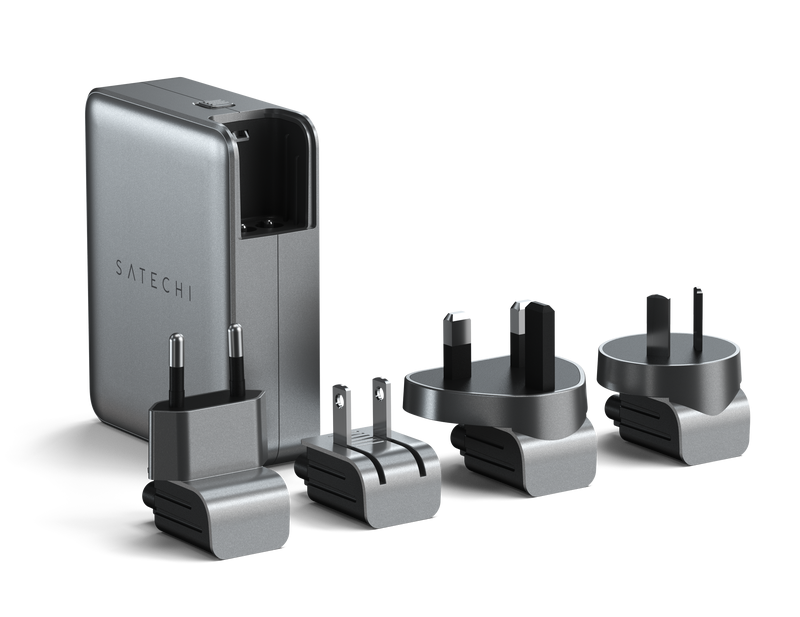
Image: Satechi
The Satechi 145W USB-C 4-Port GaN Travel Charger is the most travel-focused charger in this guide.
It provides four USB-C ports and up to 145W of total output.
More importantly for academic travel, it includes interchangeable adapters for US, EU, UK, and AU outlets.
Satechi also states that its first two USB-C PD ports support up to 140W from a single-port connection, while the charger automatically distributes power when multiple devices are connected.
Why this is especially useful for graduate students
Graduate school can involve more travel than undergraduate study.
You may eventually travel for:
- International conferences
- Research visits
- Workshops
- Summer schools
- Collaborative projects
- Internships
- Fieldwork
When that happens, charging becomes slightly more complicated.
You need enough power for your laptop and phone, but you may also need different wall adapters depending on the country.
The Satechi combines those needs into one travel-focused package.
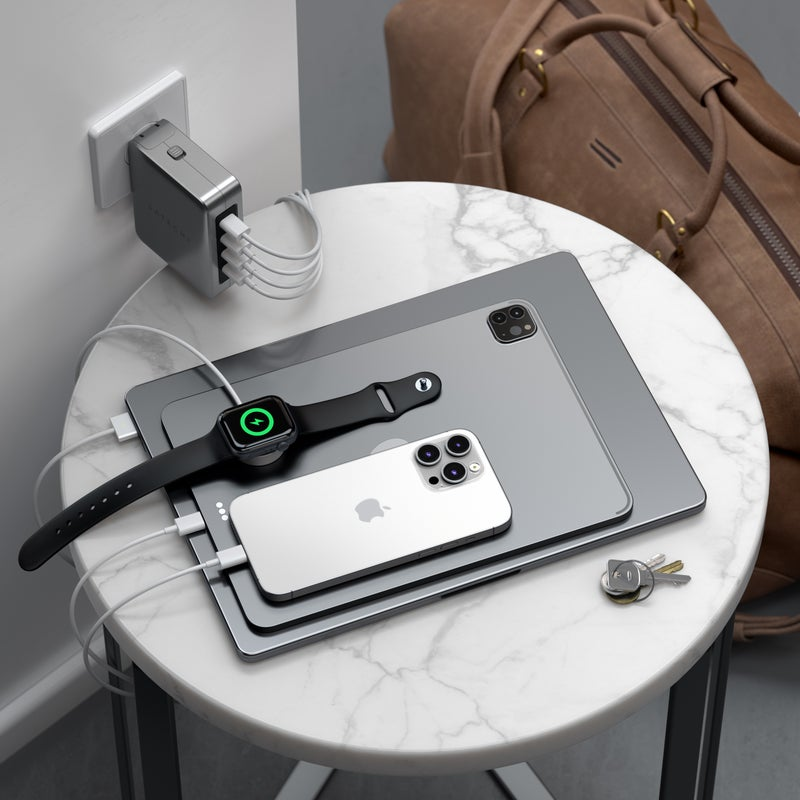
Image: Satechi
Four USB-C ports make sense for modern devices
Another advantage is that all four charging ports are USB-C.
That is increasingly useful as laptops, smartphones, tablets, headphones, and other devices move toward USB-C charging.
A possible travel setup could be:
Laptop + phone + tablet + headphones
all connected to one charger.
The trade-off
This is not the charger we would buy solely for sitting at the same university desk every day.
Its real advantage is travel.
If you rarely leave your home country and mainly want a small campus charger, the Anker Nano or UGREEN Nexode will make more sense.
Best for: Graduate students who attend international conferences or frequently travel with several USB-C devices.
5. Anker 140W Max 4-Port GaN Charger with Smart Display — Best for Multiple Devices
The Anker 140W Max 4-Port GaN Charger is designed for students who regularly have several devices connected at once.
It provides a maximum output of 140W and includes three USB-C ports plus one USB-A port.
It also includes a color display that can provide charging information while devices are connected.
Why four ports matter
For a single-device setup, four charging ports are unnecessary.
But graduate students often accumulate more electronics over time.
For example:
Laptop + smartphone + tablet + headphones
or
Laptop + portable monitor + phone + smartwatch
A four-port charger makes it easier to keep everything connected without filling a power strip with separate adapters.
Better for a desk or shared workspace
This model also makes sense if you regularly move between home and a research lab.
Instead of maintaining several chargers, you can carry one high-output unit that handles most of your devices.
The combination of USB-C and USB-A is also useful if you still own older accessories that have not moved to USB-C.
How it differs from the Anker Prime 160W
The Prime is our overall recommendation because it prioritizes high output and a more premium three-port USB-C setup.
The 140W model is more attractive if port count matters more.
So the choice is relatively simple:
Want maximum versatility and power? Choose the Prime.
Regularly connect four devices? Consider the 140W 4-port model.
Best for: Students with several devices who want to replace multiple chargers with a single high-output adapter.
Why Graduate Students Might Need a Better USB-C Charger
The charger included with your laptop may already work perfectly well.
So why buy another one?
The main reason is convenience.
A traditional setup might require:
Laptop charger + phone charger + tablet charger
If you also need reliable power away from wall outlets, see our guide to the best power banks for graduate students.
A multi-port USB-C charger can often replace all three.
That matters when you move between different workspaces.
Graduate students may spend part of the day in a research lab, another part in class, and several hours working in a library or café.
Reducing the number of chargers and adapters you carry makes that mobile setup easier to manage.
How Much Wattage Do You Actually Need?
More watts do not automatically mean a better charger.
The correct wattage depends on the devices you own.
Around 45W–70W
This range is useful for many smartphones, tablets, and lightweight USB-C laptops.
For students with a small ultrabook and phone, a charger such as the Anker Nano 70W may be all you need.
Around 100W
100W is a useful middle ground.
It gives you more flexibility for laptops while still working well with smaller devices.
For many graduate students, this is enough.
140W and above
High-output chargers make more sense for:
- Higher-performance laptops
- Larger MacBook Pro models
- Mobile workstations
- Multiple devices charging simultaneously
If your laptop originally came with a high-wattage charger, this category may be worth considering.
Check Your Laptop’s Charging Requirements
Before buying a USB-C charger, check the wattage of the power adapter that came with your laptop.
For example, if your laptop normally uses a 65W charger, a quality 70W or 100W USB-C charger may be perfectly suitable.
If your laptop expects 140W for maximum-speed charging, using a 65W charger may still provide power in some situations, but charging could be slower or insufficient under heavy workloads.
The laptop ultimately determines how much power it accepts.
A 160W charger does not force 160W into a device.
If your laptop also needs additional ports for monitors, storage, or accessories, check out our guide to the best USB-C hubs for graduate students.
More Ports Do Not Mean More Power Per Device
This is one of the most important things to understand when buying a multi-port charger.
Suppose a charger has a maximum output of 100W.
That does not mean all four ports can provide 100W at the same time.
The charger distributes its available power between connected devices.
For example, connecting a laptop and smartphone might result in the laptop receiving most of the available power while the phone receives a smaller share.
The exact distribution depends on the charger and which ports you use.
If you regularly charge several high-power devices simultaneously, choose a charger with more total output.
What Is a GaN Charger?
Most chargers in this guide use GaN, or gallium nitride, technology.
You do not need to understand semiconductor physics to benefit from it.
In practical terms, GaN technology allows manufacturers to build compact chargers capable of delivering high amounts of power efficiently.
That is why modern 100W+ USB-C chargers can be dramatically smaller than older laptop power bricks.
For graduate students, the main benefit is simple:
More charging power without taking up as much space in your backpack.
Is One USB-C Charger Better Than Carrying Several Chargers?
For many students, yes.
A multi-port charger can simplify your setup substantially.
Instead of remembering several separate adapters, you only need:
One charger + the cables required by your devices.
This is particularly useful for commuting and travel.
However, there is one advantage to carrying separate chargers: redundancy.
If your only charger fails or gets lost during a trip, every device relying on it is affected.
For important international travel or conferences, carrying a small backup charger can still be sensible.
USB-C vs USB-A Ports
USB-C should be the priority for most new devices.
Modern laptops, tablets, smartphones, power banks, and portable monitors increasingly rely on USB-C Power Delivery.
However, USB-A is not completely obsolete.
You may still have accessories such as:
- Older charging cables
- Wireless mouse receivers
- Headphones
- Smartwatches
- Legacy electronics
That is why chargers such as the UGREEN Nexode and Anker 140W model can still be useful: they combine modern USB-C ports with a USB-A connection.
Do You Need a 140W Charger for Graduate School?
Probably not.
Most graduate students will be perfectly fine with a 65W–100W charger.
A 140W or 160W charger becomes more useful if you:
- Own a high-performance laptop
- Charge multiple devices simultaneously
- Want one charger for both home and travel
- Expect your device setup to expand
- Frequently use demanding hardware
Buying more charging power than you need is not harmful, but it can mean carrying a larger and more expensive charger unnecessarily.
Best USB-C Charger for International Conferences
If international travel is a major part of your graduate program, we would choose the Satechi 145W USB-C 4-Port GaN Travel Charger.
The interchangeable US, EU, UK, and AU adapters solve a problem that ordinary USB-C chargers do not.
Instead of carrying a separate travel adapter plus a laptop charger plus several smaller adapters, you can consolidate much of the setup into one device.
Just remember that a plug adapter changes the physical connection to the wall — it does not convert every possible electrical standard.
Always verify the input voltage range of your charger and devices before international travel.
Which USB-C Charger Should You Buy?
For most graduate students, we recommend the Anker Prime Charger 160W.
It provides enough power for demanding laptops, three USB-C ports, and a smart display in a relatively compact charger.
If you want a more affordable and balanced multi-device option, the UGREEN Nexode 100W 4-Port Charger is a strong choice.
For students who commute every day and care about minimizing backpack weight, the Anker Nano Charger 70W is the most practical.
If international academic travel is common, the Satechi 145W Travel Charger is the standout choice.
And if your desk regularly contains several devices at once, the Anker 140W 4-Port Charger provides the most useful port configuration.
The best charger is not necessarily the one with the highest wattage.
It is the one that can power the devices you actually use without adding unnecessary weight and complexity to your academic setup.
FAQ
Is a 65W or 70W USB-C charger enough for a laptop?
For many thin-and-light USB-C laptops, yes.
Check the wattage of the charger supplied with your laptop to determine what it normally expects.
Is a 100W charger enough for graduate school?
For most students, 100W provides plenty of flexibility.
It can support many USB-C laptops while also giving you enough total power for smaller devices.
Can I use a 140W charger with a 65W laptop?
Yes, provided the charger and laptop support compatible USB-C charging standards.
The laptop controls how much power it draws, so it will not automatically consume the charger’s full 140W output.
Can one USB-C charger charge a laptop and phone at the same time?
Yes, if the charger has multiple ports.
However, its total output will be divided between the connected devices according to the charger’s power-distribution system.
Are GaN chargers better for students?
GaN chargers are particularly useful for students because they can provide relatively high charging power in compact designs.
That makes them easier to carry between home, campus, libraries, labs, and conferences.
Which USB-C charger is best for graduate students?
For most users, the Anker Prime Charger 160W offers the best combination of high charging power, multiple USB-C ports, portability, and flexibility.