
Graduate students rarely work in only one place.
You might write at home, analyze data in a lab, prepare presentations at the library, and carry the same laptop between all three.
A portable monitor can make that workflow much easier.
Instead of constantly switching between a paper, your notes, code, spreadsheets, and reference material, a second screen lets you keep more of your research visible at the same time.
In this guide, we selected five of the best portable monitors for graduate students in 2026, focusing on productivity, portability, connectivity, display quality, and how practical each monitor is for everyday academic work.
Disclosure: This post contains affiliate links. If you buy through one of these links, GradToolLab may earn a commission at no additional cost to you.
Quick Comparison
| Portable Monitor | Best For | Display | Why We Like It |
|---|---|---|---|
| MSI PRO MP165 E6 | Best Overall | 15.6″, 1920×1080 IPS | Flexible connectivity and a practical feature set for everyday research |
| Acer PM161Q | Best Value | 15.6″, 1920×1080 IPS | Affordable second screen with USB-C and Mini HDMI |
| Lenovo ThinkVision M14t Gen 2 | Best Touchscreen | 14″, 2240×1400 IPS Touch | High-resolution 16:10 display with touch and pen support |
| ViewSonic VX1655-4K-OLED | Best 4K Display | 15.6″, 3840×2160 OLED | Excellent resolution and contrast for detailed visual work |
| ASUS ZenScreen OLED MQ16FC | Best OLED for Portability | 15.6″, 1920×1200 OLED | 16:10 OLED with flexible USB-C connectivity |
Note: Portable monitor prices can change frequently. We recommend checking the latest Amazon price before buying.
1. MSI PRO MP165 E6 — Best Overall
For most graduate students, the MSI PRO MP165 E6 is the portable monitor I would start with.
It is not the highest-resolution monitor in this guide, but it combines the features that matter most for everyday academic work without becoming unnecessarily complicated or expensive.
The monitor uses a 15.6-inch Full HD IPS panel with an anti-glare surface.
More importantly, it includes both USB-C and HDMI connectivity, which makes it easier to use with different laptops and computers than a USB-C-only portable display.
It also includes built-in speakers, a tripod mounting point, and VESA mounting support.
Why it works well for graduate students
A second monitor is often more useful for organization than for image quality.
For example, you can keep:
- A journal article on the portable monitor while writing notes on your laptop
- Python or MATLAB documentation beside your code
- Zotero beside Word or LaTeX
- Presentation notes beside your slides
- A spreadsheet beside your analysis software
For those tasks, Full HD is usually enough.
The MSI also gives you more connection flexibility than many portable monitors.
If your laptop supports USB-C video output, you can use USB-C. If it does not, HDMI provides another option.
That flexibility matters when you sometimes use a personal laptop and sometimes work on a university computer.
Why it is our Best Overall pick
The MSI is not trying to be a premium OLED or 4K display.
Instead, it offers a balanced combination of:
portability + compatibility + practical features + reasonable specifications
That makes it the easiest recommendation for the largest number of graduate students.
Pros
- 15.6-inch IPS display
- Full HD resolution
- Anti-glare surface
- USB-C connectivity
- HDMI connectivity
- Built-in speakers
- Tripod mounting support
- VESA mounting support
- Good fit for everyday academic productivity
Cons
- 1920×1080 provides less workspace than higher-resolution options
- 16:9 rather than 16:10
- Display quality is less premium than OLED models
- Not ideal if visual research is your main priority
Best for: Most graduate students who want a reliable portable second screen for papers, coding, writing, meetings, and general research.
2. Acer PM161Q — Best Value
The Acer PM161Q is a straightforward option for students who want a portable second screen without spending heavily on premium features.
It uses a 15.6-inch Full HD IPS display with an anti-glare surface and a rated brightness of 250 nits.
Connectivity includes two USB-C ports and Mini HDMI, giving you more flexibility than monitors that rely entirely on USB-C video output.
It also includes built-in speakers and an adjustable stand.
Why it makes sense for students
Not every second screen needs to be high resolution.
If the portable monitor is mainly going to display:
- PDFs
- Reference material
- Spreadsheets
- Browser tabs
- Presentation notes
- Terminal windows
then Full HD is usually enough.
The Acer is therefore less about having the best screen and more about getting the practical benefits of a dual-monitor setup without moving into premium pricing.
A sensible first portable monitor
This is especially useful if you are unsure how often you will actually use a second screen.
Rather than starting with an expensive 4K OLED display, you can add the Acer to your setup and see how much a portable dual-screen workflow improves your research.
The combination of USB-C and Mini HDMI also makes it relatively easy to move between different devices.
Pros
- 15.6-inch Full HD IPS display
- Anti-glare surface
- Two USB-C ports
- Mini HDMI
- Built-in speakers
- Adjustable stand
- Good fit for basic productivity
- More affordable than premium options
Cons
- Lower resolution than the Lenovo and ViewSonic
- 250-nit brightness is modest
- 16:9 rather than 16:10
- Less premium construction and display technology
Best for: Graduate students who want an affordable second screen for papers, reference material, writing, and general productivity.
3. Lenovo ThinkVision M14t Gen 2 — Best Touchscreen
The Lenovo ThinkVision M14t Gen 2 is the most interactive monitor in this guide.
It uses a 14-inch 2240×1400 IPS display with a 16:10 aspect ratio, giving you more vertical space than a typical Full HD portable monitor.
Its biggest advantage, however, is the combination of touchscreen and pen support.
Why touch can be useful for research
Touch input is not essential for most graduate students.
But certain academic workflows can benefit from it.
For example, you might use it to:
- Annotate a figure
- Mark up a PDF
- Sketch an experimental setup
- Write quick handwritten notes
- Review presentation slides
- Explain an idea during a meeting
That makes the Lenovo particularly interesting for students whose work involves diagrams, teaching, presentations, or frequent annotation.
16:10 is also useful even without touch
Even if you rarely use the touchscreen, the display itself is attractive for productivity.
The 2240×1400 resolution and 16:10 aspect ratio provide more usable vertical space for documents, webpages, spreadsheets, and code.
The tradeoff is screen size.
At 14 inches, it is more compact than the MSI, Acer, ASUS, and ViewSonic models in this guide.
That can be a benefit if portability matters more than maximum workspace.
Pros
- 2240×1400 resolution
- 16:10 aspect ratio
- Touchscreen
- Pen support
- Compact 14-inch size
- USB-C connectivity
- Good for annotation and presentations
- Higher pixel density than basic Full HD models
Cons
- Smaller display
- More expensive than simple Full HD monitors
- Touch may be unnecessary for many students
- No conventional HDMI connection
Best for: Graduate students who annotate documents, sketch ideas, teach, present, or want pen and touch input.
4. ViewSonic VX1655-4K-OLED — Best 4K Display
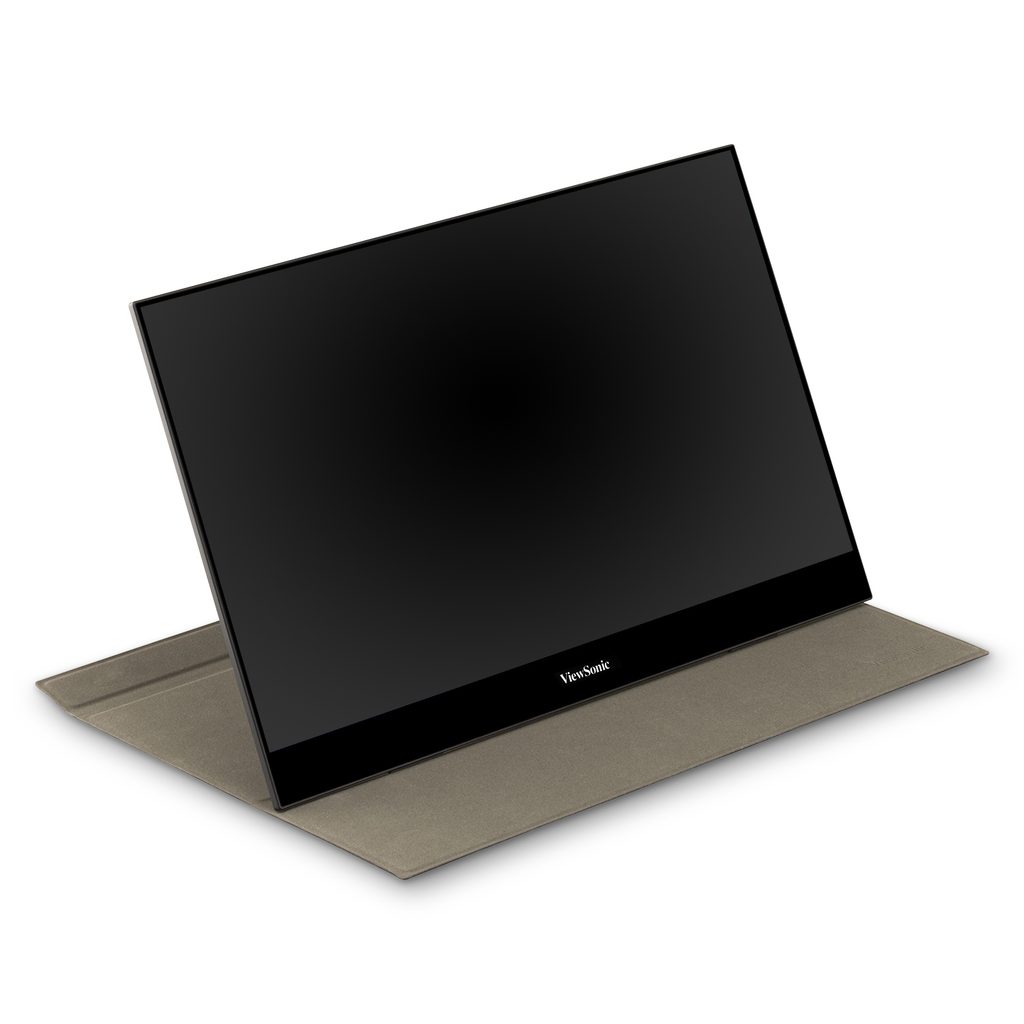
Image: ViewSonic
The ViewSonic VX1655-4K-OLED is the most display-focused monitor in this guide.
It combines a 15.6-inch OLED panel with a 3840×2160 4K resolution.
That is far more resolution than most graduate students need for ordinary writing or reading.
But for the right type of research, it can be extremely useful.
Who benefits from 4K OLED?
The ViewSonic becomes particularly interesting if your work involves visual detail.
Examples include:
- Microscopy images
- Scientific imaging
- Photography
- Video
- Image processing
- Detailed figures
- Visual datasets
- Design work
A 4K panel allows small details to remain sharp, while OLED provides extremely high contrast and deep blacks.
Strong connectivity
The ViewSonic also includes USB-C and Mini HDMI, which makes it easier to connect to different systems.
That is particularly useful if you move between your own laptop and a university workstation.
Why it is not our Best Overall choice
Most graduate students do not need 4K OLED for a secondary screen.
If your workflow is mainly:
PDFs + Word + browser + spreadsheets + coding
then paying for 4K OLED may not provide much practical benefit.
The ViewSonic makes sense when display quality directly contributes to your work.
Pros
- 3840×2160 4K resolution
- OLED panel
- Excellent contrast
- High pixel density
- USB-C
- Mini HDMI
- Built-in stand
- Strong choice for visual research
Cons
- Expensive
- Overkill for basic productivity
- 16:9 rather than 16:10
- Higher resolution can require more display scaling
- Less attractive if you mainly work with text
Best for: Researchers working with high-resolution images, visual datasets, photography, video, or detail-sensitive material.
5. ASUS ZenScreen OLED MQ16FC — Best OLED for Portability
The ASUS ZenScreen OLED MQ16FC offers OLED image quality without moving all the way to 4K.
It uses a 15.6-inch 1920×1200 OLED panel with a 16:10 aspect ratio.
That combination makes it more productivity-oriented than many 16:9 OLED portable monitors.
The display also covers 95% of the DCI-P3 color space and supports USB-C power pass-through.
Why 16:10 matters
For research and studying, vertical space is useful.
A 16:10 monitor lets you see more of:
- PDFs
- Word documents
- Code
- Websites
- Spreadsheets
- Reference managers
without increasing the physical size of the monitor dramatically.
The ASUS therefore combines one of the main benefits of OLED — excellent contrast — with a display shape that still makes sense for academic productivity.
USB-C power pass-through
Power pass-through can also help simplify a portable workstation.
With a compatible charger and laptop, the monitor can help reduce the number of separate power connections required at your desk.
That can be useful when working in a library, shared office, hotel, or temporary workspace.
Why choose this instead of the ViewSonic?
The ViewSonic is better if maximum resolution is the priority.
The ASUS is more attractive if you want:
OLED + 16:10 + portability + simpler everyday productivity.
It is therefore a more balanced OLED option for students who do not specifically need 4K.
Pros
- OLED panel
- 1920×1200 resolution
- 16:10 aspect ratio
- 95% DCI-P3 coverage
- USB-C connectivity
- Power pass-through
- Automatic rotation support
- Good balance of productivity and image quality
Cons
- More expensive than basic IPS monitors
- Lower resolution than the ViewSonic 4K model
- OLED is unnecessary for many text-based workflows
- Glossy OLED surfaces can show more reflections
Best for: Graduate students who want OLED image quality in a portable display that still works well for documents and productivity.
Why a Portable Monitor Can Be Useful for Graduate School
A portable monitor is not essential research equipment.
But it becomes surprisingly useful once your work regularly involves several applications at the same time.
For example:
Screen 1: Python / MATLAB / R
Screen 2: plots or documentation
or
Screen 1: Word / LaTeX
Screen 2: journal article or Zotero
or
Screen 1: Zoom
Screen 2: presentation notes or research data
Instead of repeatedly switching windows, you can keep related information visible.
If you regularly move large research files between computers as well, see our guide to the 5 Best External SSDs for Graduate Students and Researchers in 2026.
This is particularly useful if you move between your university and home and cannot maintain a permanent dual-monitor setup in both places.
16:9 vs 16:10 for Research
For productivity, 16:10 has an advantage.
The extra vertical space is useful for:
- Reading PDFs
- Writing papers
- Coding
- Spreadsheets
- Browsing documentation
That is one reason the Lenovo ThinkVision M14t Gen 2 and ASUS ZenScreen OLED MQ16FC are especially interesting for academic workflows.
However, 16:9 is still perfectly usable.
The MSI and Acer are good examples.
You lose some vertical workspace, but you gain affordable and widely compatible portable monitors.
What Resolution Should You Choose?
The highest resolution is not automatically the best choice.
1920×1080 or 1920×1200
For most secondary-monitor tasks, this is enough.
It works well for:
- PDFs
- Browser windows
- Presentation notes
- Terminals
- Reference documents
That makes the MSI, Acer, and ASUS practical options.
2240×1400
The Lenovo provides noticeably more usable workspace while remaining compact.
It is particularly useful for documents and productivity.
3840×2160
4K makes sense when you need high pixel density or work with detailed images.
For ordinary academic writing and coding, it is usually unnecessary.
Check Your Laptop’s USB-C Port Before Buying
One important detail is easy to overlook:
A USB-C connector does not automatically mean your laptop can output video through it.
For one-cable portable-monitor use, your laptop generally needs a USB-C port that supports video output, such as DisplayPort Alt Mode, Thunderbolt, or USB4.
Always check your laptop specifications before buying.
This is one reason monitors with HDMI or Mini HDMI, such as the MSI, Acer, ViewSonic, and ASUS, can be easier to use across multiple computers.
If your laptop also needs additional ports for SSDs, charging, keyboards, or other accessories, see our guide to the:
5 Best USB-C Hubs for Graduate Students in 2026
Portable Monitor vs Regular Desktop Monitor
A portable monitor is mainly about flexibility.
Choose a portable monitor if you:
- Work in several locations
- Travel regularly
- Have limited desk space
- Want a second screen at both home and university
- Need something that fits in a laptop bag
Choose a conventional monitor if:
- You primarily work at one desk
- Screen size is more important
- You want better ergonomics
- You want 24–32 inches of workspace
- You do not plan to move the monitor
For a permanent workstation, a normal desktop monitor usually provides better value.
Portable monitors make more sense when your workplace changes throughout the week.
For a more comfortable portable workspace, you may also like our guide to the 5 Best Wireless Mice for Graduate Students in 2026.
Do Graduate Students Need an OLED Portable Monitor?
Usually, no.
OLED provides excellent contrast and vivid image quality, but that does not automatically make you more productive.
If your work mainly involves:
documents + spreadsheets + code + papers
a good IPS display such as the MSI PRO MP165 E6 or Lenovo ThinkVision M14t Gen 2 may already be enough.
OLED becomes more attractive if your research includes:
- Photography
- Video
- Imaging
- Design
- Visual datasets
or if you also want the monitor for entertainment outside research.
Is a Portable Monitor Better Than Buying Another Laptop?
Usually, yes — if all you need is more screen space.
A portable monitor lets you extend the laptop you already own instead of maintaining two separate computers.
That means your files, software, research environment, and settings stay on one machine.
For students who move between a lab and home, this can create a much simpler workflow.
If you are also trying to improve your laptop ergonomics, you may want to see our guide to the:
5 Best Laptop Stands for Graduate Students in 2026
Which Portable Monitor Should You Buy?
For most graduate students, I would choose the MSI PRO MP165 E6.
It does not have the highest resolution or the most premium display in this guide.
Instead, it offers the most practical combination of connectivity, portability, and everyday usability.
Choose the Acer PM161Q if keeping cost down is the priority.
Choose the Lenovo ThinkVision M14t Gen 2 if touch and pen input would genuinely improve your workflow.
Choose the ViewSonic VX1655-4K-OLED if detailed visual work is central to your research.
And choose the ASUS ZenScreen OLED MQ16FC if you want OLED image quality combined with a productivity-friendly 16:10 display.
The best portable monitor is not necessarily the one with the highest specifications.
It is the one that fits where you work and what you actually need to keep on your second screen.
FAQ
Is a portable monitor useful for graduate students?
Yes, especially if you regularly work in multiple locations.
A portable monitor can provide a second screen for papers, coding, data analysis, writing, online meetings, and reference material without requiring a permanent dual-monitor setup.
Is 1080p enough for a portable monitor?
For most secondary-screen tasks, yes.
Full HD works well for PDFs, browser windows, email, presentation notes, spreadsheets, and terminal windows.
Higher resolutions become more useful if you want more workspace or regularly work with detailed images.
Is 16:10 better than 16:9 for studying?
For many productivity tasks, yes.
The extra vertical space can make documents, webpages, code, and spreadsheets easier to work with.
However, a good 16:9 monitor is still perfectly useful as a secondary display.
Can I power a portable monitor from my laptop?
Often, but it depends on both devices.
Some portable monitors can receive video and power through a single compatible USB-C connection.
Check whether your laptop supports USB-C video output and whether it can supply enough power.
Can a portable monitor replace a desktop monitor?
It can, but that is not necessarily its strongest use.
Portable monitors prioritize compact size and mobility.
If you work primarily at one desk, a larger conventional monitor usually provides better ergonomics and more screen space.
Do I need a 4K portable monitor for research?
For most graduate students, no.
4K becomes more useful for high-resolution scientific images, photography, video, detailed figures, or other visual work.
For papers, coding, writing, and general productivity, Full HD or a mid-resolution display is usually sufficient.