
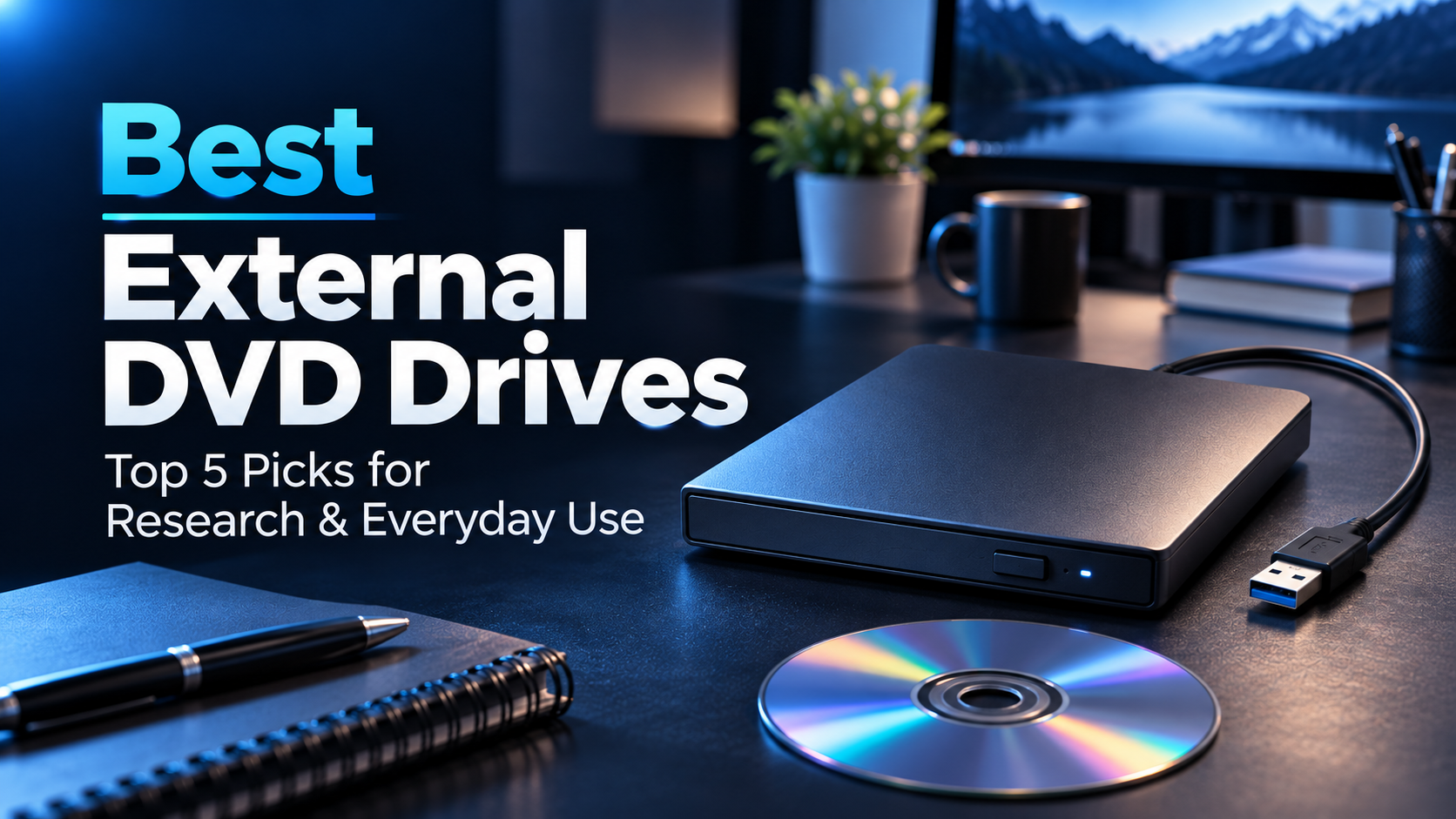
External DVD drives are still useful for graduate students who need to access older research materials, archived data, software installation discs, or educational DVDs.
Since most modern laptops no longer include optical drives, an external USB DVD drive provides a convenient way to read and write compatible discs without replacing your computer.
In this guide, we’ve selected five external DVD drives based on features, compatibility, pricing, customer feedback, and practical academic use cases.
Our top recommendation is the LG GP65NB78, while the other options cover USB-C connectivity, affordable pricing, straightforward operation, and portability.
Amazon Affiliate Disclosure: As an Amazon Associate, GradToolLab earns from qualifying purchases at no additional cost to you.
Editorial Note: Our recommendations are based on manufacturer specifications, publicly available product information, Amazon customer feedback, and academic use cases. We have not independently tested these drives. Prices, availability, and compatibility may vary.
Quick Comparison: Best External DVD Drives for Graduate Students
| Product | Best For | Key Feature | Price |
|---|---|---|---|
| LG GP65NB78 | Best Overall | Slim design, M-DISC support | $36.49 |
| ASUS ZenDrive U9M | Best USB-C | USB-A and USB-C cables included | $44.99 |
| Dell DW316 | Best Simple | Straightforward USB DVD drive | $36.99 |
| Rioddas External DVD Drive | Best Budget | Affordable USB 3.0 design | $21.99 |
| ROOFULL External CD/DVD Drive | Best for Everyday Use | USB-A and USB-C connectivity | $26.99 |
Prices were observed on Amazon.com on November 10, 2026. Prices and availability may change.
Important: These are CD/DVD drives, not Blu-ray drives. They cannot read Blu-ray discs. DVD playback and disc-burning functions may require compatible software.
1. LG GP65NB78 External DVD Drive
BEST OVERALL
Best for: Graduate students who want a reliable, slim external DVD writer for accessing older academic materials, reading research discs, and creating compatible DVD backups.
Pros
- Slim and lightweight design
- Supports CD and DVD reading and writing
- 8× maximum DVD writing speed
- M-DISC support
- USB-powered operation
- Compatible with common CD/DVD formats
- Portable enough for laptop bags
- Strong recent Amazon purchasing activity
Cons
- USB 2.0 interface
- No native USB-C connection
- Does not support Blu-ray discs
- Disc playback may require additional software
- M-DISC media must be purchased separately
The LG GP65NB78 earns our Best Overall recommendation because it combines practical disc compatibility, a portable design, and support for archival-oriented optical media.
Although optical drives are no longer standard equipment in modern laptops, physical discs still appear in academic environments.
Graduate students may encounter older software installation DVDs, archived research datasets, educational materials, or laboratory documentation stored on CDs and DVDs.
Having an external drive available can make these materials accessible without relying on an older computer with a built-in optical drive.
The GP65NB78 supports common CD and DVD formats, including DVD±R and DVD±RW.
It also supports writing compatible discs, making it useful for students who occasionally need to create physical copies of files.
One particularly interesting feature is M-DISC support.
M-DISC is an optical storage format designed for improved long-term data preservation when used with compatible media and drives.
For researchers interested in maintaining physical archives of completed projects, this feature may be useful.
However, M-DISC should not be treated as a replacement for a comprehensive backup strategy.
The durability of stored data depends on the exact media, handling conditions, environmental exposure, and continued availability of compatible reading hardware.
We recommend maintaining additional copies on modern storage systems rather than relying on any single optical disc.
The GP65NB78 also features a slim enclosure that makes it convenient to store in a laptop bag or desk drawer.
Its USB-powered design avoids the need for a separate external power adapter under normal compatible operating conditions.
The main limitation is its USB 2.0 interface.
However, USB 2.0 provides sufficient bandwidth for conventional DVD transfer rates, so the interface is not necessarily a significant drawback for typical optical-disc use.
During our November 10, 2026 Amazon.com check, the selected listing showed a 4.3-star average rating, approximately 112 reviews, and more than 1,000 purchases during the previous month.
At an observed price of $36.49, the LG offers a practical balance between functionality, portability, and affordability.
For most graduate students who occasionally need access to CDs and DVDs, we consider it a sensible all-around choice.
We recommend the LG GP65NB78 for graduate students who need a versatile external optical drive without investing in specialized hardware.
It is particularly suitable for:
- Reading older research DVDs
- Accessing laboratory software installation discs
- Recovering files from archived CDs
- Playing compatible educational DVDs
- Creating physical copies of academic documents
- Occasional disc-burning tasks
- Students who value M-DISC compatibility
For example, a researcher may inherit a collection of older experimental data discs from a previous laboratory member.
An external DVD drive can provide access to these files on a modern computer, provided the discs and file formats remain readable.
However, students who primarily use USB-C laptops may prefer the ASUS ZenDrive U9M because it includes cables for both USB connection types.
| Specification | Details |
|---|---|
| Model | LG GP65NB78 |
| Drive type | External CD/DVD writer |
| Maximum DVD writing speed | 8× |
| Interface | USB 2.0 |
| Connection | USB-A |
| Supported media | CD, DVD±R, DVD±RW and other compatible formats |
| M-DISC support | Yes, compatible DVD M-DISC media |
| Blu-ray support | No |
| Power | USB-powered |
| Operating systems | Windows and macOS compatibility; verify current support |
| Observed Amazon price | $36.49 |
| Amazon rating | 4.3/5 |
| Customer reviews | Approximately 112 |
| Monthly purchases | 1K+ |
Compatibility note: M-DISC compatibility depends on the media format and drive specifications. Standard DVD drives cannot read Blu-ray discs. Additional software may be necessary for DVD-Video playback or disc burning.
2. ASUS ZenDrive U9M External DVD Drive
BEST USB-C
Best for: Graduate students using modern laptops who want an external DVD drive with both USB-A and USB-C connection options.
Pros
- USB-A and USB-C cables included
- Slim 13mm design
- Supports CD and DVD reading and writing
- 8× DVD writing capability
- M-DISC support
- Compatible with Windows and macOS
- Portable, lightweight construction
- Strong recent Amazon purchasing activity
Cons
- More expensive than budget alternatives
- USB 2.0 interface
- Does not support Blu-ray discs
- Disc playback software may be required
- USB-C connection does not increase DVD transfer speed
The ASUS ZenDrive U9M earns our Best USB-C recommendation because it addresses one of the most common compatibility problems with external DVD drives.
Modern laptops increasingly rely on USB-C connections.
Many older external DVD drives, however, use traditional USB-A cables.
This can be inconvenient for students using thin laptops without full-sized USB-A ports.
The ZenDrive U9M includes both USB-A and USB-C cables, allowing it to connect to a wider range of compatible computers without requiring a separate adapter.
For graduate students who frequently move between an older laboratory desktop and a newer personal laptop, this flexibility can be particularly useful.
The drive supports standard CD and DVD reading and writing functions.
Its maximum advertised DVD writing speed is 8×, making it suitable for occasional disc creation and file transfers.
Like the LG model, the ZenDrive U9M also supports compatible M-DISC media.
This may appeal to researchers who occasionally create physical archives of academic documents or completed projects.
However, we would still recommend maintaining separate digital backups.
Another advantage is its slim construction.
At approximately 13mm thick, the ZenDrive U9M is designed for portability and requires relatively little storage space.
It can be placed in a laptop bag or drawer without taking up much room.
The drive uses a USB 2.0 interface despite including USB-C connectivity.
This distinction is important.
USB-C refers to the physical connector, while USB 2.0 describes the underlying data interface.
Connecting through USB-C does not automatically provide USB 3.0 or faster transfer speeds.
For standard CD and DVD tasks, however, the available interface bandwidth is generally sufficient.
During our Amazon.com check, the U9M listing showed a 4.3-star rating, approximately 1,395 reviews, and more than 1,000 purchases during the previous month.
Its observed price was $44.99, making it the most expensive model in our comparison.
Although cheaper alternatives exist, the included cable options and slim design make it an appealing choice for students using USB-C laptops.
We recommend the ASUS ZenDrive U9M for graduate students who use multiple computers with different USB connections.
It is especially suitable for:
- Modern USB-C laptops
- MacBook users with compatible systems
- Students sharing older laboratory computers
- Reading archived academic discs
- Accessing software installation DVDs
- Occasional CD and DVD burning
- Portable study setups
For example, a student may use a USB-C laptop for thesis writing while relying on an older Windows desktop in the laboratory.
The included cables make it easier to connect the same drive to both computers.
If your laptop also needs additional USB ports, displays, or Ethernet connectivity, our guide to the best USB-C hubs for graduate students covers several practical options.
| Specification | Details |
|---|---|
| Model | ASUS ZenDrive U9M |
| Drive type | External CD/DVD writer |
| Maximum DVD writing speed | 8× |
| Interface | USB 2.0 |
| Connections | USB-A and USB-C cables included |
| Thickness | Approximately 13mm |
| Supported media | CD, DVD±R, DVD±RW and other compatible formats |
| M-DISC support | Yes |
| Blu-ray support | No |
| Power | USB-powered |
| Operating systems | Windows and macOS; verify version compatibility |
| Observed Amazon price | $44.99 |
| Amazon rating | 4.3/5 |
| Customer reviews | Approximately 1,395 |
| Monthly purchases | 1K+ |
Compatibility note: USB-C is a connector type and does not indicate higher transfer speeds. Confirm sufficient USB power, operating-system support, and software requirements before purchasing.
3. Dell DW316 External DVD Drive
BEST SIMPLE
Best for: Graduate students who want a straightforward external DVD drive for reading discs, installing older software, and handling occasional optical-media tasks.
Pros
- Simple USB-powered design
- Supports CD and DVD reading and writing
- Slim external construction
- No separate power adapter normally required
- Familiar Dell product ecosystem
- Suitable for occasional academic use
- Extensive Amazon customer feedback
- Strong average customer rating
Cons
- Traditional USB-A connection
- No native USB-C cable included
- No Blu-ray support
- May require separate DVD playback software
- Limited advanced features
- Compatibility depends on the operating system
The Dell DW316 earns our Best Simple recommendation because it focuses on the essential functions expected from an external DVD drive.
Not every graduate student needs advanced features or multiple connection options.
Sometimes, the goal is simply to open an old DVD containing research materials or install software distributed on physical media.
For these tasks, a straightforward external optical drive may be the most practical solution.
The DW316 supports standard CD and DVD reading and writing.
Its USB-powered design also reduces the number of accessories required for ordinary use.
Instead of maintaining an older computer solely because it has a built-in optical drive, students can connect the DW316 to a compatible modern computer when needed.
This can be useful in academic departments where older documents, training materials, or archived projects are still distributed on discs.
Another advantage is the slim design.
The DW316 is compact enough to store in a desk drawer or carry between workspaces.
However, its conventional USB-A connection may be less convenient for laptops that offer only USB-C ports.
In these situations, a compatible USB-C adapter or hub may be necessary.
We also considered customer feedback.
During our November 10, 2026 Amazon check, the DW316 had approximately 16,050 customer reviews and a 4.5-star average rating.
It also showed more than 500 purchases during the previous month.
Among our five selected models, the Dell had the highest average customer rating shown in the screenshots.
However, customer ratings should not be interpreted as a guarantee of reliability or compatibility with every computer.
The observed price of $36.99 places it close to the LG GP65NB78.
The LG offers M-DISC support, while the Dell emphasizes a more straightforward optical-drive experience.
For students who want basic DVD functionality without prioritizing specialized features, the DW316 is worth considering.
We recommend the Dell DW316 for students who want a practical external DVD drive for occasional use.
It is particularly suitable for:
- Reading academic CDs and DVDs
- Installing older software
- Accessing university training materials
- Viewing compatible educational discs
- Creating occasional CD or DVD copies
- Windows laptop and desktop users
- Students who prefer straightforward accessories
For example, a graduate student may receive a DVD containing legacy laboratory software or archived course materials.
The DW316 provides a convenient way to access the disc without needing a computer with a built-in optical drive.
However, students with USB-C-only laptops should check their connection options before purchasing.
| Specification | Details |
|---|---|
| Model | Dell DW316 |
| Drive type | External CD/DVD writer |
| Maximum DVD writing speed | 8× class |
| Interface | USB 2.0 |
| Connection | USB-A |
| Supported media | Common CD and DVD formats |
| Blu-ray support | No |
| Power | USB-powered |
| Design | Slim external enclosure |
| Operating systems | Windows; verify compatibility with other systems |
| Observed Amazon price | $36.99 |
| Amazon rating | 4.5/5 |
| Customer reviews | Approximately 16,050 |
| Monthly purchases | 500+ |
Compatibility note: The DW316 is designed for conventional CD and DVD tasks. Operating-system support, included software, and DVD playback capabilities should be checked before purchasing.
4. Rioddas External CD/DVD Drive
BEST BUDGET
Best for: Budget-conscious graduate students who need an inexpensive USB DVD drive for occasional research materials, software discs, and everyday CD/DVD access.
Pros
- Lowest price in our comparison
- USB 3.0 interface
- Supports CD and DVD reading and writing
- Built-in USB cable
- Compact, lightweight design
- USB-powered operation
- Broad advertised computer compatibility
- Extensive Amazon customer feedback
- Strong recent purchasing activity
Cons
- Budget-oriented construction
- Selected model uses USB-A
- No Blu-ray support
- Performance depends on disc condition and computer compatibility
- Playback software may be required
- Advanced archival features are limited
The Rioddas External CD/DVD Drive earns our Best Budget recommendation because it provides essential optical-drive functionality at the lowest observed price in our comparison.
Graduate students often purchase external DVD drives for occasional rather than everyday use.
For example, a student might need to read one archive DVD, install legacy software, or recover files from an old project.
In these situations, spending $40 or more on an external drive may not be necessary.
The Rioddas offers a more affordable alternative.
The selected model uses a USB 3.0 connection and supports standard CD and DVD reading and writing functions.
Its integrated USB cable is also convenient.
Instead of carrying a separate cable, users can store the cable with the drive when it is not needed.
This reduces the chance of forgetting a necessary accessory.
The drive is designed to operate through a compatible USB connection without a separate power adapter under normal conditions.
However, some computers or USB hubs may not provide sufficient power, and compatibility should be verified before use.
The selected $21.99 configuration uses a USB-A connector.
This is important because other Rioddas configurations may include different connection options.
Students using USB-C-only laptops should confirm the exact version before purchasing.
Another consideration is the drive’s intended usage.
Although its USB 3.0 connection offers greater interface bandwidth than USB 2.0, conventional DVD reading and writing speeds remain limited by the optical-drive mechanism.
Therefore, a USB 3.0 label does not automatically mean that a DVD will be read significantly faster than on a comparable USB 2.0 drive.
What makes the Rioddas particularly interesting is its Amazon purchasing activity.
During our November 10, 2026 check, the selected listing showed a 4.2-star average rating, approximately 40,953 customer reviews, and more than 6,000 purchases during the previous month.
This was the highest reported monthly purchasing activity among the five drives in our comparison.
Customer demand alone does not guarantee product quality, but it suggests that the drive remains a popular low-cost option.
At $21.99, it offers an attractive entry point for students who occasionally need access to CDs and DVDs.
We recommend the Rioddas External DVD Drive for students who want basic optical-disc functionality at a low price.
It is particularly suitable for:
- Budget-conscious graduate students
- Occasional CD and DVD access
- Reading archived research files
- Installing older software
- Temporary research workstations
- Students who rarely use optical media
- USB-A-equipped laptops and desktops
For example, a student might need to access experimental measurements stored on a DVD from several years ago.
Instead of purchasing a premium optical drive, a budget model may be sufficient for this occasional task.
However, students who frequently transport their drive or want a protective carrying case may prefer the ROOFULL option.
| Specification | Details |
|---|---|
| Model | Rioddas External CD/DVD Drive |
| Drive type | External CD/DVD reader and writer |
| Interface | USB 3.0 |
| Connection | USB-A on selected configuration |
| Cable | Built-in USB cable |
| Supported media | Common CD and DVD formats |
| Blu-ray support | No |
| Power | USB-powered |
| Operating systems | Windows, macOS, and Linux compatibility advertised; verify details |
| Observed Amazon price | $21.99 |
| Amazon rating | 4.2/5 |
| Customer reviews | Approximately 40,953 |
| Monthly purchases | 6K+ |
Compatibility note: Rioddas offers several product configurations. This recommendation refers specifically to the $21.99 USB 3.0 USB-A model checked on Amazon.com. Confirm the connector and supported operating system before purchasing.
5. ROOFULL External CD/DVD Drive
BEST FOR EVERYDAY USE
Best for: Graduate students who want an affordable, slim external DVD drive with convenient USB-A and USB-C connectivity for everyday academic tasks.
Pros
- Affordable $26.99 price
- USB-A and USB-C connectivity
- USB 3.0 interface
- Supports CD and DVD reading and writing
- Slim and lightweight design
- USB-powered operation
- No separate connection cable to carry
- Broad advertised operating-system compatibility
Cons
- No protective carrying case included
- Does not support Blu-ray discs
- Optical-disc speeds remain limited by the drive mechanism
- DVD playback may require additional software
- Compatibility varies by computer and operating system
The ROOFULL External CD/DVD Drive earns our Best for Everyday Use recommendation because it offers practical connectivity, a compact design, and essential optical-disc functionality at an affordable price.
Graduate students occasionally encounter older research materials, archived experimental data, and software installation discs that cannot be accessed directly through modern laptops.
For these situations, a straightforward external DVD drive can be more useful than purchasing specialized equipment.
The ROOFULL supports common CD and DVD reading and writing functions through a USB 3.0 interface.
One of its most convenient features is the integrated connection cable with both USB-A and USB-C connectors.
This makes it easier to use the same drive with traditional desktop computers and newer USB-C laptops.
For example, a student may use an older Windows computer in the laboratory while relying on a modern laptop for thesis writing and presentations.
Having both connector types available reduces the need to carry a separate adapter.
The drive also features a slim enclosure designed for portable use.
Although it does not include a dedicated protective carrying case, its compact construction makes it relatively easy to store in a desk drawer or laptop bag.
The USB-powered design is another practical advantage.
Under suitable conditions, the drive operates without a separate power adapter, helping reduce cable clutter.
However, students should verify that their computer or USB hub can provide sufficient power.
We also appreciate the relatively accessible price.
During our November 10, 2026 Amazon.com check, the selected ROOFULL listing was priced at $26.99.
It had a 4.3-star average rating, approximately 9,553 customer reviews, and more than 200 purchases during the previous month.
Although its reported monthly purchasing activity was lower than that of several other products in our comparison, it remains a reasonable option for students who prioritize convenient connections and affordability.
For everyday CD/DVD access, the ROOFULL provides a useful combination of features without requiring a substantial investment.
We recommend the ROOFULL External DVD Drive for students who want an affordable optical drive that works with different types of computer connections.
It is particularly suitable for:
- Students using both USB-A and USB-C computers
- Reading older research CDs and DVDs
- Accessing archived academic documents
- Occasional disc-burning tasks
- Modern laptops without built-in optical drives
- Home and campus workstations
- Students who prefer simple, compact accessories
For example, a graduate student may need to access archived laboratory data on an older desktop computer and then transfer those files to a newer laptop.
The ROOFULL’s dual USB connector design makes it convenient to move between compatible devices.
However, students who specifically need M-DISC support may prefer the LG GP65NB78 or ASUS ZenDrive U9M.
| Specification | Details |
|---|---|
| Model | ROOFULL External CD/DVD Drive |
| Drive type | External CD/DVD reader and writer |
| Interface | USB 3.0 |
| Connections | USB-A and USB-C |
| Cable | Integrated connection cable |
| Supported media | Common CD and DVD formats |
| Blu-ray support | No |
| Power | USB-powered |
| Design | Slim portable enclosure |
| Operating systems | Windows, macOS, and Linux compatibility advertised; verify current support |
| Observed Amazon price | $26.99 |
| Amazon rating | 4.3/5 |
| Customer reviews | Approximately 9,553 |
| Monthly purchases | 200+ |
Compatibility note: This recommendation refers to the standard ROOFULL External CD/DVD Drive with USB-A and USB-C connections, not the carrying-case version or multifunction models. Confirm the exact product configuration before purchasing.
How to Choose the Best External DVD Drive for Graduate School
An external DVD drive is relatively simple compared with many other computer accessories.
However, several differences can affect compatibility, convenience, and long-term usefulness.
1. Check Your Computer’s USB Ports
The first consideration is how the drive connects to your computer.
Many traditional external DVD drives use USB-A connectors.
These work with compatible USB-A ports found on many desktop computers and older laptops.
However, modern thin laptops increasingly rely on USB-C.
If your computer has only USB-C ports, you will need an external DVD drive with a compatible USB-C connection or a suitable adapter.
The ASUS ZenDrive U9M includes both USB-A and USB-C cables.
The ROOFULL model in our comparison also features USB-A and USB-C connection options.
For students who already use several USB accessories, a USB-C hub may provide additional flexibility.
However, optical drives require sufficient power from the USB connection, so compatibility with a hub should be confirmed.
2. Understand DVD Reading and Writing
Not every optical-drive function is the same.
A DVD reader allows you to access compatible discs.
A DVD writer can also record data onto supported writable media.
For graduate students, writing capability may be useful when creating physical copies of documents, datasets, or presentations.
However, a DVD writer cannot necessarily write every optical-disc format.
Check whether the drive supports the exact disc type you intend to use.
Common formats include DVD-R, DVD+R, DVD-RW, and DVD+RW.
Rewritable discs can be erased and used again when supported by the drive and software.
For occasional academic use, a drive supporting standard DVD reading and writing is generally sufficient.
3. DVD vs. Blu-ray Compatibility
One common purchasing mistake is assuming that every optical drive can read Blu-ray discs.
This is not the case.
Standard DVD drives are designed for CDs and DVDs.
Blu-ray discs use a different optical format and require compatible Blu-ray hardware.
None of the five drives in this guide should be purchased for Blu-ray playback or data access.
If your research materials are stored on Blu-ray discs, look specifically for an external Blu-ray drive.
4. Consider M-DISC Support
M-DISC is an optical storage format designed for improved long-term data retention.
Some external DVD drives, including the LG GP65NB78 and ASUS ZenDrive U9M, support compatible M-DISC media.
This may be useful for students interested in maintaining physical archives of completed research projects.
However, M-DISC support should not be confused with unlimited data longevity.
The lifespan of stored data depends on environmental conditions, disc quality, handling, and continued access to compatible hardware.
Furthermore, physical optical discs are not necessarily the most convenient storage solution for modern research workflows.
Students working with large datasets may prefer an external SSD for everyday file transfers.
For centralized storage and automatic backups, our guide to the best NAS devices for graduate students covers additional options.
5. Operating System and Software Compatibility
Most external DVD drives connect through USB, but that does not guarantee every function will work automatically.
Operating-system support depends on the drive, computer, and available software.
For example, Windows 11 may require additional software for DVD-Video playback.
Similarly, disc burning may require software capable of creating the intended disc format.
macOS compatibility also varies, particularly with older bundled software.
Before purchasing, check the drive manufacturer’s current compatibility information.
Students using university-managed computers should also verify whether external USB storage devices are permitted.
Some research laboratories restrict removable media for cybersecurity or data-protection reasons.
External DVD Drive vs. USB Flash Drive vs. External SSD
An external DVD drive can be useful, but it is not necessarily the best tool for every storage task.
The right choice depends on whether you need to access existing optical discs or transfer modern digital files.
| Feature | External DVD Drive | USB Flash Drive | External SSD |
|---|---|---|---|
| Main purpose | Read and write optical discs | Portable file transfer | High-capacity portable storage |
| Typical capacity | Depends on disc format | Varies widely | Often hundreds of GB to multiple TB |
| Transfer speed | Limited by optical media | Varies by model | Often much faster |
| Requires separate media | Yes | No | No |
| Best for | Legacy discs and physical archives | Everyday file movement | Large datasets and backups |
| Portability | Moderate | Excellent | Excellent |
When an External DVD Drive Makes Sense
Choose an external DVD drive when you already have important files stored on CDs or DVDs.
It is also useful when accessing older software installation discs or educational materials.
An optical drive is particularly valuable when the original files are unavailable through modern download services.
When a USB Flash Drive Makes Sense
USB flash drives are generally more convenient for transferring smaller files between modern computers.
They do not require separate optical discs and are typically easier to carry.
For everyday tasks such as transferring presentations or documents, a USB flash drive may be more practical.
When an External SSD Makes Sense
External SSDs are better suited for larger datasets and repeated file transfers.
Graduate students working with microscopy images, simulation results, video recordings, or other large files may benefit from their greater capacity and transfer performance.
However, optical drives remain relevant when the original data exists only on physical discs.
The most practical approach is to use each storage device for the tasks it handles best.
Are External DVD Drives Still Worth Buying in 2026?
For some graduate students, an external DVD drive remains a worthwhile purchase.
However, it is no longer an essential accessory for every computer.
Cloud storage, USB flash drives, and external SSDs have replaced many traditional optical-disc workflows.
Most current software is also distributed digitally.
Nevertheless, academic environments often retain older materials.
Research projects may continue for years or decades, and some laboratories maintain archives created using older equipment.
An external DVD drive can provide a convenient way to access these materials without keeping an outdated computer in operation.
The relatively low price of many models also makes them practical for occasional use.
For example, spending around $20–40 on an external drive may be reasonable if it allows you to recover important project files or access legacy software.
However, if you do not own CDs or DVDs and never encounter physical optical media, purchasing one may provide little value.
We recommend evaluating your actual requirements rather than buying an optical drive simply because it was once a standard computer accessory.
Important Considerations for Archiving Research Data
Physical optical discs can serve as one component of a research archive, but they should not be your only storage method.
Academic data may need to remain accessible for many years.
This is particularly important for experimental measurements, simulation results, manuscripts, and other materials supporting published research.
Use Multiple Storage Locations
Maintaining only one copy of important research data creates unnecessary risk.
A damaged disc, misplaced storage device, or hardware failure could make the data inaccessible.
A more reliable approach is to maintain multiple copies using different storage systems.
For example, an approved institutional storage service, an external SSD, and a separate backup location may provide more flexibility than a single optical disc.
Students should follow their institution’s research data-management policies.
Verify Archived Files
When copying files from an older DVD, do not assume that successful file transfer guarantees complete data integrity.
For important research datasets, checksums or other verification methods can help confirm that copied files match the originals.
It may also be necessary to preserve metadata, software dependencies, and documentation.
These details can be essential when revisiting a research project several years later.
Consider Long-Term File Accessibility
Even if an optical disc remains readable, the file formats stored on it may become difficult to open.
Old laboratory software, proprietary data formats, and obsolete operating systems can create additional challenges.
When possible, consider preserving important data in well-documented, widely supported formats alongside the original files.
For students maintaining large digital research collections, our NAS guide also explores centralized file storage and backup options.
Frequently Asked Questions
What is the best external DVD drive for graduate students?
Our Best Overall recommendation is the LG GP65NB78.
It combines a slim design, standard CD/DVD functionality, M-DISC support, and reasonable pricing.
However, students with USB-C laptops may prefer the ASUS ZenDrive U9M, while budget-conscious buyers may find the Rioddas External DVD Drive more attractive.
Can external DVD drives read CDs?
Yes, most external DVD drives can also read standard CDs.
The models in this guide support common CD and DVD formats.
However, compatibility with specialized or damaged discs is not guaranteed.
Check the supported media specifications before purchasing.
Can I use an external DVD drive with Windows 11?
Many external DVD drives support Windows 11, but compatibility should be confirmed for the exact model.
Basic disc recognition may work without extensive setup, while DVD-Video playback and certain burning functions may require additional software.
Do external DVD drives work with MacBooks?
Some external DVD drives support macOS.
However, modern MacBooks may require USB-C connections or compatible adapters.
Software compatibility also varies.
The ASUS ZenDrive U9M includes USB-C and USB-A cable options, making it a convenient candidate for compatible MacBook setups.
The ROOFULL model in our comparison also offers USB-A and USB-C connectivity.
Can an external DVD drive read Blu-ray discs?
No, not unless the drive specifically supports Blu-ray.
The five models in this guide are conventional CD/DVD drives.
Students who need to access Blu-ray research archives should purchase a compatible external Blu-ray drive instead.
Is USB 3.0 necessary for an external DVD drive?
Not necessarily.
Conventional DVD reading and writing speeds are relatively low compared with the bandwidth available through modern USB interfaces.
USB 2.0 can provide sufficient bandwidth for standard DVD tasks.
USB 3.0 may offer additional interface capabilities, but it does not automatically increase the mechanical reading speed of an optical drive.
Can I use an external DVD drive to back up my research data?
Yes, external DVD writers can create physical data discs using compatible writable media.
However, optical discs have limited capacity compared with modern external SSDs and NAS systems.
For important research data, we recommend maintaining multiple copies and following institutional backup requirements.
A DVD can be one part of an archival strategy, but it should not be the only copy.
Do external DVD drives require an external power adapter?
Many portable external DVD drives receive power through USB.
All five products in this comparison are designed for USB-powered operation.
However, some USB ports and hubs may provide insufficient power.
If the drive fails to operate correctly, check the manufacturer’s power requirements and use a suitable direct USB connection.
Which External DVD Drive Should You Choose?
The LG GP65NB78 is our preferred choice for graduate students who want a versatile external DVD writer.
Its slim design, M-DISC compatibility, and reasonable price make it suitable for reading academic archives and occasional disc-burning tasks.
Choose the ASUS ZenDrive U9M if USB-C compatibility is important.
Its included USB-A and USB-C cables make it convenient for students using different computers.
Choose the Dell DW316 if you prefer a simple external DVD drive with extensive customer feedback.
It provides the essential functions needed for occasional CD and DVD access.
Choose the Rioddas External DVD Drive if affordability is your main priority.
At approximately $22, it offers basic optical-drive functionality at the lowest observed price in our comparison.
Choose the ROOFULL External CD/DVD Drive if you want convenient USB-A and USB-C connectivity at an affordable price.
Its slim design and integrated connection cable make it useful for everyday academic tasks.
The best choice ultimately depends on your computer’s USB ports, the types of discs you need to access, and how frequently you expect to use the drive.
Final Verdict: Best External DVD Drives for Graduate Students in 2026
External DVD drives remain useful for accessing older research materials, software installation discs, and archived academic files.
Although most modern workflows rely on cloud storage and solid-state drives, optical media has not disappeared entirely from research environments.
Our final recommendations are:
| Category | Recommended External DVD Drive |
|---|---|
| Best Overall | LG GP65NB78 |
| Best USB-C | ASUS ZenDrive U9M |
| Best Simple | Dell DW316 |
| Best Budget | Rioddas External DVD Drive |
| Best for Everyday Use | ROOFULL External CD/DVD Drive |
Our top pick is the LG GP65NB78.
It offers a practical combination of disc compatibility, portability, M-DISC support, and affordability.
For students with modern USB-C laptops, the ASUS ZenDrive U9M provides additional connection flexibility.
The Dell DW316 is suitable for straightforward optical-disc tasks, while the Rioddas offers the lowest-cost entry point.
Students who want an affordable drive with both USB-A and USB-C connections may appreciate the ROOFULL.
Before purchasing, confirm the supported disc formats, USB connections, operating-system compatibility, and software requirements.
Most importantly, remember that an external DVD drive is a tool for accessing optical media—not a replacement for modern backup and storage systems.
The best external DVD drive is the one that makes your existing research materials accessible without adding unnecessary cost or complexity to your workflow.

