
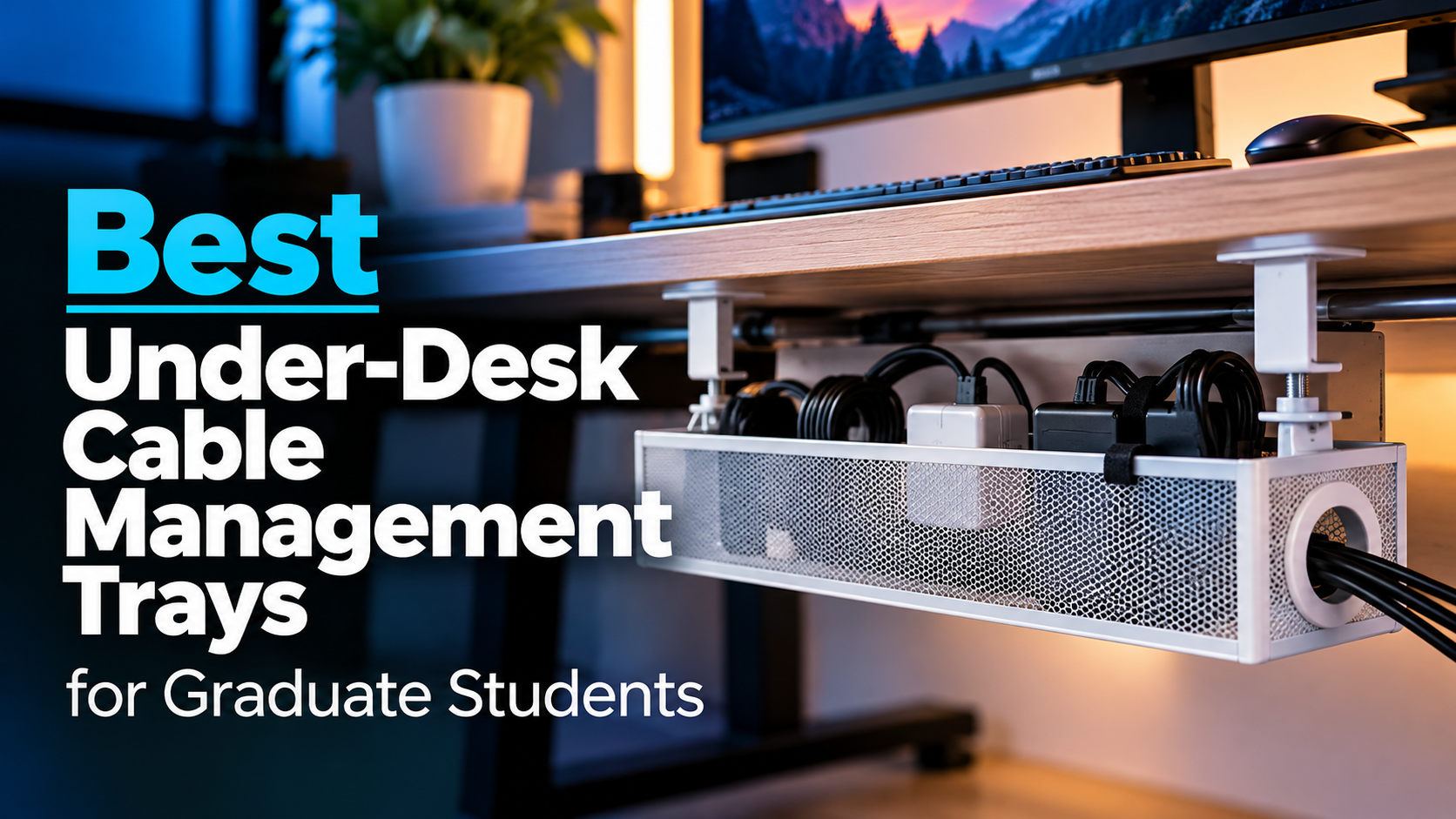
The best under-desk cable management trays for graduate students can help transform a cluttered workstation into a cleaner, more organized space. Whether you’re connecting external monitors, docking stations, laptop chargers, desk lamps, or other research equipment, cables can quickly become difficult to manage.
For graduate students working in small apartments, shared offices, or university laboratories, desk space is often limited. Loose cables and power strips can occupy valuable space, collect dust, and make it harder to move equipment or clean around a workstation.
An under-desk cable management tray provides a dedicated place to organize cables, power strips, and compatible adapters beneath the desktop.
However, not every tray is suitable for every desk. Some attach using clamps without drilling, while others require screws or adhesive mounting. Size, material, weight capacity, and desk compatibility are equally important.
In this guide, we’ve selected five under-desk cable management trays for graduate students, covering affordable clamp-on designs, large-capacity organizers, adhesive-mounted options, permanent metal trays, and solutions for standing desks.
As an Amazon Associate, GradToolLab earns from qualifying purchases at no additional cost to you.
Editorial Note: Our recommendations are based on manufacturer specifications, publicly available product information, Amazon customer feedback, and practical use cases for graduate students and researchers. We have not independently tested these cable management trays. Prices, availability, ratings, and product specifications may change. Installation suitability depends on desk construction, mounting method, weight distribution, and the equipment being organized.
Table of Contents
1. Cinati Under Desk Cable Management Tray 13.4″
BEST OVERALL
Best for: Graduate students who want an affordable, compact cable management tray that attaches without drilling holes into a desk.
Pros
- Clamp-on installation without drilling
- Affordable compared with many larger organizers
- Durable powder-coated metal construction
- Compact 13.4-inch design
- Adjustable mounting orientation
- Includes cable clips and cable ties
- Suitable for compatible desks approximately 0.4–2.4 inches thick
Cons
- Limited storage space compared with longer trays
- Large power strips may not fit comfortably
- Requires sufficient clearance around the desk edge
- Clamps may interfere with certain desktop accessories
- Not suitable for every desk shape or construction
The Cinati Under Desk Cable Management Tray earns our Best Overall recommendation because it combines affordability, straightforward installation, and a practical size for typical student workstations.
Graduate students frequently work with multiple electronic devices.
A laptop charger, external monitor, desk lamp, and several USB accessories can quickly create a collection of cables around the back of a desk.
Even a relatively simple workstation may require a power strip and several charging adapters.
Without an organized location for these accessories, cables can accumulate behind the monitor or hang beneath the desktop.
The Cinati provides a compact storage solution using a clamp-on mounting system.
One of its biggest advantages is that installation does not require drilling holes.
This is particularly relevant for students living in rented apartments or using desks that they do not own.
Rather than permanently modifying the desktop, the mounting clamps secure the tray to a compatible desk edge.
The manufacturer also includes protective pads intended to reduce the risk of scratching the mounting surface.
However, protective pads do not guarantee that every desk finish will remain completely unaffected.
Another advantage is the tray’s powder-coated metal construction.
Compared with flexible fabric organizers, the rigid metal structure provides a defined space for holding cables and compatible accessories.
The manufacturer advertises a maximum load capacity of approximately 10 pounds, although the actual installation must also be compatible with the desk.
At 13.4 inches long, this is one of the more compact products in our comparison.
That makes it attractive for students using smaller desks where a 36-inch organizer would be excessive.
We also appreciate the included cable management accessories.
Cable clips and ties can help route individual cords rather than simply placing everything together in the tray.
For example, a student may want to keep the laptop charger cable separate from monitor and desk-light connections.
The main limitation is capacity.
If your workstation includes several monitors, a large surge protector, and multiple power adapters, the Cinati may not provide enough space.
Nevertheless, for a typical laptop-based workstation, it offers an appealing balance of price, functionality, and installation convenience.
The Cinati is particularly suitable for graduate students using small or medium-sized desks.
It is a strong choice for students who want to organize laptop chargers, monitor power cables, and a compact power strip without modifying their furniture.
Students living in apartments or dormitories may appreciate the removable clamp design.
It may also work well in a personal research office where the desk has a compatible edge and sufficient clearance.
However, students should obtain permission before attaching accessories to university-owned furniture.
If your desk includes a thick rear support panel, unusual edge construction, or built-in drawers, check whether the clamps can be installed correctly.
Students with larger workstations should consider the Univivi or Mount-It! alternatives.
- Brand: Cinati
- Product: Under Desk Cable Management Tray
- Selected size: 13.4 inches
- Approximate dimensions: 13.4 × 4.6 × 3.1 inches
- Material: Powder-coated metal
- Mounting method: Adjustable clamps
- Drilling required: No
- Advertised desk thickness compatibility: Approximately 0.4–2.4 inches
- Advertised load capacity: Up to 10 lbs
- Included accessories: Cable clips and cable ties
- Primary applications: Compact desk setups, chargers, power strips, and cable organization
The manufacturer’s load rating assumes appropriate installation and should not be interpreted as a guarantee that the tray will safely support any combination of electrical equipment.
Before purchasing, check the thickness and shape of your desk edge.
Confirm that the mounting clamps will not interfere with the desktop frame, drawers, or other accessories.
A clamp-on design also requires an accessible desk edge. Desks positioned directly against walls may need to be moved temporarily during installation.
2. Univivi 36-inch Under Desk Cable Management Tray
BEST FOR LARGE DESKS
Best for: Graduate students with large desks, dual-monitor workstations, or multiple charging accessories who want to conceal longer sections of cable clutter.
Pros
- Spacious 36-inch design
- Fabric construction helps conceal cables
- Supports clamp-on and screw-mounted installation
- Fold-down access for cable adjustments
- Built-in cable organization ties
- Suitable for many standing-desk arrangements
- Available in different sizes
Cons
- Requires considerably more space than compact trays
- Fabric construction offers a different level of rigidity from metal
- Clamp installation requires clearance around the desk edge
- May interfere with drawers or structural support bars
- Not ideal for small desks
The Univivi 36-inch Under Desk Cable Management Tray earns our Best for Large Desks recommendation because it provides considerably more storage space than typical compact cable organizers.
A larger workstation can be useful for graduate students who spend hours analyzing data, writing research papers, or working with multiple applications.
However, additional equipment also creates more cables.
A dual-monitor setup, laptop docking station, USB-C charging station, speakers, and desk lighting may require several power and data connections.
Managing these connections individually can become inconvenient.
The Univivi addresses this challenge with a long fabric organizer designed to conceal cables and accessories beneath the desk.
At approximately 36 inches long, it provides enough horizontal space to organize connections across a substantial section of a desktop.
This is particularly useful for students who have equipment positioned at different locations along a wide desk.
Unlike the rigid metal trays in this guide, the Univivi uses Oxford fabric supported by its mounting structure.
The fabric helps conceal the contents from view, providing a cleaner appearance when looking beneath the desk.
Another advantage is its installation flexibility.
The manufacturer advertises both clamp-on and screw-mounted installation methods.
The clamp option is convenient for students who prefer not to drill holes, while screw installation may be appropriate for compatible desks where permanent mounting is permitted.
The fold-down design also helps with accessibility.
Instead of repeatedly reaching into a narrow opening, users can unfold the organizer to add, remove, or rearrange cables.
This can be especially helpful when changing monitor connections or replacing charging equipment.
The manufacturer describes the fabric as flame-retardant 600D Oxford material. However, this is a manufacturer claim and should not be interpreted as independent certification of the complete organizer or as a guarantee of electrical fire protection.
One limitation is the amount of installation clearance required.
According to the product information, certain desk configurations require approximately 5.3 inches of clearance around the mounting area.
Built-in drawers, rear support bars, and other structures may prevent installation.
For students with sufficiently large desks, however, the Univivi provides a practical solution for organizing a substantial amount of cable clutter.
The Univivi is particularly suitable for graduate students using large home-office workstations.
It is a strong option for students with dual monitors, docking stations, multiple chargers, and other desk accessories.
Researchers working primarily from a fixed desk may appreciate the additional storage capacity.
Students using standing desks may also find it useful because the organizer can move with the desktop when installed appropriately.
However, the desk must have sufficient clearance for the mounting hardware, and cables must have enough length to accommodate the full height-adjustment range.
For smaller desks or minimal laptop setups, the compact Cinati may be more practical.
- Brand: Univivi
- Product: No Drill Under Desk Cable Management Tray
- Selected size: 36 inches
- Approximate dimensions: 36 × 5.5 × 5.5 inches
- Material: Oxford fabric with supporting structure
- Mounting methods: Clamp-on or screw-mounted
- Drilling required: Not for compatible clamp installation
- Access: Fold-down opening
- Cable organization: Integrated ties
- Available size options: Vary by listing
- Primary applications: Large desks, multiple monitors, and extensive cable organization
The 36-inch length makes this product less suitable for compact desks.
Measure the available mounting space carefully, including clearance around drawers, crossbars, and the desktop frame.
The manufacturer identifies clearance requirements that may prevent installation on certain desk designs.
When storing power adapters or charging equipment, follow the electrical manufacturer’s ventilation and placement instructions. Do not assume that a fabric organizer is suitable for every heat-producing accessory.
3. Scandinavian Hub Scanfield Under Desk Cable Management Tray
BEST ADHESIVE OPTION
Best for: Graduate students who want an adhesive-mounted cable organizer for compatible smooth desk surfaces without using clamps or drilling holes.
Pros
- Self-adhesive installation
- No drilling required
- Two 17-inch organizers included
- Flexible placement beneath the desk
- No visible clamp hardware along the desktop edge
- Useful for organizing cables and compatible power accessories
- Strong customer purchase history
Cons
- Adhesive requires adequate curing time
- Removal may damage paint, veneer, or other desk finishes
- Not suitable for every surface
- Adhesive performance depends on preparation and environmental conditions
- Less convenient to reposition than clamp-mounted products
- Weight capacity should be verified for the exact installation
The Scandinavian Hub Scanfield Under Desk Cable Management Tray earns our Best Adhesive Option recommendation because it offers an installation method that differs significantly from conventional clamp and screw-mounted organizers.
Most under-desk cable management trays require either an accessible desk edge or permanent mounting holes.
However, some desks are not well suited to either method.
For example, a workstation may have a metal frame around the desktop, preventing clamps from attaching securely.
Alternatively, the user may prefer not to have mounting brackets visible above the desk surface.
The Scanfield provides an adhesive-based alternative.
The selected package includes two 17-inch organizers that can be positioned beneath a compatible desk.
This modular arrangement is useful for students who want to divide their cables into separate groups.
For example, one tray could organize monitor and docking-station cables, while the other could hold selected charging cables or a compatible power accessory.
Separating connections in this way can make future adjustments easier.
The adhesive installation also avoids the need to drill mounting holes.
However, this advantage comes with important limitations.
Adhesive strength depends on the surface material, cleanliness, temperature, humidity, and installation procedure.
The manufacturer advertises a 24-hour curing period.
Users should follow the supplied instructions and avoid loading the trays before the adhesive has reached the specified curing time.
Another important consideration is removal.
Although adhesive installation avoids drilling, it does not guarantee damage-free removal.
Certain desk finishes, particularly paint, veneer, or laminated surfaces, may be affected when strong adhesive is removed.
This means the Scanfield is not automatically the best option for students using rented furniture or university-owned desks.
Permission and surface compatibility remain important.
We selected this product because it offers a useful alternative for desks where conventional mounting methods are inconvenient.
The Scanfield is best suited to graduate students who own compatible desks with smooth, clean mounting surfaces.
It may be particularly useful for home-office setups where the desktop edge cannot accommodate clamps.
Students who want to keep the top of the desk free from visible mounting brackets may also appreciate the adhesive design.
The two-tray configuration allows cables to be separated across different sections of the desk.
However, students who expect to reposition their organizer frequently should consider a clamp-on alternative.
Likewise, students using valuable furniture, delicate finishes, or university-owned desks should verify whether adhesive mounting is permitted and appropriate.
- Brand: Scandinavian Hub
- Product name: Scanfield Under Desk Cable Management Tray
- Selected package: 2-pack
- Length: Approximately 17 inches per tray
- Total nominal length: 34 inches
- Material: PVC-based construction
- Mounting method: Self-adhesive
- Drilling required: No
- Advertised curing period: 24 hours
- Primary applications: Smooth-surface desks and modular cable organization
The adhesive must be applied to a suitable clean, dry surface according to the manufacturer’s instructions.
Textured, dusty, oily, or incompatible surfaces can significantly reduce adhesion.
Allow the specified curing period before placing cables or accessories in the tray.
Because surface materials vary, the manufacturer cannot guarantee that adhesive removal will leave every desktop finish unaffected.
Avoid using the tray on university-owned furniture without permission.
4. DELAMU Metal Cable Management Tray 2-Pack
BEST SCREW-MOUNTED
Best for: Graduate students who own a suitable wooden desk and want a more permanent metal cable management system without visible clamp hardware.
Pros
- Rigid metal construction
- Two separate trays
- Approximately 33 inches of combined storage length
- Screw-mounted installation
- Multiple pre-drilled mounting holes
- Open design provides cable access
- Suitable for organizing power strips and charging cables
- Can be positioned separately beneath the desk
Cons
- Requires drilling or screw installation
- Not appropriate for many rented or university-owned desks
- Installation requires suitable desktop material and thickness
- Less convenient to relocate
- Incorrect mounting may damage the desk
- Compatibility depends on screw length and desk construction
The DELAMU Metal Cable Management Tray 2-Pack earns our Best Screw-Mounted recommendation because it offers a more permanent installation method than clamp-on or adhesive organizers.
For graduate students who own their desks and expect to keep the same workstation for several years, screw-mounted cable management can be a practical choice.
Unlike clamp systems, screw-mounted trays do not require brackets to extend around the desktop edge.
This can create a cleaner appearance, particularly when the desk is viewed from above.
The DELAMU package includes two metal trays with a combined nominal storage length of approximately 33 inches.
This provides flexibility when organizing multiple groups of cables.
For example, a student might install one tray near a monitor and docking station while positioning the second near the laptop charging area.
Alternatively, the two trays can be placed near each other to create a longer cable-management section.
The metal construction is another advantage.
The rigid trays provide defined storage areas for compatible cables and accessories.
Their open design also allows users to reach the contents when connecting or disconnecting equipment.
DELAMU includes pre-drilled mounting holes and installation hardware.
This is useful because students do not need to design a separate mounting system.
However, installation still requires careful planning.
The screws must be appropriate for the desktop material and thickness.
A screw that is too long could penetrate the top surface, while inappropriate installation may weaken the mounting or damage the desk.
Students should follow the manufacturer’s installation instructions rather than assuming every wooden desktop is suitable.
The main advantage of the DELAMU is its more permanent mounting arrangement.
Once properly installed, the trays remain in a fixed position without relying on clamp pressure or adhesive bonding.
However, we do not recommend this method for students who frequently change desks or use furniture they do not own.
The holes left behind by screw installation are a significant consideration.
For a dedicated home workstation, though, the DELAMU offers an organized and relatively discreet cable-storage solution.
The DELAMU is particularly suitable for graduate students with a permanent home-office desk.
It is a strong option for students who want to organize cables beneath a wooden desktop without visible clamp brackets.
Researchers who use an external monitor, docking station, charger, and other peripherals may benefit from its two-tray configuration.
The separate trays can be positioned according to the arrangement of equipment.
However, students who use standing desks should confirm that the chosen mounting locations do not interfere with the frame or lifting mechanism.
Students in rented accommodation or university offices should generally avoid screw installation unless they have explicit permission.
- Brand: DELAMU
- Product: Metal Under Desk Cable Management Tray
- Package: 2-pack
- Combined nominal length: Approximately 33 inches
- Approximate storage width: 4.1 inches
- Material: Metal
- Mounting method: Screws
- Mounting holes: Pre-drilled
- Included hardware: Mounting screws and accessories
- Drilling required: Installation may require pilot holes
- Primary applications: Permanent desk installations and cable organization
This is a screw-mounted product, not an adhesive or clamp-on organizer.
The manufacturer supplies mounting hardware, but users must confirm that their desktop can safely accommodate the installation.
Screw length, desktop thickness, structural material, and mounting location are all important.
Avoid installing screws near moving desk mechanisms, built-in wiring, or other concealed components.
The two trays can be positioned separately, but their combined nominal length should not be confused with the length of a single continuous tray.
5. Mount-It! Under Desk Cable Management Tray 23.6″
BEST FOR STANDING DESKS
Best for: Graduate students using compatible height-adjustable desks who want a long metal cable tray that installs without drilling.
Pros
- 23.6-inch metal cable tray
- Clamp-on installation without drilling
- Designed for compatible standing desks
- Advertised load capacity up to 11 lbs
- Open construction for convenient cable access
- Suitable for compatible power strips and adapters
- No permanent screw holes required
Cons
- More expensive than compact alternatives
- Requires an accessible desk edge
- Clamps may interfere with certain desk structures
- Limited to compatible desktop thicknesses
- Proper cable slack is essential for standing desks
- Larger than necessary for minimal laptop setups
The Mount-It! Under Desk Cable Management Tray earns our Best for Standing Desks recommendation because it combines a long metal organizer with a clamp-on installation system designed for compatible adjustable workstations.
Standing desks introduce cable-management challenges that are different from those of ordinary fixed-height desks.
When a desk moves upward, the distance between the desktop and a wall outlet changes.
If cables are too short or poorly routed, they can become stretched, tangled, or caught in the desk’s moving components.
This is particularly important for students using multiple monitors, docking stations, external storage, and laptop charging equipment.
The Mount-It! tray provides a dedicated location for organizing compatible cables and accessories beneath the desktop.
Its 23.6-inch length offers more storage space than compact trays such as the Cinati.
The manufacturer specifies a maximum load capacity of 11 pounds.
This makes it suitable for organizing a collection of compatible cables and power accessories within the specified load limit.
However, the rating should not be interpreted as a guarantee that every desk can safely support the same load.
The desk’s edge construction and mounting compatibility remain important.
One major advantage is the clamp-on installation.
Mount-It! advertises installation without drilling, allowing the tray to attach to compatible desk edges.
This is useful for students who want to avoid making permanent changes to an adjustable desktop.
The manufacturer specifies compatibility with desktop thicknesses of approximately 0.2–1.97 inches.
The open metal design also makes it easier to access the stored cables.
For example, a student may need to disconnect an external monitor or replace a laptop charger.
Being able to reach the connections without dismantling the organizer is convenient.
The Mount-It! is particularly attractive for students who regularly adjust their desk height.
However, installing a tray does not automatically solve every cable-routing problem.
Power cables running from the moving desktop to stationary wall outlets must still have enough slack for the full range of movement.
Similarly, the tray must not interfere with lifting columns, support beams, or other moving components.
We selected this model because its dimensions, mounting approach, and manufacturer specifications make it a practical option for compatible standing-desk workstations.
This tray is best suited to graduate students using electric or manual height-adjustable desks.
It is particularly useful for students with monitor arms, external displays, docking stations, and several power connections.
Researchers who alternate between sitting and standing while writing, coding, or reviewing data may appreciate a cable-management system that moves with the desktop.
The clamp-on design is also useful for students who do not want to drill into their standing desk.
However, students should confirm that the mounting brackets do not interfere with the desk frame.
For a compact fixed-height desk, the Cinati may offer better value.
For users who need to conceal cables across a much wider workstation, the Univivi may provide more capacity.
- Brand: Mount-It!
- Product: Clamp-on Under Desk Cable Management Tray
- Model: MI-7286BLK
- Length: 23.6 inches
- Approximate dimensions: 23.6 × 3.9 × 7 inches
- Material: Steel and ABS
- Mounting method: Clamps
- Drilling required: No
- Supported tabletop thickness: 0.2–1.97 inches
- Advertised weight capacity: 11 lbs
- Color: Matte black
- Primary applications: Standing desks, multiple monitors, and workstation cable organization
Mount-It! specifies the desktop thickness range and load capacity for this model.
Before purchasing, verify that the desk edge is accessible and that the mounting hardware will not interfere with structural components.
For adjustable desks, check the entire movement range after installation.
Power cables should have sufficient slack, remain clear of moving mechanisms, and follow the equipment manufacturer’s instructions.
Do not exceed the stated load capacity or place electrical accessories in positions that obstruct ventilation.
Quick Comparison: Which Under-Desk Cable Management Tray Should You Choose?
The five cable management trays in this guide offer different installation methods, sizes, and materials.
Choosing the right one depends primarily on your desk design and how much equipment you need to organize.
| Cable Management Tray | Best For | Mounting Method | Size |
|---|---|---|---|
| Cinati 13.4″ | Best Overall | Clamp-on | 13.4″ |
| Univivi 36″ | Best for Large Desks | Clamp / Screw | 36″ |
| Scandinavian Hub Scanfield | Best Adhesive Option | Adhesive | Two 17″ trays |
| DELAMU Metal 2-Pack | Best Screw-Mounted | Screws | 33″ combined |
| Mount-It! 23.6″ | Best for Standing Desks | Clamp-on | 23.6″ |
For students who want an affordable organizer without drilling, the Cinati is our overall recommendation.
If you have a large workstation with multiple monitors, the Univivi offers significantly more storage space.
For desks that cannot accommodate clamps, the Scanfield provides an adhesive-mounted alternative, although surface compatibility and potential removal damage require careful consideration.
The DELAMU is better suited to permanent installations, while the Mount-It! is particularly relevant to standing-desk users.
How to Choose the Best Under-Desk Cable Management Trays for Graduate Students
1. Choose the Right Mounting Method
The mounting method is arguably the most important factor when purchasing an under-desk cable management tray.
A well-designed organizer can still be unsuitable if it cannot be installed securely on your particular desk.
There are three main installation methods.
Clamp-On Cable Management Trays
Clamp-on trays attach to the edge of a compatible desk.
Their biggest advantage is that they generally do not require drilling holes.
This makes them useful for students who want a removable installation.
The Cinati and Mount-It! products in this guide use clamp-on systems.
The Univivi also supports clamp installation.
However, clamps require accessible desk edges and sufficient clearance.
A thick frame, built-in drawer, or unusual desktop shape can prevent proper installation.
Even with protective pads, clamps may leave marks on certain finishes, particularly if installed incorrectly or tightened excessively.
Adhesive Cable Management Trays
Adhesive-mounted trays attach directly to compatible surfaces.
They can be useful when clamps are impractical or when you want to keep the desktop edge clear.
The Scandinavian Hub Scanfield is our adhesive recommendation.
However, adhesive mounting requires more attention to surface preparation and curing time.
The desk surface must be suitable for the adhesive, and the recommended curing period should be followed.
Importantly, adhesive mounting should not automatically be described as damage-free.
Strong adhesive can remove paint, damage veneer, or leave residue when removed.
Screw-Mounted Cable Management Trays
Screw-mounted organizers provide a fixed attachment to a suitable desk.
The DELAMU is our recommendation for this installation method.
Screw installation is generally more appropriate for permanent workstations where the owner has permission to modify the furniture.
However, the mounting hardware must be compatible with the desktop material and thickness.
Improper installation can damage the desk or create an insecure mounting point.
For students living in rented accommodation or using university-owned furniture, screw-mounted trays may be inappropriate.
2. Measure Your Desk Before Purchasing
Cable management trays vary significantly in length, width, and height.
A tray advertised as 36 inches long may provide substantial storage capacity, but it also requires enough unobstructed space beneath the desk.
Before buying, measure:
- The available installation length
- The depth beneath the desktop
- The distance from the desk edge to structural supports
- The desk thickness
- The position of drawers and other accessories
- The location of the power strip and electrical outlet
If you use a standing desk, also identify the position of lifting columns and moving parts.
The tray should not interfere with any structural or mechanical components.
For students still choosing a workstation, our best standing desks for graduate students guide compares different desk sizes and configurations.
Choosing a desk with enough space for future cable management can make later upgrades easier.
3. Decide How Much Storage Capacity You Need
Not every workstation requires a large cable management system.
A student using one laptop, an external monitor, and a small charger may only need a compact tray.
The Cinati is well suited to this kind of setup.
However, a larger workstation might include:
- Two external monitors
- A laptop docking station
- An external SSD
- A USB-C charging station
- A desk lamp
- Speakers
- A power strip or surge protector
These devices can create a considerable number of cables and adapters.
For larger setups, a long organizer such as the Univivi may be more practical.
Alternatively, two separate trays can provide flexible placement.
The Scandinavian Hub Scanfield and DELAMU products include two organizers in their selected packages.
This can be useful when different groups of devices are positioned on opposite sides of a desk.
Remember that nominal tray length is not the same as usable space for every accessory.
Wide power adapters, cable bends, and mounting hardware can reduce the available capacity.
4. Consider Metal vs. Fabric Cable Organizers
The material affects the organizer’s structure, appearance, and accessibility.
Metal Cable Trays
Metal trays provide a rigid structure.
They are useful for organizing power strips, charging cables, and other compatible accessories.
Open metal designs can also make it easier to inspect the contents and access individual cables.
However, they may leave the contents visible from certain angles.
Metal construction alone does not establish load capacity. Always check the manufacturer’s specified limits.
Fabric Cable Organizers
Fabric organizers can conceal cables more completely.
The Univivi uses an Oxford fabric design with supporting hardware.
This may appeal to students who prefer a clean visual appearance beneath the desk.
However, fabric organizers should be used according to the manufacturer’s instructions, particularly when storing electrical equipment.
A flame-retardant material claim does not mean that the entire organizer is fireproof or suitable for every power adapter.
Avoid placing equipment inside an enclosure if its manufacturer requires unrestricted airflow.
5. Check Weight Capacity and Mounting Strength
Cable management trays are designed to hold different amounts of weight.
However, a published load rating should not be interpreted as a guarantee that any desk can support that load.
The Mount-It! tray, for example, has a manufacturer-specified capacity of 11 pounds.
The Cinati advertises a capacity of approximately 10 pounds.
Actual installation suitability depends on the desk material, mounting method, and weight distribution.
A heavy power strip or several large adapters may place more stress on the mounting system than lightweight cable bundles.
When planning an installation, consider the combined weight of every item placed inside the tray.
Do not exceed the manufacturer’s limits.
For adhesive-mounted products, surface preparation and the specified curing period are especially important.
For screw-mounted products, use suitable hardware and follow the installation instructions.
6. Plan Cable Routing Before Installation
A cable tray can hide clutter, but poor routing may still create practical problems.
Before installing an organizer, identify where the cables will enter and exit.
Try to keep connections accessible for maintenance.
For example, you may occasionally need to replace a charging cable, disconnect a monitor, or reset a power strip.
Organizing cables into logical groups can make these tasks easier.
It may also help to label cables connected to devices that are difficult to identify.
For research workstations, labels can be particularly useful when multiple USB cables connect to instruments, storage devices, or other equipment.
Avoid pulling cables tightly or creating sharp bends.
Do not tightly coil excess electrical power cable around heat-producing adapters.
A clean appearance should never take priority over safe cable routing.
Cable Management for Standing Desks
Standing desks require additional planning because the desktop moves vertically.
When the desk rises or lowers, cables may shift relative to wall outlets and other stationary equipment.
An improperly routed cable can become stretched, pinched, or tangled.
A tray attached to the moving desktop can help organize equipment that moves with the desk.
However, it does not eliminate the need for sufficient cable length.
Keep Moving and Stationary Connections Separate
A laptop charger or docking station positioned on the desk may move with the desktop.
The power connection running from the desk to a wall outlet generally does not.
This cable must accommodate the full adjustment range.
Leave enough slack for the desk to reach its maximum height without pulling on the plug or cable.
Also check the cable position when the desk is fully lowered.
Excess cable should not become trapped beneath moving components.
Check the Entire Height Range
After installing the tray, inspect the workstation at its lowest and highest positions.
Watch for cables contacting moving parts, sharp edges, or floor-mounted objects.
If the desk has automatic height adjustment, follow its manufacturer’s safety instructions.
Avoid Interference with the Desk Frame
Standing desks often include structural crossbars, motors, and lifting mechanisms.
A tray mounted in the wrong location may interfere with these components.
Before installation, inspect the underside of the desktop.
The Mount-It! is designed for compatible adjustable desks, but compatibility must still be confirmed for the specific workstation.
Can You Put a Surge Protector in an Under-Desk Cable Tray?
In some cases, yes, but only when the surge protector and tray are compatible with that installation.
A cable management tray does not automatically make every electrical accessory suitable for under-desk storage.
Some power strips and surge protectors have specific mounting, orientation, spacing, or ventilation requirements.
Others may not be intended for enclosed locations.
Always follow the electrical accessory manufacturer’s instructions.
Avoid Overloading Electrical Equipment
A cable tray provides organization, not additional electrical capacity.
Placing several chargers or power adapters inside a tray does not increase the maximum safe load of the connected power strip.
Check the electrical ratings of your equipment.
Do not connect multiple power strips or surge protectors together unless the manufacturer explicitly permits that configuration.
Maintain Appropriate Ventilation
Some charging equipment generates heat during normal operation.
Avoid tightly packing large power adapters together or covering ventilation openings.
A metal tray with an open design may provide more exposed airflow than a more enclosed organizer, but it does not guarantee adequate cooling for every device.
If you are selecting a surge protector for your workstation, our best surge protectors for graduate students guide explains outlet capacity, protection ratings, and desk compatibility.
Keep Connections Accessible
Electrical connections should remain accessible for inspection and maintenance.
Avoid hiding damaged cables or loose connections inside an organizer.
If an electrical accessory becomes unusually hot, emits an unusual smell, or shows signs of damage, stop using it and follow appropriate safety procedures.
How to Organize a Graduate Student Workstation
A cable management tray works best as part of a planned workstation.
Rather than installing it first, consider the position of your main equipment.
Step 1: Identify Your Essential Devices
Start by listing the devices that require connections.
For example:
- Laptop
- External monitor
- Docking station
- USB-C charger
- Desk lamp
- External storage
- Keyboard and mouse
Determine which devices remain on the desk permanently.
Temporary accessories may not need dedicated cable routing.
Step 2: Position Your Monitor and Laptop
Arrange the devices you interact with most frequently before routing the cables.
For example, the monitor should be positioned for comfortable viewing, while the laptop may sit on a stand beside it.
If your monitor stand occupies too much desk space, an adjustable monitor arm may provide more flexibility.
Our best monitor arms for graduate students guide explores options for single, dual, and ultrawide displays.
Step 3: Place the Charging Equipment
Determine where your laptop charger, USB-C charging station, and other power accessories will sit.
Some students prefer keeping charging devices on the desk for easy access.
Others may prefer organizing selected equipment beneath the desktop when the manufacturer’s instructions permit that placement.
For students using multiple USB-C devices, our best desktop USB-C charging stations for graduate students guide compares solutions for charging laptops and accessories.
Step 4: Route Cables Toward the Tray
Once the equipment is positioned, route cables toward the planned storage location.
Avoid creating unnecessary tension.
Use compatible cable ties or clips to keep connections organized.
For frequently disconnected devices, leave enough accessible cable length to avoid repeatedly moving the entire organizer.
Step 5: Keep Data and Power Connections Easy to Identify
Research workstations may include several similar-looking cables.
For example, multiple USB-C cables may connect external storage, displays, charging equipment, or data-acquisition devices.
Although the connectors look similar, their capabilities may differ.
Keep important cables identifiable, especially when the same workstation serves several functions.
For students using docking stations, our best docking stations for graduate students guide compares products that consolidate multiple laptop connections.
Step 6: Check the Final Installation
After installation, inspect the cable routing.
Confirm that:
- Nothing is stretched or pinched.
- The tray is properly secured.
- Electrical equipment has suitable ventilation.
- Cables remain accessible.
- The desk can move normally, if adjustable.
- The installation does not interfere with drawers or other mechanisms.
A cable management system should make your workstation easier to maintain, not harder.
Common Mistakes When Buying Under-Desk Cable Management Trays
Buying Without Measuring the Desk
A long cable tray may not fit around drawers, support beams, or other structural components.
Measure the mounting area before purchasing.
Assuming Every No-Drill Product Is Damage-Free
Clamp pressure and adhesive removal can affect certain finishes.
A product that requires no drilling is not necessarily appropriate for every rented or university-owned desk.
Ignoring Desk Thickness
Clamp-mounted products support specific thickness ranges.
Always check the manufacturer’s measurements.
Overloading the Tray
Do not exceed the specified load capacity.
Weight limits depend on the product and installation conditions.
Hiding Electrical Equipment Without Considering Heat
Some electrical equipment requires ventilation.
Follow the power accessory manufacturer’s placement instructions.
Forgetting Cable Slack on Standing Desks
A tray may move with the desktop, but cables connected to stationary outlets still need sufficient slack.
Installing Accessories on University Furniture Without Permission
Shared laboratory and university office furniture may have restrictions on modifications or attachments.
Obtain permission before installing permanent or potentially damaging accessories.
Frequently Asked Questions
What is the best under-desk cable management tray for graduate students?
The Cinati 13.4-inch tray is our Best Overall recommendation because it combines an affordable price, compact metal construction, and clamp-on installation without drilling.
However, students with large desks or specialized installation requirements may benefit from a different model.
Are under-desk cable management trays worth it?
They can be useful if cables, power strips, and charging accessories create clutter around your desk.
Their value depends on how much equipment you use and whether the organizer is compatible with your furniture.
Can I install a cable tray without drilling?
Yes. Clamp-on and adhesive-mounted trays can provide alternatives to screw installation.
However, both methods have compatibility requirements and may affect certain desk surfaces.
Which cable management tray is best for a standing desk?
The Mount-It! 23.6-inch clamp-on tray is our recommendation for compatible standing desks.
Its longer metal design and mounting system make it useful for organizing cables beneath adjustable workstations.
Always leave enough cable slack for the desk’s full movement range.
Can cable management trays hold power strips?
Some can, provided the power strip’s manufacturer permits that placement and the tray supports the accessory’s size and weight.
Check the instructions for both products.
Are adhesive cable trays safe for wooden desks?
Compatibility depends on the wood finish, surface treatment, adhesive, and installation conditions.
Strong adhesives may damage certain finishes when removed.
Do not assume adhesive mounting is appropriate for every wooden desk.
How long should adhesive cable trays cure?
Follow the product manufacturer’s instructions.
The selected Scandinavian Hub Scanfield tray advertises a 24-hour curing period.
Other products may specify different requirements.
Can I use a cable tray on a glass desk?
Some clamp-mounted and adhesive products advertise compatibility with glass surfaces.
However, glass thickness, edge construction, surface treatment, and manufacturer restrictions must be considered.
Do not drill into glass furniture or apply concentrated mounting pressure unless the desk manufacturer explicitly permits the installation method.
Are metal cable trays better than fabric organizers?
Not necessarily.
Metal trays provide rigid construction and often allow easier visual inspection of the contents.
Fabric organizers can conceal cables more completely.
The better choice depends on your desk, accessibility requirements, and the equipment being organized.
How much weight can an under-desk cable tray hold?
Weight limits vary.
For example, Mount-It! advertises an 11-pound capacity for the selected model, while Cinati advertises approximately 10 pounds.
Always verify the specific product’s rating and installation requirements.
Can cable management improve computer performance?
Cable management does not directly increase computer performance.
Its main benefits are organization, accessibility, and reducing physical cable clutter.
Proper cable routing can also help prevent accidental disconnections or mechanical strain.
Do I need cable management if I use a laptop?
Not necessarily.
A laptop with one charger may require little cable organization.
However, adding monitors, docking stations, external storage, and other peripherals can increase the number of connections.
A compact tray may become useful as the workstation grows.
Should I choose a clamp-on or screw-mounted tray?
Choose a clamp-on model when you want a removable installation and have a compatible desk edge.
A screw-mounted tray may be appropriate for a permanent workstation where modifications are permitted.
Adhesive mounting is another option, but surface compatibility and potential removal damage must be considered.
Final Verdict: Which Under-Desk Cable Management Tray Should You Buy?
The best under-desk cable management tray depends on your desk size, mounting requirements, and the equipment you need to organize.
For most graduate students, we recommend the Cinati Under Desk Cable Management Tray 13.4″.
Its compact design, affordable price, and clamp-on installation make it a practical option for ordinary laptop and monitor workstations.
If you use a large desk with multiple monitors and charging accessories, the Univivi 36-inch Cable Management Tray provides substantially more storage space.
For students who cannot use clamps and have suitable smooth desk surfaces, the Scandinavian Hub Scanfield offers an adhesive-mounted alternative.
However, adhesive installation requires careful surface preparation and may damage certain finishes during removal.
If you own a permanent workstation and prefer screw installation, the DELAMU Metal Cable Management Tray 2-Pack provides a flexible two-tray arrangement.
Finally, for compatible height-adjustable workstations, the Mount-It! 23.6-inch Cable Management Tray combines a longer metal organizer with clamp-on installation.
Ultimately, cable management is not about hiding every wire at any cost.
A good setup keeps essential connections organized, accessible, and appropriately routed without compromising electrical safety or interfering with your desk.
For graduate students who spend long hours studying, writing, coding, or analyzing data, a well-organized workstation can make everyday equipment management simpler.
Choose a tray that fits your furniture and actual setup, and verify the latest product specifications before purchasing.

