
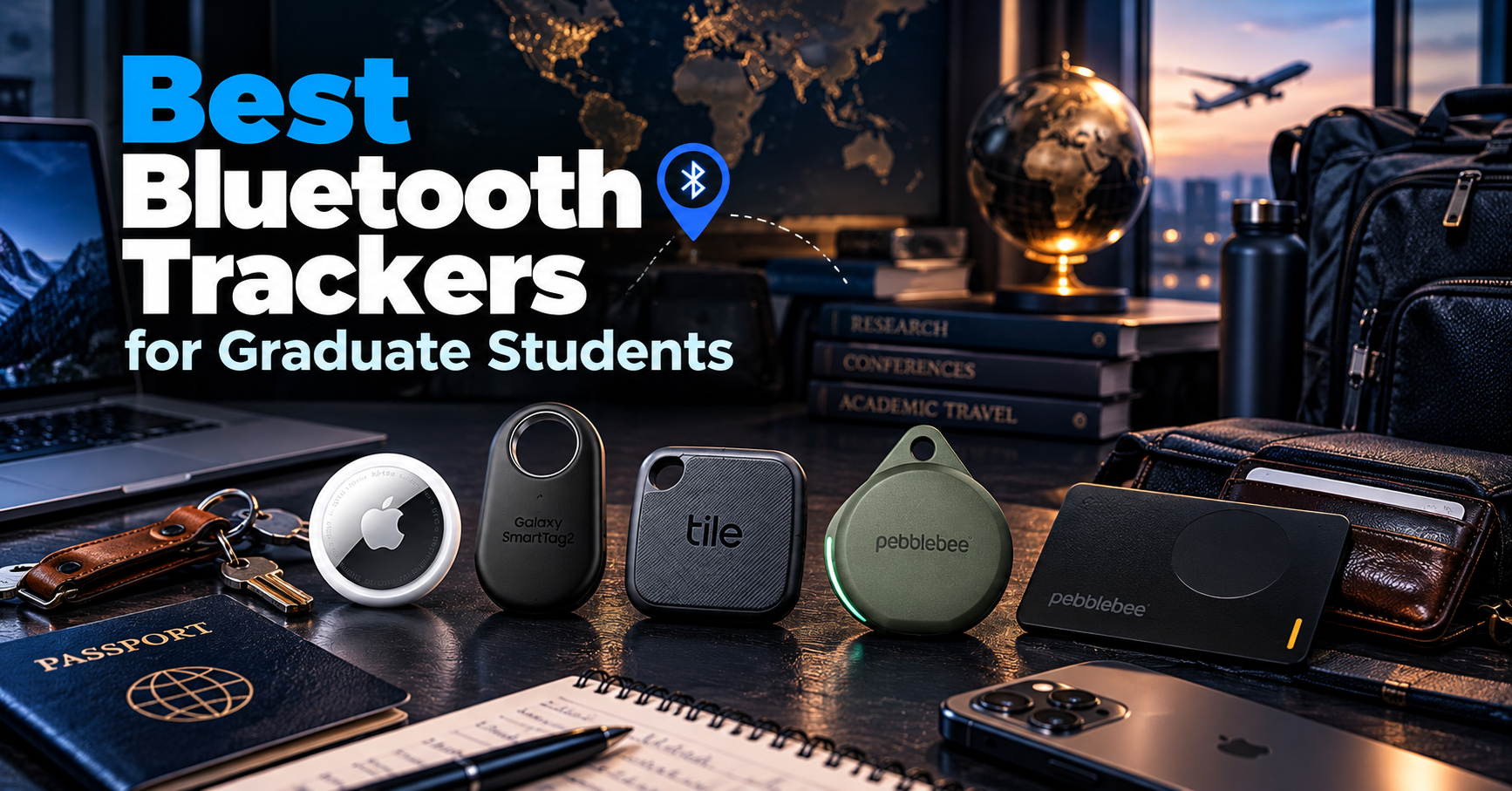
Keeping track of keys, backpacks, wallets, and luggage can be challenging for graduate students who frequently move between classrooms, laboratories, and research trips.
Bluetooth trackers make it easier to locate misplaced belongings using compatible smartphones and item-finding networks.
In this guide, we compare five of the best Bluetooth trackers for graduate students in 2026, focusing on smartphone compatibility, tracking features, battery life, portability, and value.
As an Amazon Associate, GradToolLab earns from qualifying purchases at no additional cost to you.
Editorial note: Our recommendations are based on manufacturer specifications, publicly available product information, and practical academic use cases. We have not independently tested these products. Prices, availability, and features may change.
1. Apple AirTag (2nd Generation)
BEST FOR IPHONE
Best for: Graduate students who use an iPhone and want reliable item finding for backpacks, keys, luggage, and other everyday belongings.
Pros
- Integration with Apple’s Find My network
- Precision Finding with compatible iPhones
- Improved finding range and louder speaker
- User-replaceable CR2032 battery
- IP67 water and dust resistance
Cons
- Requires a compatible Apple device for setup and tracking
- No built-in attachment hole
- Key rings and holders are sold separately
- Precision Finding availability depends on device and region
The second-generation Apple AirTag is our Best for iPhone recommendation because it combines Apple’s extensive Find My network with improved nearby-item detection.
Graduate students often carry valuable belongings between multiple locations.
A typical day might involve traveling from an apartment to a university laboratory, attending lectures, visiting the library, and stopping at a café to work on research papers.
During these transitions, it is easy to leave a backpack or set of keys behind.
An AirTag attached to an appropriate item can help its owner locate that belonging through Apple’s Find My app.
When the AirTag is nearby, users can make it play a sound or use compatible devices to locate it more precisely.
When it is farther away, nearby Apple devices participating in the Find My network may detect its Bluetooth signal and securely relay an approximate location.
This is particularly useful for students traveling to conferences or moving between university buildings.
The second-generation AirTag, introduced in January 2026, improves upon the original model.
According to Apple, its updated Ultra Wideband technology expands the supported Precision Finding range by up to 50% compared with the first generation.
Apple also increased the speaker’s output, making the alert easier to hear in suitable conditions.
However, actual finding performance depends on the environment, the paired device, and regional restrictions.
Another advantage is its replaceable CR2032 battery.
Students do not need to recharge the AirTag through a cable. Instead, they can replace the coin-cell battery when necessary.
The main limitation is compatibility.
AirTag is designed for Apple’s ecosystem and cannot be set up or managed as a normal item tracker through an Android smartphone.
Students using Android should consider the Galaxy SmartTag2, Tile Mate, or a compatible Pebblebee product instead.
Overall, the second-generation AirTag is a compelling choice for iPhone users who want straightforward item tracking without a separate tracking subscription.
The Apple AirTag is particularly suitable for graduate students who already use an iPhone.
Potential applications include:
- Locating misplaced apartment or laboratory keys
- Keeping track of a laptop backpack
- Finding luggage during international conferences
- Monitoring the last reported location of personal equipment cases
- Locating belongings left in libraries or study spaces
Its integration with Find My makes it especially convenient for users who already rely on Apple devices.
For example, a graduate student attending an international conference might place an AirTag inside a suitcase.
If the suitcase is delayed, the student may be able to see its last reported location.
However, the AirTag does not provide guaranteed live GPS tracking.
Its location updates depend on nearby participating devices and other conditions.
AirTag is also intended for tracking personal belongings, not people.
Students should never use it to track another person’s movements without appropriate knowledge and consent.
For Android users, the products featured later in this guide provide more suitable alternatives.
Product: Apple AirTag, 2nd Generation
Release year: 2026
Tracking network: Apple Find My
Connectivity: Bluetooth and Ultra Wideband
Nearby finding: Precision Finding with supported Apple devices
Battery: Replaceable CR2032 coin-cell battery
Water and dust resistance: IP67
Diameter: 31.9 mm
Thickness: 8.0 mm
Weight: Approximately 11.8 g
Attachment: Requires a separate holder for most keychain applications
Subscription: No separate subscription required for basic Find My tracking
Compatibility: Compatible Apple devices; current Apple setup guidance specifies iOS/iPadOS 26.2.1 or later for second-generation AirTag
The most important consideration is device compatibility.
Although many iPhones support the Find My app, advanced nearby-finding features require appropriate hardware.
Precision Finding uses Ultra Wideband technology and is not available on every Apple device.
Some capabilities are also restricted in particular countries or regions.
Students planning to use an AirTag internationally should confirm feature availability before departure.
The AirTag uses Bluetooth and nearby participating devices rather than an independent GPS and cellular connection.
Therefore, location updates may be delayed when no compatible devices are nearby.
2. Samsung Galaxy SmartTag2
BEST FOR GALAXY
Best for: Graduate students who use compatible Samsung Galaxy smartphones and want item tracking with long battery life and precise nearby-finding features.
Pros
- Integration with Samsung’s SmartThings Find ecosystem
- Replaceable CR2032 battery
- Up to 500 days of battery life under stated conditions
- IP67 water and dust resistance
- UWB finding features with compatible Galaxy devices
Cons
- Requires a compatible Samsung Galaxy device
- Not compatible with Apple Find My
- UWB features require supported Galaxy hardware
- Less suitable for students who frequently switch smartphone brands
The Samsung Galaxy SmartTag2 earns our Best for Galaxy recommendation because it provides dedicated item-finding functionality for Samsung’s smartphone ecosystem.
While Apple AirTag is designed for iPhone users, the Galaxy SmartTag2 offers an alternative for students who use compatible Galaxy devices.
The tracker integrates with Samsung’s SmartThings Find functionality.
This allows users to locate registered belongings, play alerts, and view available location information through the supported Samsung ecosystem.
For graduate students who frequently move between laboratories, classrooms, and study spaces, these features can help locate misplaced everyday items.
The SmartTag2 is especially notable for its battery life.
Samsung specifies up to 500 days of operation under normal stated conditions.
A power-saving mode can extend the manufacturer’s estimated battery life, although some functions may be limited.
The device uses a replaceable CR2032 battery.
This means students can replace the battery rather than discard the entire tracker when the original battery becomes depleted.
Another advantage is its integrated attachment opening.
Unlike the AirTag, which generally requires a separate holder for keychain use, the SmartTag2 can be attached directly to many suitable key rings and bag accessories.
The device also supports Ultra Wideband technology.
With a compatible Galaxy smartphone, users can access enhanced nearby-finding functionality, including directional guidance.
However, UWB capabilities are not available on every Galaxy phone.
Students should confirm that their particular smartphone supports the required hardware and software features.
Samsung also specifies IP67 water and dust resistance.
This provides additional protection against certain everyday environmental conditions, although the tracker should not be treated as indestructible or permanently waterproof.
Overall, the Galaxy SmartTag2 is an attractive choice for students who already use Samsung devices and want a tracker that integrates naturally with their existing smartphone.
The Galaxy SmartTag2 is most suitable for graduate students who own compatible Samsung Galaxy smartphones.
Potential applications include:
- Finding keys misplaced around an apartment
- Locating backpacks in university buildings
- Keeping track of personal luggage during travel
- Finding equipment bags used for academic activities
- Identifying the last reported location of everyday belongings
Its relatively long battery life makes it appealing for students who do not want to manage frequent charging schedules.
For example, a student might attach the SmartTag2 to a backpack used daily for commuting.
If the backpack is misplaced, the SmartThings Find app may help identify its location.
However, its compatibility limitations are important.
Students using Google Pixel, Motorola, or other non-Galaxy Android phones should not assume that the SmartTag2 will work simply because those phones run Android.
The SmartTag2 is specifically intended for compatible Samsung Galaxy devices.
For broader iPhone and Android compatibility, the Tile Mate or Pebblebee Clip 5 may be more appropriate.
Product: Samsung Galaxy SmartTag2
Tracking network: Samsung SmartThings Find
Connectivity: Bluetooth Low Energy 5.3 and Ultra Wideband
Bluetooth range: Up to 120 meters under ideal conditions
Battery: Replaceable CR2032
Manufacturer-rated battery life: Up to 500 days
Water and dust resistance: IP67
Dimensions: 28.8 × 52.44 × 8.0 mm
Weight: Approximately 13.75 g
Attachment: Integrated opening
Lost Mode: Supported, including NFC-based contact information features
Compatibility: Supported Samsung Galaxy phones and tablets with Android 9 or later; additional requirements apply to individual features
Students should pay particular attention to the distinction between basic compatibility and advanced functionality.
The SmartTag2 can be paired with supported Galaxy devices, but directional finding through Ultra Wideband requires compatible UWB-enabled Galaxy hardware.
Samsung’s stated Bluetooth range also represents ideal conditions.
Walls, luggage compartments, building materials, and other obstacles can reduce real-world detection distances.
SmartThings Find may provide location information outside direct Bluetooth range when participating Samsung devices detect the tag.
However, the availability and timing of these updates depend on the surrounding network.
3. Life360 Tile Mate
BEST CROSS-PLATFORM
Best for: Graduate students who want a Bluetooth tracker that works with both iPhone and Android through the Tile and Life360 ecosystem.
Pros
- Compatible with iPhone and Android
- Built-in attachment opening
- Up to three years of battery life
- Phone-finding functionality
- Integration with Tile and Life360 services
Cons
- Battery is not replaceable
- Does not use Apple Find My or Google’s Find Hub network
- Some advanced services require a paid subscription
- Tracking coverage depends on the Tile/Life360 ecosystem
The Life360 Tile Mate is our Best Cross-Platform recommendation because it works with both major smartphone operating systems.
Many Bluetooth trackers are tied to a specific device ecosystem.
Apple AirTag is designed for Apple users, while Samsung Galaxy SmartTag2 focuses on compatible Galaxy devices.
Tile Mate takes a different approach by supporting both iPhone and Android through the Tile and Life360 services.
This flexibility can be useful for graduate students who change smartphones, use different devices for personal and academic activities, or simply want an alternative to brand-specific tracking systems.
The Tile Mate is designed for everyday belongings such as keys, bags, and backpacks.
Its compact shape includes an attachment opening, allowing it to be connected to suitable key rings and accessories without requiring a separate tracker holder.
The 2024 Tile Mate also offers a manufacturer-rated battery life of up to three years.
However, there is an important trade-off.
The battery is sealed inside the device and cannot be replaced by the user.
Once the battery is depleted, the tracker generally needs to be replaced.
For students who prefer long-lasting rechargeable products, this may be a disadvantage.
Another useful feature is the ability to make a connected phone ring by pressing the Tile button.
For example, a student who frequently misplaces their smartphone around an apartment may appreciate being able to locate it using a tracker attached to their keys.
The 2024 Tile Mate also supports features within the Life360 ecosystem, including an SOS-capable button when appropriately configured.
However, it should not be considered a substitute for emergency services or a dedicated personal safety device.
The most important limitation is the tracking network.
Tile Mate does not become part of Apple’s Find My or Google’s Find Hub network simply because it supports iPhone and Android.
Instead, it relies on the compatible Tile and Life360 services.
Students should understand this distinction before purchasing.
Overall, the Tile Mate is a practical option for users who value operating-system flexibility and simple everyday item finding.
The Tile Mate is particularly suitable for graduate students who want to avoid committing to a single smartphone manufacturer’s tracking ecosystem.
Potential uses include:
- Attaching a tracker to everyday keys
- Locating a frequently misplaced backpack
- Finding a smartphone around an apartment
- Tracking personal bags during campus commutes
- Maintaining compatibility when changing between iPhone and Android
For example, a student may currently use an Android phone but plan to switch to an iPhone.
A cross-platform tracker may provide more flexibility than an accessory that requires a specific smartphone brand.
However, students should remember that cross-platform compatibility does not guarantee identical finding performance across all environments.
Location updates depend on the services and participating devices available.
For students who specifically want access to Apple’s Find My or Google’s Find Hub network, a Pebblebee tracker may provide a better fit.
Product: Life360 Tile Mate, 2024 model
Tracking ecosystem: Tile and Life360
Smartphone compatibility: Compatible iPhone and Android devices
Bluetooth range: Up to 350 feet under ideal conditions
Battery life: Up to three years
Battery replacement: Not supported
Battery charging: Not supported
Water and dust resistance: IP68
Dimensions: Approximately 37.6 × 37.6 × 7.4 mm
Weight: Approximately 8 g
Attachment: Built-in opening
Phone finder: Supported
Additional functionality: Life360 integration and SOS-capable features on the 2024 model
One important consideration is the device’s sealed battery.
Although three years is a relatively long stated operating period, the tracker is not designed for battery replacement.
Actual battery life may vary depending on usage and environmental conditions.
Another consideration is subscription availability.
Basic item-finding functionality is available without requiring every premium service, but some additional Tile and Life360 features are associated with paid plans.
Students should check the current plan details before assuming that a particular premium feature is included.
Finally, Tile Mate’s smartphone compatibility should not be confused with universal compatibility across all tracking networks.
It remains a Tile/Life360 tracker rather than an Apple Find My or Google Find Hub accessory.
4. Pebblebee Clip 5
BEST RECHARGEABLE
Best for: Graduate students who want a rechargeable tracker for keys, backpacks, and travel bags with support for either Apple’s Find My or Google’s Find Hub.
Pros
- Rechargeable battery lasting up to 12 months
- USB-C charging
- Compatible with Apple Find My or Google Find Hub
- Built-in attachment opening
- Integrated sound and light alerts
- Recovery QR code
Cons
- Cannot connect to Apple and Google networks simultaneously
- More expensive than several conventional trackers
- Requires occasional recharging
- Does not offer AirTag-style UWB Precision Finding
The Pebblebee Clip 5 earns our Best Rechargeable recommendation because it combines a rechargeable battery with compatibility across Apple’s and Google’s item-finding ecosystems.
Many popular Bluetooth trackers rely on disposable coin-cell batteries.
Others, such as the Tile Mate, contain sealed batteries that cannot be replaced.
The Clip 5 takes a different approach.
It includes an internal rechargeable battery that Pebblebee rates for up to 12 months of operation on a single charge.
The battery can be recharged through USB-C.
For graduate students who prefer rechargeable electronics, this can be a convenient alternative to purchasing replacement batteries.
However, actual battery life depends on usage and environmental conditions.
Another major advantage is its support for two different tracking ecosystems.
The Clip 5 can work with Apple’s Find My network when configured using a compatible iPhone.
Alternatively, it can use Google’s Find Hub network when configured with a compatible Android device.
This provides flexibility for students who may change smartphone platforms in the future.
There is an important limitation, however.
The Clip 5 cannot use both tracking networks simultaneously.
Users must select one supported network during setup.
Switching ecosystems requires changing the device’s configuration rather than automatically combining the two networks.
The Clip 5 also includes audible alerts and LED lights.
These features can help users locate an item when the tracker is nearby.
For example, a student who misplaces their keys in a dimly lit room may benefit from being able to trigger the tracker while searching.
The device also includes a QR code recovery feature.
If someone finds the tracker and scans its recovery code, they may be able to contact its owner through the relevant Pebblebee service.
However, this feature requires appropriate setup and depends on the finder choosing to scan the code.
The QR code does not provide a live location on its own.
Overall, the Pebblebee Clip 5 is particularly attractive for students who prioritize rechargeable batteries and flexibility between Apple and Android tracking ecosystems.
The Pebblebee Clip 5 is suitable for graduate students who regularly carry bags, keys, and portable electronic accessories.
Potential applications include:
- Attaching a tracker to a laptop backpack
- Keeping track of personal keys
- Monitoring luggage during conference travel
- Locating a technology organizer bag
- Tracking personal equipment cases
Its attachment opening makes it convenient for bags and keychains.
The rechargeable battery may be especially appealing to students who already use USB-C charging cables for their laptops, smartphones, and other accessories.
For example, a student preparing for an international conference could charge the tracker before departure and place it on their backpack.
If the bag is misplaced, the selected item-finding network may help identify its last reported location.
However, students should not expect guaranteed real-time tracking.
The Clip 5 depends on Bluetooth and participating devices within its configured network.
It is also not a replacement for careful baggage handling or secure storage of valuable research equipment.
Product: Pebblebee Clip 5
Tracking networks: Apple Find My or Google Find Hub
Simultaneous network support: No
Battery: Built-in rechargeable battery
Manufacturer-rated battery life: Up to 12 months
Charging: USB-C
Bluetooth range: Up to 500 feet under ideal conditions
Water and dust resistance: IP66
Dimensions: Approximately 45 × 38 × 8.5 mm
Weight: Approximately 10 g
Alerts: Audible sound and LED lights
Attachment: Built-in opening
Recovery feature: Pebblebee Link QR code
Companion software: Pebblebee app for supported additional functions
The most important feature is its rechargeable design.
Unlike an AirTag or Galaxy SmartTag2, the Clip 5 does not require a replaceable CR2032 battery.
However, the internal battery is not intended to be removed by the user.
Pebblebee states that the USB-C charging cable is not included with the Clip 5.
Students should therefore confirm that they already own an appropriate cable.
Another important distinction is water resistance.
The Clip 5 has an IP66 rating, meaning it is designed to resist dust and powerful water jets under specified test conditions.
It should not be submerged.
Finally, users should verify smartphone and network compatibility before purchasing.
The Clip 5 supports Apple’s Find My or Google’s Find Hub, but only one network can be active at a time.
5. Pebblebee Card 5
BEST FOR WALLETS
Best for: Graduate students who want a thin, rechargeable tracker that fits inside a wallet, passport holder, or compact travel organizer.
Pros
- Slim card-shaped design
- Wireless rechargeable battery
- Up to 18 months of stated battery life
- Supports Apple Find My or Google Find Hub
- Suitable for wallets and passport holders
Cons
- More expensive than many conventional Bluetooth trackers
- Cannot use Apple and Google tracking networks simultaneously
- Less convenient for attaching directly to keys
- Wireless charger is not included
The Pebblebee Card 5 is our Best for Wallets recommendation because it offers item-finding functionality in a slim form factor designed for flat storage compartments.
Most Bluetooth trackers are intended to hang from keys or attach to bags.
However, these designs can be inconvenient when placed inside a wallet.
A round or relatively thick tracker may create an uncomfortable bulge.
The Card 5 addresses this problem by using a thin, card-shaped design.
According to Pebblebee, the device measures approximately 85 × 54 × 1.74 mm.
Its dimensions make it substantially thinner than many conventional keychain trackers.
This makes it particularly suitable for wallets, passport holders, and other accessories with narrow storage spaces.
For graduate students who travel internationally, this design can be useful.
A student attending an overseas conference may carry a wallet containing identification, payment cards, and other important personal items.
Placing a compatible tracker in the wallet can provide another way to locate it if it becomes misplaced.
However, a Bluetooth tracker should not be treated as a guarantee against theft or permanent loss.
The Card 5 also stands out because of its rechargeable battery.
Pebblebee specifies up to 18 months of operation per charge under its stated conditions.
Unlike the Clip 5, which uses USB-C charging, the Card 5 supports wireless charging.
This allows the product to remain thin without requiring a conventional charging port.
However, the manufacturer states that a wireless charger is not included.
Students may therefore need to purchase a compatible charger separately.
Another important feature is its support for Apple’s Find My and Google’s Find Hub.
As with the Clip 5, users must choose which network to use.
The Card 5 cannot be connected to both networks simultaneously.
Its tracking performance depends on the selected network and nearby participating devices.
One disadvantage is its relatively high price.
For students who only need to track keys or backpacks, a less expensive tag-shaped tracker may provide better value.
The Card 5 is most compelling when the thin design is genuinely necessary.
The Pebblebee Card 5 is particularly suitable for graduate students who want tracking functionality without adding noticeable bulk to a wallet.
Potential applications include:
- Tracking wallets carried to campus
- Locating passport holders during international travel
- Keeping track of compact document organizers
- Monitoring personal travel pouches
- Finding wallets misplaced in apartments or study spaces
Its slim design makes it particularly appealing for students who travel frequently.
For example, a student attending an international academic conference may carry a passport holder containing essential travel documents.
A card-shaped tracker may fit more naturally inside that holder than a conventional round tag.
However, students should still store passports and other important documents securely.
A tracker is an additional recovery aid, not a substitute for preventing loss.
Students who primarily need to track backpacks or keychains may find the Pebblebee Clip 5 more convenient.
Product: Pebblebee Card 5
Tracking networks: Apple Find My or Google Find Hub
Simultaneous network support: No
Battery: Built-in rechargeable battery
Manufacturer-rated battery life: Up to 18 months
Charging method: Wireless charging
Wireless charger included: No
Dimensions: Approximately 85 × 54 × 1.74 mm
Weight: Approximately 14 g
Bluetooth range: Up to 500 feet under ideal conditions
Design: Slim card-shaped tracker
Recovery feature: Pebblebee Link QR code
Companion software: Pebblebee app for supported additional functions
The Card 5’s slim dimensions are its defining feature.
Unlike a keychain tracker, it is designed to fit inside flat storage compartments.
However, students should measure their intended wallet or passport holder before purchasing.
Another important consideration is charging compatibility.
Although the Card 5 supports wireless charging, it is not officially MagSafe-compatible and does not include magnetic alignment hardware.
Pebblebee notes that some wireless chargers may work when the tracker is positioned correctly, but compatibility varies.
Students should confirm that they have access to a suitable wireless charger.
The Card 5 also supports either Apple Find My or Google Find Hub, but not both networks simultaneously.
This should be considered when changing smartphones or sharing tracking responsibilities between users.
How to Choose a Bluetooth Tracker
Choosing the right Bluetooth tracker involves more than comparing prices, battery life, or advertised tracking range.
For graduate students, the most important consideration is whether the tracker works with their smartphone and the belongings they want to locate.
A student who carries an iPhone and wants to track luggage may benefit from a different product than a student who uses a Samsung Galaxy phone and frequently misplaces keys.
Before purchasing, consider the following factors.
1. Start With Smartphone Compatibility
Smartphone compatibility should be the first consideration when selecting a Bluetooth tracker.
Unlike ordinary Bluetooth accessories, many item trackers depend on specific software platforms and item-finding networks.
For example, Apple’s AirTag is designed for compatible Apple devices.
Samsung Galaxy SmartTag2 is designed for compatible Samsung Galaxy devices.
Tile Mate supports iPhone and Android through the Tile and Life360 ecosystem.
Pebblebee Clip 5 and Card 5 support either Apple Find My or Google’s Find Hub.
However, supporting two smartphone platforms does not necessarily mean that a tracker can connect to multiple finding networks simultaneously.
The Pebblebee products featured in this guide require users to select one network.
For students who regularly switch smartphones, compatibility should be checked carefully before purchasing.
2. Understand the Difference Between Bluetooth Range and Tracking Coverage
Bluetooth trackers are sometimes advertised with ranges of several hundred feet.
However, these figures generally describe Bluetooth performance under favorable conditions.
They do not represent guaranteed tracking distances in every environment.
Walls, building materials, crowded areas, interference, and the position of the tracker can all affect detection.
Another important distinction is the difference between direct Bluetooth connections and crowdsourced item-finding networks.
When a tracker is nearby, a compatible smartphone may connect directly and trigger a sound.
When the tracker is farther away, the associated network may rely on other participating devices to detect its signal.
For example, Apple’s Find My network uses nearby participating Apple devices to help report the approximate location of supported items.
Google’s Find Hub provides a similar type of functionality through compatible Android devices and accessories.
Samsung SmartThings Find and Tile/Life360 use their respective ecosystems.
The effectiveness of remote item finding depends on the availability of compatible devices and network conditions.
3. Decide What You Want to Track
The shape of a tracker can be just as important as its software features.
For keys, a tracker with a built-in attachment opening is convenient.
Samsung Galaxy SmartTag2, Tile Mate, and Pebblebee Clip 5 offer this type of design.
Apple AirTag is compact, but attaching it directly to keys generally requires a separate holder.
For wallets, a thin card-shaped tracker may be more suitable.
The Pebblebee Card 5 is specifically designed for this application.
For backpacks and luggage, several tracker shapes may work.
Students should consider whether they want the tracker to remain visible or be stored in a protected compartment.
For example, a tracker placed inside a backpack may be less exposed to accidental impacts.
However, surrounding materials can influence Bluetooth performance and audible alerts.
Students should choose a location that balances protection, attachment security, and practical finding performance.
4. Compare Replaceable, Rechargeable, and Sealed Batteries
Bluetooth trackers use different battery designs.
These designs influence long-term convenience and ownership costs.
The Apple AirTag and Samsung Galaxy SmartTag2 use replaceable CR2032 batteries.
This allows users to replace the battery when it becomes depleted.
The Pebblebee Clip 5 and Card 5 use rechargeable batteries.
This reduces the need for disposable coin-cell replacements, although the internal batteries are not intended to be replaced by users.
The Life360 Tile Mate takes another approach.
Its 2024 model has a manufacturer-rated battery life of up to three years, but the battery is not replaceable or rechargeable.
Once the battery reaches the end of its useful life, the tracker generally needs to be replaced.
Students should consider how long they expect to use the product and whether they prefer occasional recharging or battery replacement.
5. Consider International Travel and Conference Use
International conferences are one of the most practical reasons graduate students may want a Bluetooth tracker.
A conference trip can involve laptops, presentation materials, passports, luggage, and other important belongings.
Losing even one essential item may create significant inconvenience.
A Bluetooth tracker can provide an additional way to locate bags and other personal items.
For example, a student might place a tracker inside checked luggage.
If the luggage is delayed, the associated finding network may provide its last reported location.
However, these trackers are not independent GPS devices with constant cellular connectivity.
Their location updates depend on nearby compatible devices and available network services.
Students should also follow the airline’s policies regarding electronic tracking devices and batteries.
For broader travel preparation, our guides to the best laptop backpacks for graduate students, best tech organizer bags for graduate students, and best universal travel adapters for graduate students cover additional accessories for academic travel.
6. Evaluate Battery Life Realistically
Manufacturer-rated battery life is useful, but actual performance can vary.
Factors such as environmental conditions, usage frequency, Bluetooth activity, and alert functionality may influence battery consumption.
For example, a tracker that frequently plays audible alerts may have different power demands from one that remains relatively inactive.
Students should not assume that a product advertised with a 12-month battery life will always operate for exactly 12 months.
For important travel, it is sensible to check battery status before departure.
For rechargeable trackers, charge the device when necessary.
For replaceable-battery models, consider whether an appropriate spare battery is available.
A tracker with an empty battery cannot provide its intended item-finding functionality.
7. Consider Water Resistance and Durability
Bluetooth trackers are often exposed to everyday environmental conditions.
A tracker attached to a backpack may encounter rain, dust, or accidental splashes.
Different products provide different levels of resistance.
For example, Apple AirTag and Samsung Galaxy SmartTag2 have IP67 ratings.
The Pebblebee Clip 5 has an IP66 rating.
These ratings describe resistance under specific standardized test conditions.
They do not mean that a tracker is indestructible or suitable for every underwater application.
Water resistance can also deteriorate with age, wear, or damage.
Students should follow the manufacturer’s care instructions rather than treating an IP rating as a guarantee against all water-related damage.
8. Consider Privacy and Responsible Use
Bluetooth trackers are designed to help users find belongings.
They should not be used to secretly monitor other people.
Modern item-finding ecosystems include various safeguards intended to reduce unwanted tracking.
These may include notifications when an unfamiliar tracker appears to be traveling with someone.
However, safety features differ between products and software platforms.
Graduate students should use trackers only for belongings they own or are authorized to manage.
This is especially important in shared laboratories, offices, and research facilities.
For example, attaching a tracker to a shared equipment case without approval may create privacy or institutional policy concerns.
If the equipment belongs to a university or research group, obtain permission before attaching a tracking device.
The same applies to borrowed property and personal belongings owned by other people.
Responsible use should always take priority over convenience.
9. Consider Whether You Need a Subscription
Not every Bluetooth tracker requires a subscription for basic item finding.
Apple Find My and Google’s Find Hub provide supported tracking functions without requiring a separate subscription to the tracker manufacturer.
Samsung SmartThings Find also provides supported item-finding functionality within the Samsung ecosystem.
Tile offers basic tracking capabilities, while additional services may require a paid plan.
Pebblebee provides item finding through the selected Apple or Google network, although optional features in its companion ecosystem may have separate conditions.
Before purchasing, students should distinguish between basic location functionality and premium services.
A subscription may provide additional convenience, but it should not be assumed necessary unless the desired feature specifically requires one.
How Do Bluetooth Tracking Networks Work?
Bluetooth trackers do not all use the same location-finding system.
Understanding the differences between major tracking networks can help graduate students avoid purchasing a product that does not work as expected.
Apple Find My
Apple Find My is an item-finding network integrated into Apple’s ecosystem.
Compatible AirTags and supported third-party accessories can be detected by participating Apple devices.
When an item is outside its owner’s direct Bluetooth range, other devices in the network may help report its approximate location.
Apple uses privacy-preserving mechanisms to protect location information during this process.
The second-generation AirTag also supports Precision Finding through Ultra Wideband technology on compatible devices.
This can help guide users toward a nearby item using distance and directional information.
However, Precision Finding requires supported hardware and may be subject to regional restrictions.
Apple Find My is most relevant to students who already use compatible Apple devices.
Samsung SmartThings Find
Samsung SmartThings Find provides item-finding functionality within Samsung’s Galaxy ecosystem.
The Galaxy SmartTag2 can use compatible Galaxy devices to assist with finding lost belongings.
Students using supported Galaxy smartphones can view available location information and trigger nearby-finding features.
With compatible UWB-enabled devices, the SmartTag2 can also provide more detailed directional guidance.
However, these advanced features are not available on every Galaxy phone.
Students should confirm compatibility with their exact device model.
Google Find Hub
Google Find Hub provides item-finding capabilities for compatible Android devices and accessories.
Supported trackers can use participating Android devices to help report their locations.
This creates an alternative for students who use Android phones from different manufacturers.
Products such as the Pebblebee Clip 5 and Card 5 can be configured to use Google’s Find Hub.
However, support depends on the specific tracker, smartphone, Android version, and regional availability.
Not every Bluetooth tracker sold for Android automatically supports Google Find Hub.
Students should confirm that the product explicitly supports the relevant network.
Tile and Life360
Tile operates through its own item-finding ecosystem and is integrated with Life360 services.
Compatible Tile trackers can be used with both iPhone and Android devices.
This makes Tile attractive to students who want flexibility across smartphone operating systems.
However, Tile does not use Apple’s Find My or Google’s Find Hub simply because its application is available on both platforms.
Instead, location-finding functionality depends on Tile and Life360’s supported services and participating devices.
Some advanced functions may require subscriptions or additional configuration.
Which Tracking Network Is Best?
There is no universally best tracking network for every graduate student.
The most suitable choice depends primarily on the smartphone being used.
For iPhone users, Apple Find My is a natural starting point.
For Samsung Galaxy users, SmartThings Find provides an integrated option.
For users of other Android devices, Google Find Hub-compatible trackers are worth considering.
Tile offers a cross-platform alternative through its own ecosystem.
However, students should remember that network availability and device density can influence tracking performance.
No network can guarantee that a misplaced item will always be detected immediately.
Frequently Asked Questions
1. What is the best Bluetooth tracker for graduate students?
The best Bluetooth tracker depends on the student’s smartphone and the item being tracked.
Apple AirTag is our recommendation for compatible iPhone users, while Samsung Galaxy SmartTag2 is suitable for supported Galaxy devices.
Life360 Tile Mate works with iPhone and Android through its own ecosystem.
Pebblebee Clip 5 is attractive for rechargeable tracking, while Pebblebee Card 5 is designed for wallets and passport holders.
2. Do Bluetooth trackers work without GPS?
Yes.
Most conventional Bluetooth item trackers do not include independent GPS and cellular systems.
Instead, they use Bluetooth signals and compatible nearby devices to help determine and report their locations.
This means that location updates depend on surrounding network conditions.
A Bluetooth tracker should not be confused with a dedicated real-time GPS tracking device.
3. Can Android users use Apple AirTag?
Android users cannot normally set up and manage an AirTag through the Apple Find My app.
AirTag is designed for compatible Apple devices.
Android phones may support certain unwanted-tracker detection features, but these do not provide normal AirTag ownership and management functionality.
Android users should consider a compatible Samsung, Google Find Hub, or Tile tracker instead.
4. Is Samsung Galaxy SmartTag2 compatible with every Android phone?
No.
Galaxy SmartTag2 is intended for compatible Samsung Galaxy phones and tablets.
It does not provide universal compatibility with every Android smartphone.
Students using Google Pixel or other non-Galaxy devices should check alternative trackers designed for their ecosystem.
5. Can Bluetooth trackers help find lost luggage?
Yes, they may help locate luggage when their tracking network receives location information from compatible nearby devices.
However, they do not guarantee continuous tracking.
Location updates can be delayed or unavailable, particularly when no participating devices are nearby.
Students should still label luggage appropriately and follow airline baggage procedures.
6. Are Bluetooth trackers useful for international conferences?
They can be useful for tracking belongings such as luggage, backpacks, and personal equipment cases.
However, students should understand the limitations of Bluetooth-based item finding.
A tracker does not replace careful handling of passports, research data, or valuable electronics.
It is best viewed as an additional recovery tool.
7. Are rechargeable Bluetooth trackers better?
Not necessarily.
Rechargeable trackers can reduce the need for disposable battery replacements.
However, their internal batteries may eventually degrade and may not be user-replaceable.
Trackers with replaceable coin-cell batteries offer a different approach to long-term maintenance.
The better option depends on convenience, product design, and personal preference.
8. Do Bluetooth trackers require a subscription?
Many trackers provide basic item-finding functions without a separate subscription.
Apple Find My and Google Find Hub support compatible trackers through their respective ecosystems.
Tile also offers basic functionality, although some advanced services require paid plans.
Students should check which features are included before purchasing.
9. Can I put a Bluetooth tracker inside my wallet?
Yes, but the design matters.
Conventional round trackers can create additional bulk.
Card-shaped trackers such as the Pebblebee Card 5 are designed to fit inside wallets and similar accessories.
Students should verify the wallet’s available space before purchasing.
10. How accurate are Bluetooth trackers?
Accuracy depends on the product, smartphone, tracking technology, and environment.
Some trackers provide basic proximity alerts, while compatible UWB devices can offer more detailed nearby-finding information.
Crowdsourced location updates are generally approximate and depend on nearby participating devices.
Students should not expect GPS-like continuous location reporting from conventional Bluetooth item trackers.
11. Can someone use a Bluetooth tracker to follow another person?
Bluetooth trackers can be misused, which is why tracking networks include safeguards against unwanted tracking.
Using a tracker to monitor another person without appropriate consent is a serious privacy concern and may violate applicable laws.
Students should use tracking devices only for belongings they own or are authorized to manage.
12. Can a Bluetooth tracker prevent theft?
No.
A Bluetooth tracker cannot physically prevent an item from being stolen.
It may provide location information that helps identify where an item was last detected, but recovery is not guaranteed.
Students should continue using appropriate security measures for laptops, research equipment, and personal belongings.
Final Verdict: Which Bluetooth Tracker Should Graduate Students Buy?
The best Bluetooth tracker for graduate students depends primarily on smartphone compatibility, battery preferences, and the type of belongings being tracked.
For students who use compatible iPhones, the Apple AirTag (2nd Generation) is our top recommendation.
Its integration with Apple’s Find My network, improved Precision Finding capabilities, and replaceable battery make it a practical option for backpacks, luggage, and everyday belongings.
For Samsung Galaxy users, the Galaxy SmartTag2 provides a dedicated alternative.
Its long battery life, replaceable CR2032 battery, and compatibility with Samsung’s tracking ecosystem make it especially relevant to students who already own supported Galaxy devices.
The Life360 Tile Mate is our recommendation for students who want compatibility with both iPhone and Android through a dedicated cross-platform application.
However, users should remember that it relies on the Tile and Life360 ecosystem rather than Apple Find My or Google Find Hub.
For students who prefer rechargeable accessories, the Pebblebee Clip 5 is an attractive option.
Its USB-C charging, attachment-friendly design, and compatibility with either Apple Find My or Google Find Hub provide useful flexibility.
Finally, the Pebblebee Card 5 is our recommendation for wallets and passport holders.
Its slim design makes it more suitable for flat storage compartments than conventional keychain trackers.
Our Recommendations at a Glance
| Your Priority | Our Recommendation |
|---|---|
| Best for iPhone | Apple AirTag (2nd Generation) |
| Best for Samsung Galaxy | Samsung Galaxy SmartTag2 |
| Best cross-platform option | Life360 Tile Mate |
| Best rechargeable keychain tracker | Pebblebee Clip 5 |
| Best wallet tracker | Pebblebee Card 5 |
One Final Consideration
Before buying a Bluetooth tracker, verify that it works with your smartphone and preferred tracking network.
A tracker with excellent battery life or advanced hardware may provide little value if it is incompatible with your device.
Graduate students should also consider where the tracker will be used.
For campus commuting, a keychain or backpack tracker may be sufficient.
For international conferences, a tracker placed inside luggage may provide an additional way to locate delayed belongings.
For wallets and passport holders, a thin card-shaped model may be more convenient.
However, Bluetooth trackers are not guaranteed theft-prevention devices or continuous GPS trackers.
Their effectiveness depends on the associated finding network, surrounding devices, and available location information.
Choose the tracker that works with your smartphone, fits the belongings you want to protect, and provides the features you will actually use.
The most valuable tracker is not necessarily the one with the longest advertised range or the highest price.
It is the one that helps you locate important belongings while fitting naturally into your academic and everyday life.

