
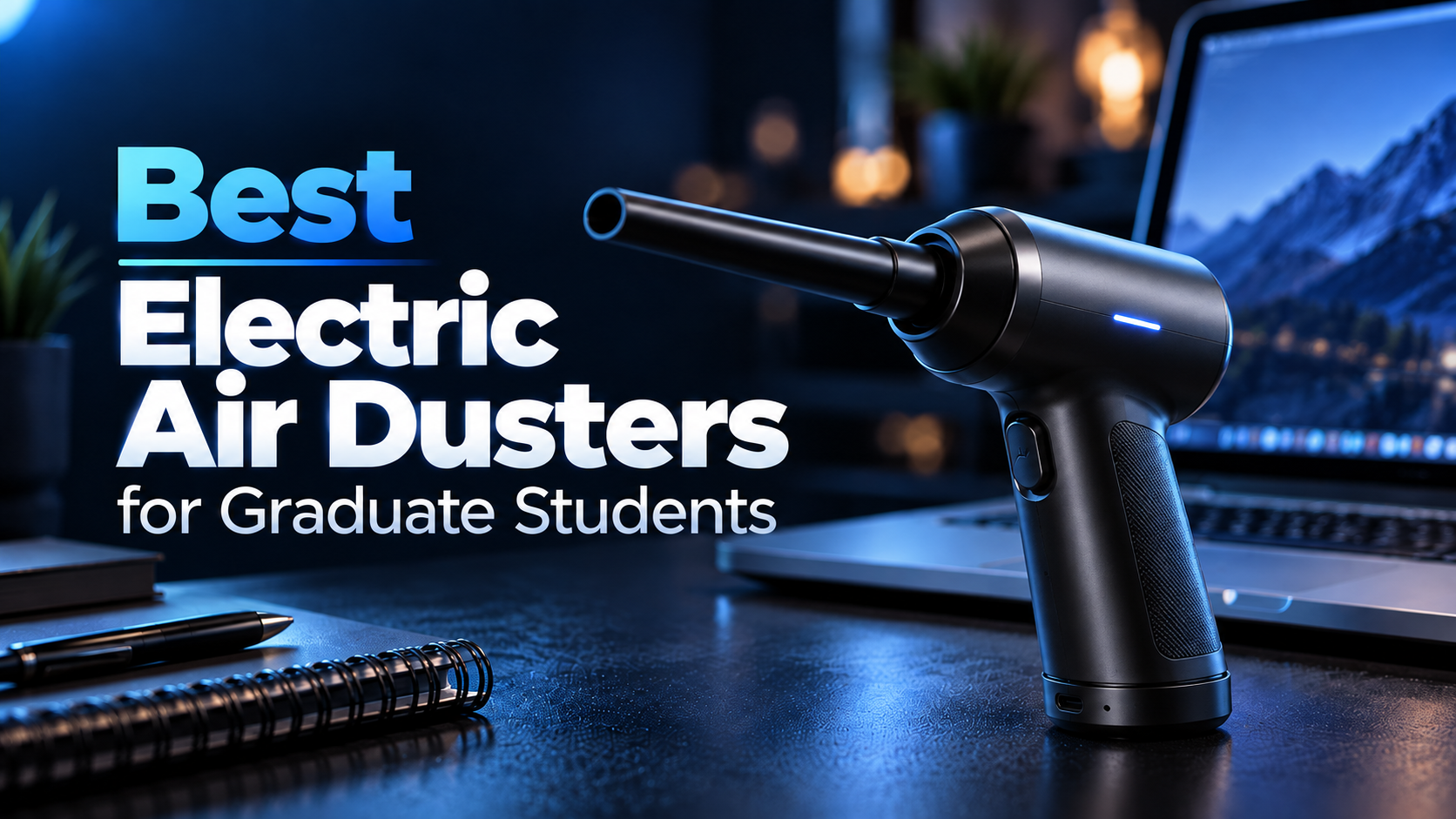

Keeping your keyboard, computer, and research workstation clean does not have to mean repeatedly purchasing disposable compressed-air cans.
The best electric air dusters for graduate students offer a rechargeable way to remove loose dust, crumbs, and debris from keyboards, desk accessories, and other suitable surfaces.
For students who spend hours writing papers, programming, analyzing data, or working with desktop computers, regular cleaning is a practical part of maintaining an organized workspace.
However, electric air dusters vary considerably in price, motor speed, accessories, portability, and battery life.
Some inexpensive models provide the basic airflow needed for keyboard cleaning. Others offer multiple speed settings, interchangeable nozzles, brushes, and more powerful motors.
Our top recommendation is the WOLFBOX MF60, which combines a compact design, three adjustable speed settings, and a competitive price.
For students with smaller budgets, the CAGIWIRU W20F is an affordable alternative. Meanwhile, the WOLFBOX MF100 offers a more powerful option for users who regularly clean larger or more demanding surfaces.
In this guide, we compare five rechargeable electric air dusters based on manufacturer specifications, product features, Amazon.com pricing, publicly available customer feedback, and typical graduate-student workflows.
We also explain how to choose an electric air duster and what precautions to take when cleaning electronic equipment.
If your main concern is maintaining a clean research workstation, our best ergonomic keyboards for graduate students guide also covers keyboard designs for different working environments.
Amazon Affiliate Disclosure: As an Amazon Associate, GradToolLab earns from qualifying purchases at no additional cost to you.
Editorial Note: This guide is based on published manufacturer specifications, product documentation, publicly available information, and typical graduate-student use cases. We have not independently performed hands-on testing of these air dusters. Amazon.com prices and displayed purchase figures were observed on October 29, 2026, and may change. Motor-speed claims are manufacturer specifications rather than independently verified airflow measurements.
Safety Note: Electric air dusters are not suitable for every electronic component. Always follow the equipment manufacturer’s cleaning instructions. Some computer manufacturers advise against using electric blowers inside their systems because excessive airflow or electrostatic discharge may damage components.
Quick Comparison: Best Electric Air Dusters for Graduate Students
| Product | Best For | Maximum Advertised RPM | Speed Settings | Observed Price |
|---|---|---|---|---|
| WOLFBOX MF60 | Best Overall | 110,000 | 3 | $31.99 |
| CAGIWIRU W20F | Best Budget | 130,000 | 3 | $23.99 |
| WOLFBOX MegaFlow 50 | Best Lightweight | 110,000 | 3 | $33.99 |
| FRESMOL Electric Air Duster | Best Accessory Kit | 100,000 | 3 | $27.98 |
| WOLFBOX MF100 | Best Premium | 150,000 | 3 | $65.99 |
Prices reflect selected configurations shown on Amazon.com on October 29, 2026. Several products were discounted at the time of observation. Prices, availability, and included accessories may change.
Our Quick Recommendations
Best Overall: WOLFBOX MF60
Our preferred choice for students who want a balanced electric air duster with adjustable airflow, convenient charging, and a compact design.
Best Budget: CAGIWIRU W20F
An affordable rechargeable option for students who primarily want to remove dust from keyboards and other suitable desk accessories.
Best Lightweight: WOLFBOX MegaFlow 50
A compact alternative for users who value portability and want a lightweight cleaning tool.
Best Accessory Kit: FRESMOL Electric Air Duster
A versatile option with several nozzles, brushes, and an LED display.
Best Premium: WOLFBOX MF100
A higher-priced option with stronger advertised motor specifications and additional accessories.
1. WOLFBOX MF60
BEST OVERALL
Best for: Graduate students who want a well-balanced rechargeable air duster for keyboards, workstation accessories, removable dust filters, and other suitable cleaning tasks.
Pros
- High-speed motor rated up to 110,000 RPM
- Three adjustable airflow settings
- Lightweight and portable design
- Five interchangeable nozzles
- Rechargeable battery
- USB-C charging
- Manufacturer-advertised long runtime on the lowest setting
- Suitable for several household and workspace cleaning tasks
- Reusable alternative to disposable compressed-air cans
- Competitive pricing
Cons
- Strongest setting may be excessive for delicate equipment
- High-speed operation can be noisy
- Battery life decreases at higher speed settings
- Motor RPM does not directly indicate cleaning performance
- Not suitable for every electronic component
- Similar capabilities to the WOLFBOX MegaFlow 50
- No integrated vacuum function
The WOLFBOX MF60 is our best overall recommendation because it offers a practical balance of cleaning features, portability, and price.
At the time of our Amazon.com check, the selected MF60 configuration cost $31.99.
This places it among the more affordable products in our comparison.
However, the main reason we selected the MF60 is its combination of adjustable airflow and everyday usability.
WOLFBOX specifies a motor speed of up to 110,000 RPM.
The air duster provides three selectable speed settings, allowing users to choose different airflow levels depending on the task.
This flexibility matters when cleaning a workstation.
A keyboard may only require a moderate burst of air to remove loose debris.
Meanwhile, a removable computer dust filter may need a stronger setting to clear accumulated dust.
Using the maximum setting for every task is unnecessary and may create additional risks when working near delicate components.
The MF60 allows users to adjust the airflow rather than relying on a single fixed setting.
Another advantage is portability.
WOLFBOX describes the MF60 as a lightweight handheld air duster weighing approximately 0.5 pounds.
This makes it convenient to store in a desk drawer, equipment cabinet, or small cleaning kit.
Graduate students often work across multiple locations.
A student might have a personal desktop computer at home and a separate workstation in a university laboratory.
A compact rechargeable cleaning tool can be useful for maintaining suitable peripherals in these different environments.
However, university laboratories may have specific cleaning procedures, especially around sensitive instruments.
Students should always follow institutional rules before using an air duster on shared or specialized equipment.
The MF60 also includes five interchangeable nozzles.
These provide different airflow shapes for different tasks.
For example, a narrow nozzle can help direct air toward gaps around keyboard keys.
A wider attachment can be useful for larger surfaces or removable filters.
The included accessories also support household and outdoor applications beyond computer cleaning.
However, users should avoid directing concentrated airflow into sensitive openings unless the equipment manufacturer specifically permits it.
Battery operation is another practical advantage.
The MF60 uses rechargeable batteries and supports USB-C charging.
WOLFBOX advertises up to 240 minutes of runtime on the lowest speed setting.
This is a maximum manufacturer claim rather than a guarantee of continuous operation at full power.
Runtime is substantially shorter when the motor operates at higher speeds.
For occasional desk cleaning, however, users may not need to recharge after every short session.
One consideration is the similarity between the MF60 and WOLFBOX MegaFlow 50.
Both advertise the same maximum motor speed.
Their main differences involve body design, weight, and accessory configurations rather than a clearly established difference in cleaning performance.
We prefer the MF60 as our overall choice because of its practical combination of features and the competitive price observed on Amazon.
For most graduate students, it provides the functions needed for ordinary workstation maintenance without requiring a premium purchase.
We recommend the WOLFBOX MF60 for students who want one reusable cleaning tool for several everyday tasks.
It is particularly suitable for:
- Students using external keyboards
- Researchers with permanent desktop workstations
- Graduate students maintaining personal computer accessories
- Users cleaning removable dust filters
- Students with multiple desk peripherals
- People who prefer rechargeable tools
- Users who want adjustable airflow
- Students who want a compact device for home and office use
For example, a graduate student who regularly works with spreadsheets and programming environments may use an external keyboard throughout the day.
Over time, dust and small particles can accumulate around the keys.
The MF60 provides a convenient way to remove loose debris without repeatedly purchasing disposable air cans.
However, users who only clean their desks occasionally may prefer a cheaper option.
- Product: WOLFBOX MF60
- Type: Rechargeable electric air duster
- Maximum advertised motor speed: 110,000 RPM
- Speed settings: Three
- Advertised speed levels: 25,000 / 60,000 / 110,000 RPM
- Battery: Rechargeable lithium-ion
- Advertised capacity: Two 2,500mAh battery cells
- Maximum advertised runtime: Up to 240 minutes on the lowest setting
- Charging: USB-C
- Advertised charging time: Approximately 3.5 hours
- Weight: Approximately 0.5 lb
- Accessories: Five interchangeable nozzles
- Primary applications: General dust removal, keyboards, removable filters, and suitable household surfaces
- Observed Amazon.com price: $31.99
- Observed Amazon rating: 4.5/5
- Displayed monthly purchases: 30K+
Always check the selected package and included accessories before purchasing.
The MF60 is a blower, not a vacuum cleaner. It moves dust away from surfaces rather than collecting it.
2. CAGIWIRU W20F
BEST BUDGET
Best for: Budget-conscious graduate students who want an inexpensive rechargeable air duster for ordinary keyboard and desk cleaning.
Pros
- Lowest observed price in our comparison
- Advertised maximum motor speed of 130,000 RPM
- Three adjustable speed settings
- Rechargeable design
- USB-C charging
- Integrated LED light
- Multiple interchangeable nozzles
- Compact handheld form factor
- Suitable for basic household cleaning
- No need to repeatedly purchase disposable air cans
Cons
- Less established product documentation
- Limited independent performance information
- Advertised RPM does not establish superior airflow
- Accessory selection may differ by listing
- Strongest setting requires caution
- Battery endurance should be verified for the selected model
- Long-term reliability cannot be established from specifications alone
The CAGIWIRU W20F is our budget recommendation because it offers a rechargeable electric air duster at the lowest observed price among our selected products.
At $23.99, it costs approximately $8 less than the WOLFBOX MF60.
That may not seem like a large difference, but it matters when a student is purchasing several workstation accessories.
Graduate students often have competing equipment expenses.
A researcher may need to purchase a keyboard, external storage device, mouse, desk lighting, or other accessories.
Spending less on basic cleaning equipment can leave more of the budget available for devices used directly in research.
The W20F advertises a maximum motor speed of 130,000 RPM.
This figure is higher than the published maximum for the WOLFBOX MF60.
However, we would not interpret this as proof that the CAGIWIRU provides stronger airflow or better cleaning performance.
Motor rotational speed is only one specification.
The actual airflow also depends on fan design, nozzle geometry, motor characteristics, and other engineering factors.
Without standardized airflow testing, two products cannot be ranked reliably using RPM alone.
The W20F includes three adjustable speed settings.
This is particularly useful for a low-cost model.
Users can select a lower setting for light surface dusting and increase the airflow when necessary for suitable cleaning tasks.
For example, a student may want to remove loose dust from the spaces between keyboard keys.
Starting with a lower setting can help avoid unnecessarily scattering debris around the desk.
The W20F also includes an LED light.
This can help illuminate dark areas around a workstation.
For example, the rear side of a monitor stand or the space beneath a desk may receive limited room lighting.
An integrated light can make it easier to identify accumulated dust.
However, the LED is a convenience feature rather than a reason to use the device on sensitive electronic components.
Another advantage is the rechargeable design.
A cordless air duster can be used without connecting a power cable during operation.
This makes it convenient for cleaning around keyboards, desk accessories, and other suitable surfaces.
The W20F also comes with several nozzle attachments.
These allow users to adjust how the air is directed.
However, the exact accessory package should be checked carefully.
Products from smaller brands sometimes have different configurations or revised listings.
The main concern with the W20F is the limited amount of independently verified performance information available.
Although the Amazon listing includes a large number of customer reviews, these do not replace controlled testing of airflow, battery endurance, or long-term reliability.
For this reason, we recommend the W20F primarily on the basis of affordability and its advertised functionality.
Students who value more extensive manufacturer documentation may prefer the WOLFBOX MF60.
The CAGIWIRU W20F is best suited to students who want a basic rechargeable cleaning tool without spending much money.
Consider it if you:
- Have a limited accessory budget
- Clean your keyboard occasionally
- Want a rechargeable alternative to canned air
- Prefer a compact handheld device
- Need adjustable airflow
- Want an integrated LED light
- Primarily clean ordinary desk accessories
- Do not require premium features
For example, a student using a laptop with an external keyboard may only need an air duster for occasional surface maintenance.
In that situation, paying significantly more for a premium model may be unnecessary.
However, if you plan to use the air duster frequently, we recommend comparing its warranty, support options, and battery specifications with more established alternatives.
- Product: CAGIWIRU W20F
- Type: Rechargeable cordless air duster
- Maximum advertised motor speed: 130,000 RPM
- Speed settings: Three
- Battery: Rechargeable
- Charging: USB-C
- Lighting: Integrated LED light
- Accessories: Multiple interchangeable nozzles
- Power source: Battery
- Primary applications: General desk cleaning and suitable household surfaces
- Observed Amazon.com price: $23.99
- Observed Amazon rating: 4.4/5
- Displayed monthly purchases: 10K+
Some specifications, including detailed battery capacity and independently measured airflow, were not sufficiently verified for this comparison.
Check the selected Amazon listing and included documentation before purchasing.
3. WOLFBOX MegaFlow 50
BEST LIGHTWEIGHT
Best for: Graduate students who want a lightweight rechargeable electric air duster that can be stored easily or carried between workspaces.
Pros
- Lightweight design
- Advertised weight of approximately 0.45 lb
- Maximum motor speed of 110,000 RPM
- Three adjustable speeds
- Four interchangeable nozzles
- Rechargeable battery
- USB-C charging
- Compact handheld construction
- Suitable for general workstation cleaning
- Easy to store in a drawer or equipment bag
Cons
- Similar advertised motor speed to the MF60
- Fewer nozzles than the MF60
- No established cleaning-performance advantage over the MF60
- Maximum runtime applies to the lowest speed
- Strong airflow requires caution around electronics
- Price may be higher than the MF60 during promotions
The WOLFBOX MegaFlow 50, also identified as the MF50, is our recommendation for students who prioritize a lightweight cleaning tool.
Its main attraction is portability.
WOLFBOX specifies a weight of approximately 0.45 pounds.
That makes it slightly lighter than the MF60.
The difference is relatively small, but it may matter to users who want a compact tool that is easy to store or carry.
Graduate students do not always work at the same desk.
Some spend part of the week in a research laboratory and the rest at home.
Others move between offices, shared workspaces, and teaching facilities.
A lightweight cleaning tool can be useful when maintaining personal accessories across different locations.
However, using an air duster on university-owned equipment may require permission or specific safety procedures.
The MF50 advertises a maximum motor speed of 110,000 RPM.
This matches the published maximum RPM of the MF60.
Both models also provide three adjustable speed settings.
Therefore, we would not describe the MF50 as a less powerful model based only on the available RPM specifications.
Instead, the distinction is primarily about design, weight, and included accessories.
The MF50 includes four interchangeable nozzles.
These provide different options for directing airflow.
For example, a narrow nozzle can be useful when cleaning loose dust from keyboard gaps.
A wider attachment may be more convenient for larger suitable surfaces.
WOLFBOX also promotes the MF50 as a reusable alternative to disposable compressed-air cans.
This can be attractive for students who clean their equipment regularly.
Instead of purchasing new cans, users recharge the device and continue using it.
However, electric air dusters still consume electricity and contain rechargeable batteries.
Their environmental impact depends on manufacturing, service life, electricity use, and disposal practices.
We would therefore avoid assuming that every rechargeable duster has a lower total environmental footprint than every disposable alternative.
The MF50 uses USB-C charging.
WOLFBOX advertises approximately 3.5 hours for a full recharge and up to 240 minutes of operation on the lowest setting.
As with the MF60, this maximum runtime should not be interpreted as continuous operation at the strongest setting.
For short cleaning sessions, battery endurance is unlikely to be the main deciding factor.
The MF50’s strongest advantage is its lightweight and compact design.
At the observed Amazon.com price of $33.99, it costs slightly more than the MF60.
We therefore recommend the MF60 for most users and the MF50 for students who specifically prefer its lighter body.
We recommend the WOLFBOX MegaFlow 50 for students who value portability.
It may be suitable for:
- Students with multiple workspaces
- Researchers using personal keyboards at different locations
- Graduate students living in small apartments
- Users with limited storage space
- People who prefer lightweight handheld tools
- Students maintaining compact desk setups
- Users who want adjustable airflow
For example, a student who frequently rearranges a compact workstation may appreciate having a cleaning tool that takes up little storage space.
However, if the air duster will remain at one desk, the MF60 may offer better value at the observed prices.
- Product: WOLFBOX MegaFlow 50 / MF50
- Type: Rechargeable electric air duster
- Maximum advertised motor speed: 110,000 RPM
- Speed settings: Three
- Battery: Rechargeable lithium-ion
- Maximum advertised runtime: Up to 240 minutes on the lowest setting
- Charging: USB-C
- Advertised charging time: Approximately 3.5 hours
- Weight: Approximately 0.45 lb
- Accessories: Four interchangeable nozzles
- Primary applications: General dust removal, keyboards, and suitable household surfaces
- Observed Amazon.com price: $33.99
- Observed Amazon rating: 4.6/5
- Displayed monthly purchases: 10K+
The MF50 and MF60 have overlapping specifications.
Before choosing between them, compare the latest prices and accessory packages.
4. FRESMOL Electric Air Duster
BEST ACCESSORY KIT
Best for: Graduate students who want a versatile cleaning kit with multiple nozzle attachments, brushes, and an integrated LED display.
Pros
- Advertised maximum motor speed of 100,000 RPM
- Three adjustable speed settings
- Five nozzle attachments
- Three cleaning brushes
- Integrated LED display
- Built-in LED light
- Rechargeable battery
- USB-C charging
- Suitable for multiple cleaning tasks
- Competitive price
Cons
- Bulkier than some compact alternatives
- Maximum runtime decreases at higher speeds
- Accessories require additional storage space
- Brushes may not be suitable for sensitive components
- Advertised RPM does not establish airflow performance
- LED display is not essential for basic cleaning
The FRESMOL Electric Air Duster is our best accessory kit recommendation because it offers more than a basic handheld blower.
At the observed Amazon.com price of $27.98, it includes multiple attachments and several convenience features.
The selected model advertises a maximum motor speed of 100,000 RPM.
Although this is lower than the maximum figures listed for several other products in this comparison, we would not assume that it provides weaker real-world cleaning performance.
Motor speed alone does not provide enough information to compare airflow effectively.
Instead, the FRESMOL stands out because of its accessory package.
The manufacturer describes a kit containing five nozzles and three brushes.
These accessories provide different ways to address loose dust and debris.
For example, a narrow nozzle can direct airflow into spaces between keyboard keys.
A wider attachment can distribute air across a larger surface.
Brushes can help loosen debris from appropriate non-sensitive surfaces.
However, not every included brush is suitable for every electronic component.
When cleaning electronics, use only brushes specifically recommended by the equipment manufacturer, particularly where electrostatic discharge could be a concern.
The FRESMOL also includes an LED display.
This provides information about battery level and speed settings.
For students who prefer visible controls, this is a useful convenience.
Instead of estimating the remaining charge from a small indicator light, users can refer to the display.
The air duster also includes an LED work light.
This can help illuminate dusty areas around a workstation.
For example, a researcher might want to clean the space behind an external monitor or around a desk-mounted accessory.
An integrated light makes those areas easier to inspect.
The rechargeable battery is another important feature.
FRESMOL advertises a 7,500mAh battery for the selected model.
The manufacturer also describes approximately 20–40 minutes of runtime, depending on the selected speed setting.
USB-C charging is supported, with a stated charging time of approximately three to four hours.
These values are manufacturer claims rather than independently verified test results.
One limitation is size.
The FRESMOL’s handheld body and larger accessory collection require more storage space than a compact duster with only a few nozzles.
For students who want the smallest possible tool, the WOLFBOX MF50 may be more appealing.
However, users who regularly clean several different surfaces may appreciate having multiple attachments available.
Overall, the FRESMOL offers a useful combination of accessory variety, adjustable operation, and practical controls at an affordable price.
We recommend the FRESMOL for students who want a more complete cleaning kit.
It is especially relevant for:
- Students with several desk accessories
- Users cleaning keyboards and peripheral exteriors
- Researchers maintaining personal workstations
- Students who prefer battery-level displays
- Users who want interchangeable attachments
- People cleaning suitable household surfaces
- Students with multiple electronic devices
For example, a graduate student may use an external keyboard, mouse, monitor, docking station, and other accessories.
Different surfaces may benefit from different nozzle shapes.
The FRESMOL provides that flexibility without requiring several separate cleaning tools.
However, students who only need to clean a keyboard occasionally may find the additional accessories unnecessary.
- Product: FRESMOL Electric Air Duster
- Type: Rechargeable cordless air duster
- Maximum advertised motor speed: 100,000 RPM
- Speed settings: Three
- Battery: Rechargeable lithium-ion
- Advertised battery capacity: 7,500mAh
- Advertised runtime: Approximately 20–40 minutes, depending on settings
- Charging: USB-C
- Advertised charging time: Approximately 3–4 hours
- Display: Integrated LED display
- Lighting: Built-in LED work light
- Accessories: Five nozzles and three brushes
- Primary applications: General dust removal, keyboards, and suitable household surfaces
- Observed Amazon.com price: $27.98
- Observed Amazon rating: 4.4/5
- Displayed monthly purchases: 5K+
The exact accessory configuration may differ between product variations.
Confirm the included nozzles, brushes, and charging accessories before purchasing.
5. WOLFBOX MF100
BEST PREMIUM
Best for: Graduate students and researchers who want a higher-output rechargeable air duster with multiple accessories for more demanding cleaning tasks on suitable surfaces.
Pros
- Maximum advertised motor speed of 150,000 RPM
- Manufacturer-specified maximum airflow volume of 70 CFM
- Three adjustable speed settings
- Five interchangeable nozzles
- Two cleaning brushes
- Rechargeable battery
- USB-C charging
- Multiple household cleaning applications
- Suitable for users who frequently perform general dust removal
- Premium-oriented feature set
Cons
- Most expensive product in our comparison
- Higher output requires additional caution
- High-speed operation can be noisy
- Battery life is shorter at maximum speed
- More expensive than necessary for occasional keyboard cleaning
- Not appropriate for all delicate electronics
- Motor specifications do not guarantee superior performance in every task
The WOLFBOX MF100 is our premium recommendation because it offers higher advertised performance specifications than the smaller MF50 and MF60 models.
WOLFBOX specifies a maximum motor speed of 150,000 RPM.
This is higher than the published maximum of 110,000 RPM for both the MF50 and MF60.
The manufacturer also advertises a maximum airflow volume of 70 CFM.
CFM stands for cubic feet per minute and describes airflow volume.
This is a more directly relevant airflow specification than motor RPM alone.
However, airflow comparisons between manufacturers remain difficult unless measurements are performed under equivalent conditions.
Nozzle shape, distance, pressure, and operating conditions can all affect the results.
We therefore view the MF100 as a higher-output model based on its published specifications, rather than claiming that it will outperform every other air duster in every situation.
For graduate students, the MF100 may be attractive when cleaning larger suitable surfaces or removable dust filters.
For example, a student may maintain a desktop workstation with an external keyboard, monitor, and several accessories.
Over time, dust can accumulate on surfaces and removable filters.
A stronger blower may help remove loose debris from appropriate locations.
However, users should not automatically apply maximum airflow to exposed circuit boards, fans, or delicate electronic components.
Some equipment manufacturers specifically discourage electric blowers for internal cleaning.
Always follow the relevant equipment manual.
The MF100 provides three adjustable speed settings.
This allows users to select a more appropriate airflow level for different cleaning tasks.
For ordinary keyboard maintenance, the lowest effective setting is generally the better starting point.
The product also includes five nozzles and two brushes.
The accessory selection makes it useful for a range of household cleaning applications.
For example, a narrow nozzle can help direct airflow into suitable crevices.
A wider attachment may be useful for removable filters or larger surfaces.
The brushes provide additional cleaning options, although they should not be used on sensitive components unless specifically approved.
Battery performance is another consideration.
WOLFBOX advertises a rechargeable 6,000mAh battery configuration and USB-C charging.
The manufacturer describes a runtime range of approximately 10–100 minutes, depending on the selected speed.
This illustrates an important difference between the premium model and smaller dusters.
Higher-output operation consumes more energy.
Users should not expect the maximum advertised runtime when continuously operating at full power.
The MF100’s greatest disadvantage is price.
At the observed Amazon.com price of $65.99, it costs more than twice as much as the MF60.
For students who primarily want to clean keyboards and ordinary desk accessories, that premium may be difficult to justify.
The MF60 already provides adjustable airflow and multiple nozzles at a much lower price.
We recommend the MF100 only when its higher advertised output and accessory configuration provide a clear benefit.
The WOLFBOX MF100 is best suited to users who want a higher-output cleaning tool for frequent general maintenance.
It may be appropriate for:
- Students with large personal workstations
- Researchers maintaining several approved peripherals
- Users cleaning removable dust filters
- People performing frequent household cleaning
- Students who want multiple nozzle options
- Users who value higher advertised airflow
- Buyers willing to pay more for a premium model
For example, a student who maintains multiple computers and regularly cleans removable case filters may appreciate having a more powerful blower available.
However, the MF100 is not necessary for everyone.
A student who only cleans a keyboard once every few weeks is unlikely to benefit enough from the higher price.
- Product: WOLFBOX MF100
- Type: Rechargeable electric air duster
- Maximum advertised motor speed: 150,000 RPM
- Maximum advertised airflow volume: 70 CFM
- Speed settings: Three
- Battery: Rechargeable lithium-ion
- Advertised battery capacity: Two 3,000mAh cells
- Advertised runtime: Approximately 10–100 minutes, depending on settings
- Charging: USB-C
- Accessories: Five nozzles and two brushes
- Weight: Approximately 0.66 lb
- Primary applications: General dust removal and suitable household surfaces
- Observed Amazon.com price: $65.99
- Observed Amazon rating: 4.5/5
- Displayed monthly purchases: 6K+
The MF100 is designed for higher-output operation, but maximum power is not appropriate for every cleaning task.
Always begin with the lowest effective setting and follow the equipment manufacturer’s cleaning instructions.
Which Electric Air Duster Should You Choose?
The best choice depends on how frequently you clean your equipment and what surfaces you need to maintain.
| Use Case | Our Recommendation |
|---|---|
| Everyday keyboard cleaning | WOLFBOX MF60 |
| Lowest budget | CAGIWIRU W20F |
| Lightweight cleaning tool | WOLFBOX MegaFlow 50 |
| Multiple nozzle and brush options | FRESMOL Electric Air Duster |
| Higher-output cleaning | WOLFBOX MF100 |
| Compact workstation | WOLFBOX MF50 |
| General desk accessories | WOLFBOX MF60 |
| Cleaning different suitable surfaces | FRESMOL |
| Occasional low-cost cleaning | CAGIWIRU W20F |
| Frequent cleaning of removable filters | WOLFBOX MF100 |
For most graduate students, we recommend the MF60.
It provides a useful combination of adjustable airflow, portability, and price.
However, students who only need a basic air duster may prefer the CAGIWIRU W20F.
The FRESMOL is attractive if accessory variety matters, while the MF100 makes more sense for users who genuinely need higher output.
How to Choose the Best Electric Air Duster for Graduate School
Electric air dusters may look similar, but several specifications affect how practical they are for everyday use.
Before buying one, consider the following factors.
1. Airflow vs Motor RPM
One of the most common marketing specifications for electric air dusters is motor RPM.
RPM means revolutions per minute.
It describes how quickly the motor rotates.
For example, a product advertised at 150,000 RPM has a higher stated maximum rotational speed than one advertised at 110,000 RPM.
However, that does not automatically mean it produces more useful airflow.
Airflow also depends on the fan design, nozzle shape, motor characteristics, and other factors.
Some manufacturers publish airflow speed or volume.
Airflow speed is commonly expressed in meters per second, while airflow volume may be expressed in CFM.
These are more directly related to the movement of air, but they still require comparable measurement conditions.
For graduate students, the practical question is whether the device provides enough controllable airflow for the intended cleaning task.
We recommend prioritizing adjustable speed settings and suitable nozzles rather than choosing solely by advertised RPM.
2. Adjustable Speed Settings
All five products in this guide provide three advertised speed settings.
This is an important feature.
Different cleaning tasks require different amounts of airflow.
For example, loose dust on a desk accessory may only need a gentle burst.
A removable dust filter may require stronger airflow.
The ability to select a lower setting can reduce unnecessary force and help control where dust travels.
However, even the lowest setting may be unsuitable for certain sensitive components.
Always follow the equipment manufacturer’s instructions.
3. Battery Life and Charging
Rechargeable air dusters offer the convenience of cordless operation.
However, battery specifications can be misleading when considered without context.
Manufacturers often advertise the maximum runtime available on the lowest speed setting.
This does not represent how long the device can operate at maximum output.
For example, an air duster may advertise several hours of runtime under low-power conditions but operate for a much shorter period at full speed.
Students should therefore consider how they expect to use the product.
For occasional cleaning sessions lasting only a few minutes, maximum battery capacity may not be particularly important.
For longer cleaning sessions involving multiple surfaces, battery endurance becomes more relevant.
USB-C charging is convenient because compatible charging equipment is widely available.
However, users should follow the air duster manufacturer’s charging requirements rather than assuming that every USB-C charger is suitable.
4. Nozzles and Accessories
Different nozzle shapes can make a cleaning tool more versatile.
A narrow nozzle concentrates airflow into a smaller area.
A wider nozzle distributes air across a larger surface.
Some air dusters also include brushes or inflation accessories.
For students maintaining ordinary desk equipment, a small number of useful nozzles may be sufficient.
However, users cleaning several types of suitable surfaces may benefit from a larger accessory kit.
Brushes require special care around electronics.
A general-purpose brush should not automatically be used on exposed circuit boards or sensitive contacts.
For those applications, follow manufacturer-approved cleaning procedures and use appropriately rated tools.
5. Portability and Storage
Electric air dusters vary in weight and body design.
A compact model can fit easily into a desk drawer.
A larger model may offer additional accessories or higher advertised output but require more storage space.
Graduate students working in small apartments or dorm rooms may prefer compact tools.
The WOLFBOX MF50 and MF60 are particularly attractive in this respect.
However, if the air duster will remain in a storage cabinet, portability may be less important than price or accessory selection.
6. Price and Long-Term Value
The prices in this comparison range from approximately $24 to $66.
That is a substantial difference.
For students who only clean their keyboards occasionally, an inexpensive model may be sufficient.
For more frequent cleaning, a rechargeable device can reduce the need to purchase disposable compressed-air cans repeatedly.
However, the long-term financial benefit depends on the purchase price, usage frequency, electricity costs, battery life, and product durability.
A rechargeable air duster is not automatically cheaper for every user.
We recommend choosing based on realistic use rather than assuming that a more expensive model will always provide better long-term value.
Electric Air Duster vs Canned Air: Which Is Better?
Rechargeable electric air dusters and disposable compressed-air cans serve similar purposes, but they work differently.
Electric Air Dusters
Electric air dusters use a motor-driven fan to generate airflow.
Their main advantages include:
- Rechargeable operation
- Adjustable speed settings on many models
- Reusable construction
- No need to replace a can after each use
- Multiple nozzle options
- Convenience for repeated cleaning
However, they also have limitations.
They require charging, generate motor noise, and may produce excessive airflow for certain applications.
Some computer manufacturers do not recommend electric blowers for internal component cleaning.
Canned Air
Disposable compressed-air dusters release pressurized gas through a nozzle.
They are often used for short bursts of dust removal.
However, users need to replace the can when its contents are exhausted.
They must also follow the product’s handling instructions carefully.
Tilting or misusing certain aerosol dusters can release liquid propellant, which may be unsuitable for electronic equipment.
Our Verdict
We prefer rechargeable electric air dusters for suitable, repeated cleaning tasks such as ordinary keyboards and removable filters.
However, canned air may remain more appropriate where an equipment manufacturer specifically recommends it.
Neither method should be used indiscriminately on every electronic component.
The correct cleaning method depends on the equipment being cleaned.
How to Clean a Keyboard With an Electric Air Duster
A keyboard is one of the most practical applications for an electric air duster.
Over time, small particles can collect around the keys.
However, cleaning should be performed carefully.
Step 1: Disconnect the Keyboard
Turn off the computer or disconnect the keyboard before cleaning.
For wireless keyboards, switch off the keyboard if possible.
Follow any cleaning instructions provided by the manufacturer.
Step 2: Remove Loose Debris
If the keyboard manufacturer permits it, gently reposition the keyboard to help remove loose particles.
Avoid shaking it aggressively or striking it against a hard surface.
Step 3: Select a Low Airflow Setting
Begin with the lowest effective setting.
There is usually no reason to use maximum airflow for ordinary surface dust.
Step 4: Use Short Bursts
Direct short, controlled bursts of air across the spaces between keys.
Keep the nozzle at a suitable distance.
Avoid pressing the nozzle into the keyboard or forcing debris deeper into openings.
Step 5: Inspect the Surface
Check whether loose dust remains.
If additional cleaning is necessary, follow the keyboard manufacturer’s instructions.
Avoid using unapproved liquids or brushes on the keyboard.
Students who regularly work with mechanical or ergonomic keyboards may also want to check their keyboard’s specific maintenance recommendations.
Our best wireless keyboards for graduate students guide covers several common keyboard designs used in academic workstations.
Can You Safely Use an Electric Air Duster Inside a PC?
Not necessarily.
This is one of the most important considerations when purchasing an electric air duster.
Although many products are advertised for PC cleaning, that does not mean every computer manufacturer approves their use inside a computer.
Some manufacturers warn against electric blowers because excessive airflow or electrostatic discharge may damage components.
For example, Dell advises users to follow its approved cleaning procedures and warns against using blowers or household vacuums inside certain computers.
Therefore, product marketing should not override the instructions supplied with the computer.
Before Cleaning
Always:
- Shut down the computer.
- Disconnect its power supply and external cables.
- Consult the equipment manufacturer’s cleaning instructions.
- Avoid exposing sensitive components to excessive airflow.
- Use appropriate electrostatic-discharge precautions when handling internal components.
If the manufacturer recommends compressed air, follow its specified cleaning procedure.
Prevent Fans From Spinning
If a manufacturer-approved cleaning procedure involves blowing air near a cooling fan, hold the fan blades stationary.
Allowing a fan to spin rapidly under forced airflow can damage bearings or create electrical risks.
Never intentionally overspin a fan to remove dust.
Avoid Sensitive Components
Do not direct high-pressure airflow into exposed connectors, fragile components, or other sensitive areas unless the manufacturer specifically permits it.
Never open a computer power supply to clean its internal components.
Power supplies may contain hazardous stored electrical energy even after being unplugged.
Consider Removable Filters
For desktop computers with removable dust filters, cleaning the filters outside the computer may be a safer and more practical application.
Remove the filter according to the manufacturer’s instructions.
Clean it using an approved method and reinstall it only after it is completely ready for use.
Our Safety Recommendation
Electric air dusters can be useful workstation accessories, but they are not universally safe PC-maintenance tools.
For internal computer cleaning, follow the specific computer manufacturer’s instructions rather than relying on general advice or air-duster advertising claims.
Are Electric Air Dusters Worth It for Graduate Students?
For some students, yes.
However, an electric air duster is not essential equipment for graduate school.
Its value depends on your workstation and cleaning habits.
When an Electric Air Duster Makes Sense
It can be useful if you:
- Use external keyboards regularly
- Maintain several personal desk accessories
- Frequently clean removable dust filters
- Prefer rechargeable cleaning tools
- Want to reduce dependence on disposable cans
- Need different nozzles for suitable surfaces
- Have an established workstation-cleaning routine
For example, a graduate student with a permanent desktop setup may accumulate dust around the keyboard, monitor stand, and removable filters.
A rechargeable air duster can provide a convenient maintenance option.
When You Probably Do Not Need One
An electric air duster may be unnecessary if:
- You rarely need to remove dust
- You primarily use a closed laptop
- Your equipment manufacturer does not approve blower cleaning
- You already have suitable cleaning tools
- Your budget is better allocated elsewhere
For some students, a microfiber cloth and manufacturer-approved cleaning supplies may be sufficient.
Our Recommendation
We recommend considering an electric air duster as an optional workstation-maintenance accessory.
It should not take priority over essential research equipment.
However, for students who regularly clean several suitable devices, a reusable electric air duster may be a convenient purchase.
Frequently Asked Questions
What Is the Best Electric Air Duster for Graduate Students?
We recommend the WOLFBOX MF60 as our best overall choice.
It combines adjustable airflow, a compact design, interchangeable nozzles, and competitive pricing.
However, the best option depends on your budget and intended cleaning tasks.
Are Electric Air Dusters Better Than Compressed Air Cans?
Electric air dusters are reusable and often provide adjustable airflow.
They can be convenient for repeated cleaning.
However, canned air may be more appropriate when specifically recommended by an equipment manufacturer.
Neither is universally better for every application.
Is 150,000 RPM Better Than 110,000 RPM?
Not necessarily.
RPM measures motor rotational speed, not actual cleaning effectiveness.
Airflow volume, nozzle design, pressure, and operating conditions also matter.
A higher RPM figure does not guarantee better performance.
Can an Electric Air Duster Damage a Computer?
Yes, improper use can damage electronic equipment.
Excessive airflow may affect delicate components or cause fans to spin too rapidly.
Electrostatic discharge is another concern.
Always follow the computer manufacturer’s cleaning instructions.
Can You Clean a Laptop With an Electric Air Duster?
Only when the laptop manufacturer permits the method.
Some laptops have sensitive internal components and ventilation structures.
Avoid forcing high-speed airflow into vents without checking the manufacturer’s instructions.
Which Electric Air Duster Is Best for Keyboards?
We recommend the WOLFBOX MF60 for general keyboard cleaning.
Its adjustable speed settings make it practical for different amounts of loose dust.
For students on smaller budgets, the CAGIWIRU W20F is an alternative.
Always begin with a low setting and follow the keyboard manufacturer’s instructions.
How Long Do Rechargeable Electric Air Dusters Last?
Battery runtime varies significantly by product and speed setting.
Manufacturers often advertise maximum runtime at the lowest setting.
Actual runtime at higher speeds can be much shorter.
Battery lifespan also depends on charging habits, usage frequency, and storage conditions.
Are Electric Air Dusters Safe for Camera Lenses?
We do not recommend directing high-speed airflow at delicate camera optics without checking the camera manufacturer’s instructions.
Some optical equipment requires specialized cleaning tools and procedures.
An electric air duster marketed for general electronics is not automatically suitable for exposed optical surfaces.
Can Electric Air Dusters Replace Vacuum Cleaners?
No.
Electric air dusters blow particles away from surfaces.
They do not collect dust like vacuum cleaners.
For certain tasks, this may create additional cleanup.
Use an appropriate collection or cleaning method where necessary.
Are Electric Air Dusters Environmentally Friendly?
Rechargeable air dusters can reduce the use of disposable compressed-air cans.
However, they still require electricity, rechargeable batteries, and manufacturing resources.
Their overall environmental impact depends on usage frequency, product lifespan, and disposal practices.
We would not claim that every electric air duster is automatically more environmentally friendly without a suitable lifecycle comparison.
Which WOLFBOX Air Duster Should You Buy?
We recommend the MF60 for most students.
The MF50 is attractive for users who prioritize a lightweight design.
The MF100 is better suited to buyers who specifically want higher advertised airflow and are comfortable paying more.
For ordinary desk cleaning, the MF60 provides the strongest overall balance.
Final Verdict: Best Electric Air Dusters for Graduate Students in 2026
Choosing the best electric air duster depends on how frequently you clean your equipment, what surfaces you need to maintain, and how much you want to spend.
After comparing five rechargeable models, we recommend the WOLFBOX MF60 as our best overall choice.
It offers adjustable airflow, multiple nozzles, convenient charging, and a compact design at an accessible price.
For students who want the most affordable option, the CAGIWIRU W20F provides basic rechargeable functionality without a substantial investment.
The WOLFBOX MegaFlow 50 is our preferred lightweight alternative, particularly for users who value portability and convenient storage.
The FRESMOL Electric Air Duster stands out for its accessory package, LED display, and flexible cleaning options.
Finally, the WOLFBOX MF100 is worth considering for users who want higher advertised output and additional accessories.
However, more power is not always better.
For many graduate students, a moderate amount of controllable airflow is more useful than the highest possible motor speed.
Our final recommendation: Choose the WOLFBOX MF60 if you want a balanced electric air duster for everyday workstation maintenance. Choose the CAGIWIRU W20F if affordability is your priority, or the MF100 if you have a specific need for higher-output cleaning.
Above all, remember that maintaining electronic equipment requires care.
Always follow device-specific cleaning instructions, avoid excessive airflow around sensitive components, and use the lowest effective setting.
A well-maintained workstation supports everyday research work—but the right cleaning method matters just as much as the tool itself.

